

Introduction
In Power Automate, we often need to convert data into different formats while working with APIs, URLs, or files. URI and data conversion functions help handle this easily. At first, their names can feel confusing because many of them look similar. But once you understand the basic idea behind them, they are quite simple to use.
In this article, I will explain each function with easy examples.
Prerequisites
Basic Understanding of Power Automate.
Now, we will go through each URI and Data Conversion function one by one. Please follow the steps below and implement them for each function. For every function, create a simple flow, add the action, write the expression, and run it to check the output. This will help you understand how each function works in a practical way.
1. dataUri()
This function converts a given input into a Data URI format. This format includes some metadata along with base64-encoded content.
Syntax
dataUri('text')Example
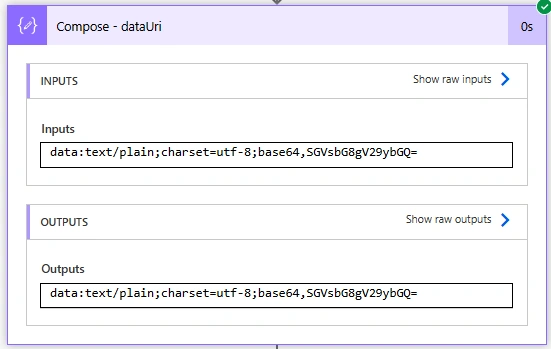
dataUri('Hello World')
Output:
Usage
I usually use this when a system or API expects content in Data URI format instead of plain text. It is helpful when sending file content or embedding data directly in a request.
2. dateUriToBinary()
This function converts a Data URI back into binary format.
Syntax
dataUriToBinary('dataUri')Example
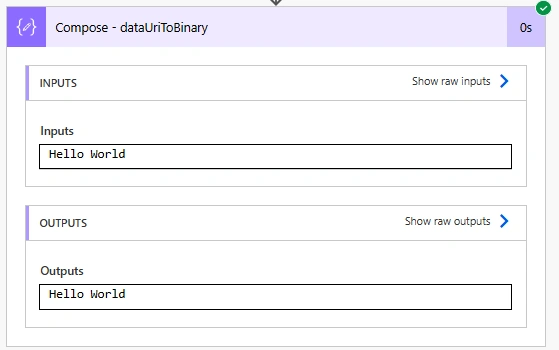
for dataUri use the output of the above compose action (outputs('Compose_-_dataUri')) to convert it into binary format.
dataUriToBinary(outputs('Compose_-_dataUri'))
Output
Usage
I use this when I receive content in Data URI format (usually from APIs) and need to convert it back into usable file content-for example, saving it to SharePoint or OneDrive.
3. encodeUriComponent()
This function encodes a string so it can be safely used inside a URL.
Syntax
encodeUriComponent('text')Example
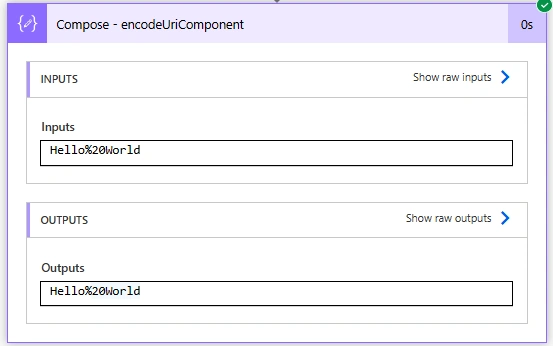
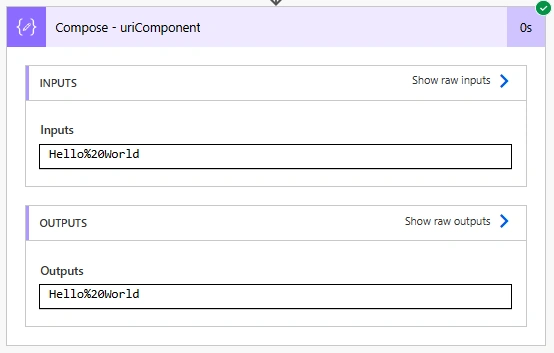
encodeUriComponent('Hello World')
Output
Usage
I use this when building dynamic URLs or passing parameters to APIs. It makes sure special characters like spaces or & don’t break the URL.


Join the conversation! Your thoughts help the community grow.