

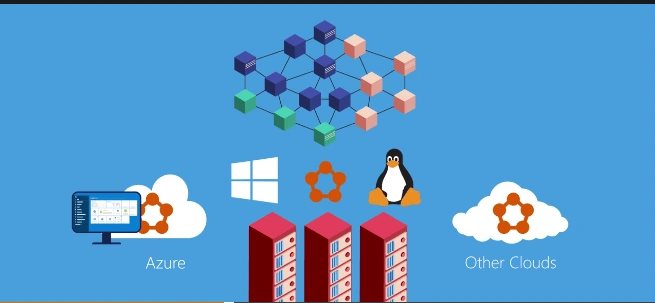
Microsoft Azure Service Fabric is an Application platform, which simply helps to deploy and build micro services based applications to provide an organization with scalable and reliable applications whether they are running in Azure On premises or on another cloud and the developer gets to focus on the business value, which helps the customer to get new features faster.
- Azure Fabric Service protects your application from failure by monitoring the cluster and automatically acting to mitigate the issues.
- Azure Service provides built in programming models, which simplifies developing Microsoft Services. Apart from allowing you to run any Application code, it also allows you to do other complex tasks.
- In addition to supporting traditional stateless microservices, Azure Service Fabric supports state full microservices.
- Compute and data to rescue latency and enhance performance while providing reliable systems through replication persistence.
- Data partition Services along with the dynamic resource bouncing makes scaling on demand routine, rolling upgrades to zero down time and helping to check fail.
- Azure Service Fabric automatically rolls backs the application to the previous version.
- Azure Service Fabric provides powerful management capabilities including state management, Application life cycle management with zero downtime upgrades, easy Service discovery and detailed diagnostic monitoring.
- In addition, with support for Linux, users can have built-in Service Fabric Application on Linux.
- Azure Service Fabric is designed to meet the need for many industries including manufacturing, financial Service, gaming, iOT or any Application benefits to the added scalability and resiliency.
- Azure Service Fabric is a distributed system platform, which makes it easy to deploy, package and manage your scalable and reliable microservices.
- It provides awesome runtime to build your distributed, scalable, stateless and also state full microservices.
- Create a cluster for Service Fabric in your many environments including whether it’s on Azure or On Premises or on Windows Server or on Linux.
Stateless and stateful microservices for Service Fabric
Azure Cloud Services worker roles refer to the example of your stateless Services.
State full microservices removes the need for the additional queues and caches.
Fig 1 – Azure Service Fabric
Let’s jump into Visual Studio and create an Azure Service Fabric.
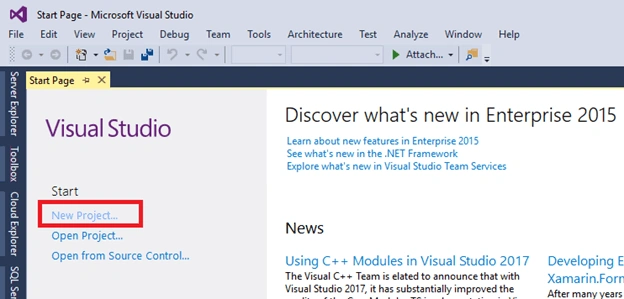
- Open Your Visual Studio > New Project.
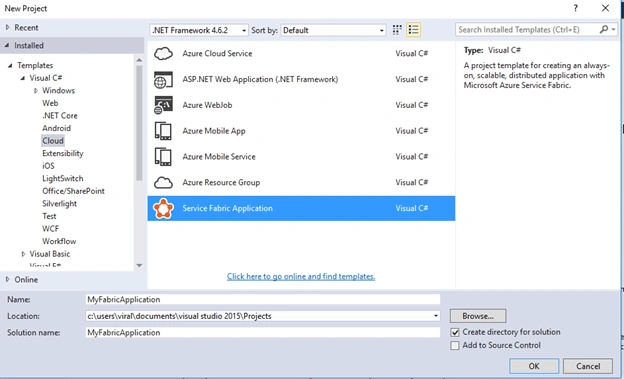
- Select Template > Service Fabric Application.
- Select Stateful Service.
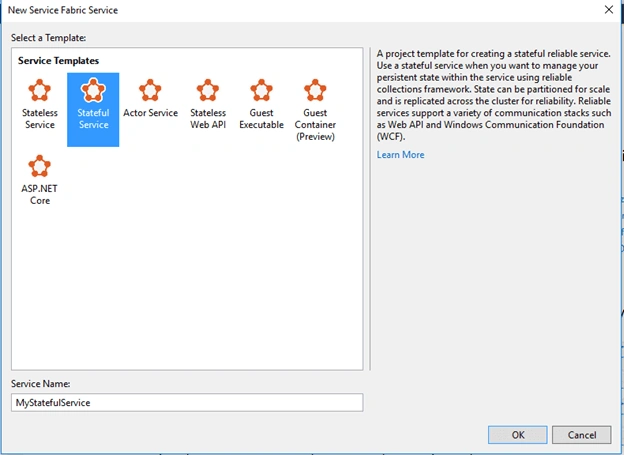
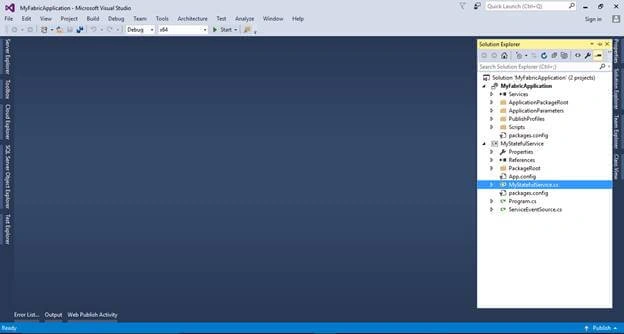
Like this, you can create your Service Fabric solution with as many clusters as you want.
Former memberPosted May 16, 2017, 7:13 AM
Azure service fabric is something like windows service or web service ? how azure service fabric can be run in my pc what you said on premise ?