The MediaRecorder API (MediaStream Recording) aims to provide a really simple mechanism by which developers can record media streams from the user's input devices and instantly use them in web apps, rather than having to perform manual encoding operations on raw PCM data, etc. You can check the browser support of the MediaRecorder API here https://caniuse.com/#feat=mediarecorder.
What are some interesting use cases of MediaRecorder API?
- Capture Team feedback via SharePoint or Teams
- Collect Attendees inputs in a conference like Microsoft Ignite
- Transmit live video
- Take screenshot
If you want your SharePoint add-in to appear in SharePoint Store, you need to submit [
check here] it to the Seller Dashboard for approval. You can add and save your submission as a draft in your Seller Dashboard account until you’re ready to submit it for approval.
https://sprider.blog/2018/12/11/publish-sharepoint-add-in-to-office-store/
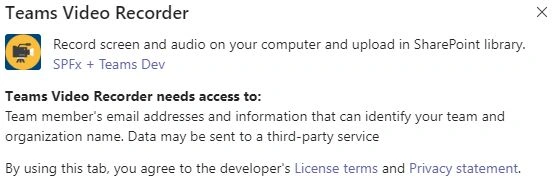
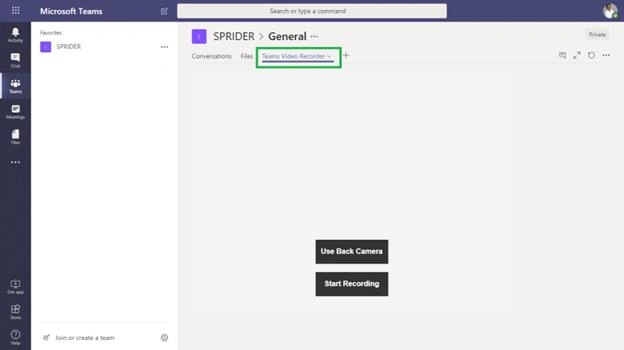
This sample SharePoint Framework client-side web part for Microsoft Teams Tab illustrates video recording using the MediaRecorder Web API.
This is an experimental web part. Because this technology’s specification has not stabilized, check the compatibility table for usage in various browsers. Also, note that the syntax and behavior of an experimental technology is subject to change in future versions of browsers as the specification changes
Teams Custom Tab
Applies to
Solution
| Solution |
Author(s)
|
| teams-tab-video-recorder |
Joseph Velliah (SPRIDER, @sprider) |
Version history
| Version |
Date |
Comments
|
| 1.0 |
November 20, 2018 |
Initial release |
Disclaimer
THIS CODE IS PROVIDED AS IS WITHOUT WARRANTY OF ANY KIND, EITHER EXPRESS OR IMPLIED, INCLUDING ANY IMPLIED WARRANTIES OF FITNESS FOR A PARTICULAR PURPOSE, MERCHANTABILITY, OR NON-INFRINGEMENT.
Minimal Path to Awesome
- Clone this repo
- Run npm i
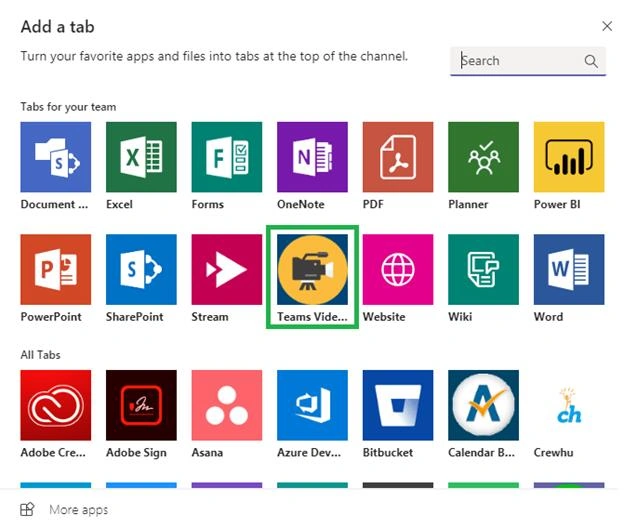
- Go to this Microsoft article and follow the steps to package and deploy my sample
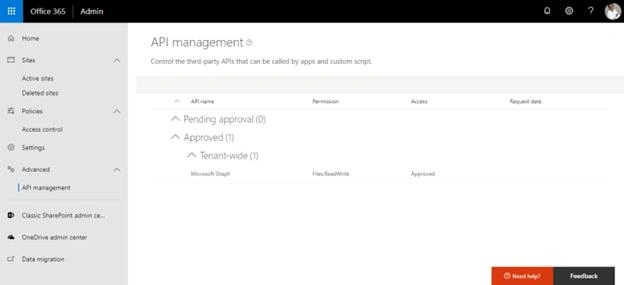
- Go to your tenant’s API management page to approve the permission requests configured in this web part.
Features
This project illustrates the following concepts:
- Building Microsoft Teams tab using SharePoint Framework
- Packaging and deploying web part as a Microsoft Teams tab
- Front/Back camera selection
- Video recording using the supported browsers
- Playback recording
- Uploading recorded video in user’s OneDrive root folder
I hope the posts in my blog will give back a little to the community that has helped me. Please feel free let me know if you have any questions. Sharing is caring.


Join the conversation! Your thoughts help the community grow.