

Introduction
In today's digital landscape, businesses are increasingly looking to migrate their on-premises VMware workloads to the cloud. This migration offers several benefits, including increased scalability, improved flexibility, and reduced operational costs. Oracle Cloud VMware Solution provides a seamless and efficient way to migrate and run VMware workloads in the cloud. In this article, we will explore the process of migrating and running VMware workloads on Oracle Cloud VMware Solution, along with the benefits and challenges associated with this migration.
Benefits of Migrating VMware Workloads to Oracle Cloud VMware Solution
Migrating VMware workloads to Oracle Cloud VMware Solution offers several key benefits. One of the primary benefits is increased scalability. Oracle Cloud VMware Solution allows businesses to scale their VMware workloads dynamically, ensuring that they have the resources they need to meet their growing demands. Additionally, migrating to Oracle Cloud VMware Solution can help businesses reduce their operational costs. By moving their VMware workloads to the cloud, businesses can eliminate the need to maintain expensive on-premises infrastructure, reducing their overall IT expenses.
Challenges of Migrating VMware Workloads to Oracle Cloud VMware Solution
While migrating VMware workloads to Oracle Cloud VMware Solution offers many benefits, it also presents several challenges. One of the main challenges is ensuring compatibility between on-premises VMware environments and Oracle Cloud VMware Solutions. Businesses must ensure that their VMware workloads are compatible with Oracle Cloud VMware Solution before initiating the migration process. Additionally, migrating VMware workloads to the cloud can be a complex process that requires careful planning and execution. Businesses must ensure that they have the necessary expertise and resources to successfully migrate their VMware workloads to Oracle Cloud VMware Solution.
Steps to Migrate VMware Workloads to Oracle Cloud VMware Solution
Migrating VMware workloads to Oracle Cloud VMware Solution involves several key steps. The first step is to assess the compatibility of your VMware workloads with Oracle Cloud VMware Solution. You can use tools provided by Oracle to assess the compatibility of your VMware workloads with Oracle Cloud VMware Solution. Once you have assessed compatibility, the next step is to prepare your VMware workloads for migration. This may involve updating your VMware environment, ensuring that your data is backed up, and preparing your network for migration. Finally, you can initiate the migration process using Oracle's migration tools, ensuring that your VMware workloads are successfully migrated to Oracle Cloud VMware Solution.
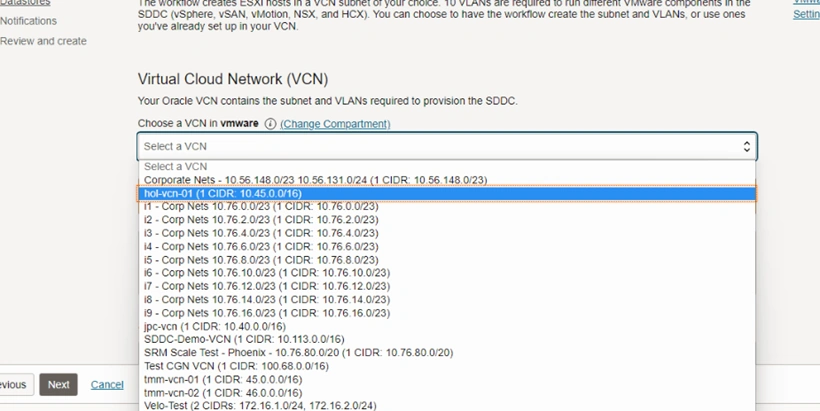
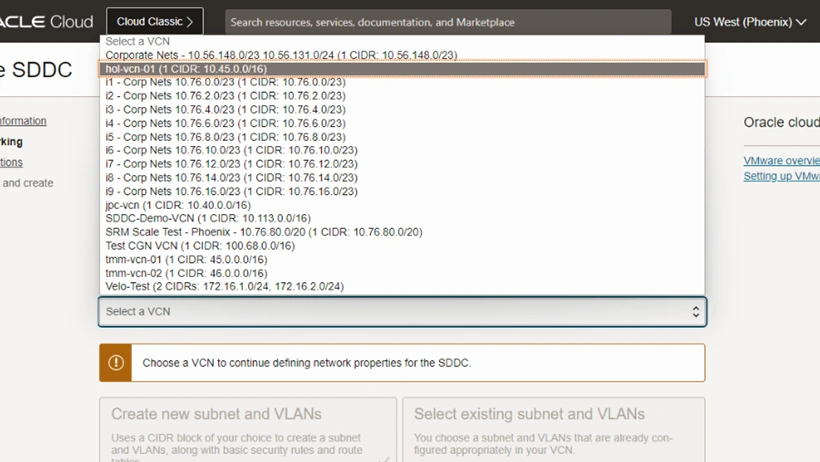
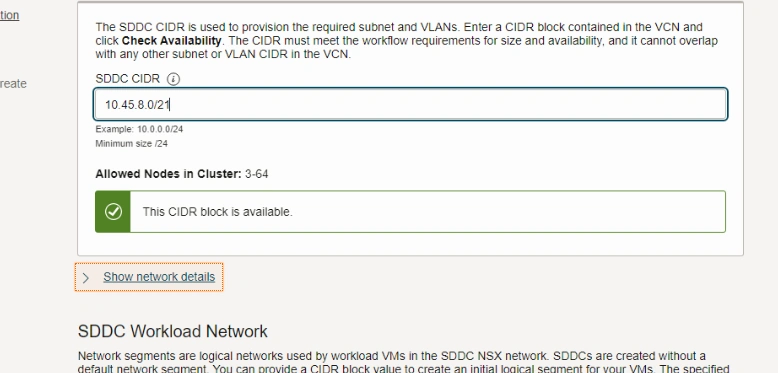
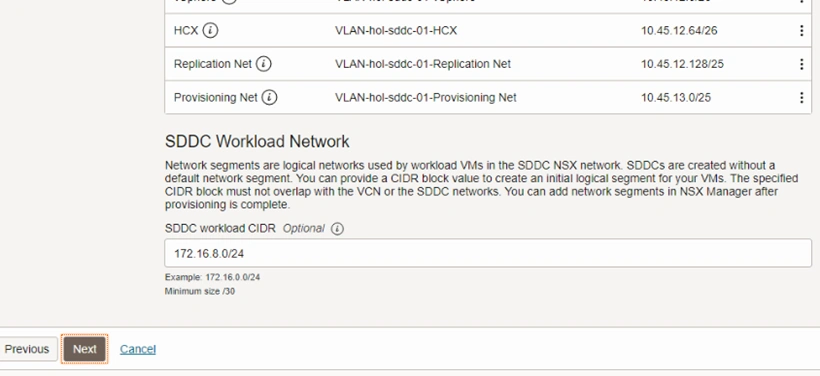
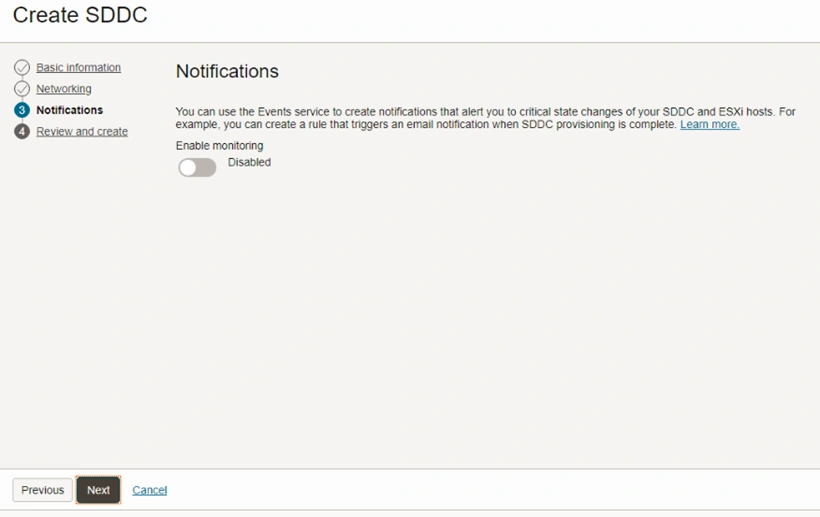
The basic steps for deploying VMware SDDC include initially creating a Virtual Cloud Network (VCN) and then deploying VMware SDDC in Oracle Cloud Infrastructure (OCI). Here is a guide to creating a VCN:
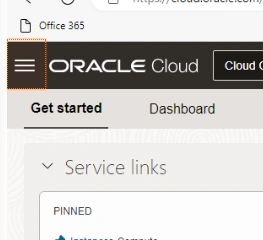
- Click the Burger icon located at the top left corner of the screen to reveal the menu.
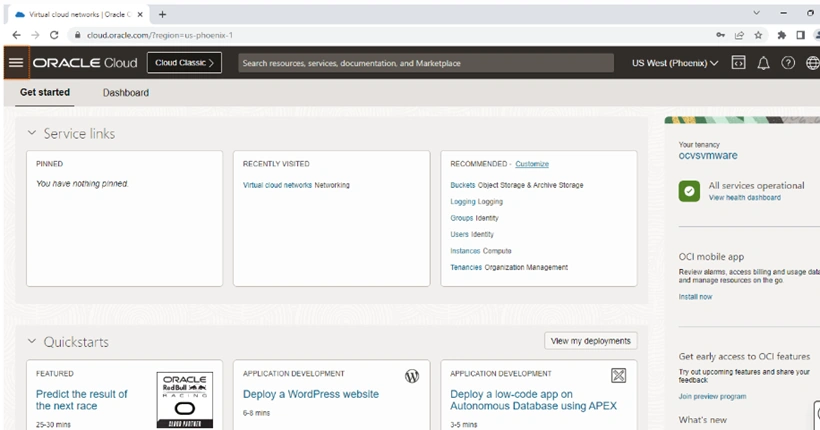
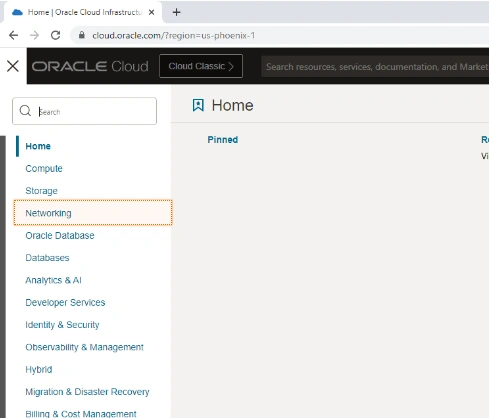
- Select "Networking" from the menu.
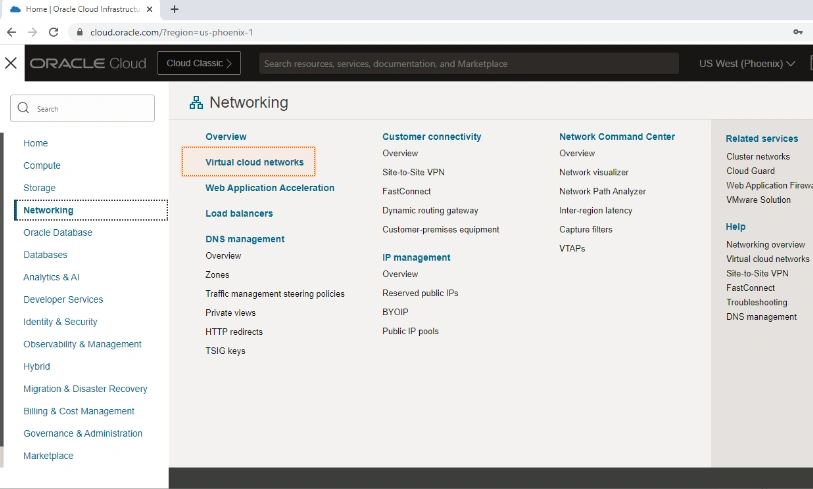
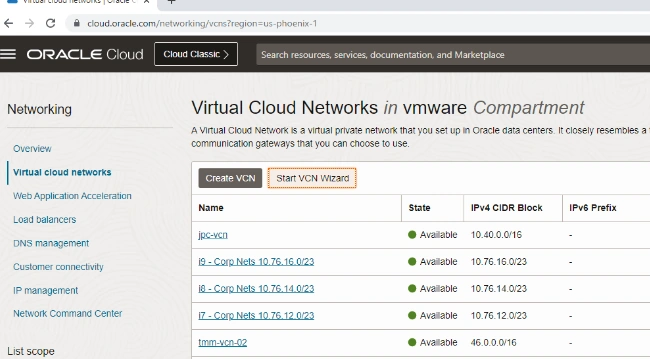
- Choose "Virtual Cloud Networks" from the Networking options.
- Click on "Start VCN Wizard" to begin the VCN creation process.
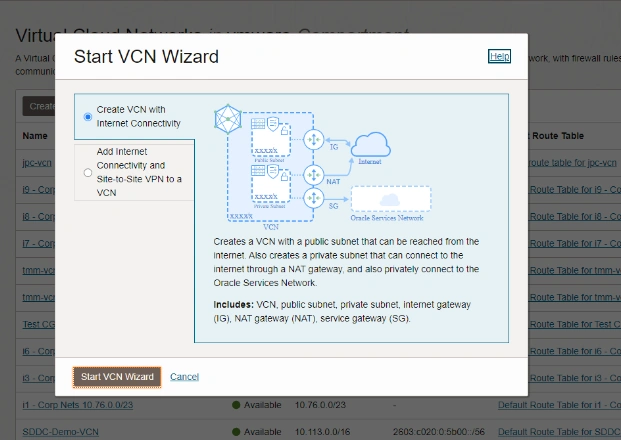
- Opt for "Create VCN with Internet Connectivity" to enable the creation of Internet Gateway, NAT Gateway, and service Gateway.
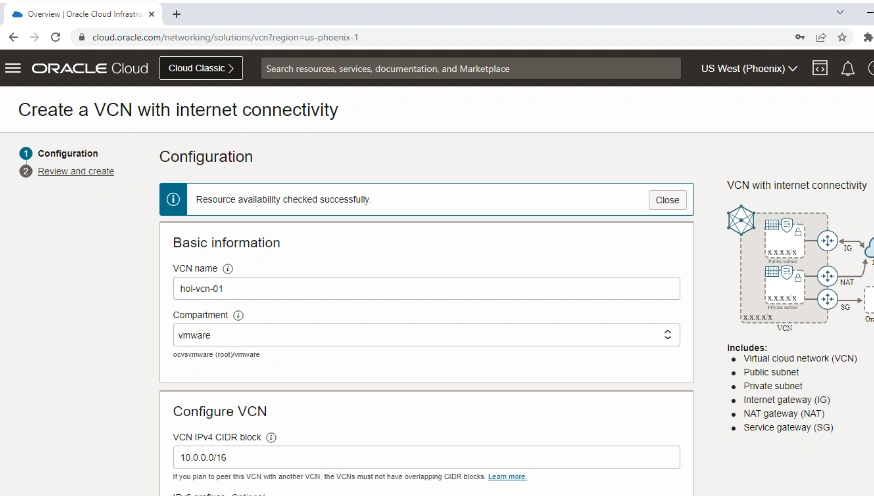
- Provide a name for your VCN by clicking on "VCN Name" and entering "hol-vcn-01".
- Specify the VCN's IPv4 CIDR BLOCK by clicking on "VCN IPv4 CIDR BLOCK" and entering "10.45.0.0/16".
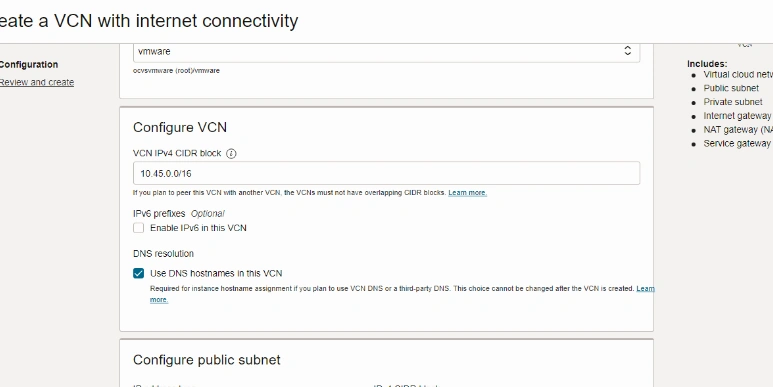
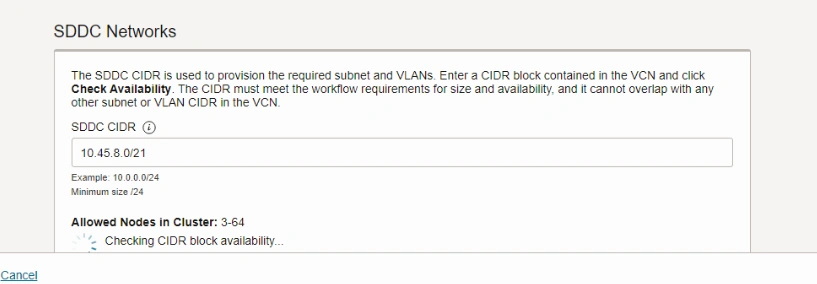
The CIDR Block must be distinct across the entire hybrid environment and sufficiently large to accommodate the deployment of the SDDC, its supporting configuration, and any Oracle Cloud native services. Follow these steps to specify CIDR blocks for the Public and Private Subnets:
- In the Public Subnet section, select the IPv4 CIDR block field.
- Input the CIDR as 10.45.0.0/24.
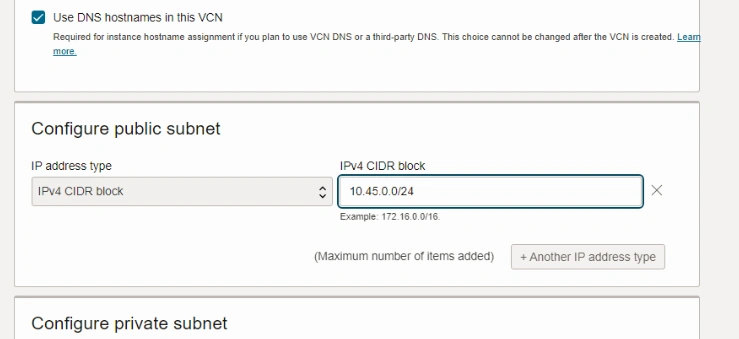
- In the Private Subnet section, choose the IPv4 CIDR block field.
- Input the CIDR as 10.45.1.0/24.
- Proceed by clicking "Next."
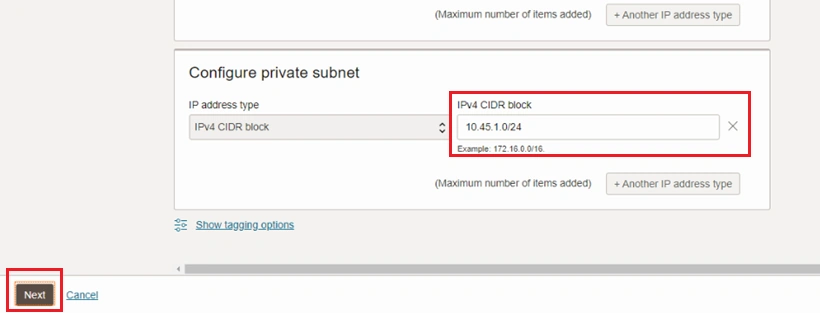
- Scroll down the page.
- Click on "Create."
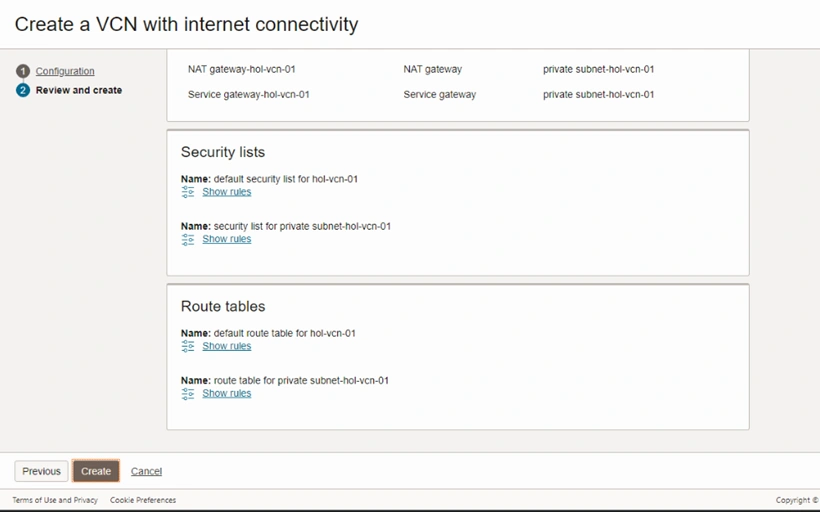
- Lastly, select "View VCN" to review the Virtual Cloud Network.
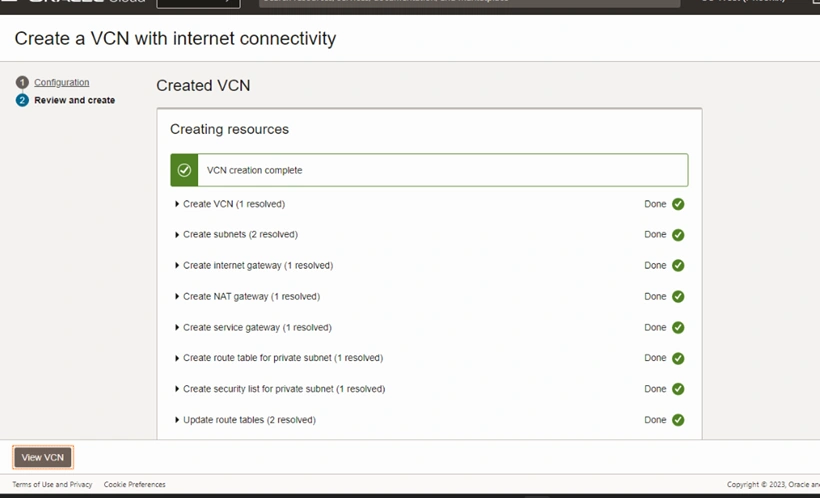
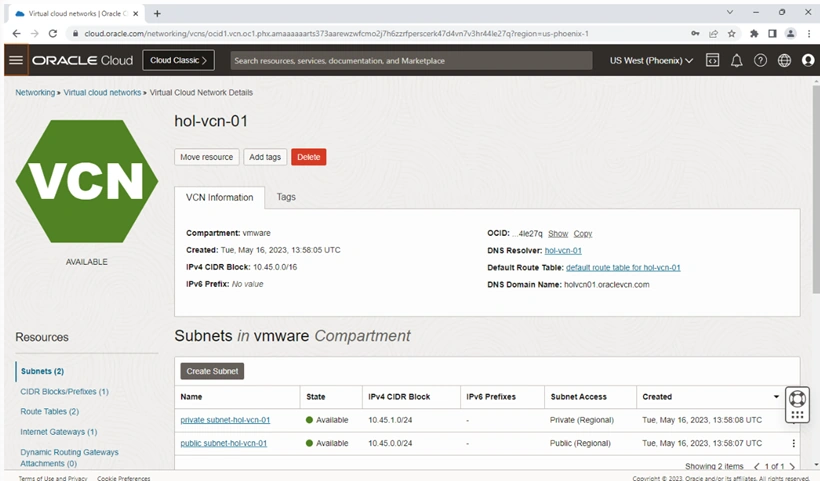
After setting up the VCN, the next step is to create the SDDC.
Steps to build the VMware SDDC with Standard Compute Shapes
Follow these steps to build the VMware SDDC with Standard Compute Shapes
- Click the burger icon located at the top left corner of the screen to access the menu.
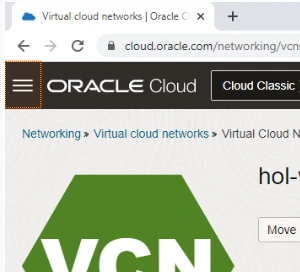
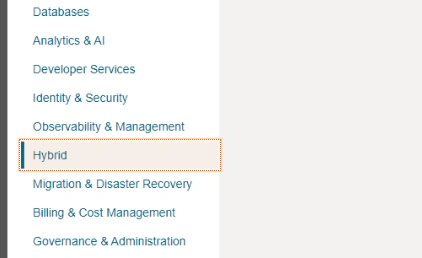
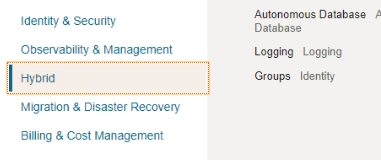
- Select "Hybrid" from the menu options.
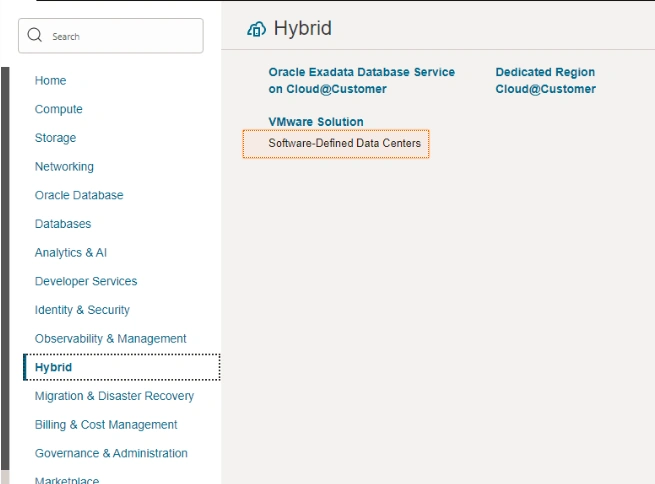
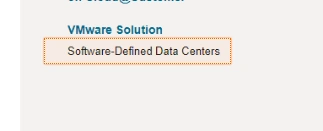
- Choose "Software-Defined Data Centers" under the VMware Solution section.
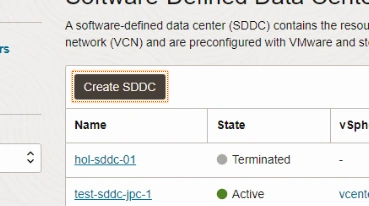
- Click on "Create SDDC" to start the SDDC creation process.
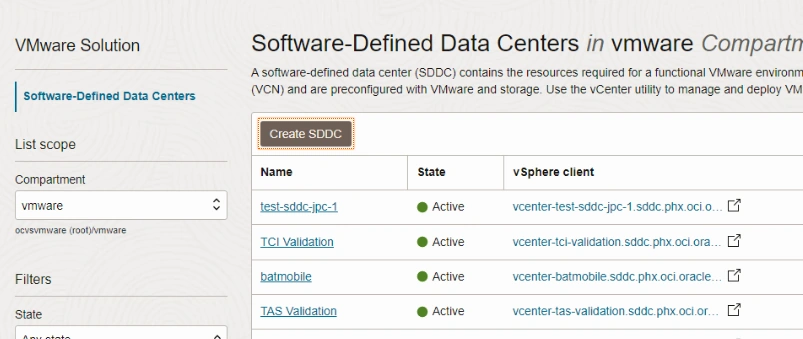
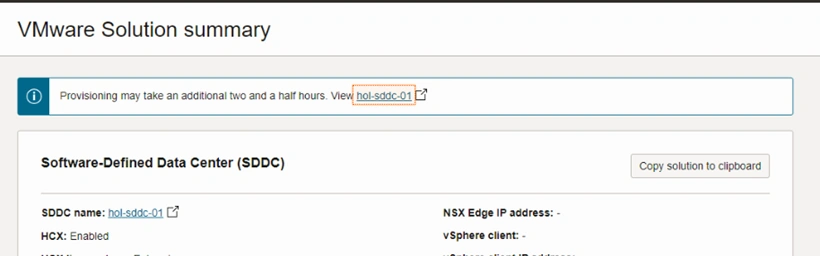
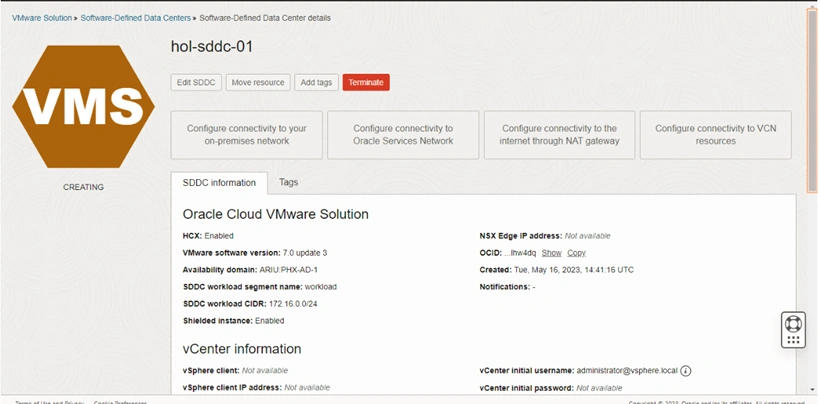
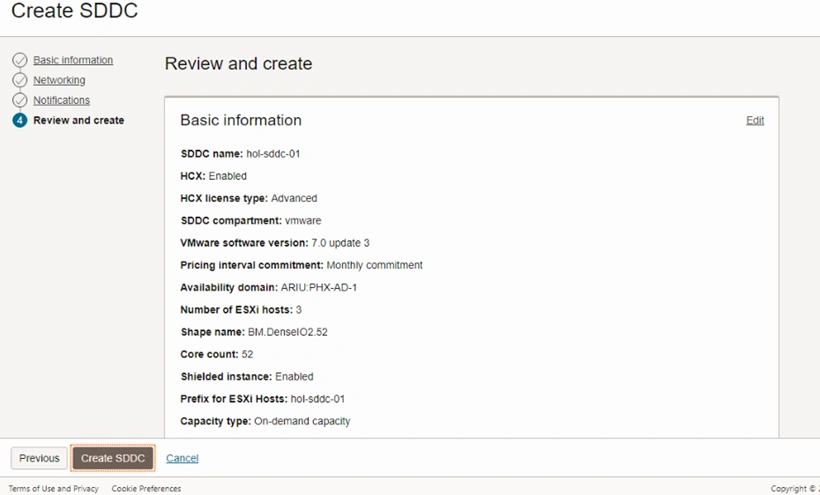
- Enter a name for your SDDC by clicking on "SDDC Name" and typing in "hol-sddc-01".
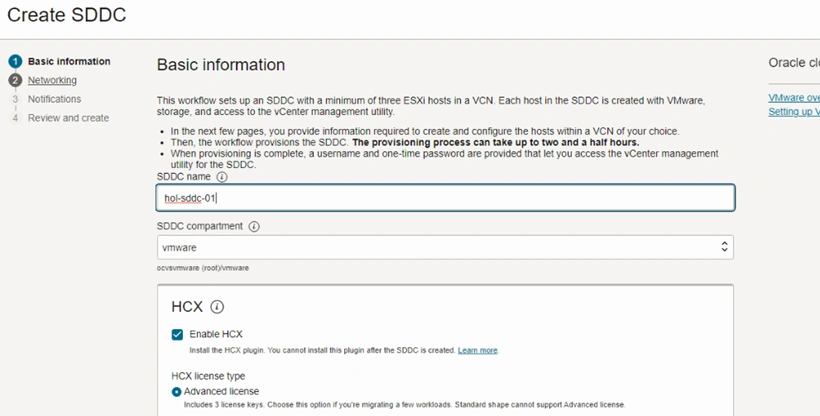
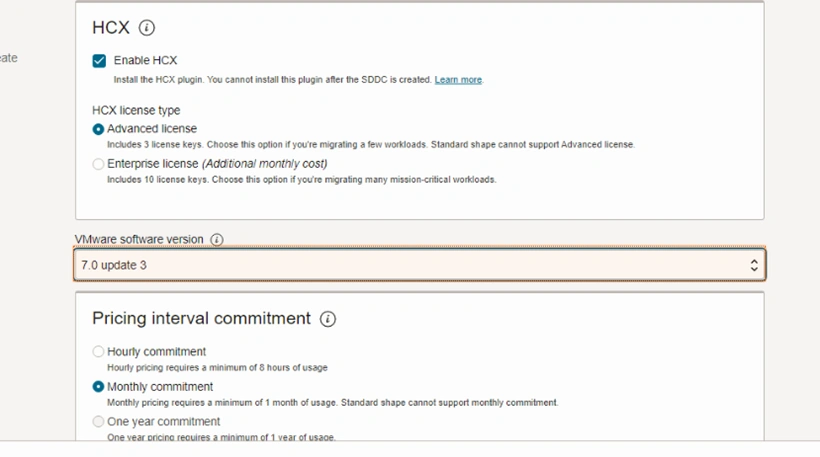
By default, the "Enable HCX" option is selected, which automatically deploys VMware HCX during the SDDC deployment process. Follow these steps to configure the SDDC settings:
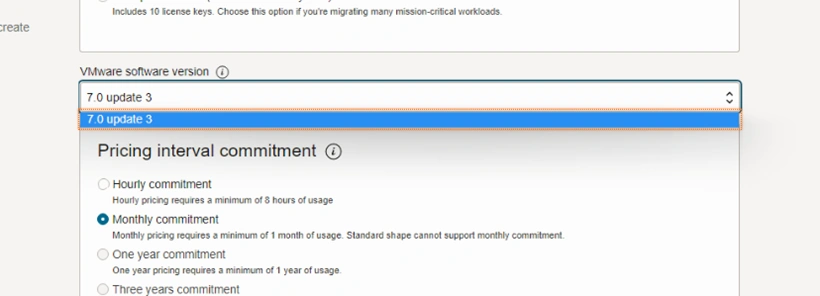
- Choose the desired VMware Software Version by clicking on "VMware Software Version."
- Select "7.0 update 3."
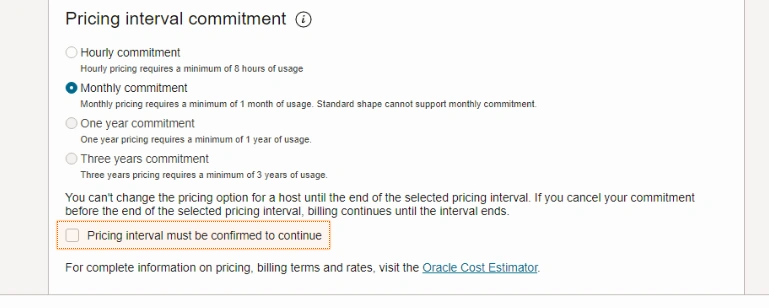
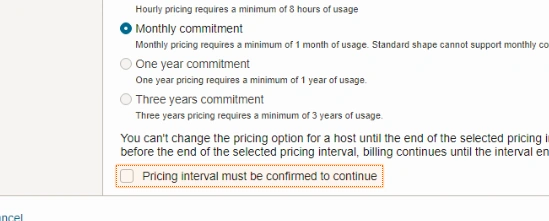
- Confirm the pricing interval by checking the checkbox.
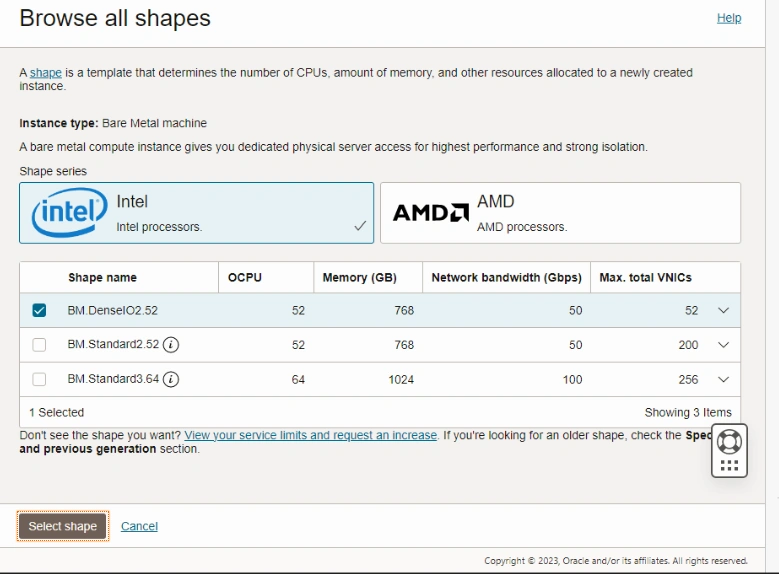
- Click on "Change Shape."
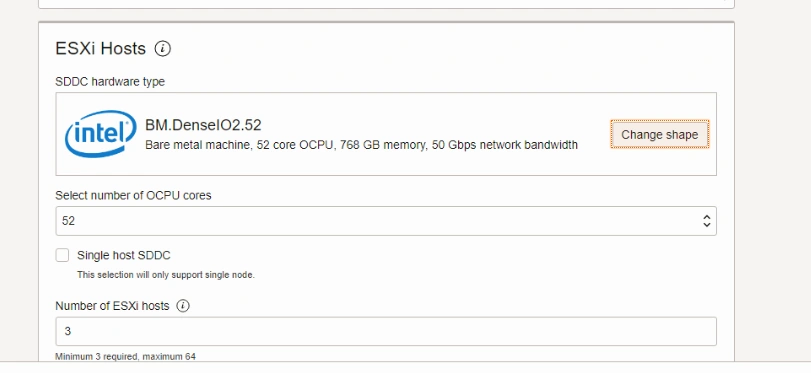
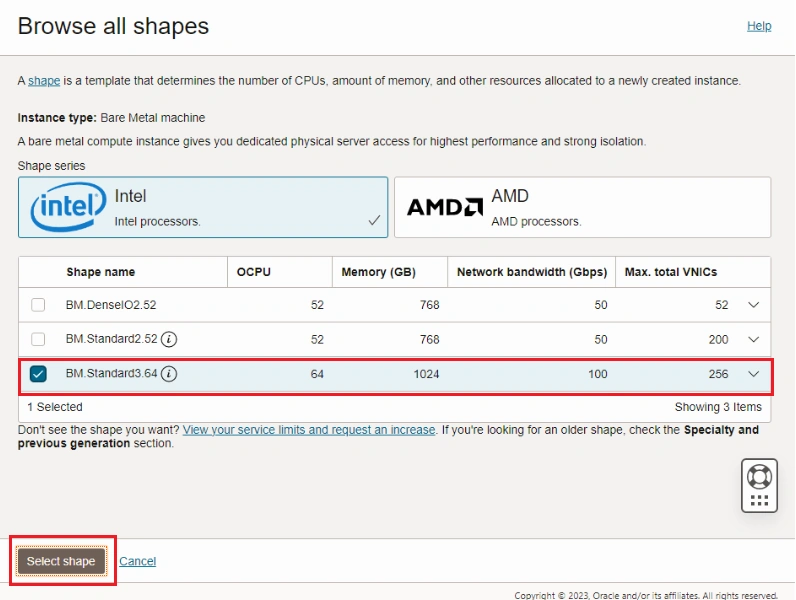
- Choose "BM.Standard3.64."
- Click on "Select shape."
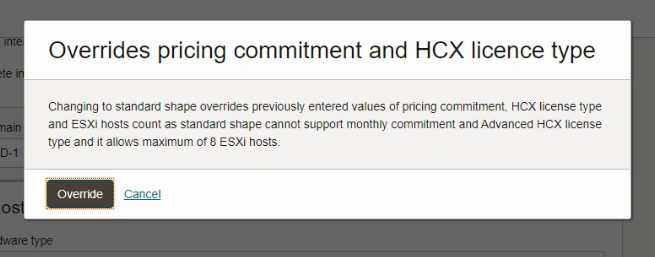
- Click on "Override."
- Select the number of OCPU cores by clicking on "Select number of OCPU cores" and choosing "16."

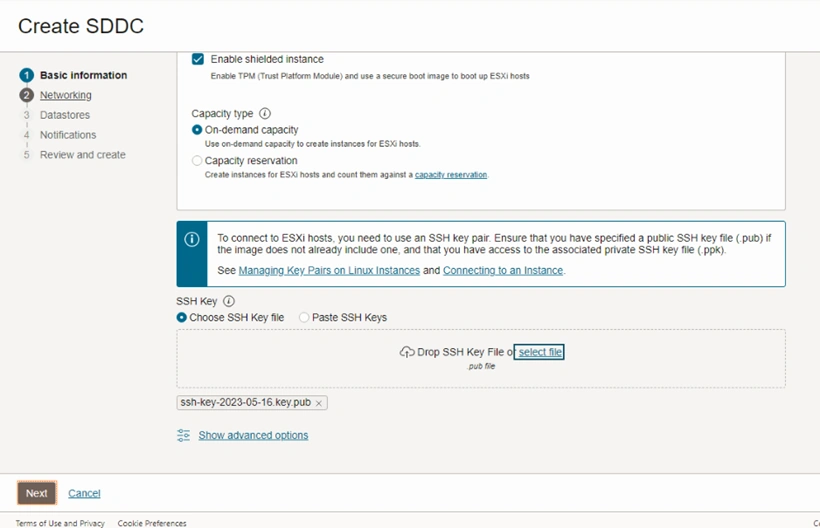
- Enable the checkbox to "Enable shielded instance."

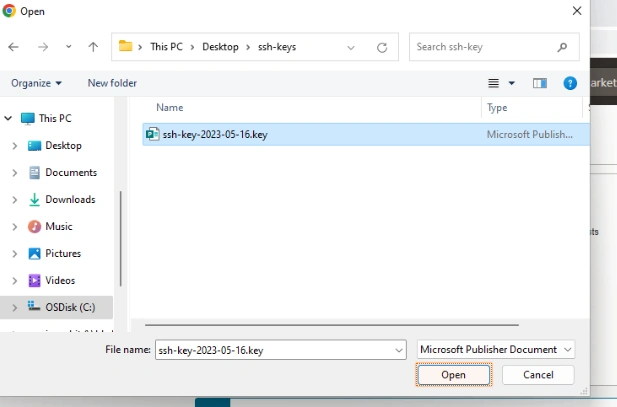
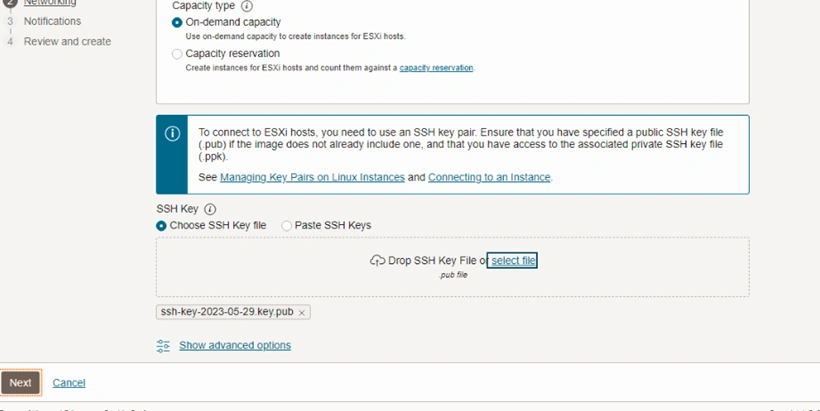
- Click on "Select file" to upload the SSH key.
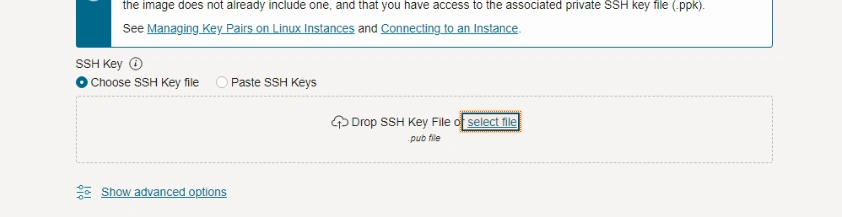
- Navigate to the "Desktop" and open the "ssh-key" folder.
- Select the SSH key from the "ssh-key" folder.
- Click "Open" to upload the SSH key.
Join the conversation! Your thoughts help the community grow.