
Microsoft Azure File Storage
Azure file storage can mainly be used if we want to have a shared drive between two servers or across users. In that case, we will go for Azure file storage. We can take advantage of fully managed file shares in the cloud that are accessible via the industry-standard Server Message Block (SMB) protocol. Mount file shares concurrently in the cloud or on-premises on Windows, Linux, and macOS.
Instead of managing the overhead of a physical server, device, or appliance, we could manage our files in the cloud using Azure File shares at a cheap cost.
Advantages of Azure Files
- Replaces or supplement on-premises file servers
- "Lift and shift" applications
- Simplify cloud development
- Shared application settings
- Diagnostic share
- Dev/Test/Debug
Prerequisites:
- Azure account
- Azure storage account
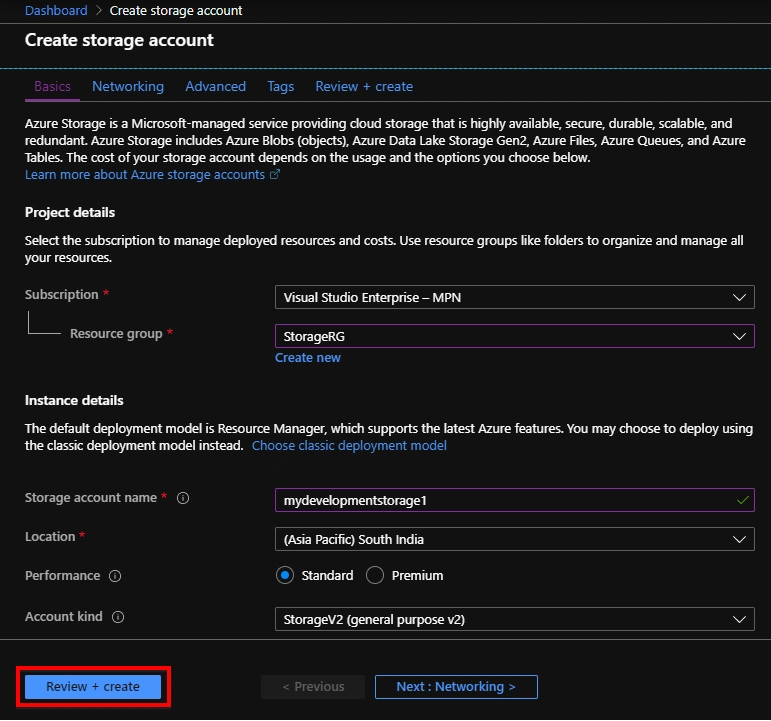
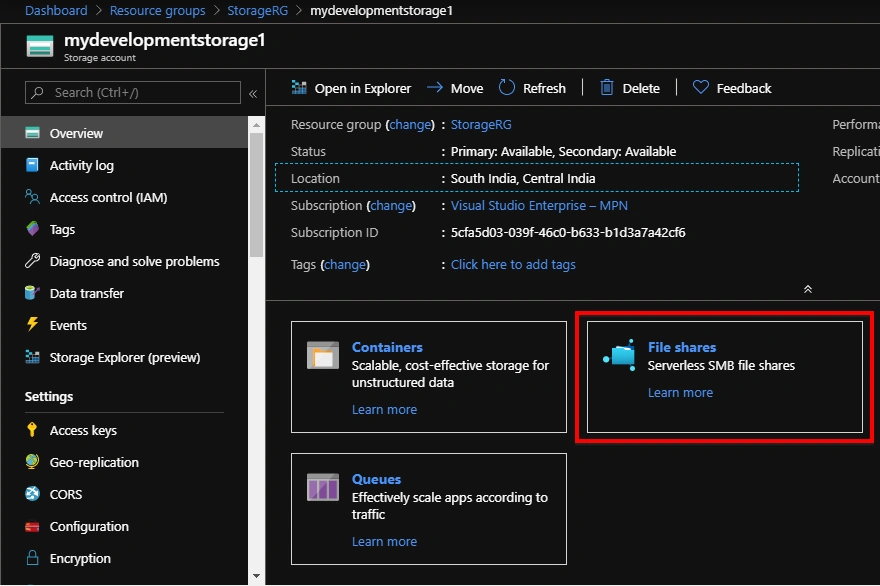
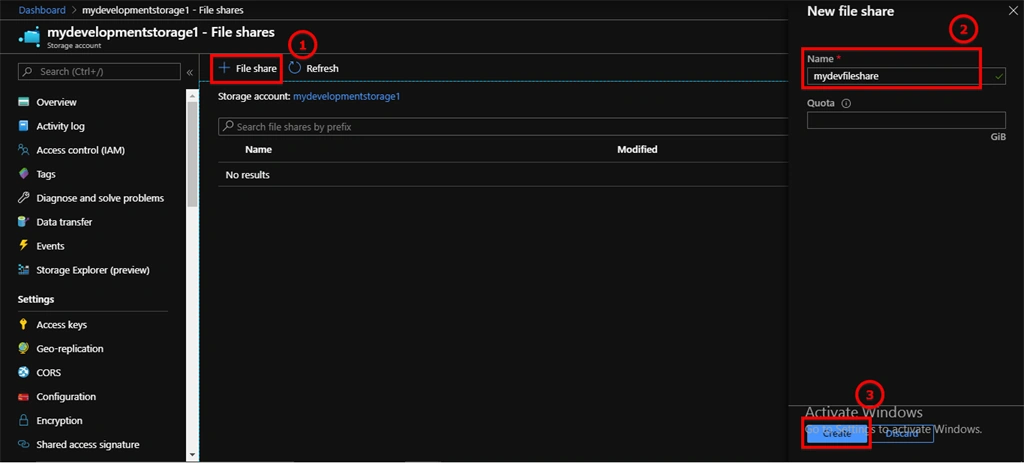
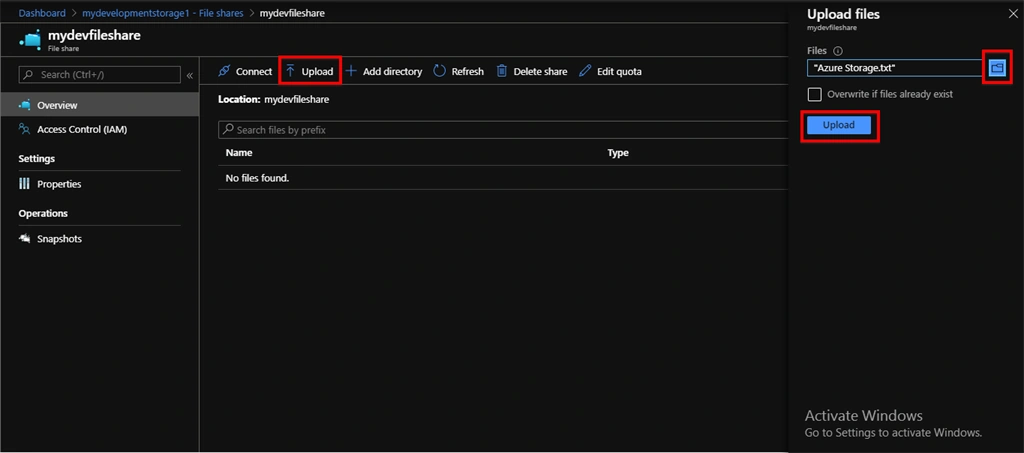
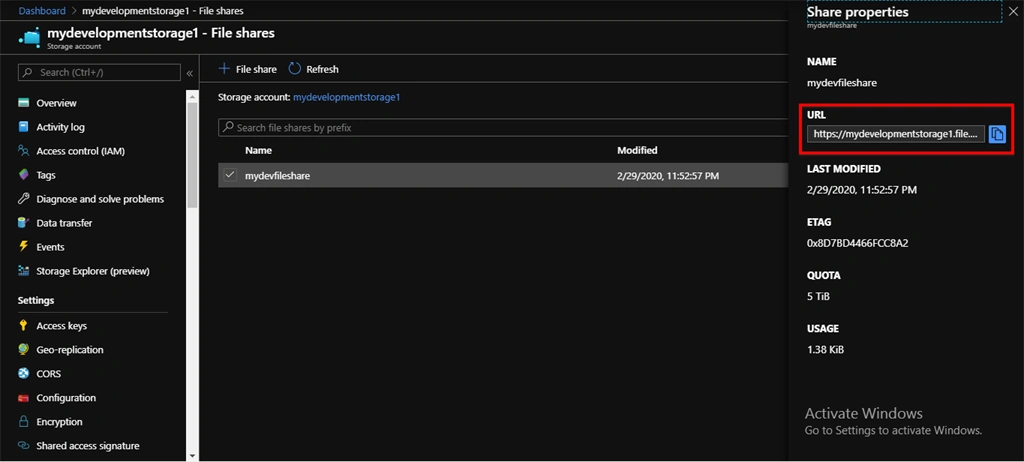
Before we can work on Azure file share, we need an Azure storage account. Once the Azure storage account is created, go into file storage service and create a file share.
Data Access Method
- Direct Access Method
- Azure File Sync
What is the Direct Access Method?
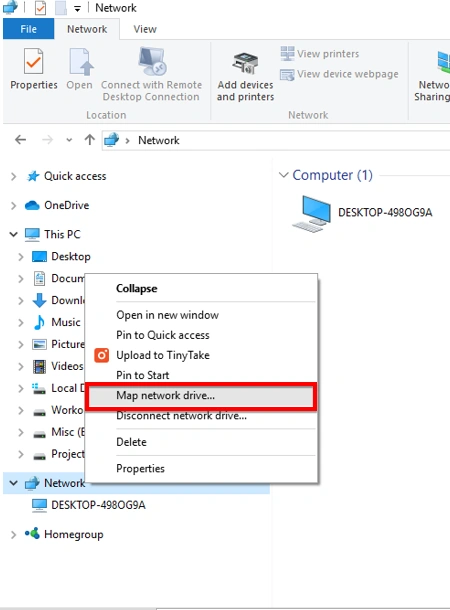
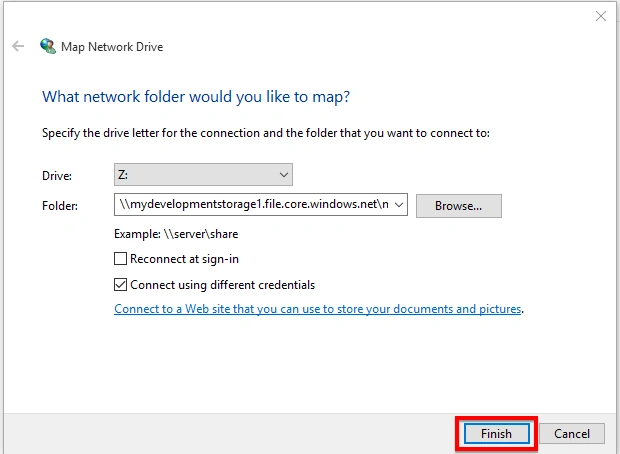
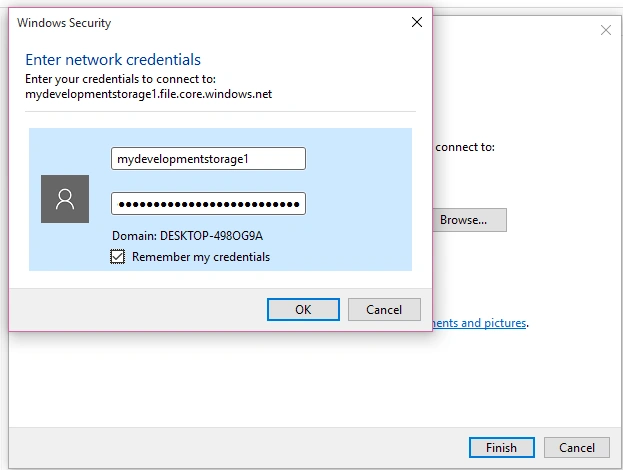
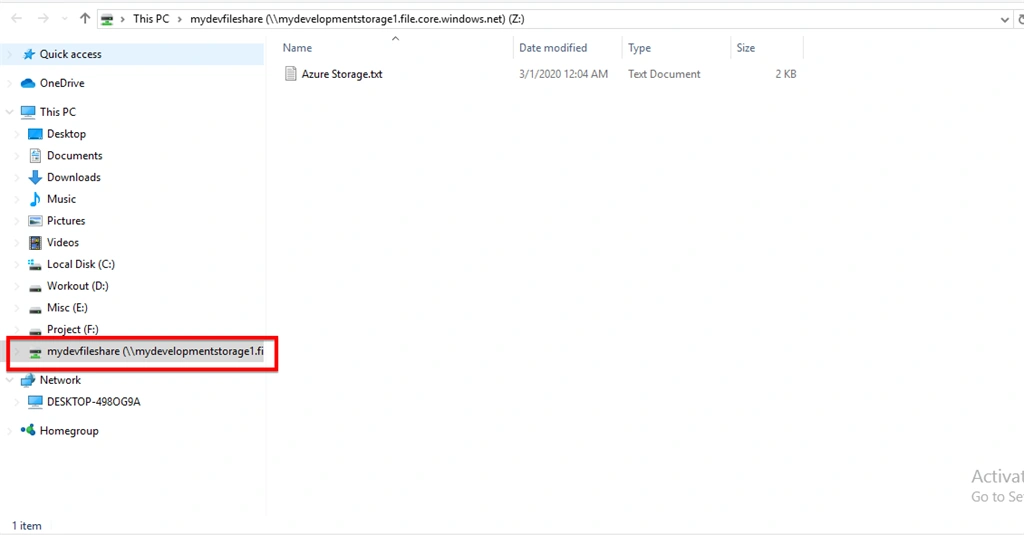
In Windows or any platform, we could mount an Azure file share with SMB protocol by assigning it a drive letter.
In Azure file share, there is one interesting option that exists called Snapshot, that captures the share state at that point. It will backup a read-only copy of your data. If any files are deleted accidentally, we can restore files from this Snapshot.
When to user-share snapshots:
- Protection against accidental deletions or unintended changes
- General backup purposes
- To recover share
Azure File Storage usage scenarios:
- Migrate existing applications to the cloud
- Share server data across on-premises and cloud
- Integrate modern applications with Azure File Storage
- Simplify hosting High Availability (HA) workload data
What is Azure File Sync?
You can use Azure File Sync to centralize your organization's file shares in Azure Files while keeping the flexibility, performance, and compatibility of an on-premises file server. Azure File Sync transforms your Windows Server machines into a quick cache of your Azure file share. You can use any protocol that's available on Windows Server to access your data locally, including SMB, Network File System (NFS), and File Transfer Protocol Service (FTPS). You can have as many caches as you need across the world.

Join the conversation! Your thoughts help the community grow.