
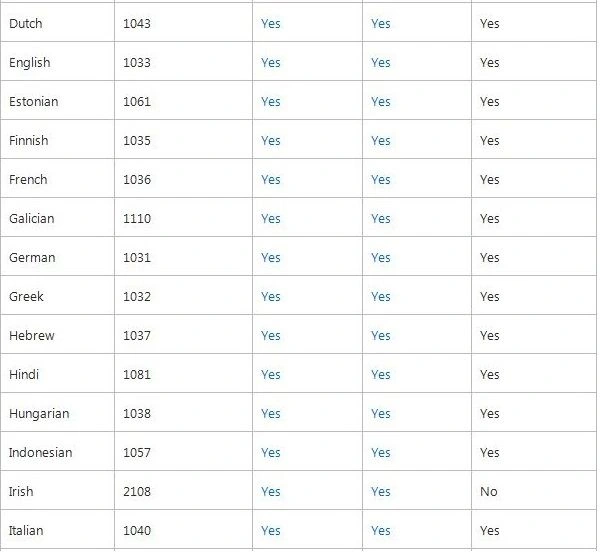
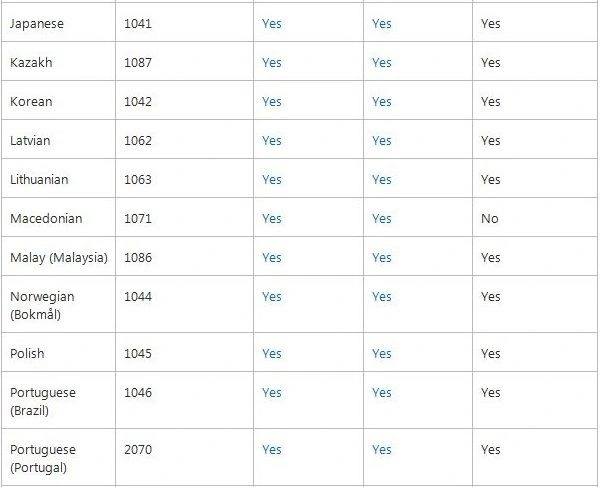
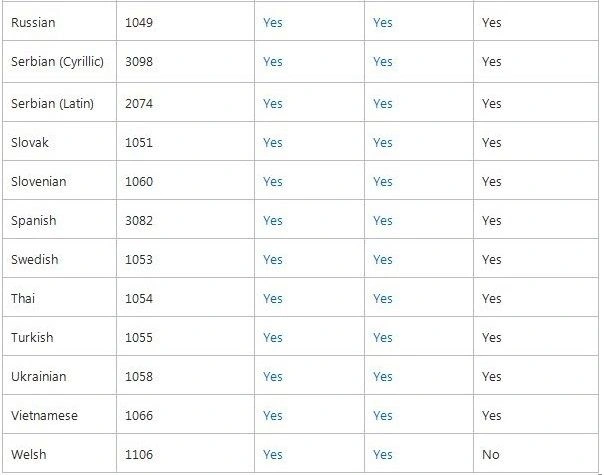
The following are the language packs supported in SharePoint 2013.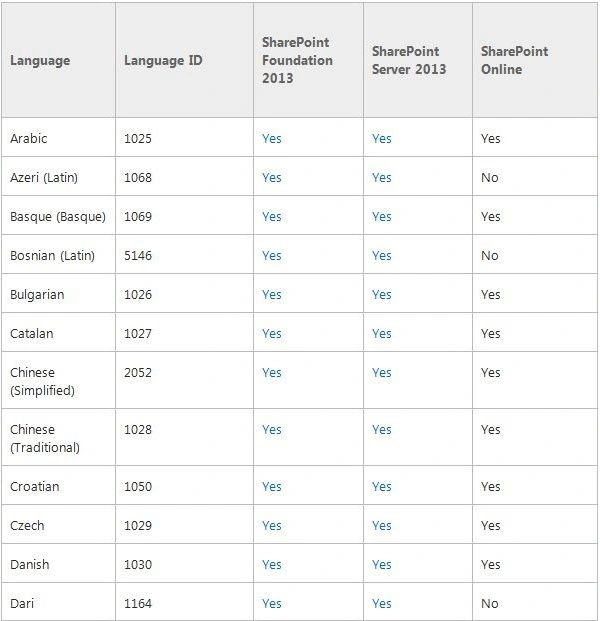
Here I will download and install the Arabic language from the Microsoft page.
Download link.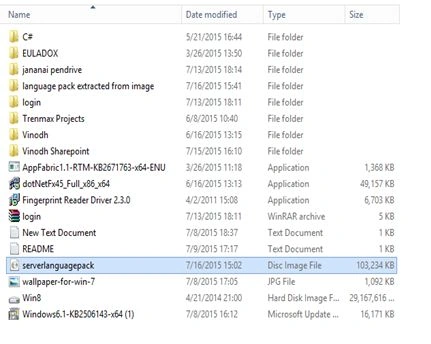
After downloaded the language pack is just mounted into the drive.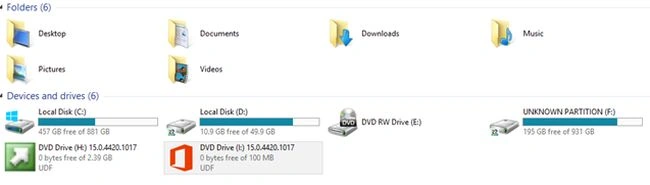
Double-click on it then click on setup.exe.
Now agree with the terms and conditions.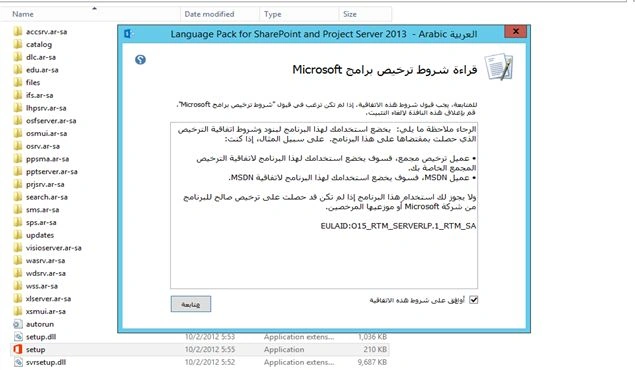
Click Next.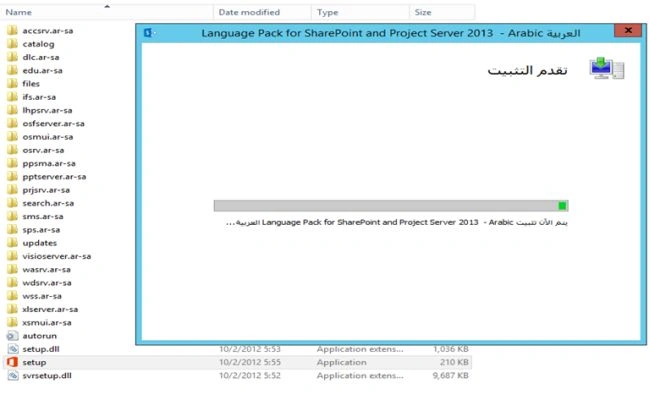
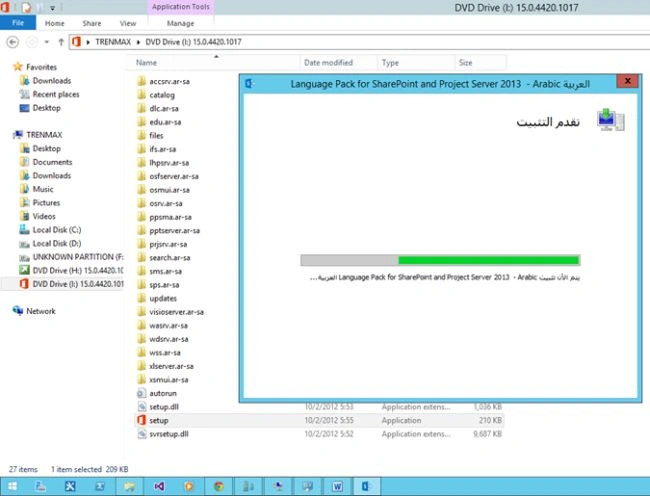
Now the language package installation is in progress.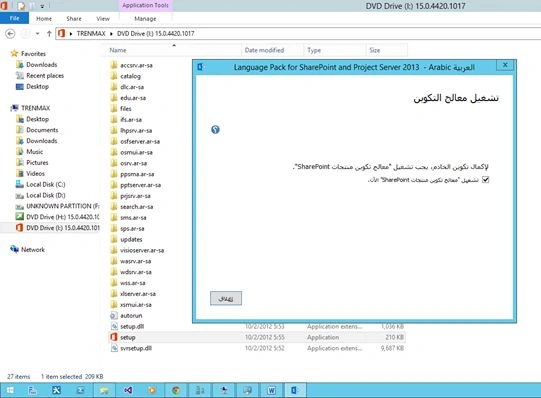
Click Finish then the installation is successful.
Now the SharePoint 2013 product configuration is shown to upgrade the SharePoint products.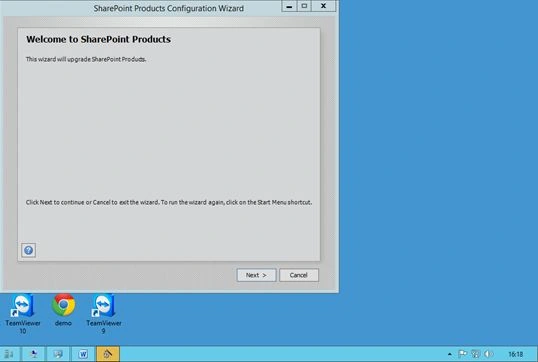
Click Next then click Yes then IIS has been reset for the entre product configuration wizard running.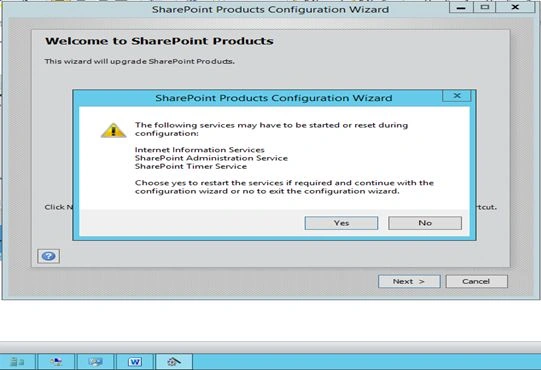
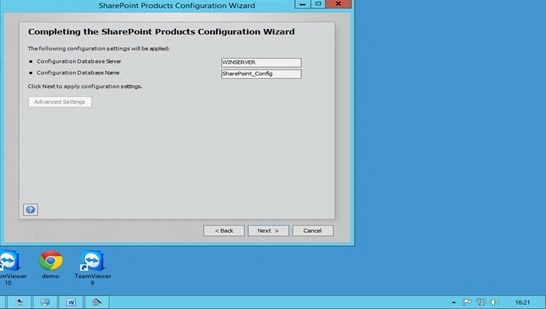
Click Next then Run the product configuration wizard.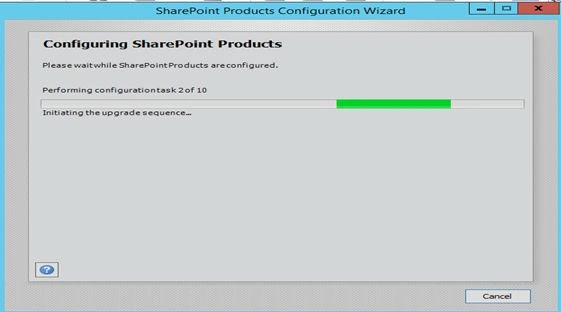
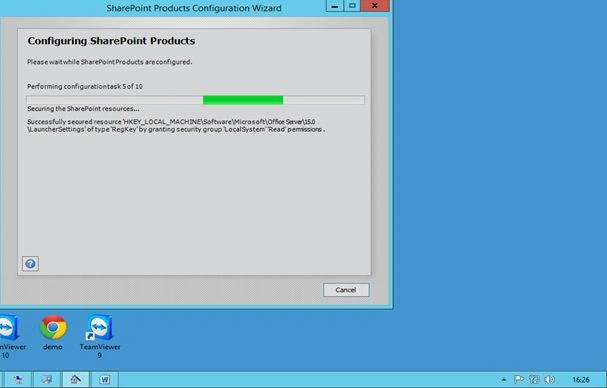
After the configuration wizard completes.
Now go to Central Administration.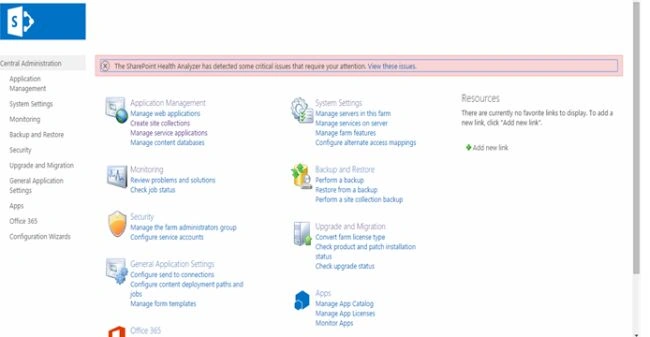
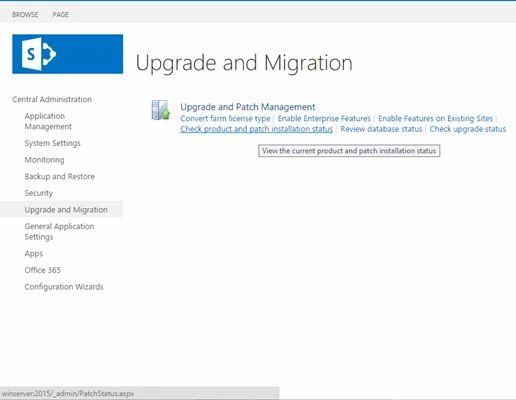
Go to Upgrade and Migration then select Check product and the patch installation status.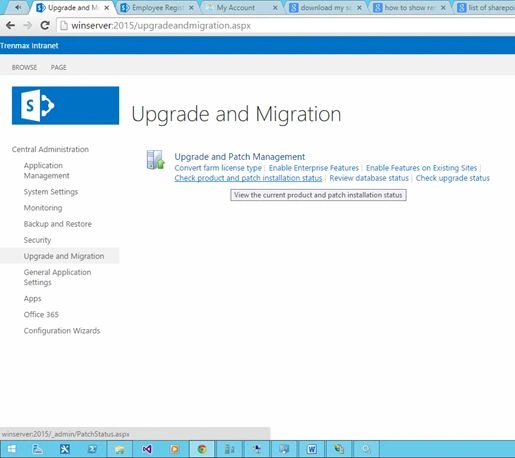
Here we see the language pack has been installed successfully.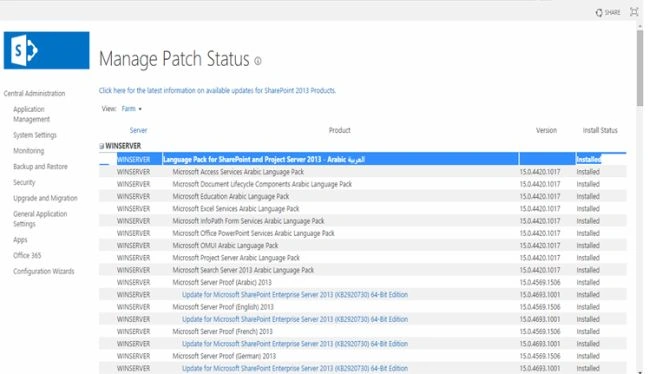
Now open the site.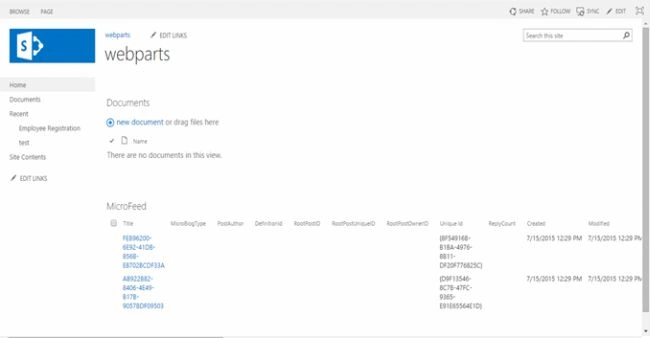
Click on the setting icon at the right top of the ribbon then seelct Site settings then under Site Administrationthen click Language Settings.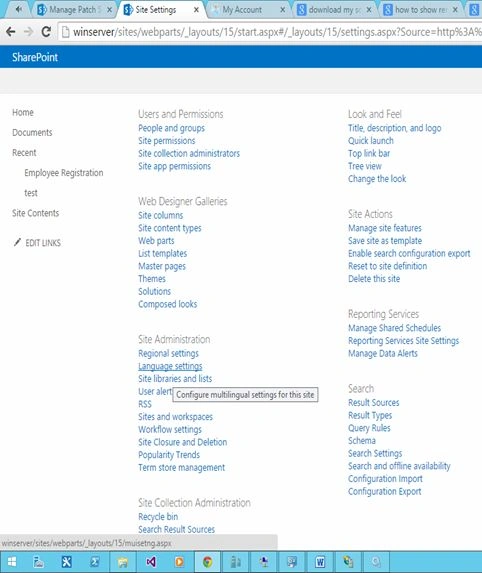
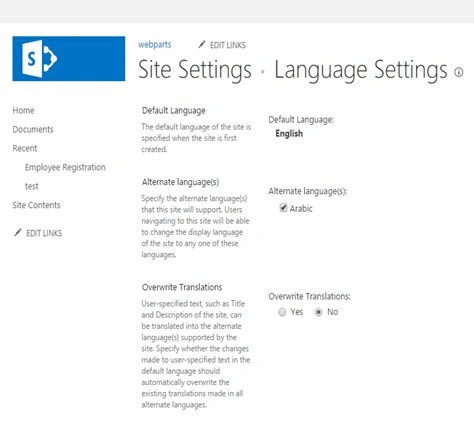
In the Language Settings page select Arabic then click OK.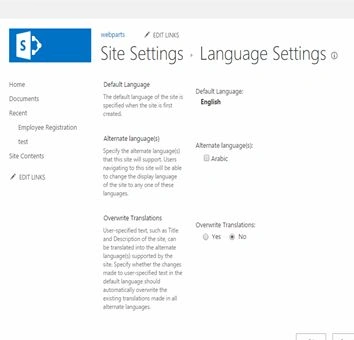
Go to the settings in the browser and change the language settings.
Under Advanced settings select the language and input settings.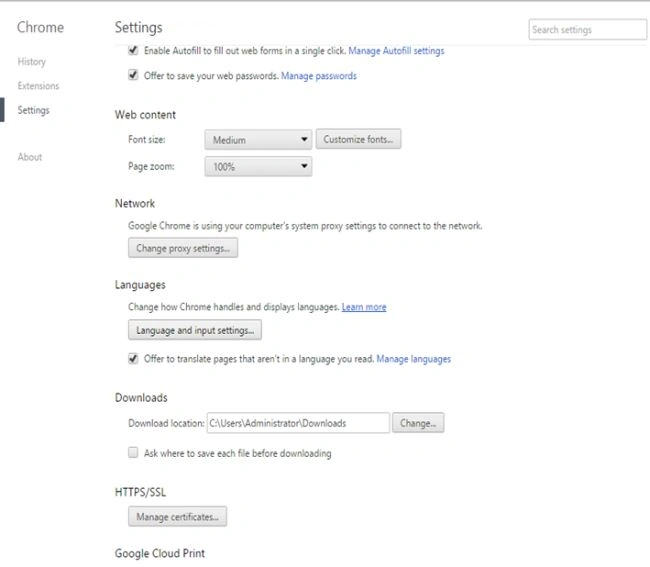
Choose Arabic then click Add.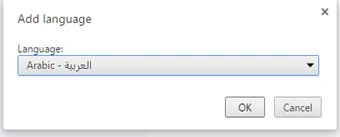
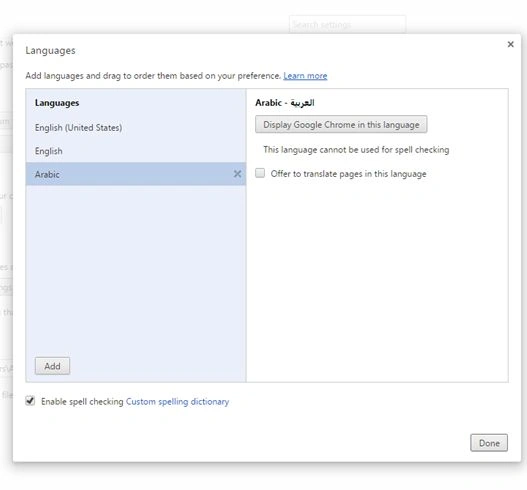
Move Arabic as the default language.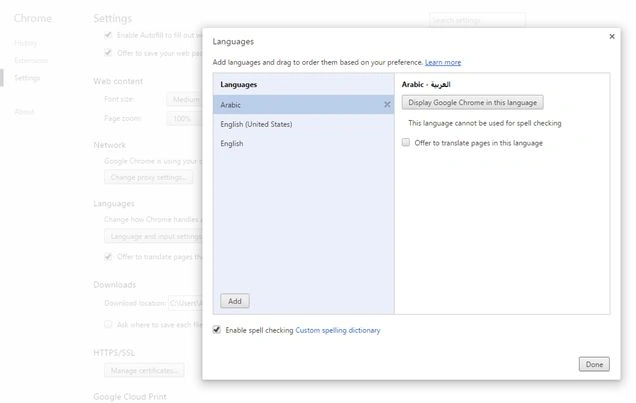
Now refresh the site.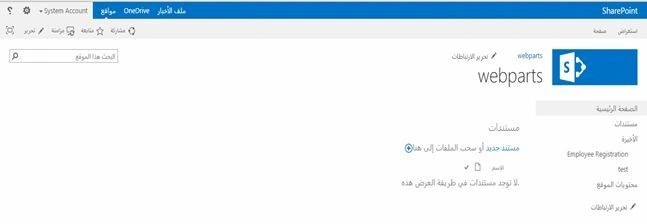
Note: SharePoint 2010 has a select display language option. For 2013 this option has been removed.
The Custom Webparts titles would not be changed. Only the default SharePoint title will be changed.
In the next article I will explain how to change the custom webparts title in both languages.
Regards: Vinodh.N (SharePoint Developer/Administrator)

Multilingual User Interface (MUI) in SharePoint 2013
Join the conversation! Your thoughts help the community grow.
Sign in to leave a comment
It is the same account you read, post and publish with — and you will come straight back to this page.
Jacob RobinsonPosted Jul 22, 2015, 3:39 AM
Good One..
Sibeesh VenuPosted Jul 17, 2015, 5:56 AM
Thanks for the information
Vinodh NarayananPosted Jul 17, 2015, 5:45 AM
Gopi Chand Thank you
Gopi ChandPosted Jul 17, 2015, 5:43 AM
Good one
Vinodh NarayananPosted Jul 17, 2015, 4:51 AM
Sharad Thank u sir
SharadPosted Jul 17, 2015, 3:34 AM
good one...
Vinodh NarayananPosted Jul 17, 2015, 12:35 AM
Thank you guys
Nilesh JadavPosted Jul 17, 2015, 12:08 AM
Nice one sir
Pankaj Kumar ChoudharyPosted Jul 16, 2015, 6:41 PM
Nice Article Sir........