

Introduction
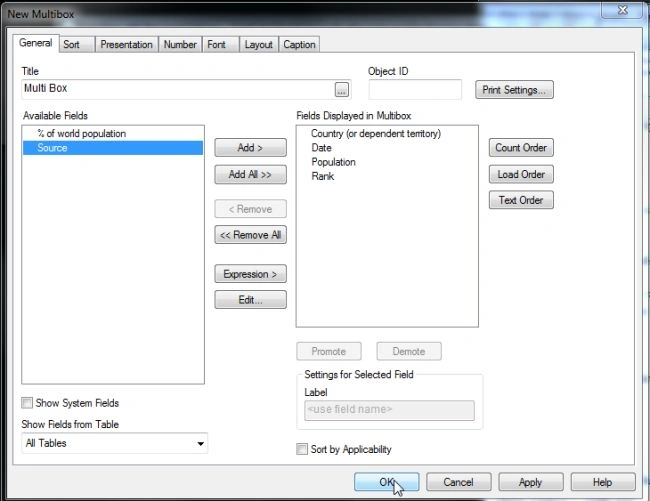
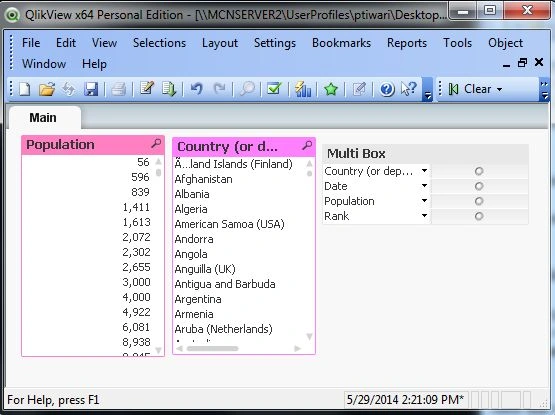
Multi box is a QlikView sheet object. It is very important for quick selections. A multi box takes a lot of space. The multi box displays each field on a single line. It avoids the necessity of a drop down selection to be made. Multibox is also known as multi boxing. Multi box is also known as multi boxing as well as multi column list box.
Let's start with creation of multi box in QlikView.
Step 1: Open the QlikView application
In the first step you need to open the QlikView application then go to File-> New then this window will be opened.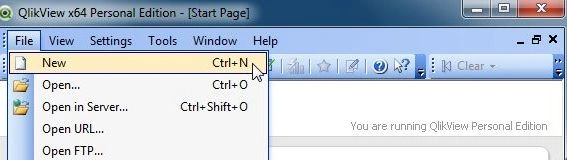
Step 2: Open Edit Script
The second step is open the edit script from, File-> Edit Script.
- Then this window will be opened.

Step 3: Click on table files
The next step is by clicking on table files you need to open data files like Excel or CSV. These files contain data.
Now open a table file and click on the Open button.
Step 4: File wizard type
Then this window will be opened. Here you can see your table file table and click on the Finish button.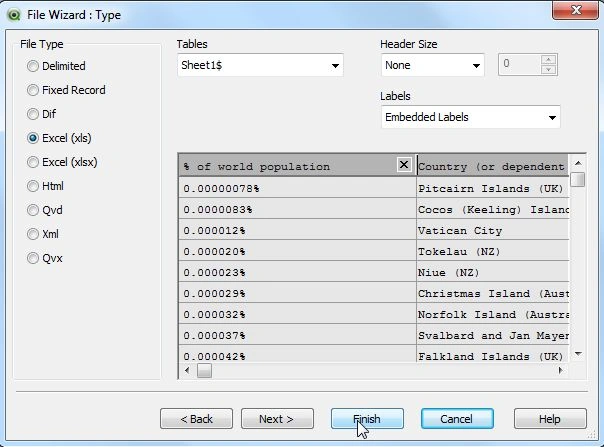
Step 5: Code of edit script
Now, in the edit script web file upload successfully and reload it.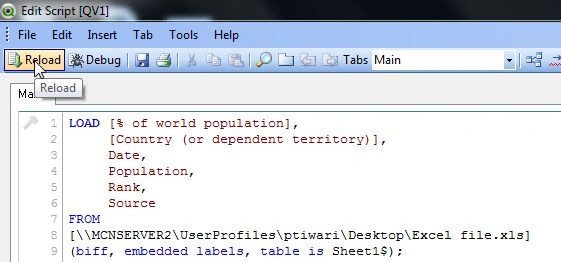





Former memberPosted May 29, 2014, 7:31 AM
Nice article !