

In this article we are going to create a form with a multi-checkboxes option and on form submit store the values.
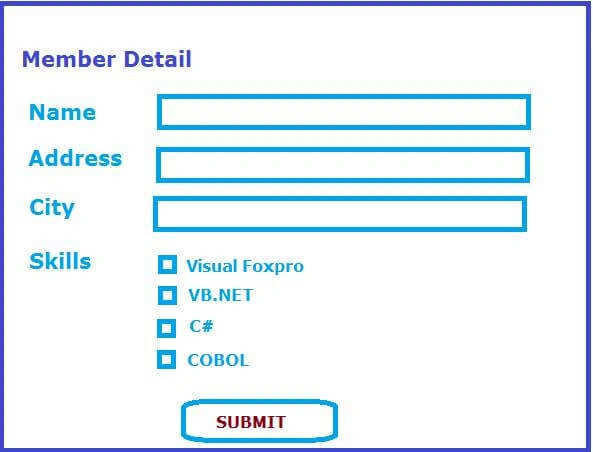
You will learn more about the following things,
- What is FormCollection and its uses?
- How to do ViewBag stored LIST object iteration
- How to iterate collections of CheckBoxes which are marked as checked
What is FormCollection and Its Uses?
FormCollection class is part of System.Web.MVC .
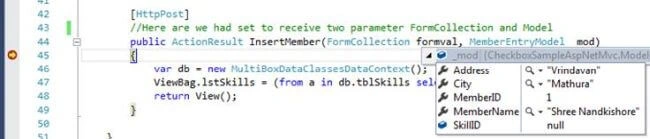
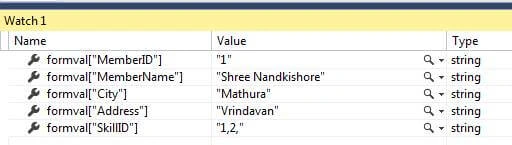
FormCollection is another way to access the form element in action method of the controller.
Example
- [HttpPost]
- //Here are we had set to receive two parameter FormCollection and Model
- public ActionResult InsertMember(FormCollection formval, MemberEntryModel _mod)
- {
- var db = new MultiBoxDataClassesDataContext();
- ViewBag.lstSkills = (from a in db.tblSkills select a).ToList();
- return View();
- }
How to do ViewBag stored LIST object iteration?
ViewBag is used for transferring the value from Controller to View.
Example
- //Created ViewBag for transferring SKILL list.
- var db = new MultiBoxDataClassesDataContext();
- ViewBag.lstSkills = (from a in db.tblSkills select a).ToList();
How to iterate collection of CheckBoxes which are marked as checked?
- //Iterating the collection of checkboxes which checked marked
- $('input[type=checkbox]').each(function () {
- if (this.checked) {
- abc = abc + $(this).val() + ","
- //assign set value to hidden field
- $('#SkillID').val(abc);
- }
- });
Now back to implementation of the task
Before creating a project now we are going to create a table where we are going to store selected checkbox values.
We are going to create three tables,
| SR. NO. | TABLE NAME | DESCRIPTION |
| 1 | tblSkills | To manage various types of skills. |
| 2 | tblMembers | To manage members information. |
| 3 | tblMemberSkills | To manage members skills. |
- tblSkills structure
- CREATE TABLE tblSkills (
- SkillID int NOT NULL PRIMARY KEY Identity,
- Title varchar(50),
- );
- tblMembers structure
- CREATE TABLE [dbo].[tblMembers](
- [MemberID] [int] IDENTITY(1,1) NOT NULL,
- [MemberName] [varchar](50) NULL,
- [Address] [varchar](50) NULL,
- [City] [varchar](50) NULL,
- PRIMARY KEY CLUSTERED
- (
- [MemberID] ASC
- )WITH (PAD_INDEX = OFF, STATISTICS_NORECOMPUTE = OFF, IGNORE_DUP_KEY = OFF, ALLOW_ROW_LOCKS = ON, ALLOW_PAGE_LOCKS = ON) ON [PRIMARY]
- ) ON [PRIMARY]
- tblMemberSkills structure,
- CREATE TABLE tblMemberSkills (
- MemberSkillID int NOT NULL PRIMARY KEY Identity,
- SkillID int,
- MemberID int
- );
Now insert some data/records into tblSkills
- insert into tblSkills (title) values('Visual Foxpro')
- insert into tblSkills (title) values('C#')
- insert into tblSkills (title) values('VB.NET')
- insert into tblSkills (title) values('Delphi')
- insert into tblSkills (title) values('Java')
- insert into tblSkills (title) values('Power Builder')
- insert into tblSkills (title) values('COBOL')
- insert into tblSkills (title) values('Python')
In tblMembers and tblMemberSkills we save the data through coding.
I am using Visual Studio 2015
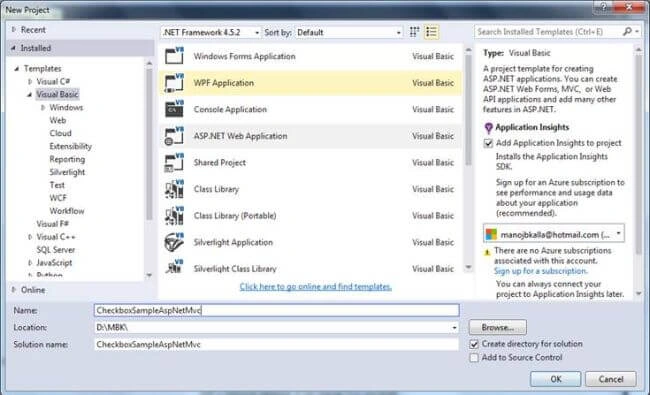
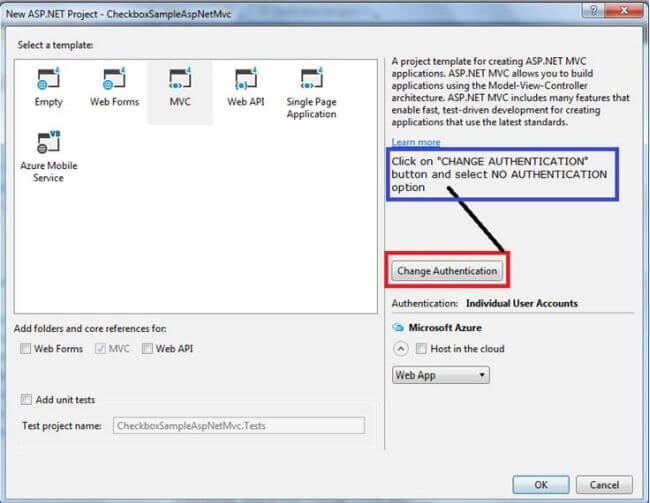
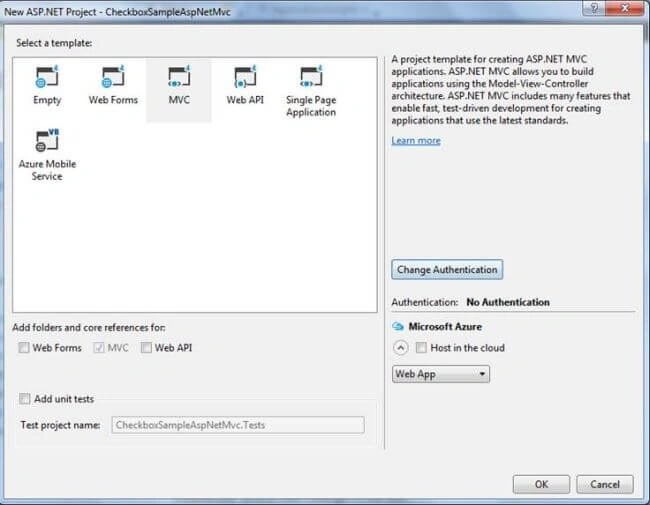
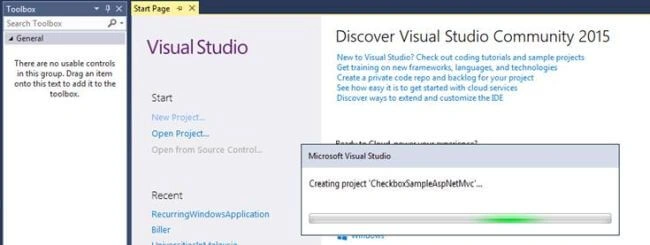
Now your screen should look like this:
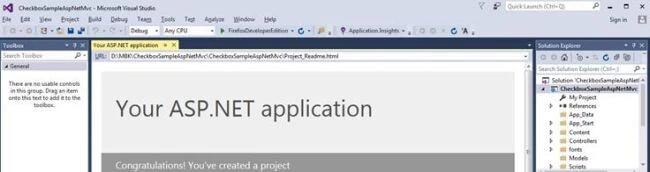
We had created a project called “ “now we are going to add Linq to SQL Class
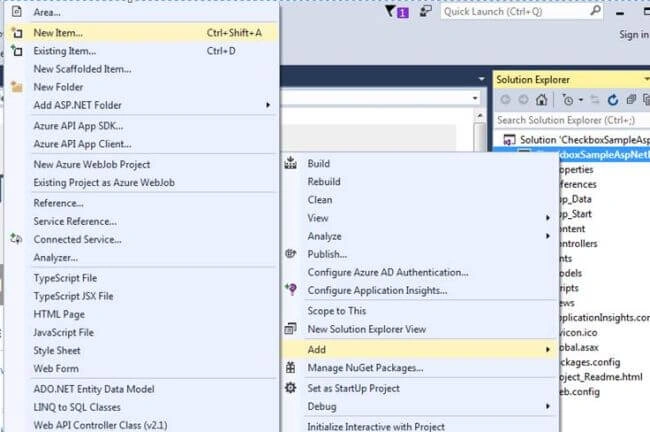
Now right click on Project name or icon --->Add-->New Item
or
Simply press Ctrl + Shift + A (To add a new item from the dialog box)
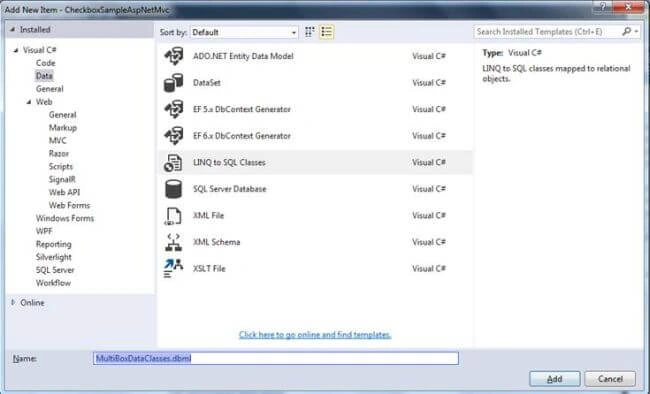
I gave it the name “MultiBoxDataClasses.dbml”
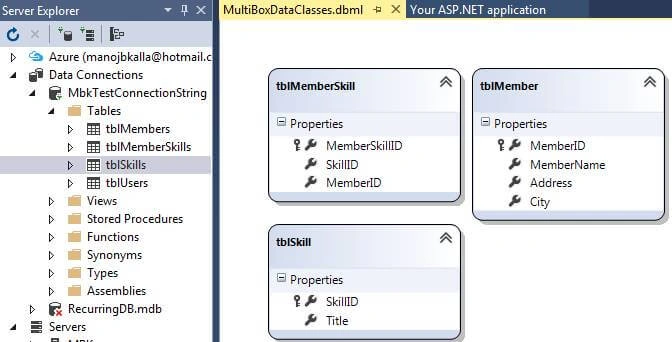
Server explorer can be visible / ON by pressing CTRL+ALT+S. Now click on Server Explorer and establish your connection with sql server.
Drag and drop your table on MultiBoxDataClasses.dbml file canvas.
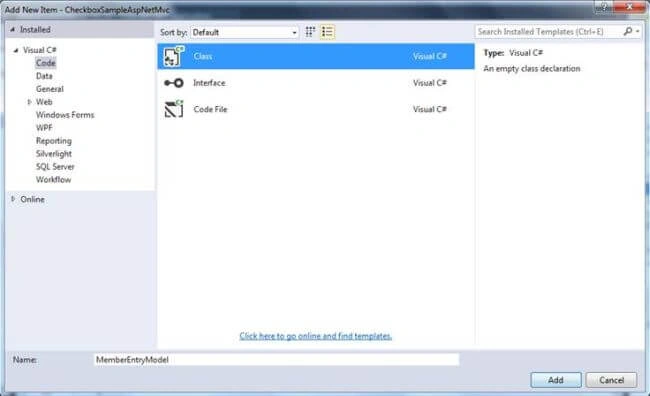
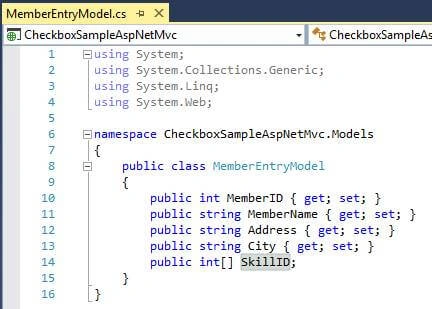
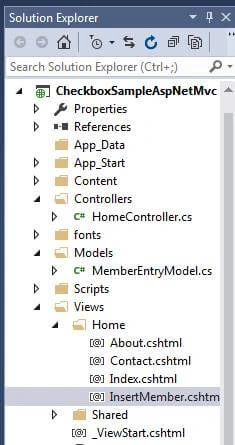
Now switch to solution explorer again and right click on MODELS folder and insert a CLASS file. Give the class file name “MemberEntryModel.cs”
Now switch to solution explorer again and double click on CONTROLLERS folder then HomeController.cs.
In this we are not going to create separate controller for our task we will use HOME controller.
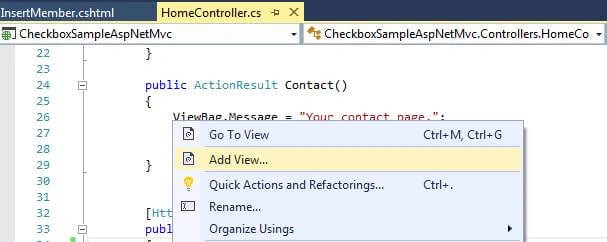
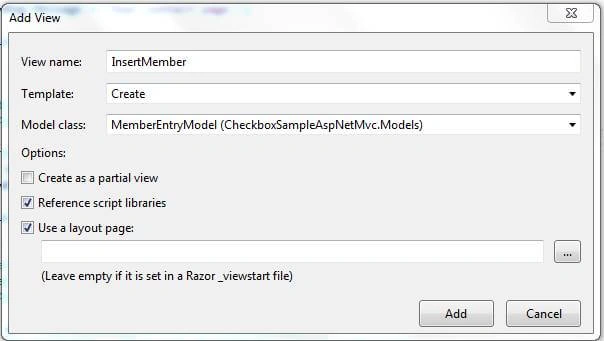
Create an two InsertMember method in HomeController.cs
- HttpGet
- HttpPost
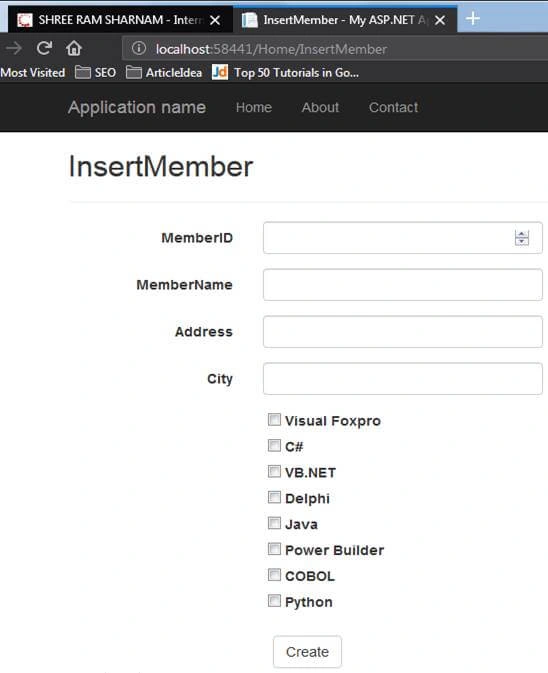
- HttpGet - This method will get executed first time in url call.
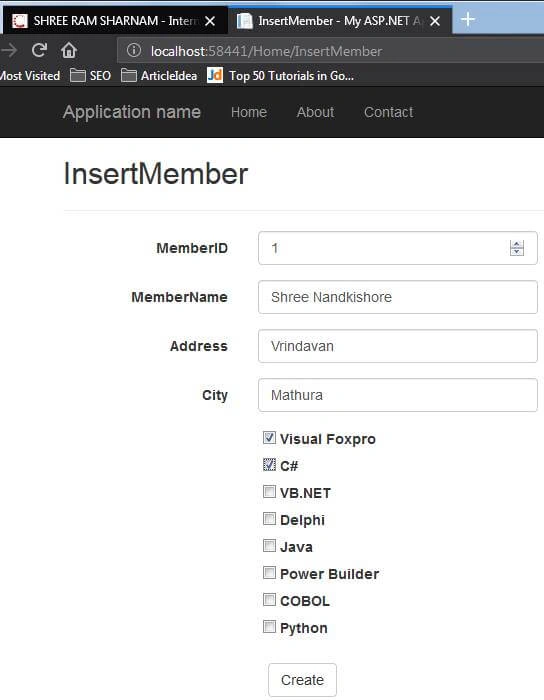
- HttpPost - This method will get executed while form submitted.
Example
- [HttpGet]
- public ActionResult InsertMember()
- {
- //Created ViewBag for transferring SKILL list.
- var db = new MultiBoxDataClassesDataContext();
- ViewBag.lstSkills = (from a in db.tblSkills select a).ToList();
- return View();
- }
- [HttpPost]
- //Here are we had set to receive two parameter FormCollection and Model
- public ActionResult InsertMember(FormCollection formval, MemberEntryModel _mod)
- {
- var db = new MultiBoxDataClassesDataContext();
- ViewBag.lstSkills = (from a in db.tblSkills select a).ToList();
- return View();
- }
Amit Kumar SinghPosted Jun 28, 2018, 12:45 PM
Nice one.... thanks for sharing :)