

Is this Article worth reading ahead?
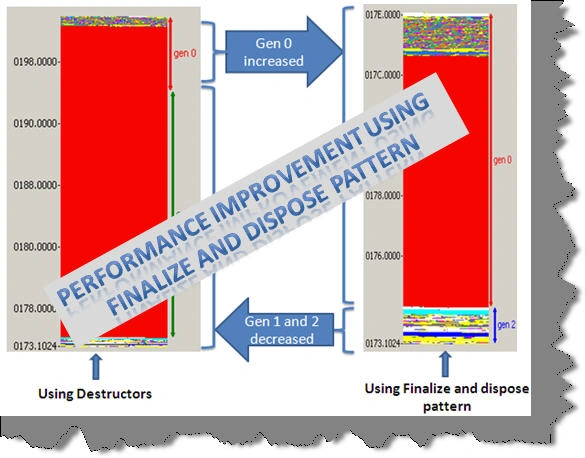
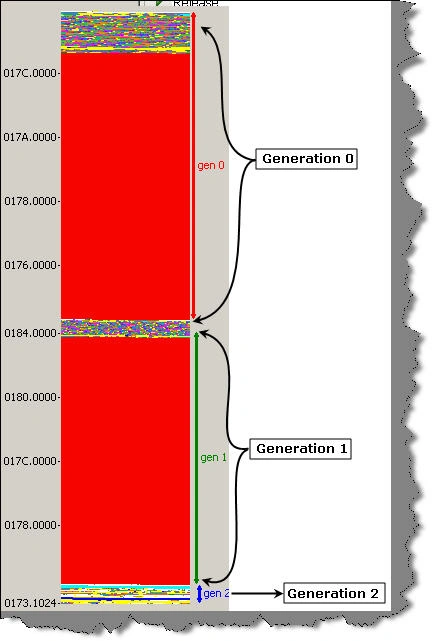
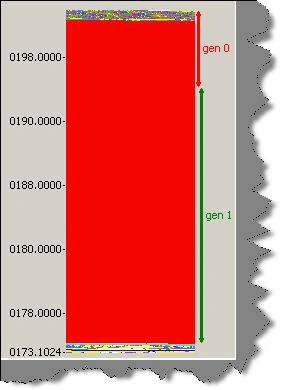
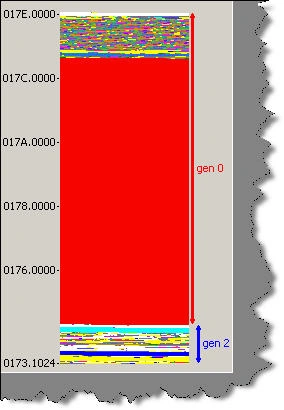
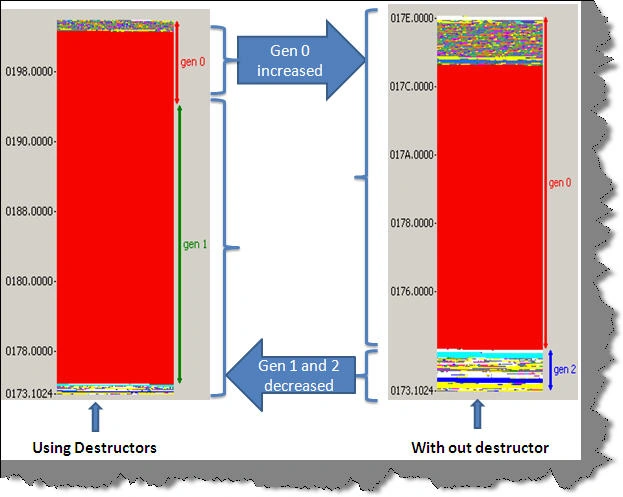
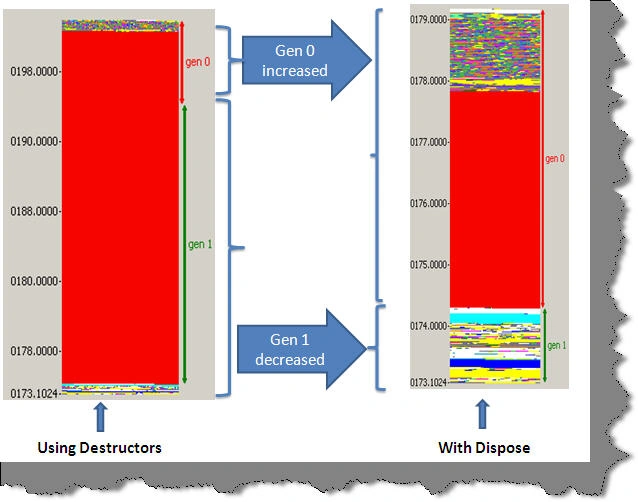
With this article you will understand how performance of GC algorithm can be improved using finalize dispose pattern. Below figure shows the comparison of what we will be achieving after this article.
Introduction and Goal
Ask any developer which is the best place in a .NET class to clean unmanaged resources?, 70% of them will say the destructor. Although it looks the most promising place for cleanup it has a huge impact on performance and memory consumption. Writing clean up code in the destructor leads to double GC visits and thus affecting the performance multifold times.
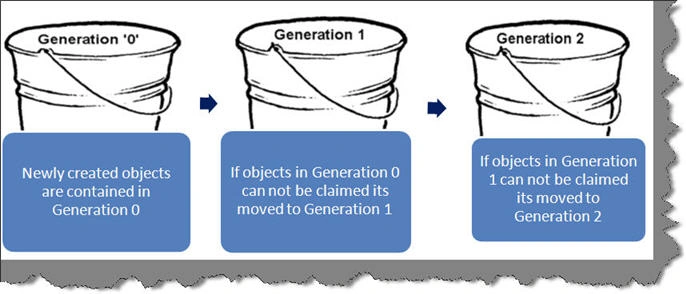
In order to validate the same we will first start with bit of theory and then we will actually see how GC algorithm performance is impacted using destructor. So we will first understand the concept of generations and then we will see the finalize dispose pattern.
I am sure this article will change your thought process regarding destructor, dispose and finalize.
Please feel free to download my free 500 question and answer eBook which covers .NET , ASP.NET , SQL Server , WCF , WPF , WWF@ http://www.questpond.com .
Assumptions
This article uses CLR profiler to profile how GC works. In case you are new to CLR profiler please do read http://www.c-sharpcorner.com/UploadFile/shivprasadk/452069230108152009163244PM/4520692301.aspx before you go ahead with this one.
Thanks Mr. Jeffrey Richter and Peter Sollich
Let's start this article by first thanking Mr. Jeffery Richter for explaining in depth how garbage collection algorithm works. He has written two legendary articles about the way garbage collector work. I actually wanted to point to the MSDN magazine article written by Jeffery Richter but for some reason it's not showing up in MSDN. So I am pointing to a different unofficial location, you can download both the articles from http://www.cs.inf.ethz.ch/ssw/files/GC_in_NET.pdf in a PDF format.
Also thanks to Mr. Peter Sollich who is the CLR Performance Architect to write such a detail help on CLR profiler. When you install the CLR profiler please do not forget to read the detail help document written by Peter Sollich. In this article we will use the CLR profiler to check how the garbage collector performance is affected using finalize.
Thanks a lot to you guys. There was no way I would have completed this article without reading articles written by you. Any time you guys pass by article please do comment on the same would love to hear from you guys.
Garbage collector - The unsung Hero
As said in the introduction writing clean up code in constructor leads to double GC visits. Many developers would like to just shrug off and say 'Should we really worry about GC and what it does behind scenes?". Yes, actually we should not worry about GC if you write your code properly. GC has the best algorithm to ensure that your application is not impacted. But many times the way you have written your code and assigned/cleaned memory resources in your code affects GC algorithm a lot. Sometimes this impact leads to bad performance of GC and hence bad performance for your application.So let's first understand what different tasks are performed by the garbage collector to allocate and clean up memory in an application.
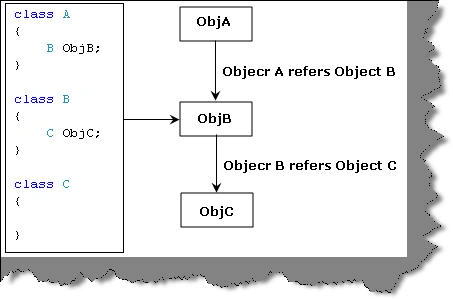
Let's say we have 3 classes where in class 'A' uses class 'B' and class 'B' uses class 'C'.
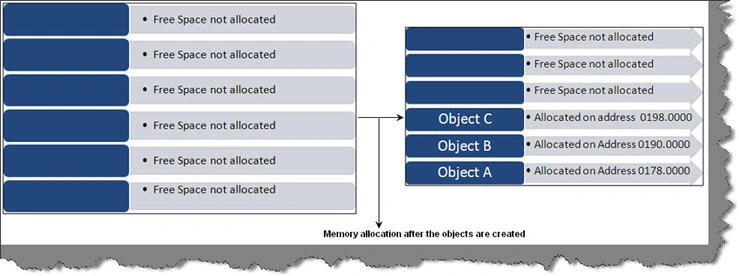
When the first time your application starts predefined memory is allocated to the application. When the application creates these 3 objects they are assigned in the memory stack with a memory address. You can see in the below figure how the memory looks before the object creation and how it looks after object creation. In case there was an object D created it will be allocated from the address where Object C ends.
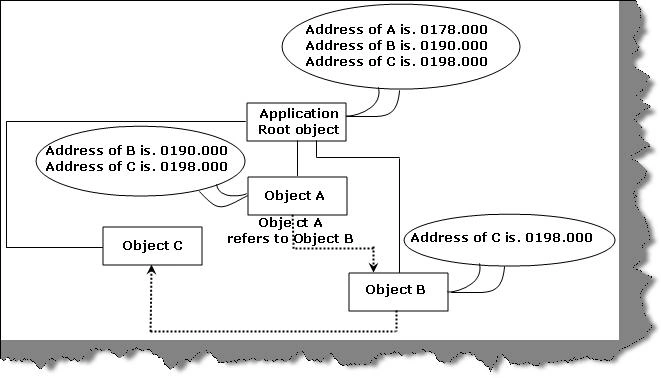
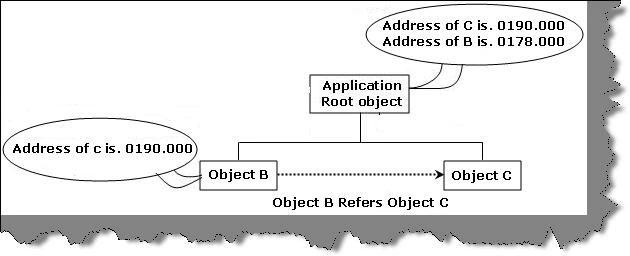
Internally GC maintains an object graph to know which objects are reachable. All objects belong to the main application root object. The root object also maintains which object is allocated on which memory address. In case an object is using other objects then that object also holds a memory address of the used object. For example in our case object A uses Object B. So object A stores the memory address of Object B.
Now let's say Object 'A' is removed from memory. So the Object 'A' memory is assigned to Object 'B' and Object 'B' memory is assigned to object 'C'. So the memory allocation internally looks something as shown below.
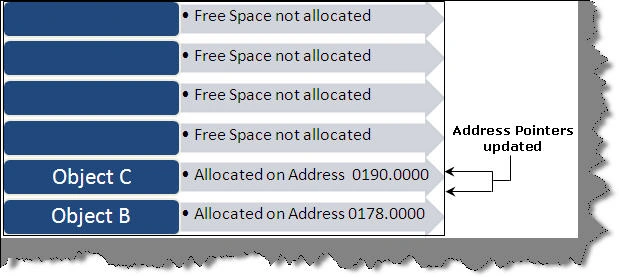
As the address pointers are updated GC also needs to ensure that his internal graph is updated with new memory addresses. So the object graph becomes something as shown below. Now that's a bit of work for GC it needs to ensure that the object is removed from graph and the new addresses for the existing objects is updated throughout the object tree.
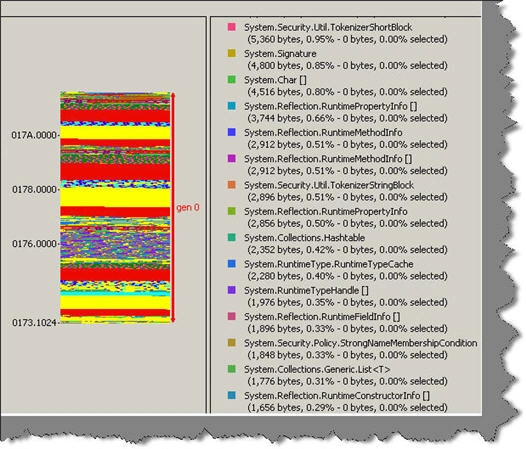
An application other than his own custom objects also has .NET objects which also form the part of the graph. The addresses to those objects also need to be updated. The number of objects of .NET runtime is very high. For instance below is the number of objects created for a simple console based hello world application. The numbers of objects are approximately in 1000's. Updating pointers for each of these objects is a huge task.
Vigneshwari VaratharajanPosted Aug 8, 2012, 7:50 AM
wow..what a explanation.Easy to understand.
IndikaDekumpitiyaPosted Aug 31, 2009, 8:54 AM
very simple - and great for a newbee like me