


In this tutorial, we will see how to display the local notification from the .Net MAUI application. For this, we are using the "Plugin.LocalNotification" plugin which is compatible with Xamarin.Forms and .Net MAUI. To know more, visit here.
Quick Links
- Project Setup
- Implementation
- Demo
- Full Code
- Download Code
Project Setup
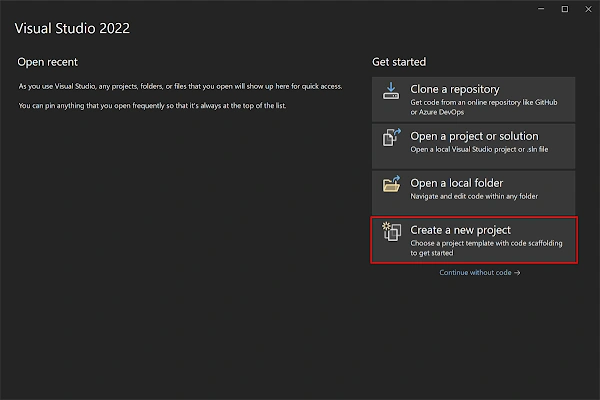
Launch Visual Studio 2022, and in the start, window click Create a new project to create a new project.
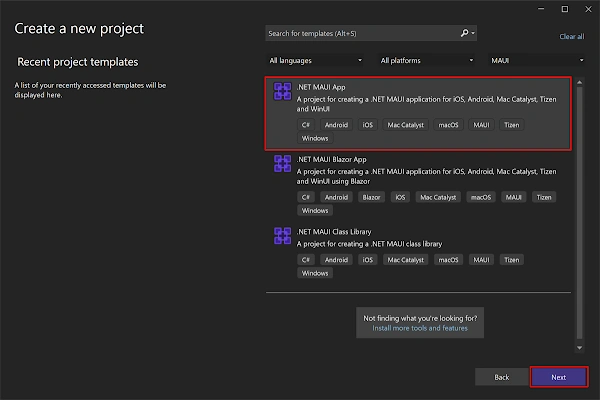
In the Create a new project window, select MAUI in the All project types drop-down, select the .NET MAUI App template, and click the Next button:
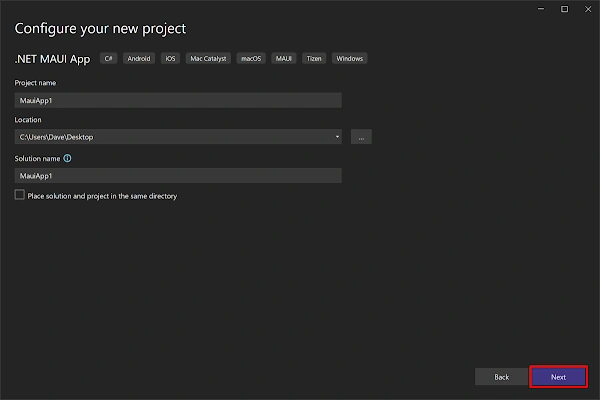
In the configure your new project window, name your project, choose a suitable location for it, and click the Next button:
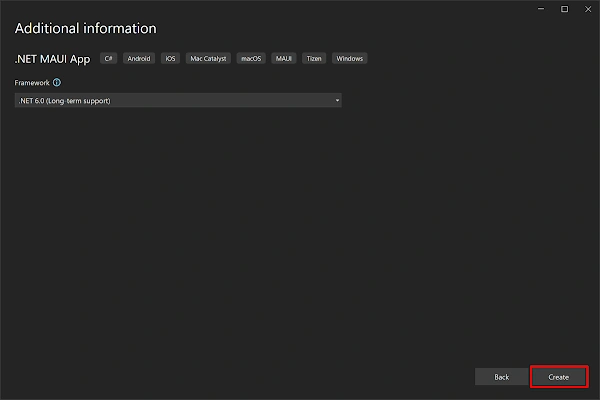
In the Additional information window, click the Create button:
Once the project is created, we can able to see the Android, iOS, Windows and other running options in the toolbar. Press the emulator or run button to build and run the app

Implementation
- Open Nuget Manager, search "Plugin.LocalNotification" and install the plugin.
- To show the notification, open your *.xaml.cs file and add namespace "Plugin.LocalNotification" by including "using Plugin.LocalNotifications;"
In Solution Explorer, click MainPage.xaml and replace the page content with what is shown below:
<?xml version="1.0" encoding="utf-8" ?>
<ContentPage xmlns="http://schemas.microsoft.com/dotnet/2021/maui"
             xmlns:x="http://schemas.microsoft.com/winfx/2009/xaml"
             x:Class="MauiTutorial7.MainPage">

    <ScrollView>
        <VerticalStackLayout
            Spacing="25"
            Padding="30,0"
            VerticalOptions="Center">

            <Image
                Source="dotnet_bot.png"
                SemanticProperties.Description="Cute dot net bot waving hi to you!"
                HeightRequest="200"
                HorizontalOptions="Center" />

            <Label
                Text="Hello, World!"
                SemanticProperties.HeadingLevel="Level1"
                FontSize="32"
                HorizontalOptions="Center" />

            <Label
                Text="Welcome to .NET Multi-platform App UI"
                SemanticProperties.HeadingLevel="Level2"
                SemanticProperties.Description="Welcome to dot net Multi platform App U I"
                FontSize="18"
                HorizontalOptions="Center" />

            <Button
                x:Name="CounterBtn"
                Text="Show Notification"
                SemanticProperties.Hint="Counts the number of times you click"
                Clicked="OnCounterClicked"
                HorizontalOptions="Center" />

        </VerticalStackLayout>
    </ScrollView>
</ContentPage>

MrnamsPosted Mar 3, 2024, 6:28 AM
Unfortunately its not working, no error either.
Sagar ChopraPosted Jan 30, 2024, 12:47 PM
This does not work when the app is in background. Any solution for it ?
manikandan maniPosted Jul 17, 2023, 3:14 PM
Can we do in Blazor Application