

Before reading this article, I recommend my previous part:
1. Node Package Manager:
What is Node Package manager: The Node Package Manager is a Command line utility. It allows you to find, install, remove, publish and do a lot of other things related to Node Packaged Modules. The Node package Manger provides a link between the Node Package Registry and development environment. Node Package Manager is to list some of the Command line options.
| Option | Description | Example |
| Search | Finds Module packages in the repository | npm search express |
| Install | Installs a package using a package.json | npm install |
| Install -g | Install a package in a globally accessible location | npm install express –g |
| remove | Removes a module | npm remove express |
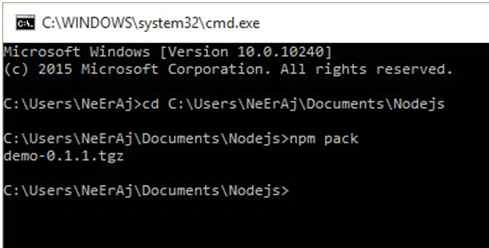
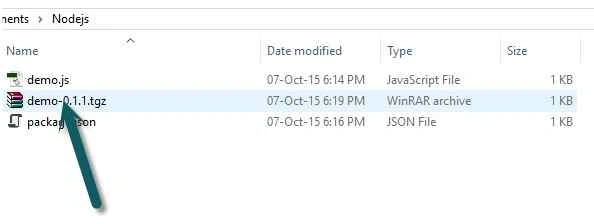
| pack | Packages the module defined by the package.json file into a .tgz file | npm pack |
| view | Displays module details | npm view express |
| publish | Publish the moduledefined by a package.json file to the registry | npm publish |
| unpublish | Unpublishes a module you have published | npm unpublish MyModule |
| owner | Allows you to add, remove,and list owners of a package in the repository | npm add neeraj MyModule npm rm neeraj MyModule npm Is MyModule |
Some examples of commands are shown below:
- Searching for Node Packaged Modules: you can search for module in the Node Package Registry directly from the command prompt by using the npm search <search string> command.
npm search openssl
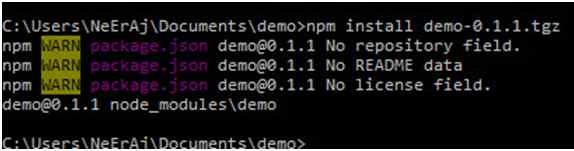
- Installing Node Packaged Modules: To use a Node Module in your application, it must first be installed where Bode can find it. To install a Node module ,use the npm install <module_name> command to download the Node module to your development environment and places it in the node_modules folder,where the instll command run. For example ,the following command installs the express module:
npm install express
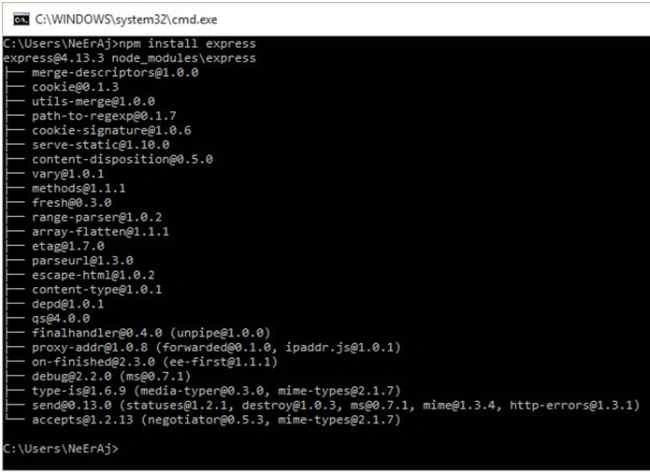
The output of the npm install command displays the HTTP requests to download the necessary files that was installed with the module.
But in my computer express is already installed, so this image doesn’t show hierarchy of files.
package.json Structure: All Node Modules must include a package.json file in their root directory.package .json is a simple JSON text file that defines a module, including dependencies. The package.json file can contain a number of different directives to tell the Node Package Manager how to handle module.
The following is an example of a package.json file with a name, version, description and dependencies:The only required directives in the package.json file are name and version.- {
- "name": "My_Module",
- "version": "0.1.0",
- "description": "a simple node.js module",
- "dependencies" : {
- "express" : "latest"
- }
- }
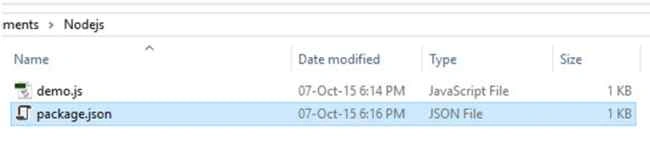
A great way to use package.json files is to automatically download and install the dependencies for your Node.js app. All you need to do is create a package.json file in the root of your project code and add the necessary dependencies to it. For example, the following package.json will require the express module as a dependency.Then you run the following command from root of your package and the express module will automatically be installed.- {
- "name": "my_module",
- "version": "0.1.0",
- "dependencies" : {
- "express" : "latest"
- }
- }
npm install
Arthy MPosted Feb 23, 2016, 8:14 AM
i want your mail ID (Neeraj Kumar) regarding node js
Santhakumar MunuswamyPosted Oct 18, 2015, 5:37 AM
Good one
Harshad PansuriyaPosted Oct 8, 2015, 4:24 AM
Nice one
Vipul MalhotraPosted Oct 8, 2015, 3:43 AM
nice article
Neeraj KumarPosted Oct 8, 2015, 12:53 AM
thank you Ankit Bansal
Ankit BansalPosted Oct 8, 2015, 12:52 AM
nice one..
Neeraj KumarPosted Oct 8, 2015, 12:51 AM
thank you Nilesh Jadav
Neeraj KumarPosted Oct 8, 2015, 12:51 AM
thank you Aqib Shehzad
Nilesh JadavPosted Oct 7, 2015, 9:45 PM
Great Work sir
Muhammad Aqib ShehzadPosted Oct 7, 2015, 3:13 PM
nice article