

In this article, we will talk about a Visual Studio extension which simplifies the nopCommerce plugin development.
Introduction
Before moving on to the details of the Visual Studio extension, let's first briefly talk about what nopCommerce and nopCommerce plugins are.
What is nopCommerce?
nopCommerce is an open-source, free e-Commerce shopping cart. It is developed using ASP.NET MVC as front-end and MS SQL 2008 (and higher) as back-end database. It has various features that are applicable to all types of users. Some of the features are listed below,
- Mobile-friendly UI
- SEO-friendly code
- Supports more than 50 payment methods and gateways.
- Supports various shipping requirements
- Supports various product features like product attributes, product comparison, stock management etc.
As of writing this article, current version of nopCommerce is 3.9. Currently, the nopCommerce team is working on migrating the code base from ASP.NET MVC to new cross-platform ASP.NET CORE platform.
Source code and official site links are,
- https://github.com/nopSolutions/nopCommerce
- https://nopcommerce.com/
What are Plugins in nopCommerce?
Plugins in nopCommerce are used to extend the functionality of nopCommerce. nopCommerce has various types of plugins like payment methods, shipping rate computation methods, and much more. Like Visual Studio Marketplace, nopCommerce has its own marketplace where we can find various types of plugins. We can also create our own plugins. You can find more information about how to create your own plugin on http://docs.nopcommerce.com/display/en/How+to+write+a+nopCommerce+plugin.
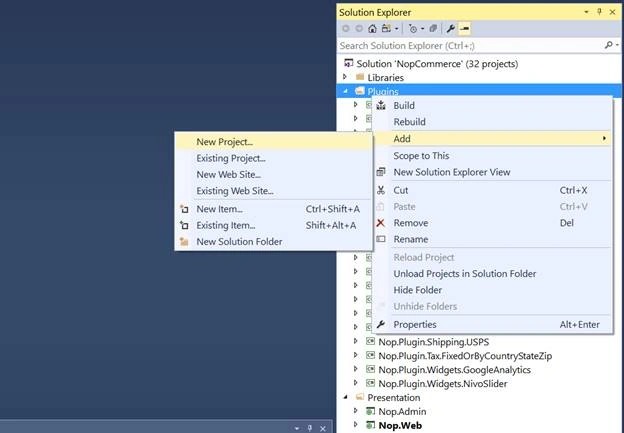
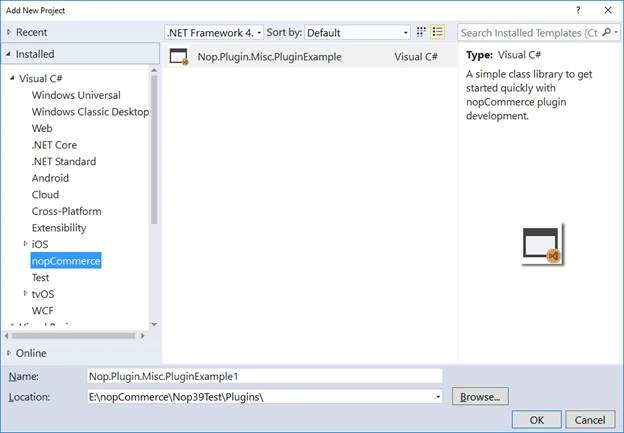
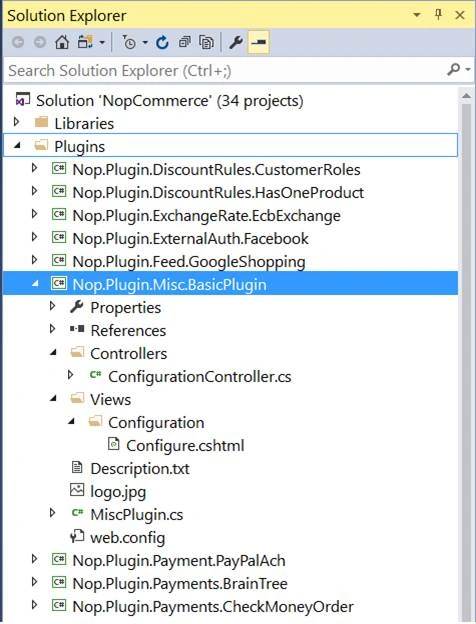
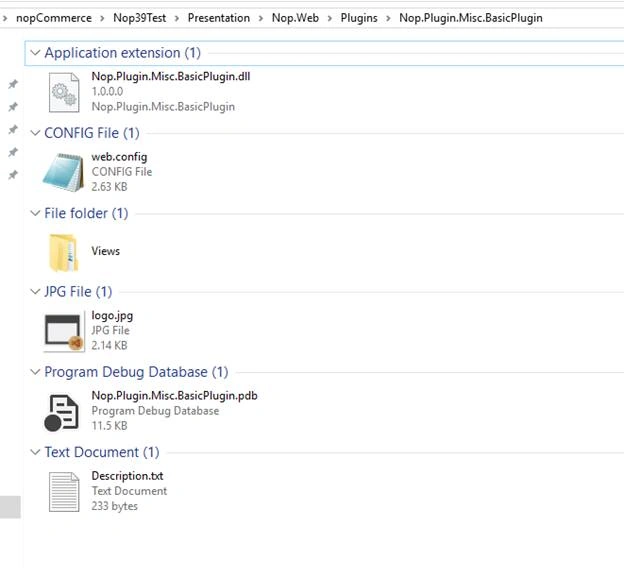
nopCommerce plugin is just a class library project. To convert this class library project into a nopCommerce plugin, we need to perform some steps like change the build path for the project, add description file (provide some information regarding the plugin like its version, author, description), logo etc. Every time we start developing our own plugin, we need to add this basic stuff to our project. The most important setting is the build path. If we forgot to set the build path to a proper location, then the plugin will not be displayed in admin section in plugin list. This is where the nopCommerce plugin project template extension comes in play.
nopCommerce Plugin Project Template For Visual Studio 2017
Former memberPosted Mar 9, 2019, 1:19 PM
Thank u...