

Exploring the Null Conditional Operator in C# 6.0
Continuing with the features of C# 6.0, we will now explain the concept of the null conditional operator.
Before we explain this feature, let's see why we need this feature. Assume we have a class with two properties.
public class UserData
{
    public string Username { get; set; }
    public string Password { get; set; }
    public string Token { get; set; }
}
We create an instance of this class but do not assign any value to the Token property. So it will be NULL. So in our code, when we use these properties, we add the NULL check for the Token property.
namespace ConsoleApp
{
    class Program
    {
        static void Main(string[] args)
        {
            UserData _userData = new UserData();
            _userData.Username = "User1";
            _userData.Password = "TestPassword";

            if (_userData.Token == null)
            {
                Console.Write("Token not provided");
            }
            else
            {
                Console.Write("Token Initialized");
            }
            Console.ReadKey();
        }
    }

    public class UserData
    {
        public string Username { get; set; }
        public string Password { get; set; }
        public string Token { get; set; }
    }
}
Look's good and works fine. With C# 6.0, this NULL check process is made more simplified. In order to check any value, we can simply use the convention.
InstanceName.?PropertyName
Confused? Let's replace the preceding convention with the codeinstanceName => userData and PropertyName => Token. So we change our code to C# 6.0 and check the NULL using the preceding convention. So our code becomes.
using static System.Console;

namespace NullOperator
{
    class Program
    {
        static void Main(string[] args)
        {
            UserData _userData = new UserData();
            _userData.Username = "User1";
            _userData.Password = "TestPassword";

            Write(_userData?.Token);
            ReadKey();
        }
    }

    public class UserData
    {
        public string Username { get; set; }
        public string Password { get; set; }
        public string Token { get; set; }
    }
}
So what we did is, we simply added "?" to check the value of the Token and write it to the Console, if it is available else do nothing. Let's add the binary operator to print the message if no token is available. So we simply add the message as.
Console.Write(_userData?.Token ?? "Tokennotprovided");
Run the code and see the results.
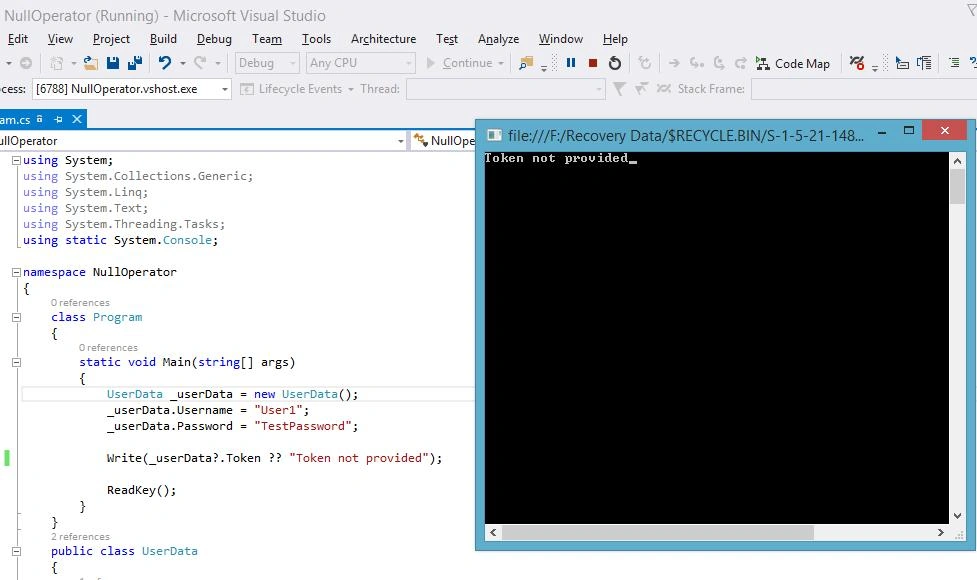
Figure 1: Result
Easy to use, isn't it?
SubashPosted Aug 22, 2016, 12:58 AM
Good sir
Shakti SaxenaPosted Sep 11, 2015, 8:45 AM
Well Described:) But there is more to NULL checks with C# 6.0. e.g. with Collections, Delegates, Indexers etc. Please have a look on http://www.c-sharpcorner.com/UploadFile/80ae1e/nullcheck-with-C-Sharp-6-0/
Karthikeyan KPosted Sep 6, 2015, 12:45 PM
Good one sir...Thanks for sharing us
Rajeesh MenothPosted Sep 6, 2015, 12:14 PM
NIce One
Pankaj Kumar ChoudharyPosted Sep 6, 2015, 11:26 AM
Nice Explain Sir.........