

Step 1:
- Login into Office 365
- Click One Drive.
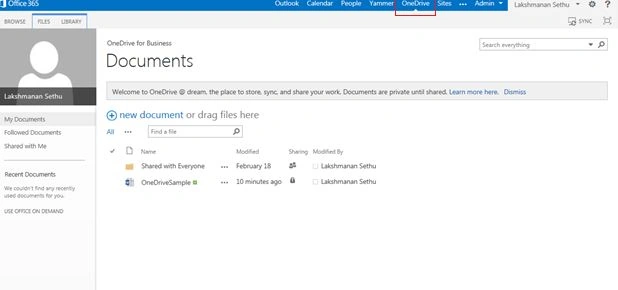
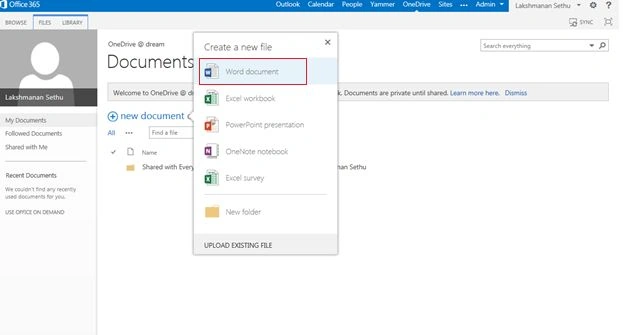
Step 2: Click New Document. The list of options available is:
- Word Document
- Excel Document
- PowerPoint
- OneNote
- Excel Survey
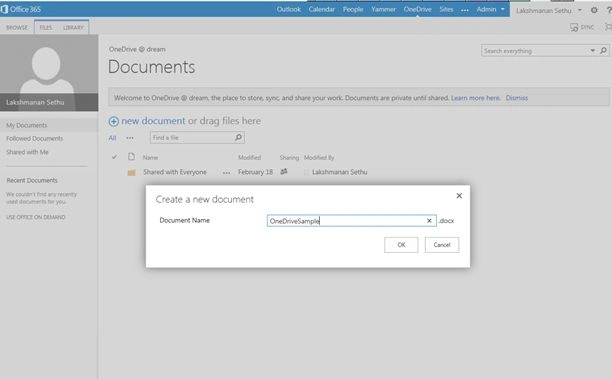
Step 3: Create a New Document and specify the name.
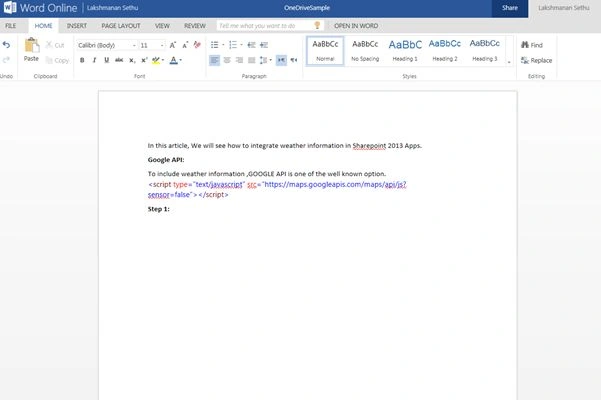
Step 4: Secify the kind of content in Word Document created.
Step 5: Click Share.
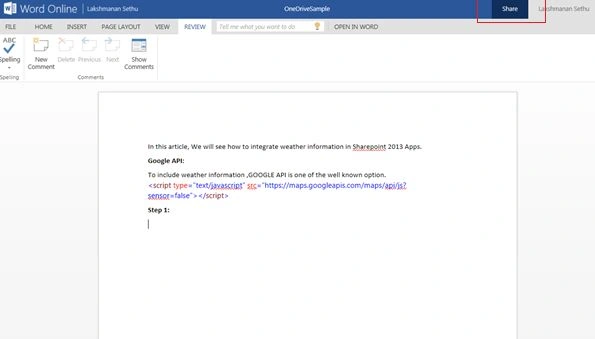
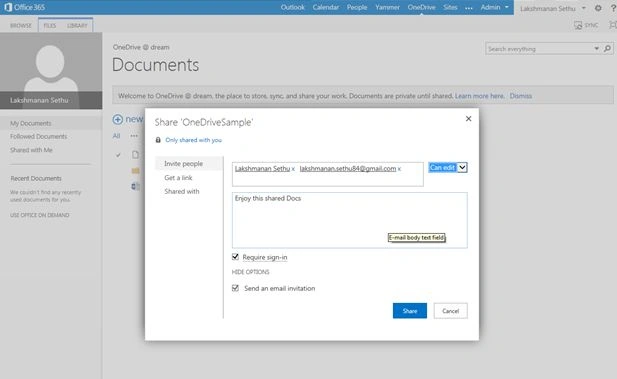
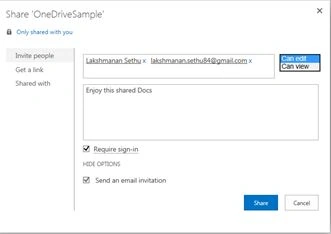
Please note that documents in One Drive can be shared for viewing only and editing as well. Similarly you intimate them through the email.
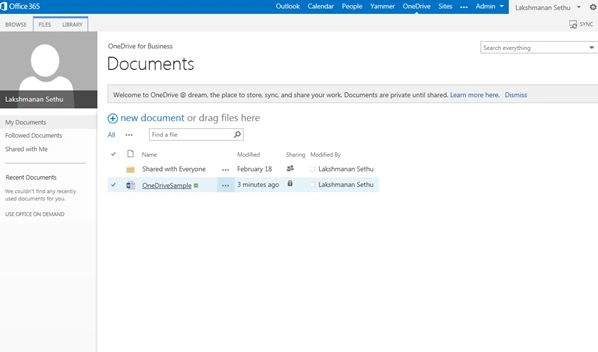
Step 6: Since the document is shared with me, it's is listed under One Drive for Business Documents.
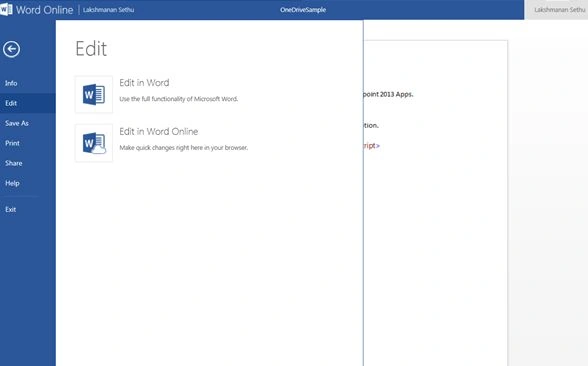
Step 7: So, let me go and edit the document online. To make some changes, I'm going to remove a few lines and save it.
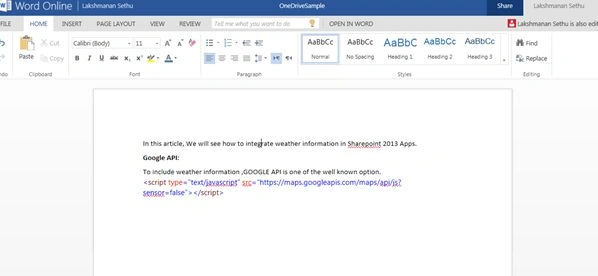
Step 8: The content of the Document after the changes:
Step 4: Secify the kind of content in Word Document created.
Step 5: Click Share.
Please note that documents in One Drive can be shared for viewing only and editing as well. Similarly you intimate them through the email.
Step 6: Since the document is shared with me, it's is listed under One Drive for Business Documents.
Step 7: So, let me go and edit the document online. To make some changes, I'm going to remove a few lines and save it.
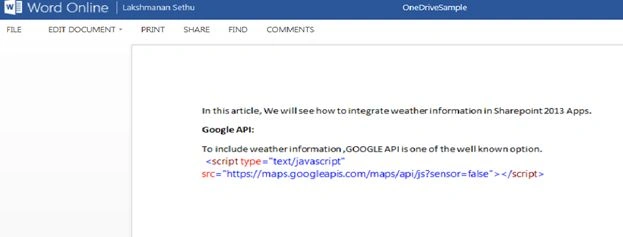
Step 8: The content of the Document after the changes:
Join the conversation! Your thoughts help the community grow.