

Introduction
The Microsoft.AspNetCore.OpenApi package offers built-in support for generating OpenAPI documents in ASP.NET Core applications. It provides several key features to enhance API documentation. First, it enables the generation of OpenAPI documents at runtime, allowing developers to access them through a dedicated application endpoint. Additionally, it includes "transformer" APIs, which provide flexibility to modify the generated documentation as needed. Furthermore, the package supports the creation of multiple OpenAPI documents from a single application, making it easier to manage and organize API specifications efficiently.
Agenda
In this article, we will understand the following concepts in detail.
- Simple .Net Core Web API Project
- Understanding about Open API dcoumentation
- Swagger UI inclusion
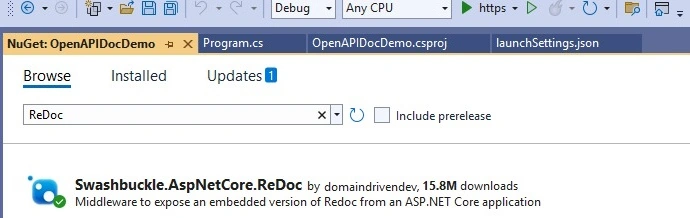
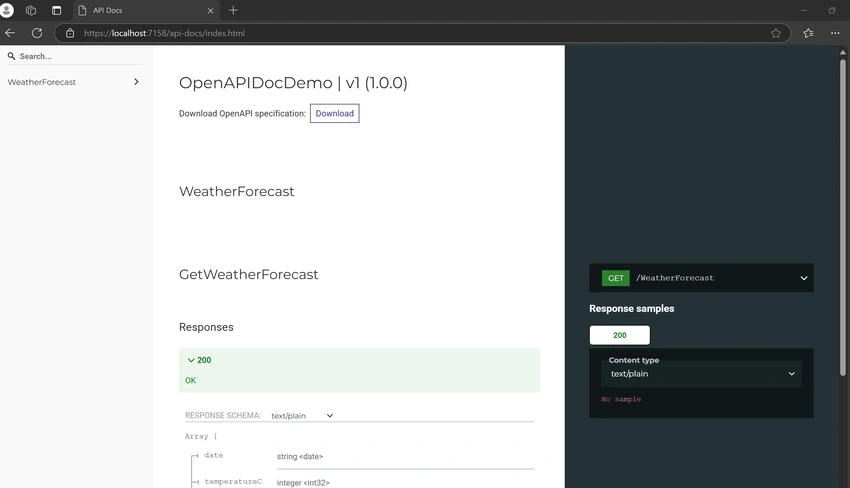
- ReDoc Open API
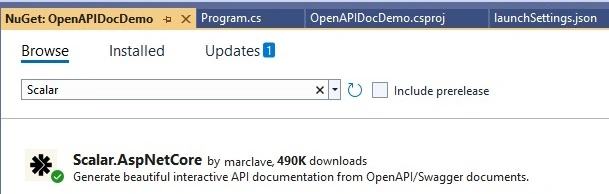
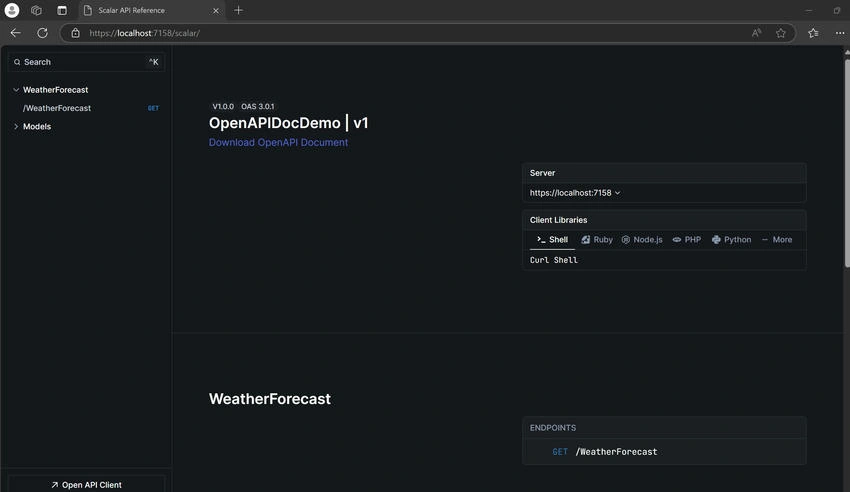
- Scalar Open API
Simple .NET Core Web API Project
We will create a simple .Net core Web API project with the following steps in Visual Studio 2022.
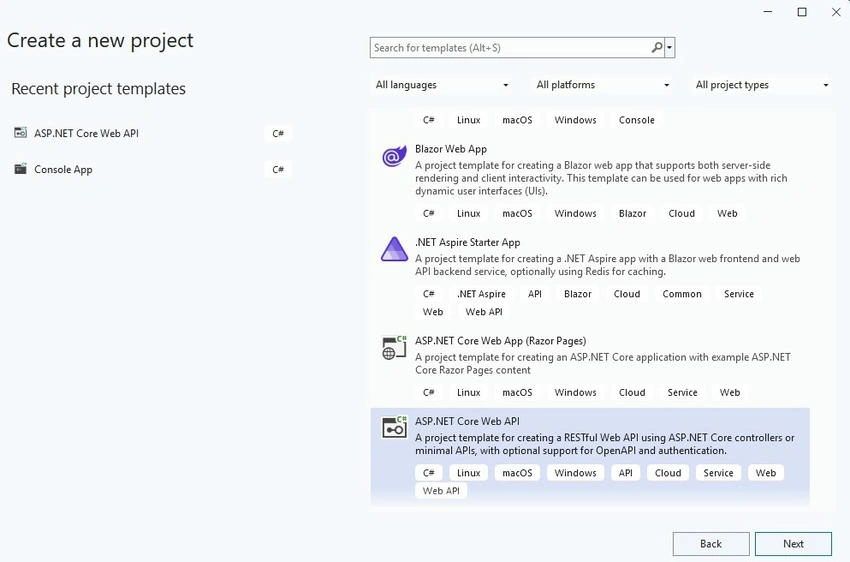
- Open Visual Studio 2022, Click on "Create new Project" then select the "ASP.NET Core Web API" option and click on "Next".
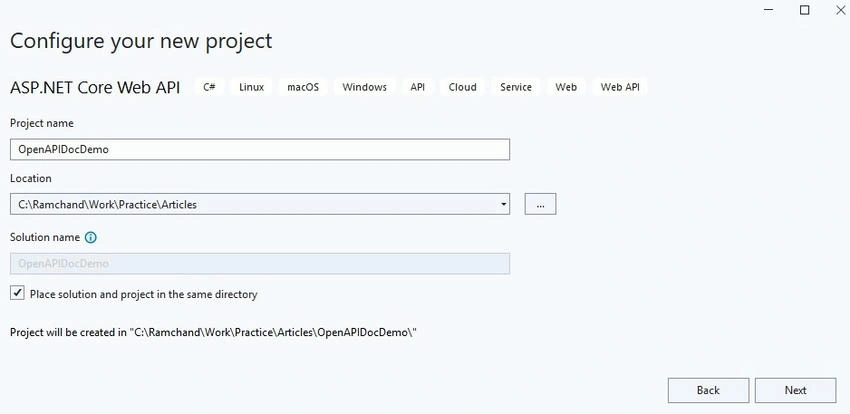
- Enter the project named "OpenAPIDocDemo" in the preferred location like below and click on "Next".
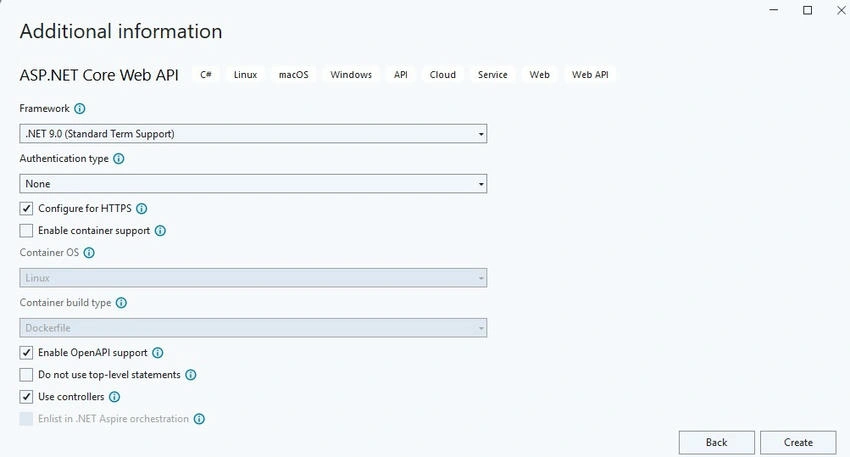
- The Additional Information window is shown below. for this simple demo, we are keeping the info as-is and then clicking on the "Create" button.
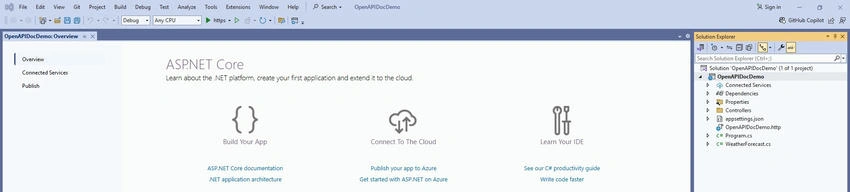
- After clicking on the "Create" button it shows the project like below.
- We are done with a simple .Net Core Web API project.
Understanding about OpenAPI documentation
In the created project, we can observe the following referenced package "Microsoft.AspNetCore.OpenApi" provides built-in support of OpenAPI documentation.
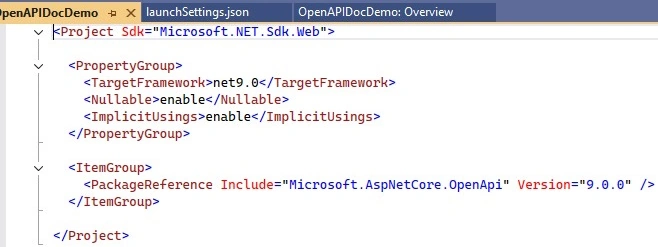 '
'
The Program.cs file has the following highlighted information about OpenAPI support.
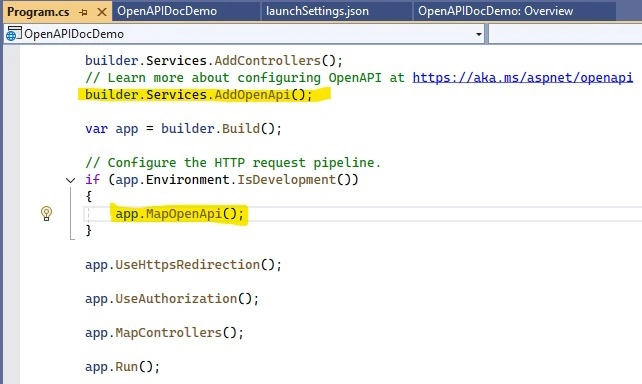
Let's run the project and append the following "openapi/v1.json" in the browser localhost URL (Ex: localhost:7158/openapi/v1.json). We can observe the following screen.
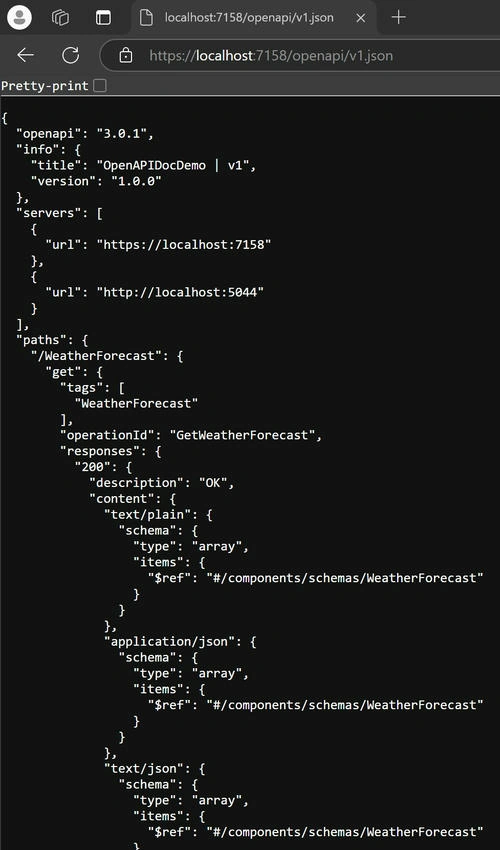
It indicates without doing even a small line of code changes, The.NET9 Web API supports/generates JSON documents with the standard format of API documentation.
Swagger UI Inclusion
Let's make very minimal changes in this demo project to include Swagger UI (our very owned habituated API documentation.
- Install the following package, "Swashbuckle.AspNetCore.SwaggerUI" from Nuget.
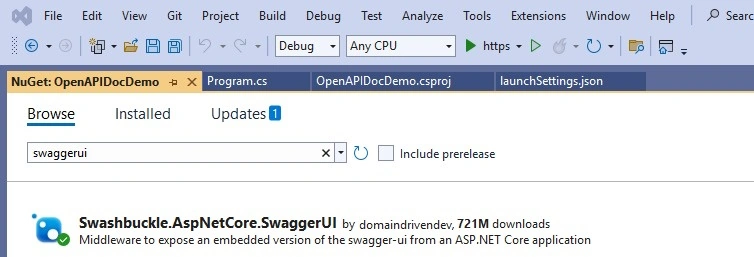
- Add the following lines of code to the Program.cs file below to the existing code line "app.MapOpenApi();"
app.UseSwaggerUI(options =>
{
    options.SwaggerEndpoint("/openapi/v1.json", "v1");
});

Join the conversation! Your thoughts help the community grow.