

Introduction
In this article, we will learn about operators in JavaScript. Many programming languages use operators, and every programming language has an operator. Without further ado, let's take a look at the operators in JavaScript.
What is an Operator?
The operator is a symbol that performs some function in one or more values or functions. JavaScript operators perform math or logical functions in a variable. JavaScript supports the following types of operators:
- Arithmetic Operators
- Relational or comparison Operators
- Logical Operators
- Bitwise Operators
- Assignment Operators
- Conditional or ternary Operators
Arithmetic Operators
These operators are used to perform arithmetic operations. Arithmetic operators are of two types:
- Unary Operators – It will operate a single operand
- Binary Operators – It will operate two operands
|
Arithmetic Operators
|
Description
|
|
Binary
|
Operators
|
|
+
|
It performs an addition operation
|
|
-
|
It performs a subtraction operation
|
|
*
|
It performs a multiplication operation
|
|
/
|
It performs a division operation
|
|
%
|
It calculates the remainder after division
|
|
Unary
|
Operators
|
|
++
|
It performs an increment on a given number
|
|
--
|
It performs a decrement on a given number
|
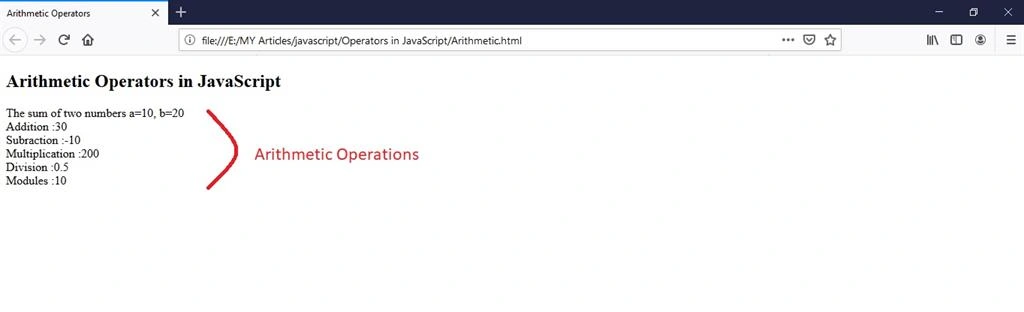
Example of Binary Operators
Try it yourself:
- <!DOCTYPE html>
- <html>
- <head>
- <meta charset="utf-8">
- <title>Arithmetic Operators</title>
- </head>
- <body>
- <h2>Arithmetic Operators in JavaScript</h2>
- <script type="text/javascript">
- var a=10;
- var b=20;
- document.write("The sum of two numbers a=10, b=20 <br>");
- document.write("Addition :"+(a+b)); //addition
- document.write("<br>");
- document.write("Subraction :"+(a-b)); //subraction
- document.write("<br>");
- document.write("Multiplication :"+(a*b)); //Multiplication
- document.write("<br>");
- document.write("Division :"+(a/b)); //Division
- document.write("<br>");
- document.write("Modules :"+(a%b)); // Moudulus calculate the reminder
- document.write("<br>");
- </script>
- </body>
- </html>
Output
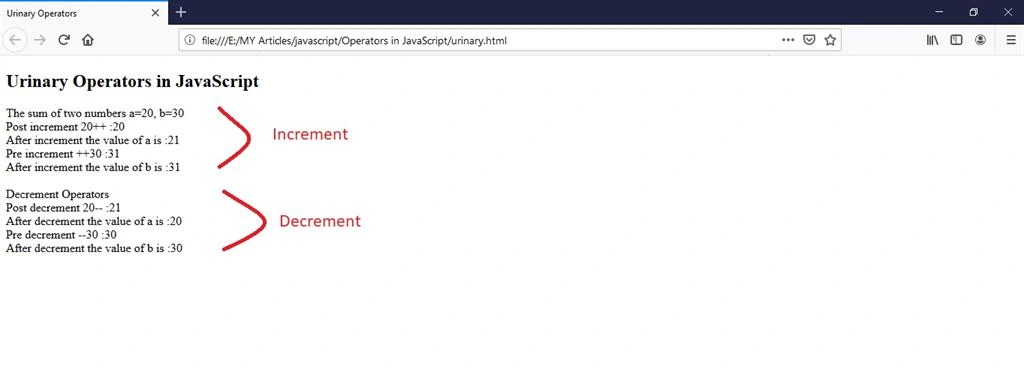
Example of Unary Operators
Try it yourself:
- <!DOCTYPE html>
- <html>
- <head>
- <meta charset="utf-8">
- <title>Urinary Operators</title>
- </head>
- <body>
- <h2>Urinary Operators in JavaScript</h2>
- <script type="text/javascript">
- var a=20;
- var b=30;
- document.write("The sum of two numbers a=20, b=30 <br>");
- //post increment
- document.write("Post increment 20++ :"+(a++));
- document.write("<br>");
- document.write("After increment the value of a is :"+(a));
- document.write("<br>");
- //pre increment
- document.write("Pre increment ++30 :"+(++b));
- document.write("<br>");
- document.write("After increment the value of b is :"+(b));
- document.write("<br> <br>");
- //post decrement
- document.write("Decrement Operators <br>");
- document.write("Post decrement 20-- :"+(a--));
- document.write("<br>");
- document.write("After decrement the value of a is :"+(a));
- document.write("<br>");
- //pre decrement
- document.write("Pre decrement --30 :"+(--b));
- document.write("<br>");
- document.write("After decrement the value of b is :"+(b));
- </script>
- </body>
- </html>
Output
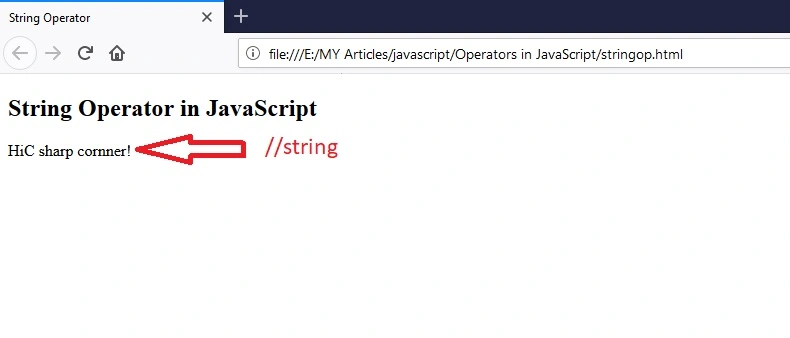
String using ‘+’ Operator
Try it yourself:
- <!DOCTYPE html>
- <html>
- <head>
- <title>String Operator</title>
- </head>
- <body>
- <h2>String Operator in JavaScript</h2>
- <script type="text/javascript">
- var str = "Hi"; //string
- var str1 = "C sharp cornner!";
- document.write(str+str1); //string operator
- </script>
- </body>
- </html>
Output
Relational or Comparison Operators
These operators are used to compare two values or variables. They are used to find the relationship between two values or compare the relationship between two values that yield the result true or false.
|
Comparison operator
|
Description
|
|
==
|
Equal to
|
|
===
|
Equal value and Equal type
|
|
>=
|
Greater than equal to
|
|
<=
|
Less than equal to
|
|
>
|
Greater than
|
|
<
|
Less than
|
|
!=
|
Not equal to
|
|
!==
|
Not equal value and not equal type
|
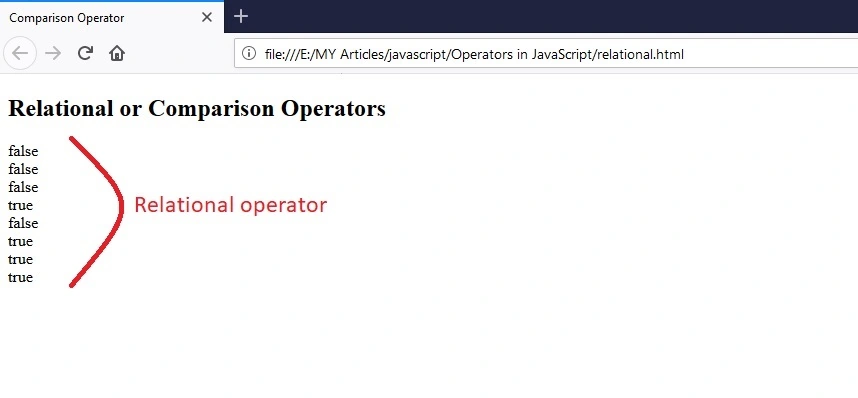
Example of a comparison operator
Try it yourself:
- <!DOCTYPE html>
- <html>
- <head>
- <title>Comparison Operator</title>
- </head>
- <body>
- <h2>Relational or Comparison Operators</h2>
- <script type="text/javascript">
- var a=5;
- var b=7;
- document.write(a==b);
- document.write("<br>");
- document.write(a===b);
- document.write("<br>");
- document.write(a>=b);
- document.write("<br>");
- document.write(a<=b);
- document.write("<br>");
- document.write(a>b);
- document.write("<br>");
- document.write(a<b);
- document.write("<br>");
- document.write(a!=b);
- document.write("<br>");
- document.write(a!==b);
- document.write("<br>");
- </script>
- </body>
- </html>
Output
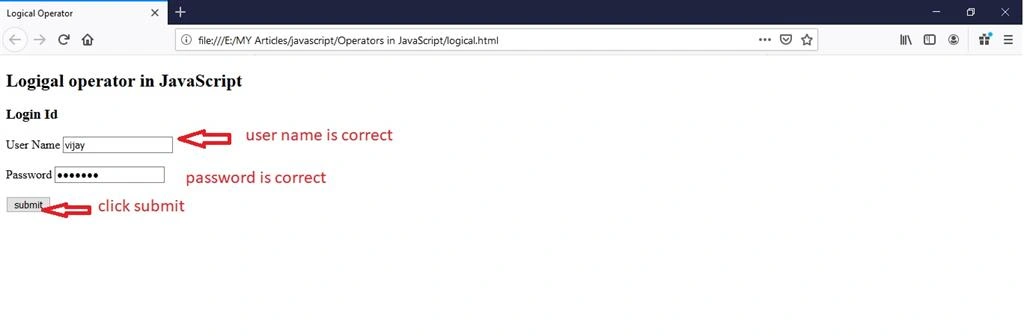
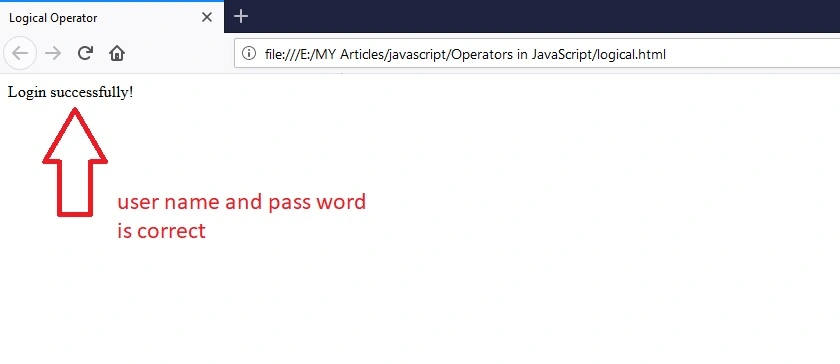
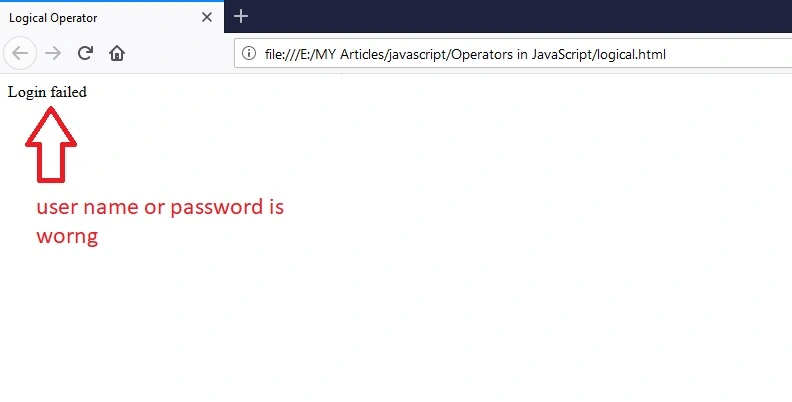
Logical Operator
These operators are used to perform Boolean expressions. This is true or false. This makes a logical AND, OR, and NOT. It is often used for conditional statements.
Join the conversation! Your thoughts help the community grow.