

We are very familiar with different outlook forms such as message form for emails, calendar form for set the event or appointments, task form contact form etc. we can use various functionalities of these forms in our .net application for example if we want to send an email message form outlook than we can open default outlook message form from our application. but there are some limitation suppose if we want to add some more functionalities on this outlook message forms like we want to add some additional button and textbox or add some more functionalities (validating email data,communication with database etc ) in this situation we can not use outlook default form so for this we can create custom outlook form.
These are the default outlook forms:
Mail
Message - IPM.Note
Contact -IPM.Contact
Appointment -IPM.Appointment
Task -IPM.Task
Distribution List - IPM.DistList
Note - IPM.StickyNote
Post
- IPM.Post
Journal Entry - IPM.Activity)
Meeting
Request - IPM.Schedule.Meeting.Request
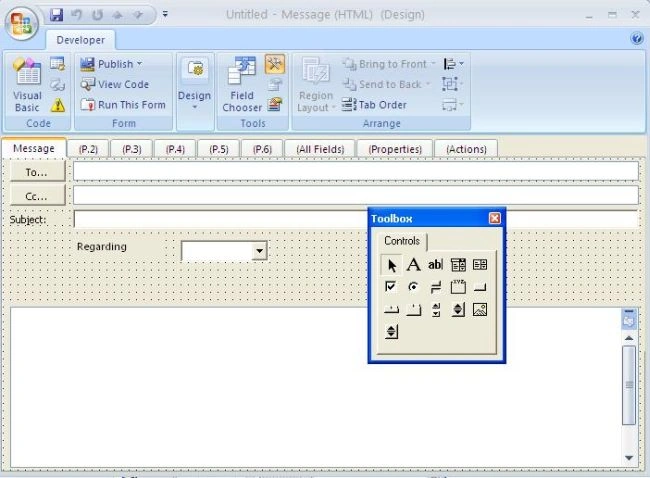
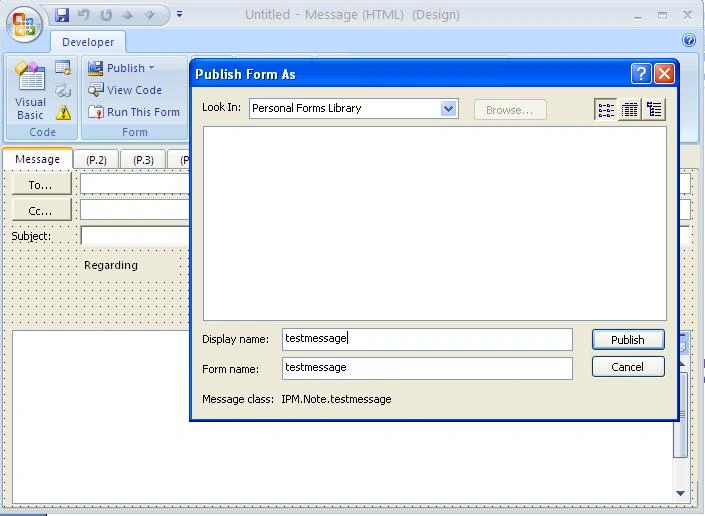
Example for creating custom form:
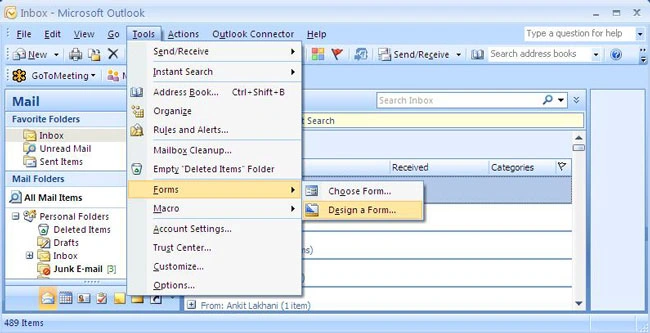
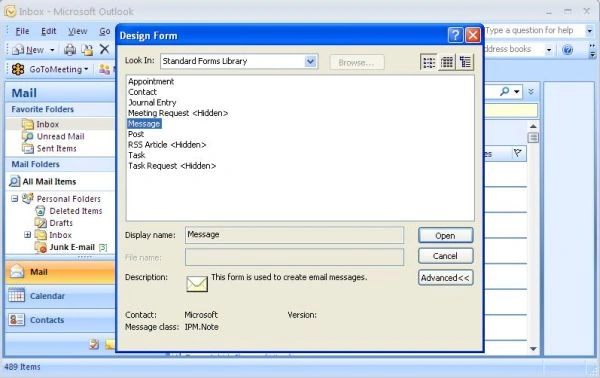
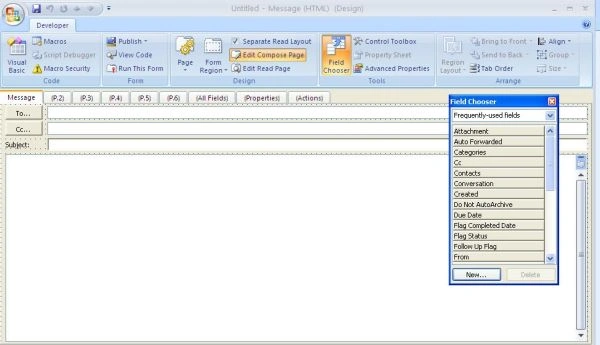
Step 1: Goto Tools menu, click Forms and select Design A Form, and then, select a default form to modify from the Standard Forms Library.
Join the conversation! Your thoughts help the community grow.