

Introduction
In this article, we will learn about a form with a password input field. We will then add a password strength checker. Please follow the below steps.
Password Restrictions
- Must be minimum 6 character
- Must be a at least one uppercase
- Must be a at least one lowercase
- Must be at least one special character
- Must be at least one number
Step 1
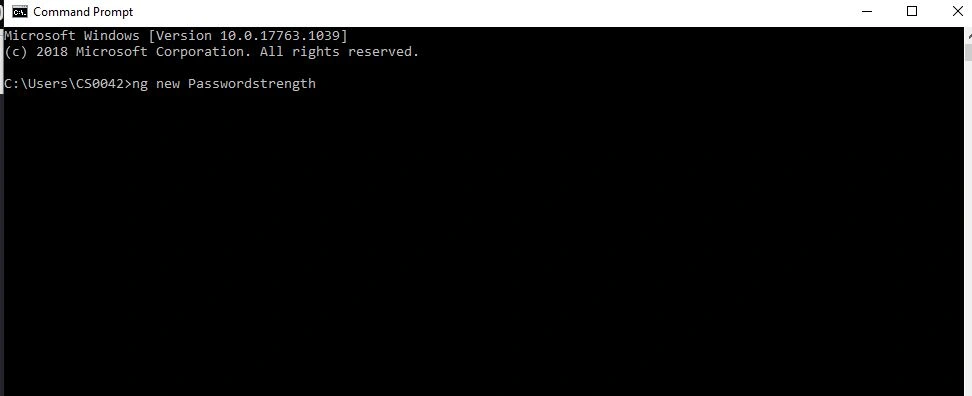
Let's create an Angular app with the following command:
Step 2
Open app.module.ts file and add the import of reactiveform.
- import { ReactiveFormsModule } from '@angular/forms';
After then add the reactiveformsmodule to imports the array.
- imports: [
- ReactiveFormsModule,
- ],
Step 3
We can use the template-driven form validate. Now open the app.component.ts file and add the following code.
- <form >
- <div class="form-group">
- <input type="password" class="form-control" autocomplete="off" placeholder="Password">
- </div>
- </form>
Step 4
We are using reactive form validation in Angular, so we need to add formgroup property and formcontrolname in the input field .
- <form [formGroup]="passwordform">
- </form>
We also add the formcontrolname in input filed.
- formControlName="chkpassword"
Step 5
Next, we need to open then app.componet.ts file and add the following reference file.
- import { FormGroup, FormBuilder, Validators } from '@angular/forms';
- The formgroup used the state of formcontrol elements .
- The Formbuilder has a new helper class called formbuilder.
- The validators some set of built validators to be used.
Step 6
We need add to the construtor and ngOnInit methods.
- ngOnInit()
- {
- this.passwordform = this.form.group({
- chkpassword: ['', Validators.required],
- });
Next, we can create a child component to be used for some bars and indicate the strength of the password. The bars will automatically update to different colors. Create a component for the following npm command:
Ng g c password
This command automatically adds to app.module.ts file
Step 8
We can open the passwordcheck.component.html file and add the following code:
- <div class="strength">
- <ul class="barlength">
- <li class="checker" [style.background-color]="length0"></li>
- <li class="checker" [style.background-color]="length1"></li>
- <li class="checker" [style.background-color]="length2"></li>
- <li class="checker" [style.background-color]="length3"></li>
- </ul>
- <br>
- <p style="font-size: 15px;">{{message}}</p>
- </div>
Step 9
Next, we can open the passwordcheck.component.ts to add the property file.
- length0: string;
- length1: string;
- length2: string;
- length3: string;
- message=''
Step 10
Go to app.component.html page add the passwordcheck child component by using the component selector.
- <app-password></app-password>
Step 11
Let's open the passwordcheck.component.ts file and create a input property called passwordcheck
- @Input() public passwordCheck: string;
Add output for strength
- @Output() Strength = new EventEmitter<boolean>()
Step 12
Create an array colors to be displayed the bars.
- private colors = ['red', 'darkorange', 'green', 'darkgreen'];
Now create a method for check the password strength. Add the following code.
- private static Strengths(p) {
- let checklen = 0;
- const regex = /[$-/:-?{-~!"^_@`\[\]]/g;
- const lowerLetters = /[a-z]+/.test(p);
- const upperLetters = /[A-Z]+/.test(p);
- const numbers = /[0-9]+/.test(p);
- const symbols = regex.test(p);
- const flags = [lowerLetters, upperLetters, numbers, symbols];
- let Passwordmaches = 0;
- for (const flag of flags) {
- Passwordmaches += flag === true ? 1 : 0;
- }
- checklen += 2 * p.length + ((p.length >= 10) ? 1 : 0);
- checklen += Passwordmaches * 10;
- //Check length
- checklen = (p.length <= 6) ? Math.min(checklen, 3) : checklen;
- checklen = (Passwordmaches === 1) ? Math.min(checklen, 10) : checklen;
- checklen = (Passwordmaches === 2) ? Math.min(checklen, 20) : checklen;
- checklen = (Passwordmaches === 3) ? Math.min(checklen, 30) : checklen;
- checklen = (Passwordmaches === 4) ? Math.min(checklen, 40) : checklen;
- return checklen;
- }
Step 13
The next step is to implement ngonchanges, so add the following code.
- ngOnChanges(changes: { [propName: string]: SimpleChange }): void {
- debugger;
- const password = changes.passwordCheck.currentValue;
- this.setBarColors(4, '#DDD');
- if (password) {
- const c = this.getColor(PasswordComponent.Strengths(password));
- this.setBarColors(c.idx, c.col);
- const pwdStrength = PasswordComponent.Strengths(password);
- if(pwdStrength>=30)
- {
- this.Strength.emit(true)
- }
- else
- {
- this.Strength.emit(false)
- }
Inside of the if statement in the ngonchanges, add to switch statements.
- switch (c.idx) {
- case 1:
- this.message = 'Weak'+'(Ex:Hari@12345)';
- break;
- case 2:
- this.message = 'Average' +'(Ex:Hari@12345)';
- break;
- case 3:
- this.message = 'Good' +'(Ex:Hari@12345)';
- break;
- case 4:
- this.message = 'Strong';
- break;
- }
- } else {
- this.message = '';
- }
- }
- private getColor(s) {
- let idx = 0;
- if (s <= 10) {
- idx = 0;
- } else if (s <= 20) {
- idx = 1;
- } else if (s <= 30) {
- idx = 2;
- } else if (s <= 40) {
- idx = 3;
- } else {
- idx = 4;
- }
- return {
- idx: idx + 1,
- col: this.colors[idx]
- };
- }
- private setBarColors(count, col) {
- for (let n = 0; n < count; n++) {
- this['length' + n] = col;
- }
- }
Step 15
Next, we will open the app.component.html file and add the following code:
- <app-password
- [passwordCheck]="passwordform.value.password"
- (Strength)="passwordValid($event)"
- ></app-password>
Summary
In this article, we have learned how to add a child component using selector, @input and @output decoders for component interaction.
Satheesh ElumalaiPosted Mar 4, 2020, 5:57 AM
Nice article bro keep post...................
Sundaram SubramanianPosted Mar 3, 2020, 5:04 AM
Clearly explained. Thanks for sharing :). Keep it up.