

Abstract: This is a beginner’s tutorial on PE format applied to .NET assemblies. We tried to focus on the big picture. We tried to give light illustrated text.
1 Continuation of another article
This article is a continuation of another article:
1.1 Tools used – Hex Editor ImHex
I am using Hex Editor ImHex (freeware), which enables me to color sections of files ([1]).
1.2 Tools used – PE Viewer “PE-bear”
PE-bear (freeware) is a very useful tool for analyzing PE files visually. Based on the documentation, it does not cover all variants and flavors of PE files, but it is a great viewer/parser/analyzer for simpler ones. I think it is always easier to study topics using visual tools. ([2])
1.3 Tools used – Assembly viewer
An excellent “A .NET assembly viewer” (freeware) is being provided in the project [3].
1.4 Tools used – CFF Explorer
Another PE file explorer “CFF Explorer” freeware) can be found at [4].
2 .NET Header (aka “COR20 Header”, “CLI Header”)
As we saw in the previous article [11], “NT Headers - Optional Header – Data Dictionary” presented by the PE-bear tool looks like this:
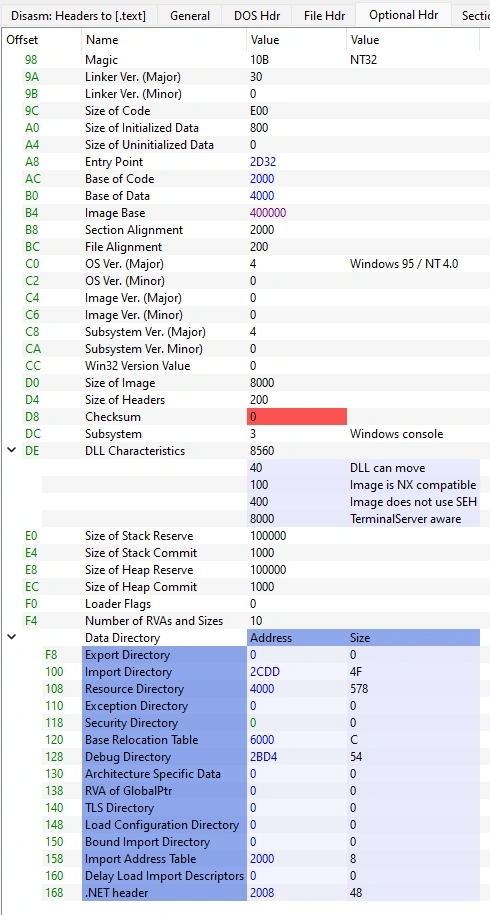
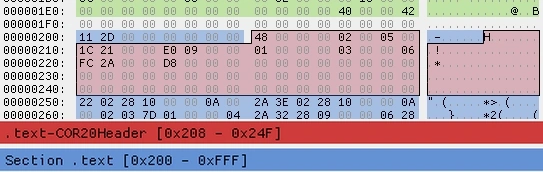
If you look at file offset 0x168 for .NET Header, it says at address 0x2008(RVA). Again, 0x2008-0x2000+0x200= 0x208(raw file). Size is 0x48
Here is how it looks in Hex editor:
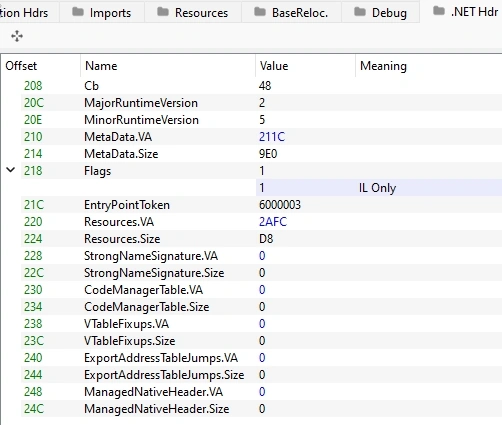
And here is an interpretation by PE-bear:
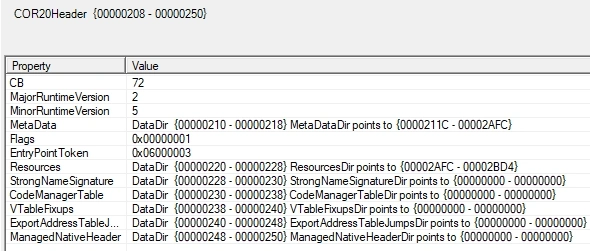
And here is an interpretation by Assembly Viewer
3 Resources (aka “Managed resources”)
It says ResourceDir is 0x2AFC(RVA), with size 0xD8. Again, 0x2AFC-0x2000+0x200= 0xCFC(raw file). End is 0xCFC+0xD8= 0xDD4(raw file)
Here it is Hex editor:
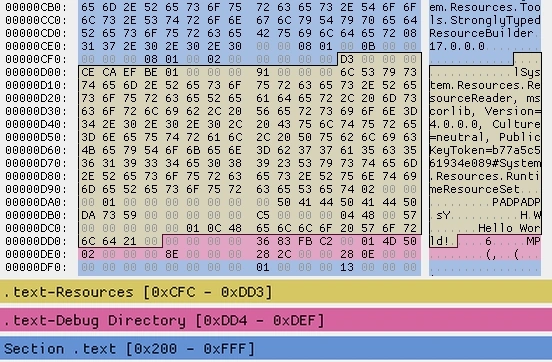
As you can see, we mapped the string “HW” to the “Hello World!” string in our C# code resources.
4 Metadata
4.1 Short theoretical background
Metadata inside the .NET assembly is organized in 5 streams. The name of each stream starts with #. The streams are:
- #~ stream – This is the “metadata stream” and contains information on the types, methods, fields, properties, and events in the assembly.
- #Strings stream – Contains names of namespaces, types, and members.
- #US stream – This is the “user string heap” and contains all the strings used in the code.
- #GUID stream – Stores GUIDs used in the assembly.
- #Blob stream – Contains pure binary data.
4.2 File content
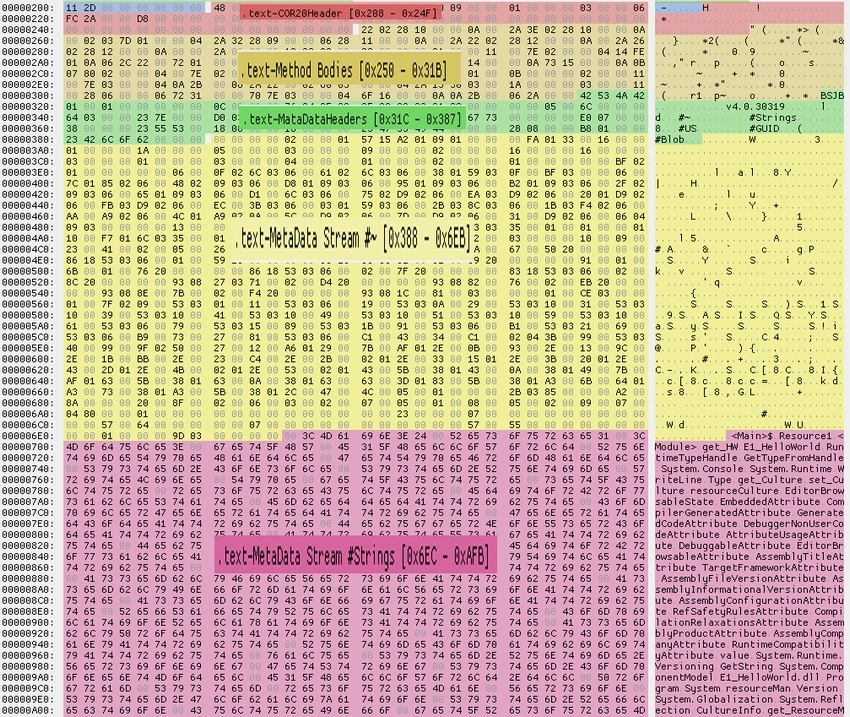
As seen above, at file offset 0x210, for MetaData, it says the address is 0x211C(RVA). Again, 0x211C-0x2000+0x200= 0x31C(raw file). That is the location of the Metadata Header. It can be seen in the Hex editor.
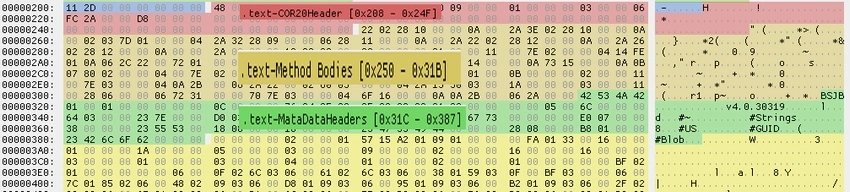
And here is an interpretation by Assembly Viewer
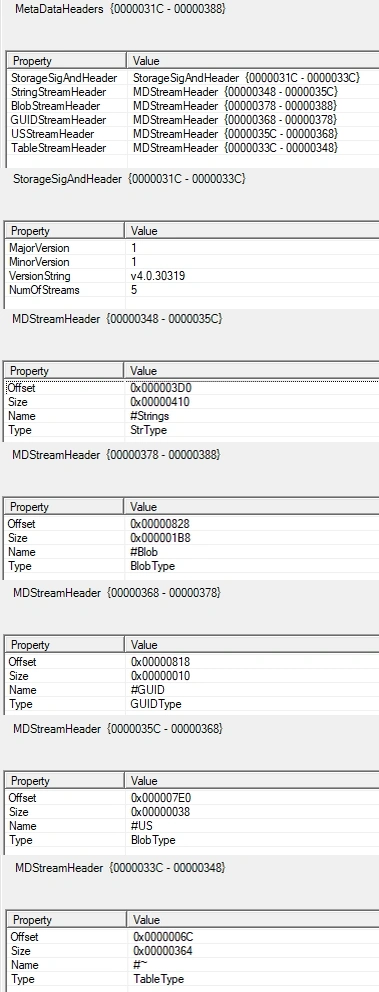
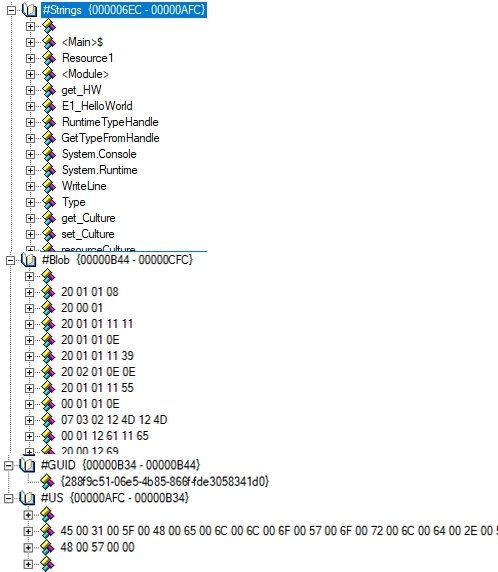
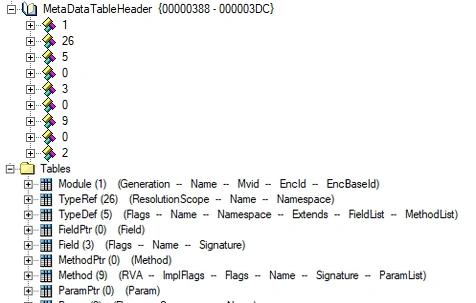
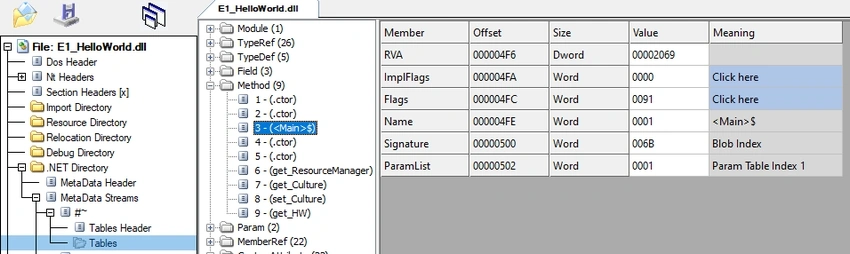
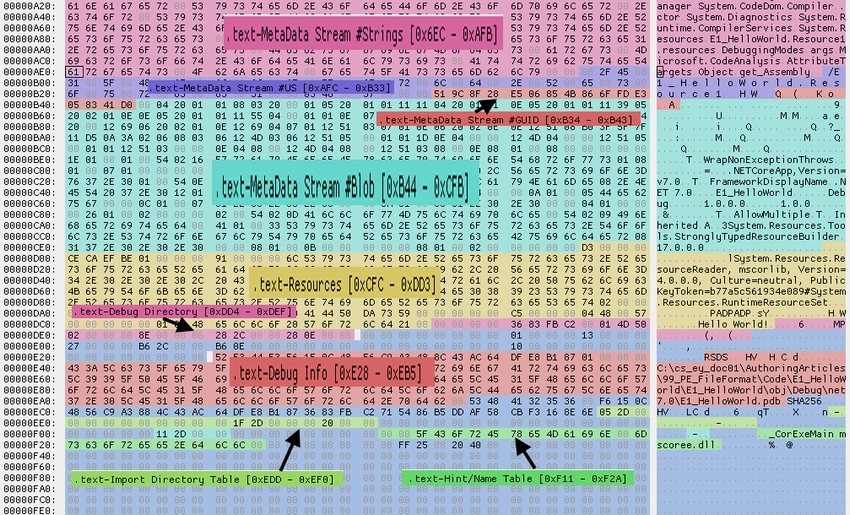
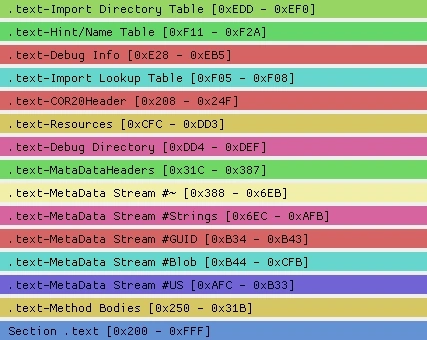
So, we see that we have metadata in 5 streams. Offsets here are given “relative to start of metadata header (0x31C)”. We need to do some calculations:
Join the conversation! Your thoughts help the community grow.