

Introduction
In this article, I make a simple PHP "love calculator" application and in this process, I am simply using a HTML design form to provide a look and feel for the user and also write a PHP script, that is responsible for calculating the love percentage of you and your lover or say with his/her person. Now I will start with the design phase.
Design Form
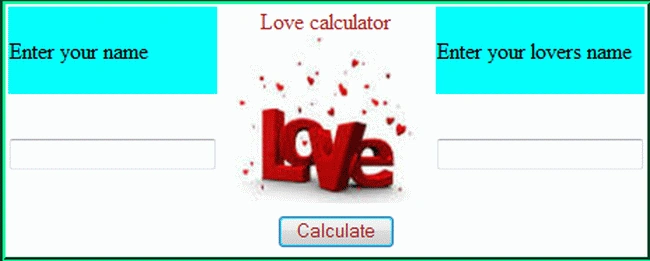

In this application I am taking two input HTML TextBoxes for entering your name and your lover's name, a button for the love calculation and an image slider with JavaScript code that rotates an image every 2 seconds.
Now I write the code here for the user interface; see:
<html>
<head>
<script type="text/javascript">
var slideimages = new Array()
function slideshowimages() {
for (i = 0; i < slideshowimages.arguments.length; i++) {
slideimages[i] = new Image()
slideimages[i].src = slideshowimages.arguments[i]
}
}
</script>
</head>
<body>
<form action="calculate.php" method="post">
<table style="border:groove #00FF99">
<tr>
<td style="background-color:aqua">Enter your name</td>
<td rowspan="2" style="font-family:'Adobe Gothic Std';color:brown"> Love calculator<br />
<img src="dil.png" alt="Slideshow Image Script" title="Slideshow Image Script" name="slide" border=0 width=150 height=120>
<script type="text/javascript">
slideshowimages("dil.png", "dil1.jpg", "dil3.jpg")
var slideshowspeed = 2000
var whichimage = 0
function slideit() {
if (!document.images)
return
document.images.slide.src = slideimages[whichimage].src
if (whichimage < slideimages.length - 1)
whichimage++
else
whichimage = 0
setTimeout("slideit()", slideshowspeed)
}
slideit()
</script>
</td>
<td style="background-color:aqua">Enter your lovers name</td>
</tr>
<tr>
<td><input type="text" name="name" style="color:burlywood"/></td>
Prabhakar MauryaPosted Apr 15, 2013, 6:28 AM
Nice article Sharad.....
Vinod KumarPosted Apr 15, 2013, 5:46 AM
Nice article...