

Here, I will explain how to store audio and video files in, and how to restore them from, a local database then how to play them in the Windows Media Player. I used a COM component, in other words the built-in media player in Windows. I will explain the following points:
Step 1: Go to "New Project" -> "Windows Forms application" then click on "Ok".
Step 2: Add two Buttons, one ComboBox and an OpenFileDialouge from the Toolbox.
Step 3: Now add a COM Component to the form.
Open the ToolBox then Right-click then choose "Items" -> "COM components" then select "Windows Media Player" then click "Ok". Next it will add something from the ToolBox then drag it from the Toolbox to the form.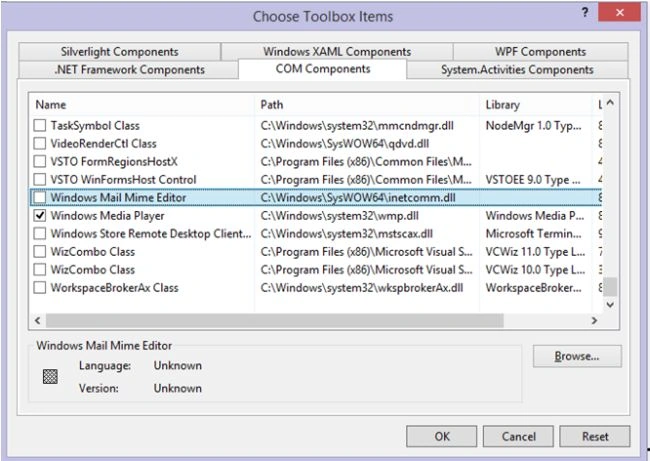
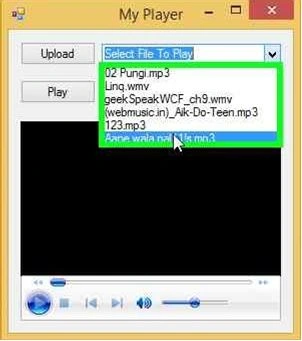
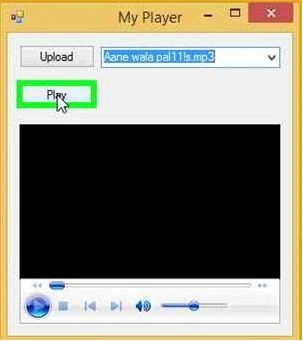
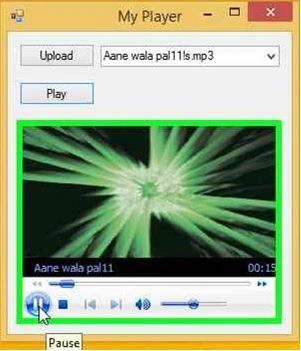
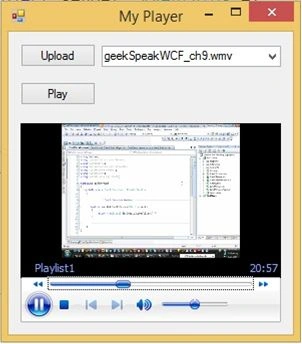
Finally your form will look like this.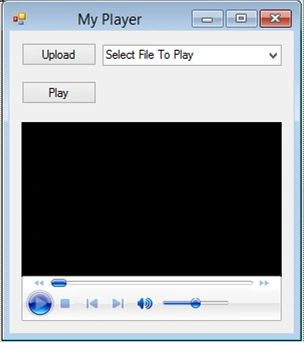
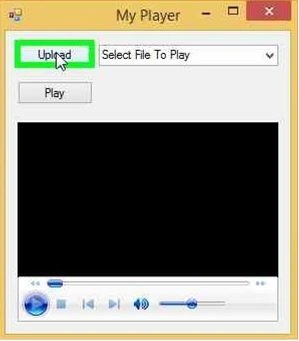
Your form is now designed. Next is the operations for the buttons. Here the Upload Button saves the file in the local database; see the following code.
Button Save
private void btnSave_Click(object sender, EventArgs e)
{
var file = GetFile();
var lst = new string[] { ".mp3", ".avi", ".mp4", ".wmv" };
if (!lst.Contains(Path.GetExtension(file)))
{
MessageBox.Show("Please select proper file.");
}
else
{
var result = SaveToDataBase(Path.GetFileName(file), GetCompressedData(file, ConvertFileToByteData(file)));
if (result)
{
cmbPlayList.Items.Add(Path.GetFileName(file));
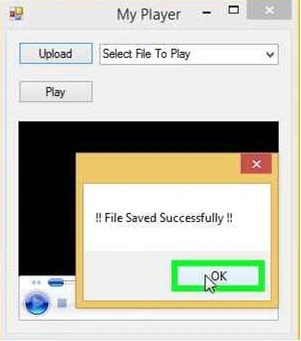
MessageBox.Show("!! File Saved Successfully !!");
}
}
}
Here is the code to save the file in the database:
private bool SaveToDataBase(string fileName, byte[] data)
{
try
{
var ds = new DataSet();
SqlCommand cmd = new SqlCommand("insert into MyPlay values('" + Guid.NewGuid() + "','" + fileName + "',@content)");
SqlParameter param = cmd.Parameters.Add("@content", SqlDbType.VarBinary);
param.Value = data;
cmd.Connection = new SqlConnection(ConnectionString);
cmd.CommandTimeout = 0;
cmd.Connection.Open();
cmd.ExecuteNonQuery();
return true;
}
catch (Exception)
{
throw;
}
return false;
}

diope asgvkkPosted Mar 20, 2022, 2:07 PM
Guys it seems that i cannot find the COM components in either Visual Studio and Sharpdevelop
Endri FuciaPosted Dec 1, 2018, 8:49 AM
While i want to play it it shows that error
Endri FuciaPosted Dec 1, 2018, 8:49 AM
System.InvalidCastException: 'Unable to cast object of type 'System.String' to type 'System.Byte[]'.'
Ali BelhajPosted Oct 8, 2018, 4:30 PM
I need the seem but vb.net plz help
Dhimesh ParmarPosted May 13, 2018, 5:10 AM
Sir without db it is possible? i am try to store video file in c# app create appVideo and directly play but it is not work
Hafiz LuqmanPosted Apr 11, 2018, 2:46 AM
It shows error on "ConvertByteDataToFile" and " GetUnCompressedData"
Bert TwoPosted Dec 23, 2016, 9:24 PM
InvalidCastException was unhandled. Unable to cast object of type 'System.Byte[]' to type 'System.IConvertible'. At catch - throw of SaveToDataBase. Please help. EDIT: Nvm, fixed it already. I have a question though, what's the maximum size of video I can save using varbinary? I can't save 61 mb vid.
babak rezaeiPosted Nov 9, 2016, 1:02 AM
Thanks so much Mr. jeetendra Gund. It was very useful for me. I wish the best for you.
Rajkumar pPosted Apr 7, 2016, 6:22 AM
where it is the dll ?
Rajkumar pPosted Apr 7, 2016, 6:22 AM
In my pc does not have dll like wmp.dll and also AxWMPLib.dll and WMPLib.dll in C:\Windows\System32
Tabish RazaPosted Feb 10, 2016, 9:32 AM
Bro, is it compatible in sql server 2008
Isaque FernandoPosted Sep 25, 2015, 9:00 PM
Trank you Sr. Jeetendra Gund..
Parag NaikPosted Jan 23, 2015, 1:34 AM
CREATE TABLE [dbo].[MyPlay]( [FileData] [varchar](max) NULL, [FileName] [varchar](100)NULL, [content] [varbinary](max) NULL ) ON [primary]
Parag NaikPosted Jan 23, 2015, 1:34 AM
Database structure
ratheeshkumar jayaprakashPosted Oct 18, 2014, 3:30 AM
boss can u attach db ???? or else please mention the table structure.,
Akhilesh PanditPosted Jul 22, 2014, 3:32 AM
Dear All i want to play video file with extantion .avi in my asp.net project with using terelik media player. but i can't please some one help me on urgent basis.
anuj kumarPosted Apr 29, 2014, 1:29 PM
very nice work bro.. good luck