

Introduction
This document covers how to populate a DataGridView from XML and how to save DataGridView values back to XML.
Steps to configure.
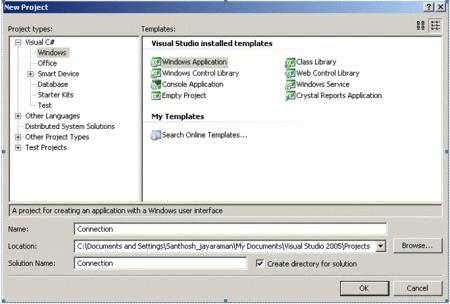
Open Visual Studio and create a new Windows application.
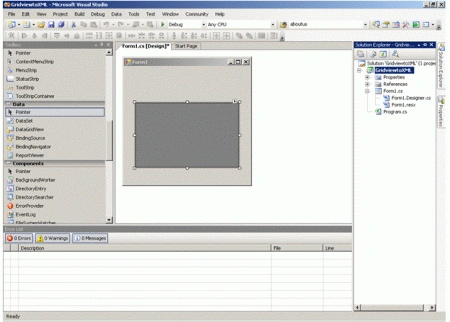
Add a DataGridView to the form.
Create a XML file in your local drive (Say D:\ drive) with the following code.
<?xml version="1.0" standalone="yes"?>
<NewDataSet>
<Table1>
<Server>Server1</Server>
<Database>Database1</Database>
</Table1>
<Table1>
<Server>Server2</Server>
<Database>Database2</Database>
</Table1>
<Table1>
<Server>Server3</Server>
<Database>Database3</Database>
</Table1>
</NewDataSet>
Add the following code in the form load event.
//Populating databases value in dropdown
XmlDocument XMLDoc = new XmlDocument();
XMLDoc.Load(path);
//Give Node name here
XmlNodeList nodelist = XMLDoc.SelectNodes("NewDataSet/Table1");
foreach(XmlNode node in nodelist){
comboBox1.Items.Add(node.SelectSingleNode("Database").InnerText);
}
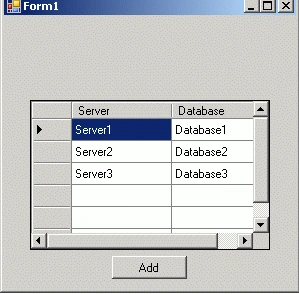
Add a button "Add" below the DataGridView as shown below.
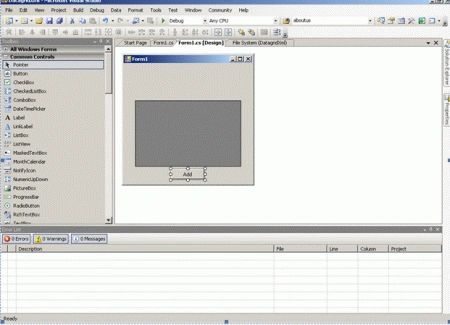
Add the following code in the button click event.
private void button1_Click(object sender, EventArgs e)
{
//path of XML file
string path = "D:\\Santhosh\\XMLFile1.xml";
DataSet ds = new DataSet();
DataTable dt = new DataTable();
//Adding columns to datatable
foreach (DataGridViewColumn col in dataGridView1.Columns)
{
dt.Columns.Add(col.DataPropertyName, col.ValueType);
}
//adding new rows
foreach (DataGridViewRow row in dataGridView1.Rows)
{
DataRow row1 = dt.NewRow();
for (int i = 0; i < dataGridView1.ColumnCount; i++)
//if value exists add that value else add Null for that field
row1[i] = (row.Cells[i].Value == null ? DBNull.Value : row.Cells[i].Value);
dt.Rows.Add(row1);
}
//Copying from datatable to dataset
ds.Tables.Add(dt);
//writing new values to XML
ds.WriteXml(path);
MessageBox.Show("Successfully added ", "Success");
this.Close()
}
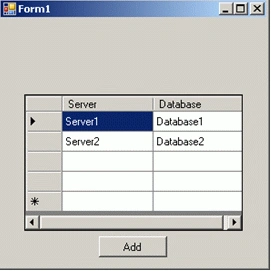
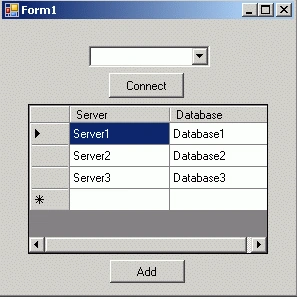
Run the solution. The following form should be displayed.
Join the conversation! Your thoughts help the community grow.