

When working with data models in Microsoft Power BI, there are times when you need to generate random numbers. This can be useful for testing reports, simulating data, creating demo dashboards, or assigning random values to rows.
One of the easiest ways to generate random numbers in Data Analysis Expressions (DAX) is by using the RANDBETWEEN function.
In this article, we will explore what the RANDBETWEEN DAX function does, how it works, and when you should use it.
What is the RANDBETWEEN Function?
The RANDBETWEEN function generates a random integer between two specified numbers.
This function is commonly used when you need sample data or want to randomly assign numeric values within a defined range.
Syntax
RANDBETWEEN(<bottom>, <top>)
| Parameter | Description |
|---|---|
| bottom | The smallest integer that can be returned |
| top | The largest integer that can be returned |
The function returns a whole number between the bottom and top values (inclusive).
Basic Example
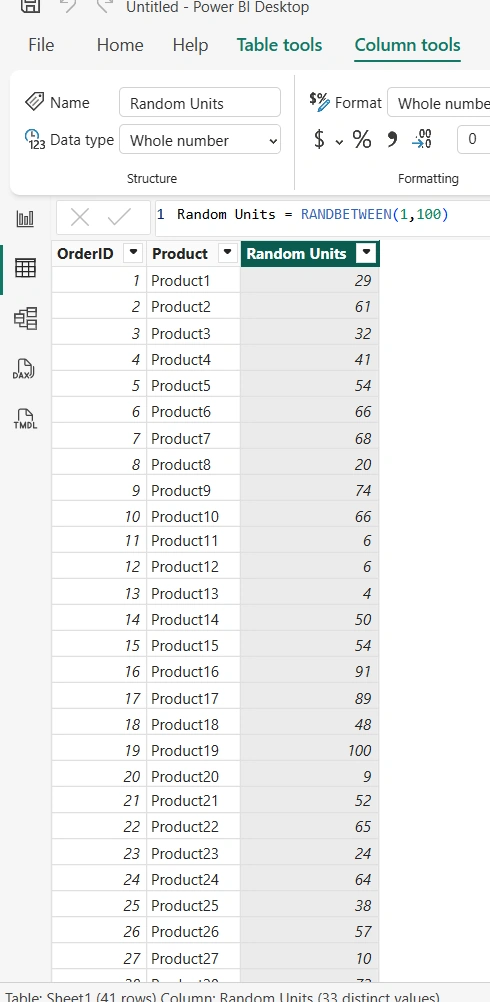
Suppose you want to generate a random units between 1 and 100 in a new table in Power BI. To do that, create a New Column and execute:
Random Units = RANDBETWEEN(1,100)As seen in the screenshot below, the Random Units is now generated
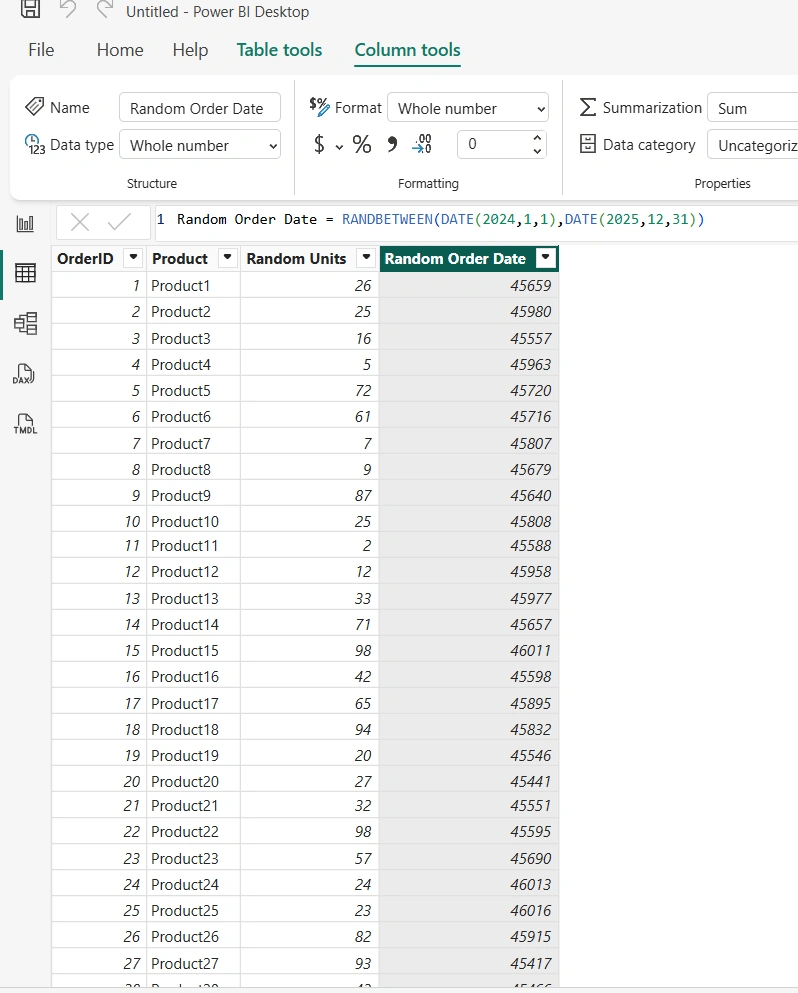
Suppose you want to generate a random OrderDate between 01/01/2024 and 31/12/2025 in a new table in Power BI. To do that, create a New Column and execute:
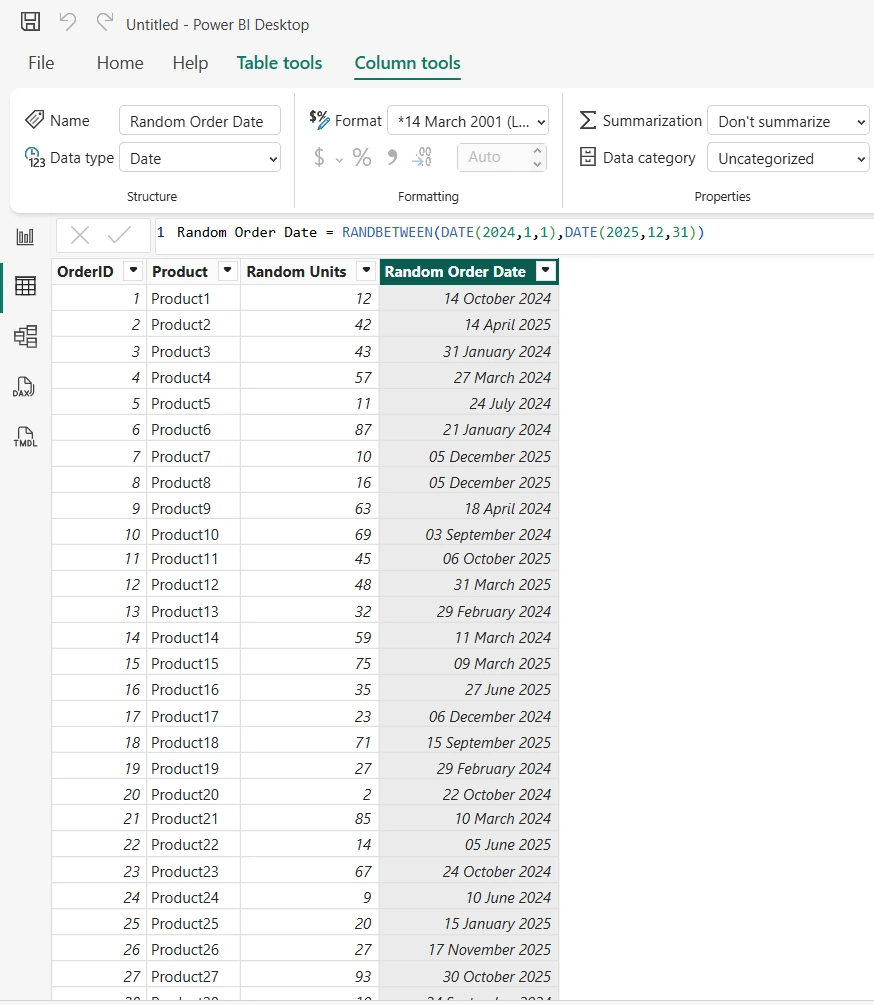
Random Order Date = RANDBETWEEN(DATE(2024,1,1),DATE(2025,12,31))As seen in the screenshot below, the Random OrderDate underlying serial number is now generated. Next, we need to change the Data type from Whole Number to Date
To change the Whole Number to Date data type, select Data type drop-down and choose Date. As seen below, the Random Order Date is now formated in Long Date formatting
Important Behavior to Understand
One key thing to remember about RANDBETWEEN is that it is volatile.
This means:
Values may change when the dataset refreshes
The numbers are not guaranteed to remain constant
Because of this behavior, the function is best suited for:
Demo reports
Sample datasets
Testing scenarios
It is generally not recommended for production business logic.
Best Use Cases
The RANDBETWEEN function is especially useful for:
Creating sample datasets
Building demo dashboards
Simulating test scenarios
Assigning random scores or rankings
Many developers use it when preparing training material or proof-of-concept reports in Microsoft Power BI.
Final Thoughts
The RANDBETWEEN DAX function is a simple yet powerful tool for generating random numbers within a defined range. Although it is not typically used in production models, it is extremely valuable for testing, simulations, and demonstrations.
Understanding how to use functions like RANDBETWEEN helps improve your mastery of Data Analysis Expressions (DAX) and allows you to build more flexible and dynamic reports in Microsoft Power BI.
Join the conversation! Your thoughts help the community grow.