

This article is continuation of Part-1 & Part-2.
- Provider Hosted MVC App With AngularJS in Sharepoint - Part 1
- Provider Hosted MVC App With AngularJS in SharePoint - Part 2
Let's start with Provider Hosted MVC App with AngularJS - Part 3. In this part we are going to create dynamic TileView using CSS and AngularJS.
SharePoint HostWeb List Structure
The following is a list structure which we are referencing for our application.
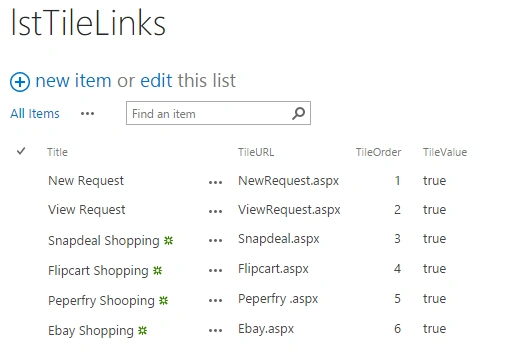
Figure 1: App
We are going to create the following UI Design and final output format.
UI Change
In top navigation bar new option added to show tileview i.e. TileView.
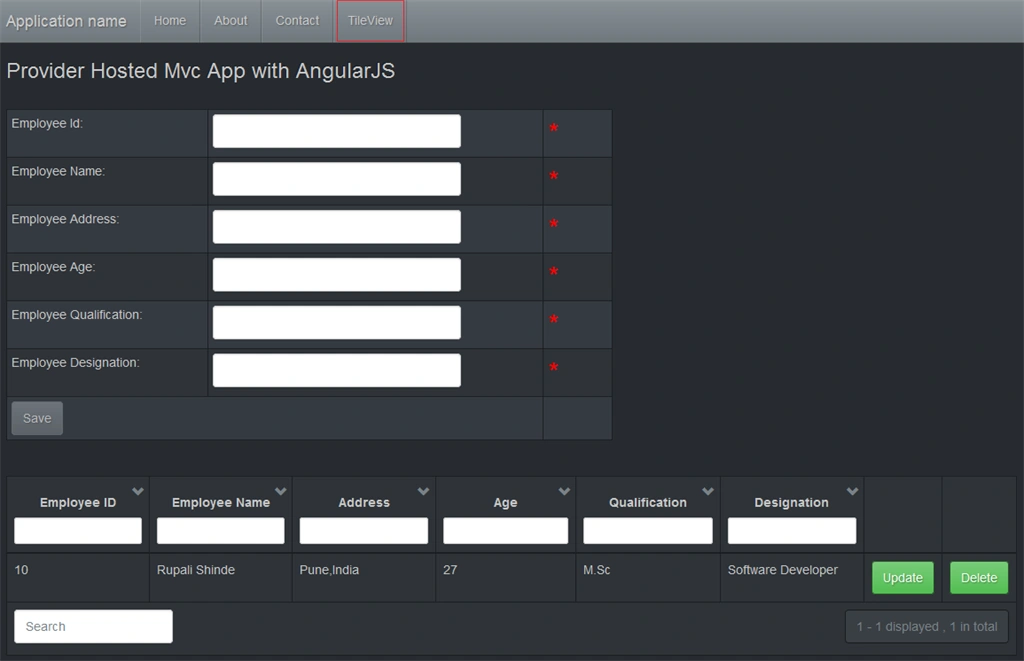
Figure 2: Tile
Output
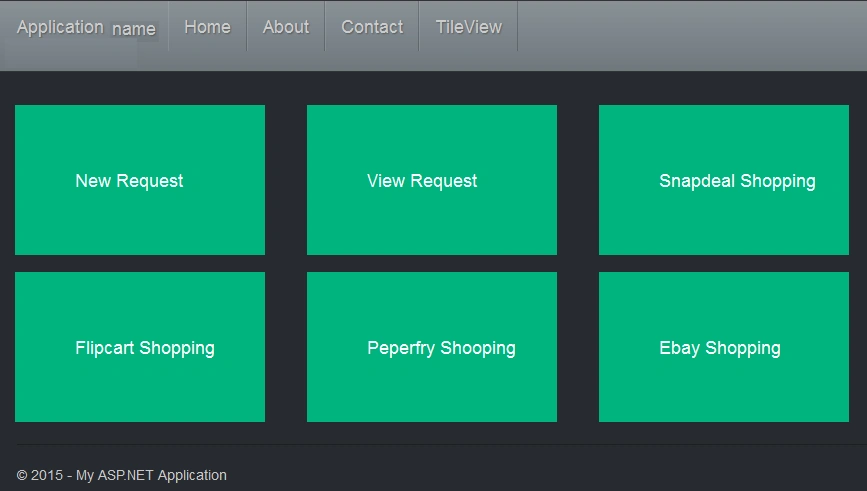
Figure 3: output
Solution Changes in term of new controller, view , javascript and CSS files.
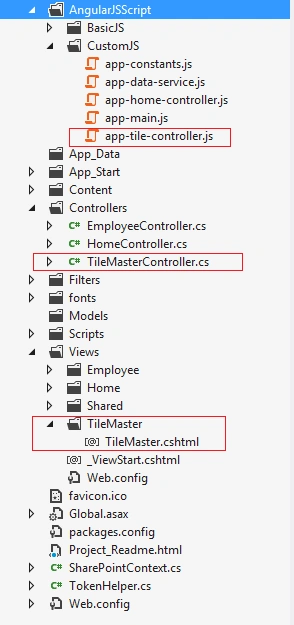
Figure 4: Solution
Let's start with service layer coding to fetch list data.
Step 1: Session Management in AngularJS
When we navigate from one page to another page, we need ' hostweburl ' & ' appweburl ' URL values to access SharePoint site data, so we need to save those values in session to access on another page.
There are two ways to save data in session - sessionStorage & localStorage.
Figure 2: Tile
Output
Figure 3: output
Solution Changes in term of new controller, view , javascript and CSS files.
Figure 4: Solution
Let's start with service layer coding to fetch list data.
Step 1: Session Management in AngularJS
When we navigate from one page to another page, we need ' hostweburl ' & ' appweburl ' URL values to access SharePoint site data, so we need to save those values in session to access on another page.
There are two ways to save data in session - sessionStorage & localStorage.
- var hostweburl;
- var appweburl;
- //The SharePoint App where the App is actualy installed
- hostweburl = decodeURIComponent(QueryStringParameter('SPHostUrl'));
- //The App web where the component to be accessed by the app are deployed
- appweburl = decodeURIComponent(QueryStringParameter('SPAppWebUrl'));
- var Sessionhostweburl = sessionStorage.getItem("hostweburl");
- var Sessionappweburl = sessionStorage.getItem("appweburl");
- if (Sessionhostweburl == null || Sessionappweburl == null)
- {
- sessionStorage.setItem("hostweburl", hostweburl);
- sessionStorage.setItem("appweburl", appweburl);
- }
- if (hostweburl == null || appweburl == null || hostweburl == 'undefined' || appweburl == 'undefined')
- {
- hostweburl = sessionStorage.getItem("hostweburl");
- appweburl = sessionStorage.getItem("appweburl");
- }
- console.log("hostweburl : " + hostweburl);
- console.log("appweburl : " + appweburl);
app-data-service.js
New service layer method to get SharePoint List data in order to create TileView.
- this.getTileData = function()
- {
- var TileArray = [];
- var deferred = $q.defer();
- // Load 15hives js files and continue to the successHandler
- $.getScript(scriptbase + "SP.Runtime.js",
- function()
- {
- $.getScript(scriptbase + "SP.js",
- function()
- {
- $.getScript(scriptbase + "SP.RequestExecutor.js",
- function()
- {
- //Represents the context for objects and operations.
- var context = new SP.ClientContext(appweburl);
- //Access host web from app using JavaScript CSOM
- var factory = new SP.ProxyWebRequestExecutorFactory(appweburl);
- context.set_webRequestExecutorFactory(factory);
- var appContextSite = new SP.AppContextSite(context, hostweburl);
- var web = appContextSite.get_web();
- context.load(web);
- //Access HostWeb List
- var list = web.get_lists().getByTitle('lstTileLinks');
- var camlQuery = SP.CamlQuery.createAllItemsQuery();
- this.listItems = list.getItems(camlQuery);
- context.load(this.listItems);
- context.executeQueryAsync(
- Function.createDelegate(this, function()
- {
- var ListEnumerator = this.listItems.getEnumerator();
- while (ListEnumerator.moveNext())
- {
- var currentItem = ListEnumerator.get_current();
- TileArray.push({
- ID: currentItem.get_item('ID'),
- Title: currentItem.get_item('Title'),
- TileURL: currentItem.get_item('TileURL')
- });
- }
- console.log(TileArray);
- deferred.resolve(TileArray);
- }),
- Function.createDelegate(this, function(sender, args) {
- deferred.reject('Request failed. ' + args.get_message());
- console.log("Error : " + args.get_stackTrace());
- }));
- });
- });
- });
- return deferred.promise;
- }; // Get
app-tile-controller.js
New controller added into solution for TileView creation.
Santhakumar MunuswamyPosted Oct 18, 2015, 2:20 AM
Good one
Abhay ShankerPosted Oct 17, 2015, 5:22 AM
Nice Article
Rupali ShindePosted Oct 17, 2015, 3:37 AM
Thank you all for reading & supporting me to do more r&d in SharePoint
Mukesh KumarPosted Oct 17, 2015, 12:51 AM
Great job
Nilesh JadavPosted Oct 17, 2015, 12:11 AM
Excellent work mam !!
Harshad PansuriyaPosted Oct 17, 2015, 12:09 AM
Nice one
Priyaranjan K SPosted Oct 16, 2015, 11:52 PM
Good One Rupali . Was this implemented in your project ?
Kamlesh BhorPosted Oct 16, 2015, 3:58 PM
Very Nice...
Shridhar SharmaPosted Oct 16, 2015, 3:57 PM
nice post :)
Sujeet SumanPosted Oct 16, 2015, 3:32 PM
Nice one..................