

Introduction
Matplotlib is a plotting library for 2D graphics. It is used for creating static, animated, and interactive visualizations in Python. This is a kind of replacement for MATLAB. But if someone wishes to use MATLAB, then there are certain functions which are used to call Python functions from MATLAB. One of the examples is matlab.engine.start_matlab (This would start the MATLAB engine for python.) Matplotlib is built on NumPy array (to understand NumPy you can refer to - https://www.c-sharpcorner.com/article/getting-started-with-numpy/ and https://www.c-sharpcorner.com/article/numpy-array/ ), which is a multidimensional data visualization for 2D plots of arrays.
To import the library we use:
import matplotlib.pyplot
import matplotlib.pyplot
Comparison between MATLAB and MATPLOTLIB
As we get started with Matplotlib, we already mentioned that it is kind of replacement of MATLAB, so we should be aware of the challenges.
- So, MATLAB in some or other way is a global style and it contains various functions that do not needs import and are readily available at the top level.
- Since, Matplotlib is built on top of NumPy array it needs to incorporate NumPy routine as well. This is also a challenge.
- In Matplotlib, we have a module named, PYLAB- This brings all the classes and functions of NumPy and Matplotlib.pyplot together into a common namespace. Also, it clones the global nature of MATLAB.
Types of plots
- Line Plot- plot ()
- Bar Graph- bar ()
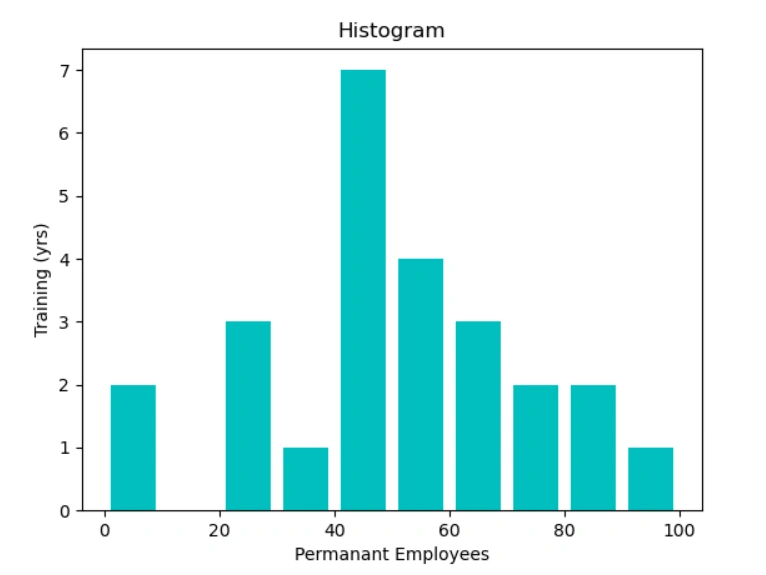
- Histogram- hist ()
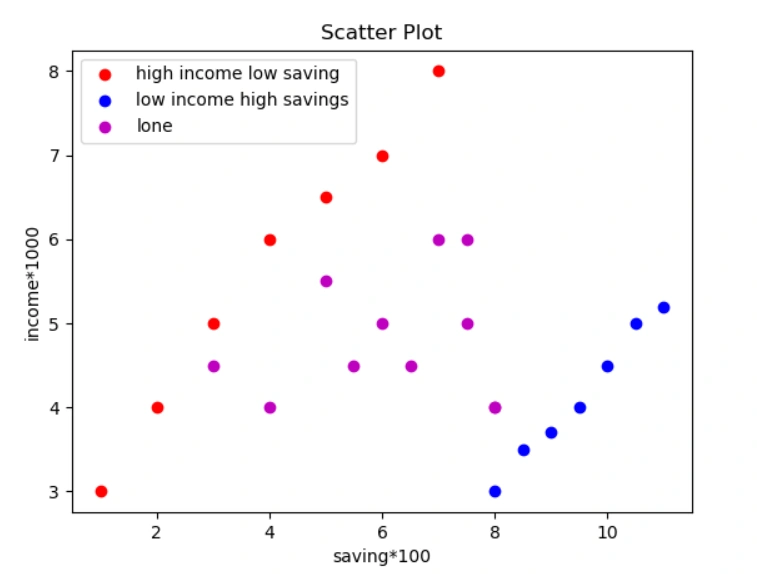
- Scatter Plot- scatter ()
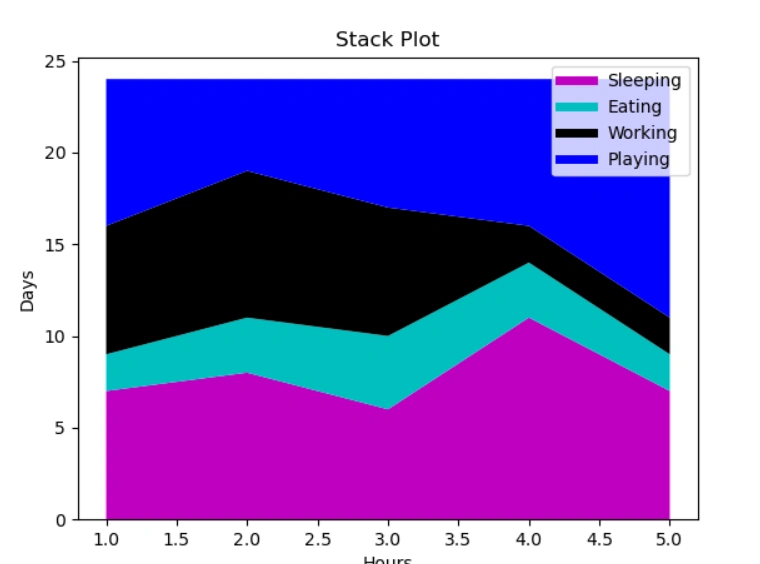
- Area plot- stackplot ()
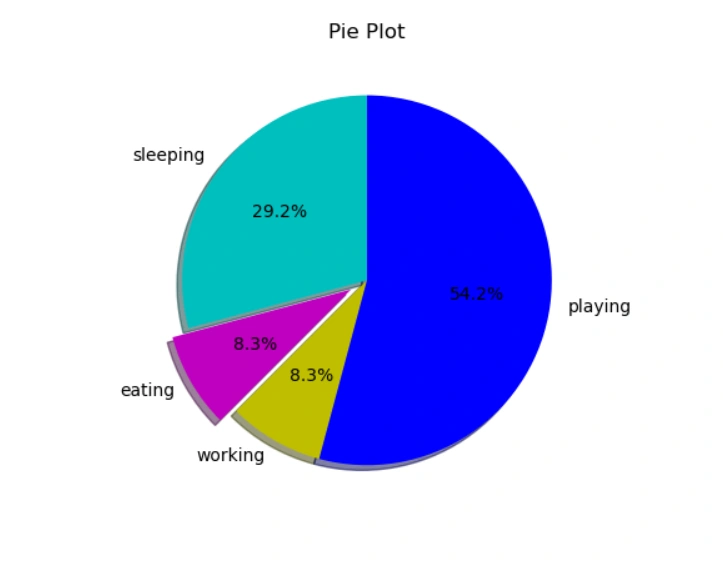
- Pie plot-pie ()
Now let us understand how we plot these.
Line Plot/ Line Chart
This is a kind of Graph or Curve Chart which represents the information in the form of data points which are connected through straight lines.
We use function, plot()- to plot the line chart. It has 2 arguments in it, plot(x,y)- x coordinates to the x-axis, y is coordinates of the y-axis
EXAMPLE
- from matplotlib import pyplot as plt
- plt.plot([1,2,5],[5,8,7]) # Function to plot
- plt.show() # function to show the plot
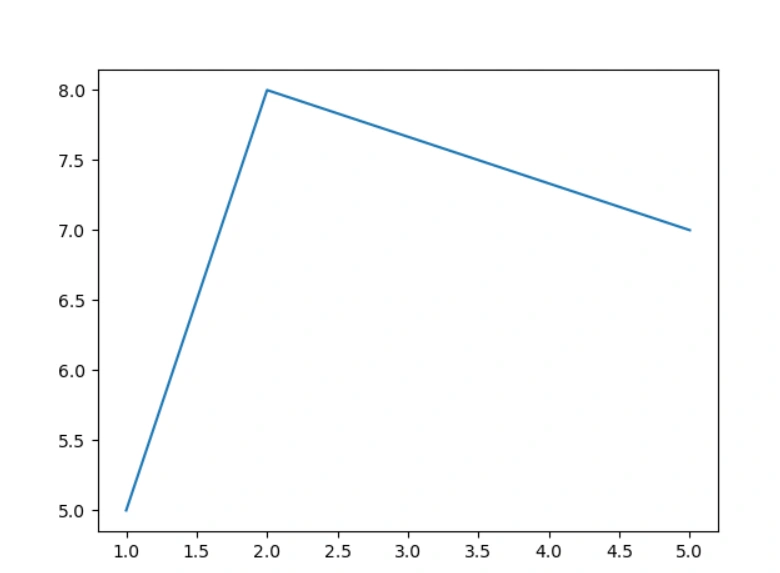
So according to the above function plot (): 1st coordinates are (1,5), 2nd are (2,8) and 3rd are (5,7).
We can add as many coordinates we want; we can add title to a particular chart, we can also add title to the axis. For example,
- from matplotlib import pyplot as plt
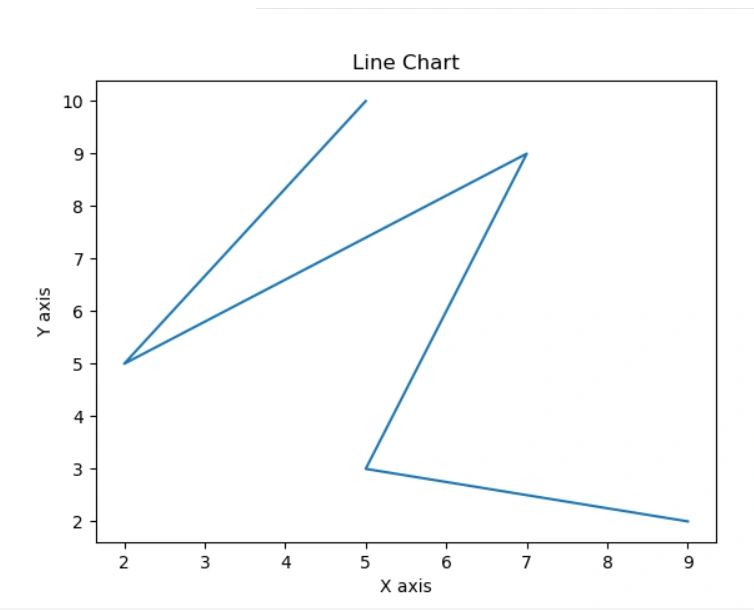
- x = [5,2,7,5,9]
- y = [10,5,9,3,2]
- plt.plot(x,y)
- plt.title('Line Chart') # Adding title to the Plot
- plt.ylabel('Y axis') # Adding title to Y-Axis
- plt.xlabel('X axis') # Adding title to X-Axis
- plt.show()
We can also plot a simple plot of angle in as well.
- from matplotlib import pyplot as plt
- import numpy as np
- import math
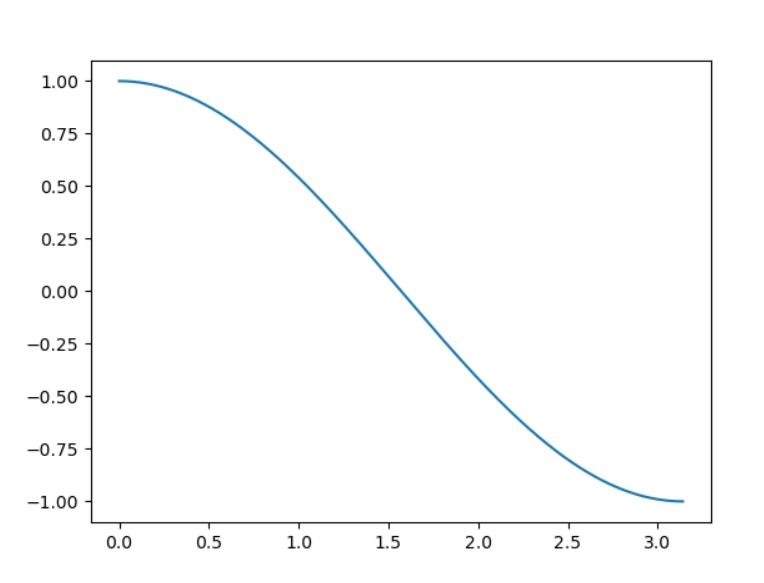
- x=np.arange(0, math.pi, 0.01)
- y=np.cos(x)
- plt.plot(x,y)
- plt.show()
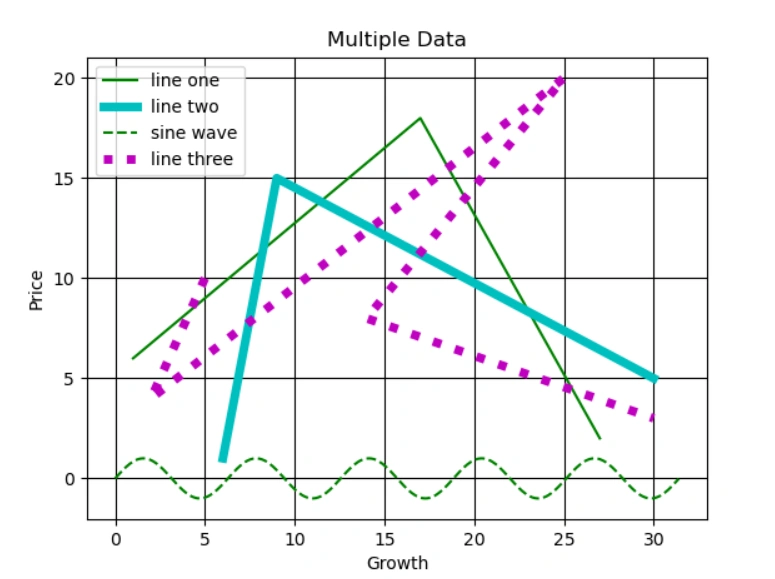
We can plot more than one line into line chart, we can also make it colourful
Markers
‘.’ – point marker, ‘o’- circle, ‘*’- star, ‘^’- triangle_up, ‘p’- pentagon, ‘s’- square, ‘+’-plus, ‘D’- Diamond, ‘|’- vline …. And many more.
Colors
‘b’ -blue , ‘g’- green , ‘r’-red , ‘y’- yellow , ‘k’- black , ‘m’- magenta, ‘w’- white, ‘c’- cyan
Line styles
‘-‘ (solid line), ‘- -‘ (Dashed line) , ‘-.’ (Dash dot line) , ‘:’ (Dotted line)
We should use it in format '[marker][line][colour]'
- from matplotlib import pyplot as plt
- import numpy as np
- import math
- x1 = [1,17,27]
- y1 = [6,18,2]
- x2 = [6,9,30]
- y2 = [1,15,5]
- x3 = [5, 2, 25, 14, 30]
- y3 = [10, 4, 20, 8, 3]
- x=np.arange(0, math.pi*10, 0.10)
- y=np.sin(x)
- plt.plot(x1,y1,'g',label='line one')
- plt.plot(x2,y2,'c',label='line two',linewidth=5)
- plt.plot(x,y,'g--',label='sine wave')
- plt.plot(x3,y3,'m:',label='line three',linewidth=5)
- plt.title('Multiple Data')
- plt.ylabel('Price')
- plt.xlabel('Growth')
- plt.legend() #To show the upper top corner box (legend)
- plt.grid(True,color='k') # To print the plot in grid style in background
- plt.show()
Bar Plot
This type of plot is also known as Bar Chart or Bar Graph which is a graphical display of data using rectangular bars of different heights.
We use function, bar()- to plot the bar chart.
EXAMPLE
- from matplotlib import pyplot as plt
- x = [5, 2, 9, 4, 7]
- y = [10, 5, 8, 4, 2]
- plt.bar(x,y)
- plt.show()
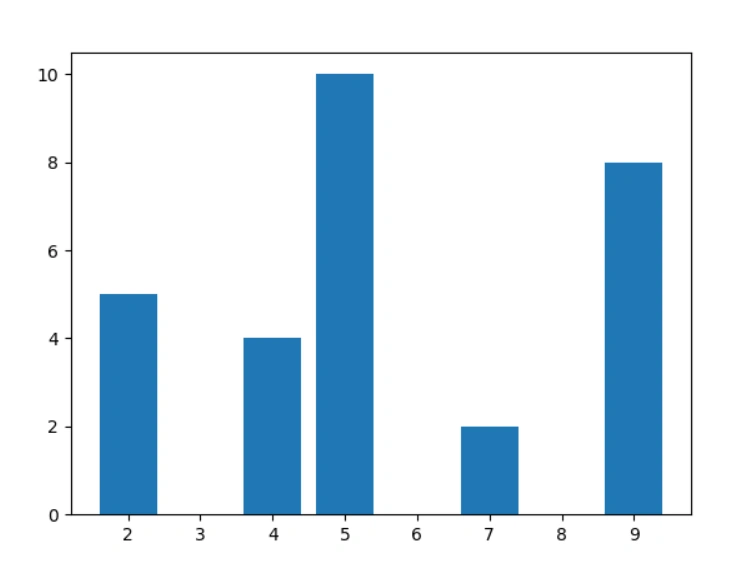
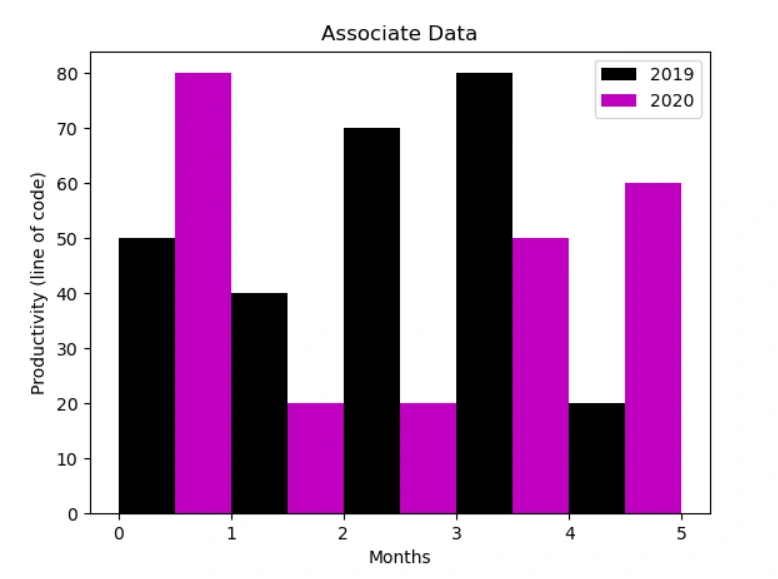
You can change the color of the bars, change the width and height, can perform the comparison tasks, and all similar as above.
Join the conversation! Your thoughts help the community grow.