
Background
JavaScript is a single threaded language, which means it processes code synchronously. We can archive asynchronous behavior, using callbacks. Suppose, if we have a long running task, which requires 10 seconds to complete processing, then we can queue up this task for later, using Microtask queues (for more details, click here). This article is written for Knockout framework but is still worth reading to understand the concept of Microtask. JavaScript pulls these tasks from Microtask queue and start processing but it processes one task at a time.
Prerequisites
- Any IDE (I used Visual Studio).
- CDN link of Bootstrap for styling.
- CDN link of Angular
Callbacks
Suppose, we have an Application which contains an API to do some calculation but it requires 2 minutes to do this calculation. Then, we can wait for the user to do the calculation. Alternatively, we can add some callbacks, so that when the calculation completes, it will call the callbacks passed to API.
Code snippet
- function add(x, y, callback) {
- callback(x + y);
- }
- add(2, 6, function (result) {
- $scope.result = result;
- });
Output

Let’s add some delay in the add method as I am using $timeout Angular Service.
Code snippet
- function add(x, y, callback) {
- $timeout(function () {
- callback(x + y);
- }, 500)
- }
- let startTime = Date.now();
- add(2, 6, function (result) {
- $scope.result = result;
- $scope.totalTime = Date.now() - startTime;
- });
Output
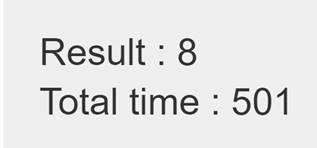
In the output, we can clearly see that the total time to execute the add method is 501, which means it delayed works and calculation is delayed by 500 as we set the timeout value as 500 in the $timeout Service.
So far, everything looks good and we are happy with our code but the main mess will start when we need more methods to call inside call back, which will reduce the code readability.
Code snippet
- function add(x, y, callback) {
- $timeout(function () {
- callback(x + y);
- },500)
- }
- let startTime = Date.now();
- add(2, 6, function (result) {
- add(result, 3, function () {
- $scope.result = result;
- $scope.totalTime = Date.now() - startTime;
- })
- });
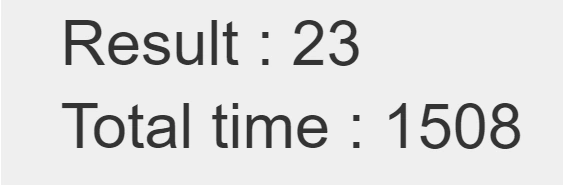
Output

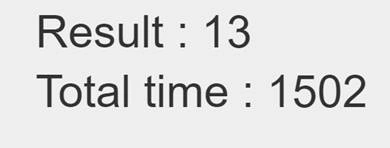
In the code given above, we can clearly see that it takes twice the time compared to the previous attempt and results look proper but the main concern here is the code it stated looks messy. Now, suppose if we want to handle the errors, then the code will look, as shown below.
Code snippet
- function add(x, y, callback,errorCallback) {
- $timeout(function () {
- let result = x + y;
- if (result < 0)
- errorCallback("Negative error");
- else
- callback(result);
- }, 500)
- }
- let startTime = Date.now();
- add(2, 6, function (result) {
- add(result, -13, function () {
- $scope.result = result;
- $scope.totalTime = Date.now() - startTime;
- }, function (error) {
- $scope.result = error;
- $log.error(error);
- })
- }, function (error) {
- $log.error(error);
- });
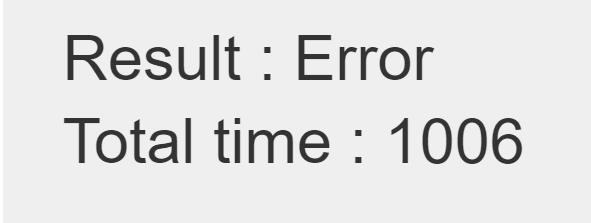
Output
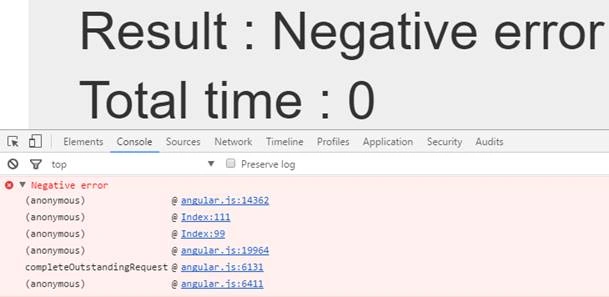
By looking at the output, we can see that our code is working properly but the code looks messy, tough to read and understand the code.
Promise
Promise is a way of writing asynchronous coding in a better understandable way. Callback way of writing makes the code very messy as we have seen previously. We can define Promises, using $timeout, $q (angular ways) and Promises (introduced in ES 2015).
Promise using $timeout
$timeout Service of Angular returns a Promise, which we can use it to do our basic Promise example.
Code snippet
- function add(x, y) {
- return $timeout(function () {
- return x + y;
- }, 500);
- startTime = Date.now();
- 5, 2)
- .then(function (result) {
- return add(result, 3);
- }).then(function (result) {
- return add(result, 3);
- }).then(function (result) {
- $scope.x = result;
- $scope.totalTime = Date.now() - startTime;
- });
Join the conversation! Your thoughts help the community grow.