
In this article we will be seeing how to manage the Quick Launch Navigation in
SharePoint 2010 using PowerShell and SharePoint Object Model.
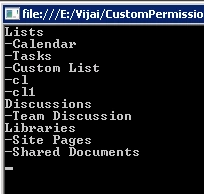
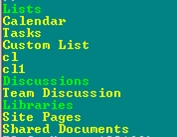
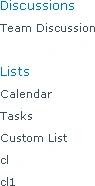
Get all the Headings and Links from the Quick Launch:
Using C#:
using
(SPSite site = new
SPSite("http://serverName:1111/sites/SPSiteDataQuery/"))
{
using (SPWeb
web = site.RootWeb)
{
SPNavigationNodeCollection
nodeColl = web.Navigation.QuickLaunch;
foreach (SPNavigationNode
heading in nodeColl)
{
Console.WriteLine(heading.Title.ToString());

Quick Launch Navigation in SharePoint 2010: Part1
Join the conversation! Your thoughts help the community grow.
Sign in to leave a comment
It is the same account you read, post and publish with — and you will come straight back to this page.
KarenPosted Jun 27, 2012, 4:44 PM
Is it possible to move a link between parent headers? What I have is for example Lists -Custom List 1 -Custom List 2 -Calendar Libraries -Shared Documents What I want to do is create a header with no URL, I figured that part out, and then move list under the new headers. So I end up with soemthing like this. Resources -Custom List 2 Company Data -Custom List 1 -Canlendar Libraries -Shared Documents How can I do that.