

After Building the existing WebApi, as mentioned in the previous article. Now, I will explain to you how this message can be reached to the Client app.
First, run the WebApi on your local computer using Visual Studio.
How to know the application is running?
Just check the WebApi .exe file is running in the system tray or task Manager.

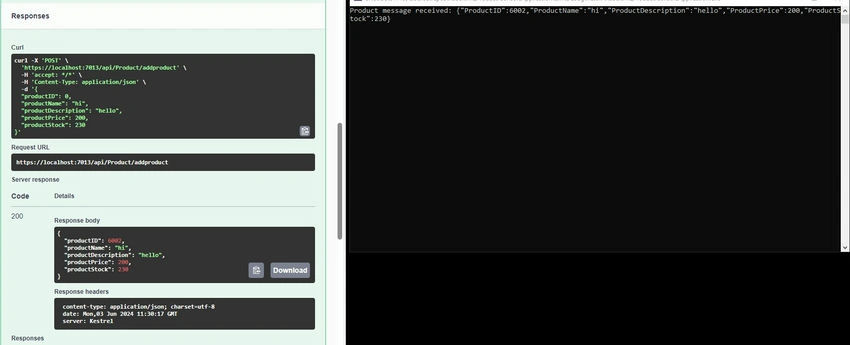
As it is using the development environment to test the api, I am using the Swagger tool, which is built into the web APIbapi application.
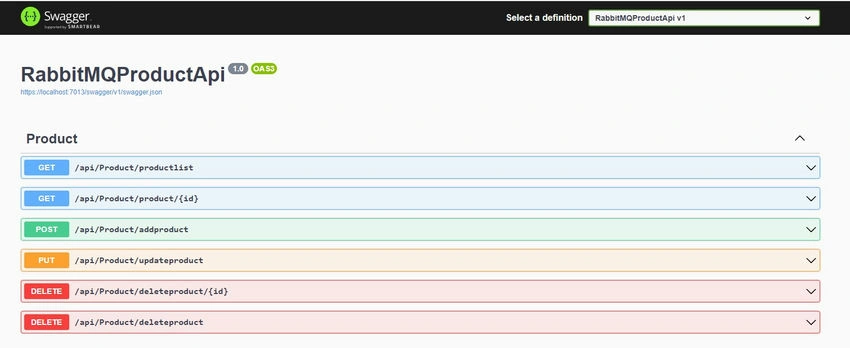
Open the existing Project solution in Visual Studio.
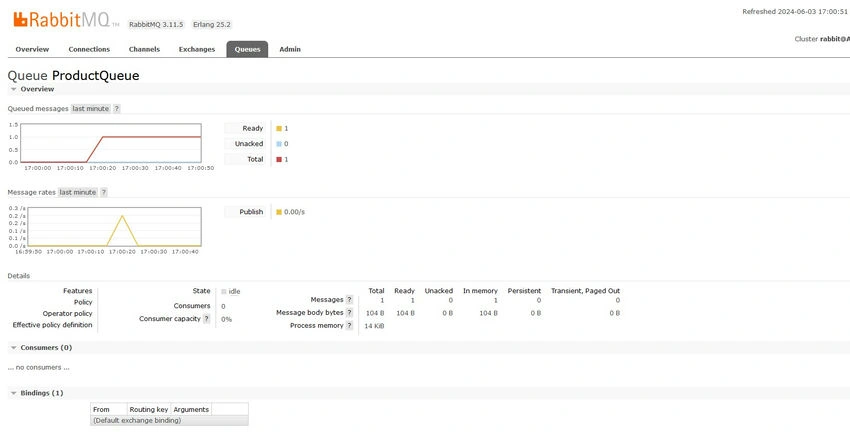
Add another Console application Project into the solution, Or it may be a different project.
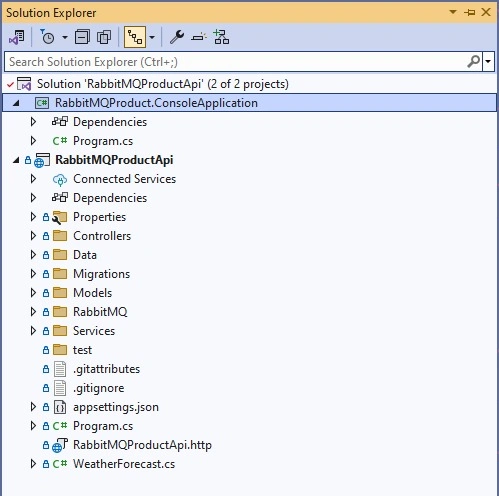
Open the Program.cs file, add the below code snippet into the application.
namespace RabbitMQProduct.ConsoleApplication
{
    internal class Program
    {
        static void Main(string[] args)
        {
            // Specify the connection factory for RabbitMQ
            var factory = new ConnectionFactory
            {
                HostName = "localhost"
            };
            // Create a connection to RabbitMQ
            var connection = factory.CreateConnection();
            // Create a channel
            using var channel = connection.CreateModel();
            // Declare a queue
            channel.QueueDeclare(queue: "ProductQueue", durable: false, exclusive: false, autoDelete: false);
            // Create a consumer
            var consumer = new EventingBasicConsumer(channel);
            // Register the consumer
            consumer.Received += (model, eventArgs) => {
                // Consume the message
                var body = eventArgs.Body.ToArray();
                var message = Encoding.UTF8.GetString(body);
                Console.WriteLine($"Product message received: {message}");
            };
            // Consume the message
            channel.BasicConsume(queue: "ProductQueue", autoAck: true, consumer: consumer);
            // Wait for the user to press a key
            Console.ReadKey();
        }
    }
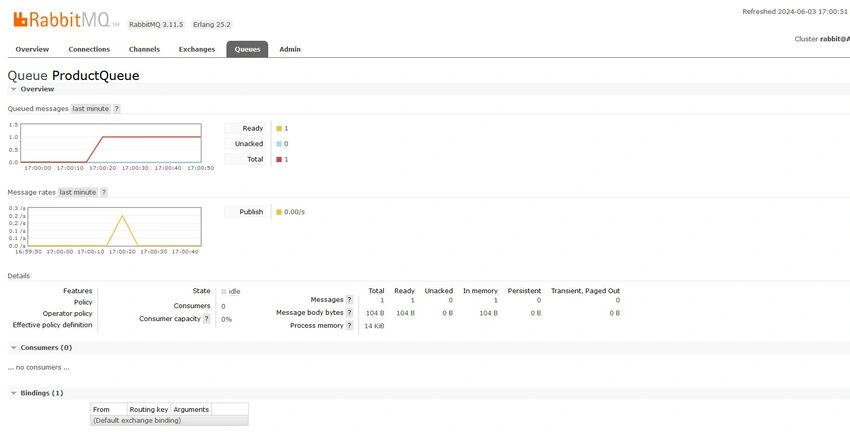
}
Join the conversation! Your thoughts help the community grow.