

Introduction
Whenever I interview any candidate, I always ask this question, "what are readonly and constant variables?" What is the difference between a const and a readonly in C#? Believe me, even the most experienced candidates get confused. In this article, let's learn what const and readonly are in C# and when to use them.
What is a Constant variable ib C#?
A variable whose value can not be changed during the execution of the program is called a constant variable. The cost keyword in C# is used to declare a constant variable.
In the above definition, the value can not be changed during the execution of the program, which means we cannot assign values to the constant variable at run time. Instead, it must be assigned at the compile time.
There are two types of constants in C#, compile-time constant and runtime constant.

In the above diagram, we can see the Constants are of two types
- Compile time constants (const)
- Runtime constants (Readonly)
Compile time constants
The compile time constants are declared by using the const keyword, in which the value can not be changed during the execution of the program.
Syntax
int const a=10;
Some key points about const variable
- It must be assigned a value at the time of declaration.
int const a=10; - const only allows constant variables into the expression.
int const a=10; int const b=20; // correct int const c=a+b; int d=1; int const c=d+b; //compile time error because d variable is the non constant into expression. - const can be declared at the class level and inside the method.
- const can not be declared using static keywords because they are, by default, static.
- constants are absolute constants whose values cannot be changed or assigned at the run time.
- constant variables are compile-time variables.
When to use const
The const is used when its value is constant. Such PI values cannot be changed, but according to your needs, you can use them as you wish rather than declaring PI values.
Example of const variable.
using System;

namespace UsingConst
{
    class Program
    {
        const int a = 10;

       static void Main(string[] args)
        {
            const int b = 20;
            const int c = b + a;
            Console.WriteLine(c);
            Console.ReadLine();
        }
    }
}
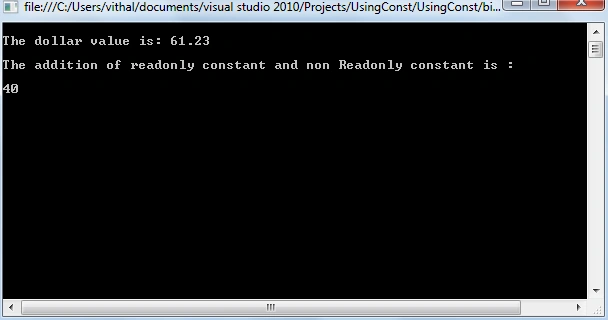
The output of the above program is 30. From the above example, we see that the const must be assigned the value at declaration time, and in expression, both the variables must be const.
Amin RezaeiPosted Dec 6, 2023, 4:53 AM
Const fields cannot be used with a static modifier, while readonly fields can be used with a static modifier.
Amin RezaeiPosted Dec 6, 2023, 4:52 AM
Which is true??
Amin RezaeiPosted Dec 6, 2023, 4:51 AM
Readonly can not be declared using static keywords because they are, by default, static.
ashok kumarPosted Jan 28, 2021, 5:31 PM
Simple and awesome explanation.
Ed IsenbergPosted Sep 22, 2020, 10:29 AM
This should be corrected. Readonly can be declared static.
Sangeeta SinghPosted Dec 14, 2018, 4:27 AM
Readonly are not static implicitly and can be declared static if required.
jubula samalPosted Oct 4, 2018, 10:22 PM
Nicely explained along with example. Got clear everything on constant and readonly
ashish mistryPosted May 10, 2018, 8:50 AM
Above you have mentioned "Readonly can not be declared using static keyword because they are by default static.". are you sure ?
Avinava BasuPosted Jan 13, 2017, 5:29 AM
But my question is why are we not able to change a 'const' variable(not readonly)? What's so unique about it? Is it stored somewhere that cannot be accessed?
Vithal WadjePosted Mar 2, 2015, 1:34 PM
Dan Schroeder sir for you valuable feedback and reading ,yes I have sent request to Content manager Dinesh Beniwal sir to correct grammatical mistakes of this article .you will see change within 24 hr. again thanks
Dan SchroederPosted Mar 2, 2015, 12:58 PM
Nice article, but there are so many spelling, grammar, and copy/paste errors in it, that some of the information is confusing, hard to follow, or just plain wrong. I've used const and readonly for a long time, so I understood what you were getting at, but you should give this another read-through or two and fix it up to help less experienced C# developers.