

Introduction
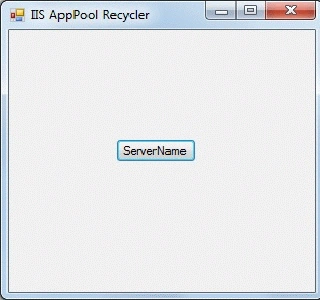
This is a Test Application which can be used to recycle the IIS Application Pools of the server. In this application I have given only one server but you can give any number of servers you want just add the buttons and copy the code of the button "button_Server_Click" to the other button's code. Also you can add any number of application pools that you want to.
Using the code
This is a test application. In this application I have used WMIC Code to recycle the AppPools of the server. The code to recycle the AppPool is written in the button click event "button_Server_Click".
string command = String.Empty;//string variable..
//Passing WMIC code to command variable.For recycling more than one apppool declare multiple string variables and pass WMIC code like mentioned below.
command = "wmic /namespace:" + "\"\\\\root/MicrosoftIISv2\"" + " /node:" + " \"Your_Server_Name\" " + "path IISApplicationPool where (name like '%Your_IISAppool1%') call recycle";
ExecuteCmd cmd = new ExecuteCmd();//declaring object of class ExecuteCmd
cmd.ExecuteCommandAsync(command);//Passing string variable containing WMIC code to method ExecuteCommandAsync declared in class ExecuteCmd.
//This"ExecuteCommandAsync" method is used to execute the WMIC Command. it is in the class "ExecuteCmd"
public void ExecuteCommandAsync(string command)
{
try
{
//Asynchronously start the Thread to process the Execute command request.
Thread objThread = new Thread(new ParameterizedThreadStart(ExecuteCommandSync));
//Make the thread as background thread.
objThread.IsBackground = true;
//Set the Priority of the thread.
| objThread.Priority = ThreadPriority.AboveNormal;
Dinesh BeniwalPosted Feb 21, 2012, 1:42 AM
Good start, Welcome to the C# Corner.
Jessica StephenPosted Feb 21, 2012, 12:35 AM
Thanks for sharing.
Amit MaheshwariPosted Feb 20, 2012, 11:09 PM
Hi, Udit it's great effort to accomplish such task, So keep it up and thanks for sharing...