

- A Site Definition is installed on file system of web front ends, located at ..\12\Template\SiteTemplates. This directory is language-neutral.
- A Site Definition consists of .aspx pages and XML files with the Collaborative Application Mark-up Language (CAML).
- A major benefit is that the Page and List definition is read locally from the file system, not from Content Database.
- A Site Definition Page and List definition are cached at IIS process startup.
- Customizations made to a Site Definition are stored in a content database, not on the file system. This can be done via SharePoint Designer, or when custom site templates are saved.
Procedure: Site Settings >> Site Actions>> Reset to Site Definition
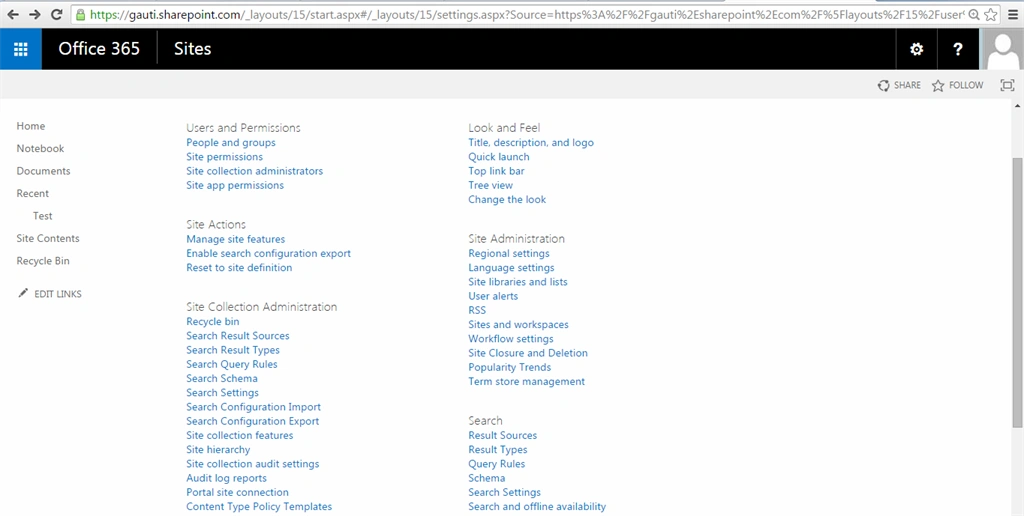
Reset to Site Definition removes any customizations and reverts the file back to the version originally deployed via the Site Definition. Customized pages are stored in the Content Database (a copy with changes) and are called unghosted. When you reset, the customized copy is deleted and the version on the file system (the Site Definition version) is used.
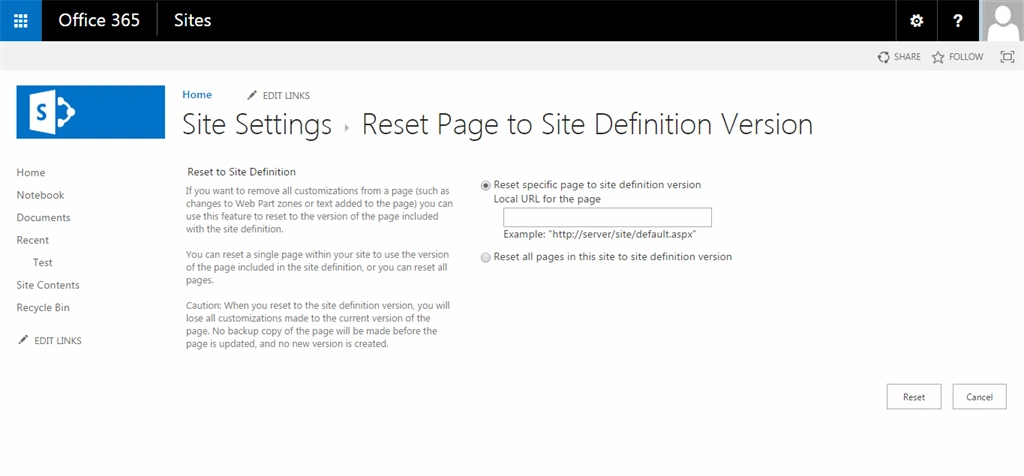
Enter the Local Site URL and you will get Pop-up notification.
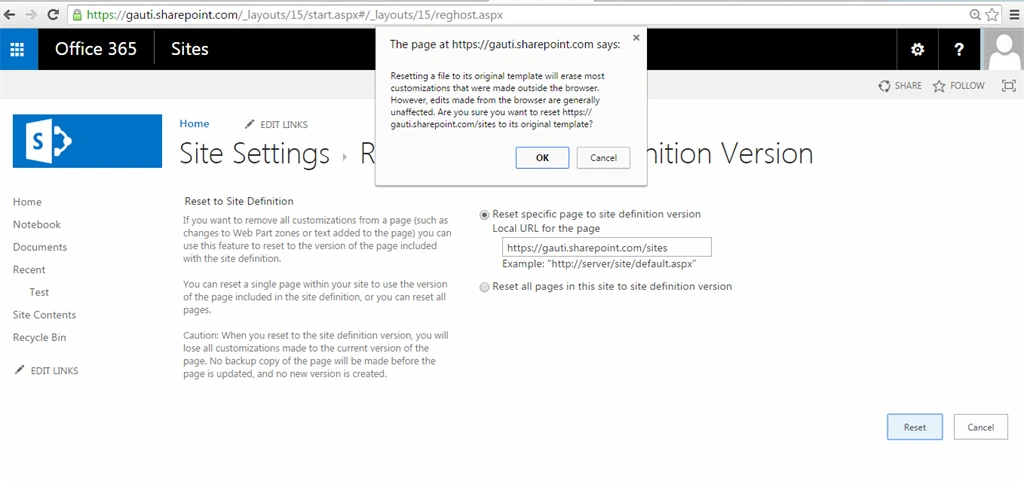
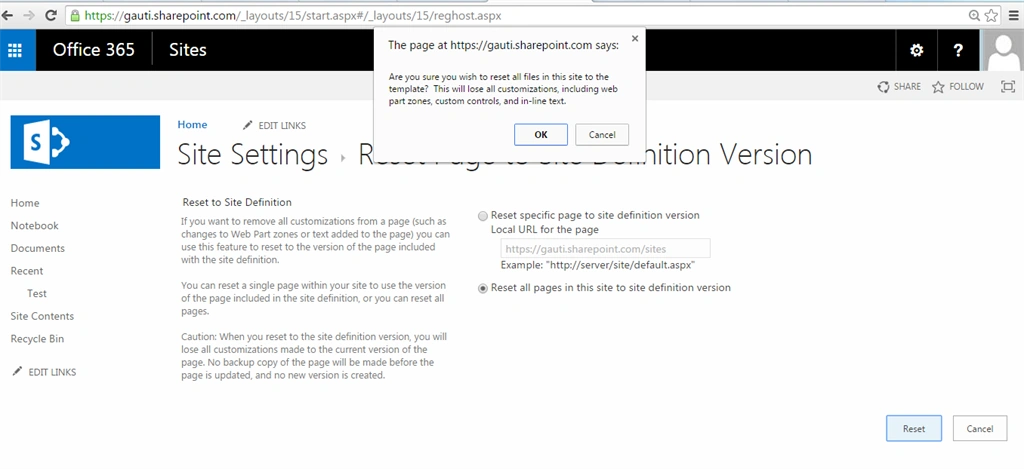
If you select another Check box option in this page then you will get the following popup.
Reset the Site Definition using PowerShell Script: Entire siteCollection
- $SiteURL ="https://gauti.sharepoint.com"
- $web = Get-SPWeb $SiteURL
- #Revert all webs to Site Definition
- Get-SPSite $SiteURL | Get-SPWeb | foreach-object {
- $_.RevertAllDocumentContentStreams()
- Write-Debug "Site Resetted: $($web.Url)"
- }
- Specific list/Site
- Add-PSSnapin microsoft.sharepoint.powershell -ErrorAction SilentlyContinue
- $WebURL ="https://gauti.sharepoint.com/sites/apps"
- $web = Get-SPWeb $SiteURL
- $web.RevertAllDocumentContentStreams();
- $web.Update()
Vijay SPosted Apr 29, 2015, 3:19 AM
Good article
Santhakumar MunuswamyPosted Apr 9, 2015, 3:48 PM
Thanks for nice article