

In today's article we are going to learn how to reterieve calendar statistics using the Calendar class in Windows Store apps. The Calendar class enables the developer to dispaly date and time related information in various cultures such English, Japanese etc. You can also do this using JavaScript.
The Calendar class has many built-in functions that can be used to dispaly calendar information such as Day of Month, Day of Week, Year etc. The Calendar class resides in the Windows.Globalization namespace.
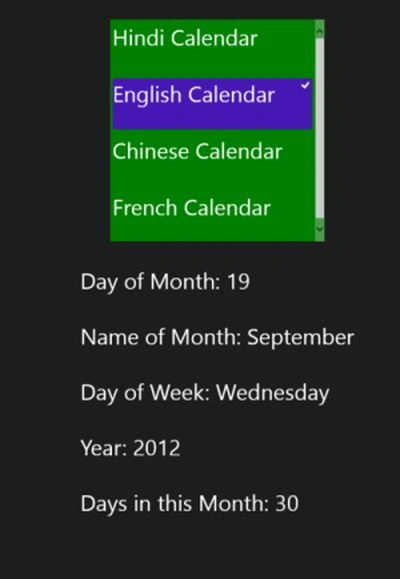
In this article I will create an application that shows you the statistics for the current calendar date and time according to the various cultures or countries.
Here are the instructions for displaying current calendar information depending on culture.
Step 1
Create a Blank Windows Store App using XAML\C#.
Step 2
Include the namespace to access the Calendar Class as:
Using Windows.Globalization;
Step 3
Here is the code of the XAML file to dispaly the information:
<Page
x:Class="CalenderSample.MainPage"
xmlns="http://schemas.microsoft.com/winfx/2006/xaml/presentation"
xmlns:x="http://schemas.microsoft.com/winfx/2006/xaml"
xmlns:local="using:CalenderSample"
xmlns:d="http://schemas.microsoft.com/expression/blend/2008"
xmlns:mc="http://schemas.openxmlformats.org/markup-compatibility/2006"
mc:Ignorable="d">
<Grid Background="{StaticResource ApplicationPageBackgroundThemeBrush}">
<StackPanel Orientation="Vertical" VerticalAlignment="Top" Margin="30,50">
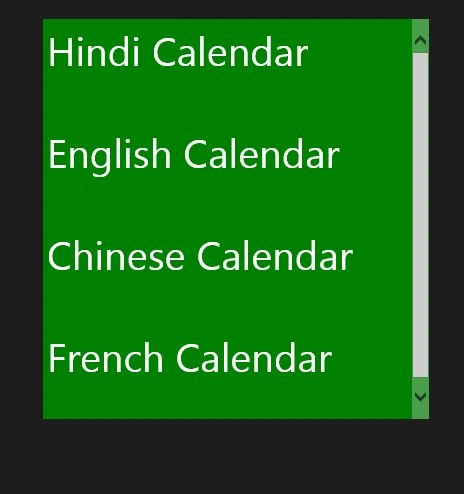
<ListView x:Name="Calender" Background="Green" Height="400" Width="386" SelectionChanged="ListView_SelectionChanged_1" >
<ListViewItem Height="100">
<StackPanel Orientation="Vertical">
<TextBlock Text="Hindi Calendar" FontSize="40"></TextBlock>
</StackPanel>
</ListViewItem>
<ListViewItem Height="100">
<StackPanel Orientation="Vertical">
<TextBlock Text="English Calendar" FontSize="40"></TextBlock>
</StackPanel>
</ListViewItem>
<ListViewItem Height="100">
<StackPanel Orientation="Vertical">
<TextBlock Text="Chinese Calendar" FontSize="40"></TextBlock>
</StackPanel>
</ListViewItem>
<ListViewItem Height="100">
<StackPanel Orientation="Vertical">
Join the conversation! Your thoughts help the community grow.