In this article I will show you step by step roadmap of creating an ASP.NET application in which we will perform CRUD using LINQ to SQL assuming that you have prior basic knowledge of LINQ.
Let's begin!
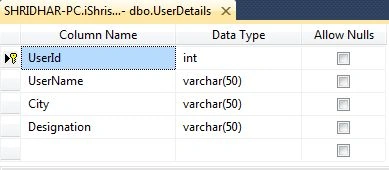
Step 1: Let's create a table UserDetails to perform CRUD operations with the following attributes and types.
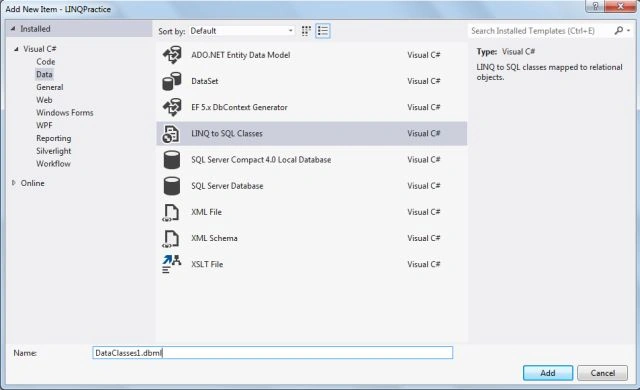
Step 2: Go to project and Add, New Item, then Data and select LINQtoSQL Class.
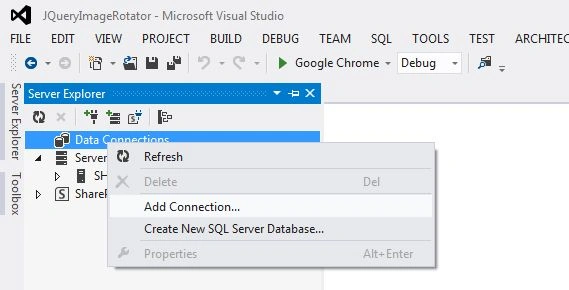
Step 3: New Window with Server Explorer opens, now click on server explorer.
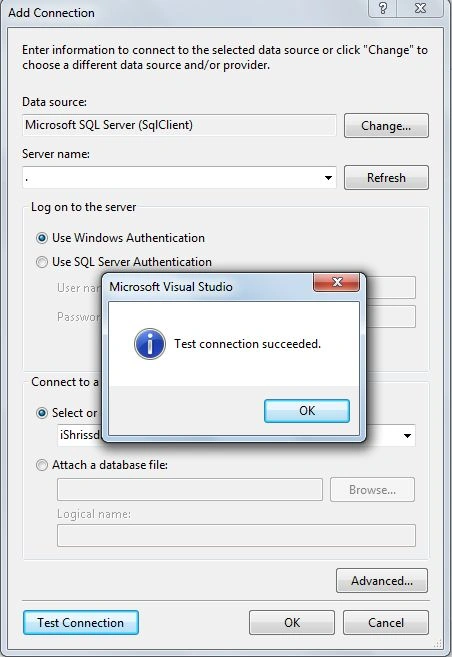
Step 4: Add New Connection.
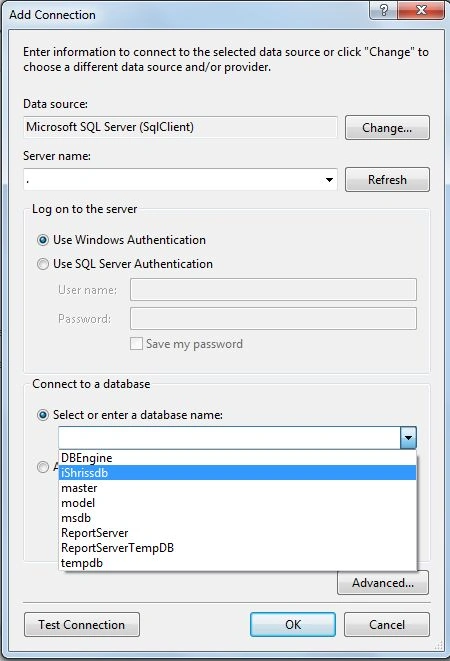
Step 5: Provide the Server name and Database name, here we are using local database (Windows Authentication).
Step 6: Test Connection.
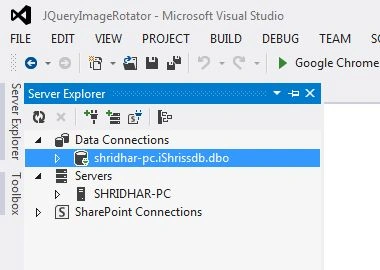
Step 7: Selected database will be displayed in Server Explorer.
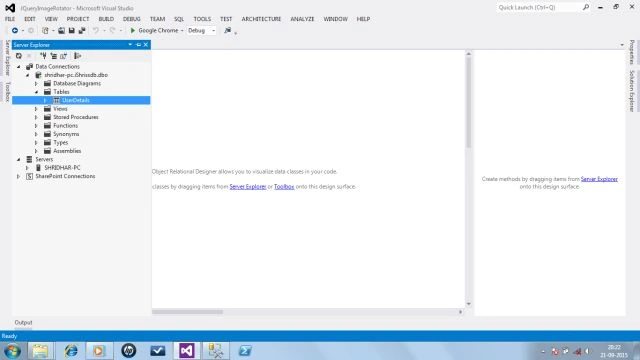
Step 8: You can see the table under selected database.
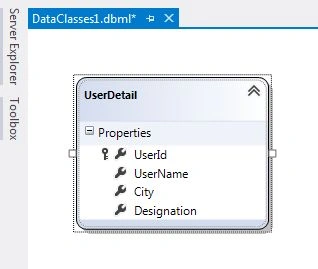
Step 9: Now drag and drop that table over DataClasses1.dbml. Here table name converted into a typical C# class and its attributes converted into properties.
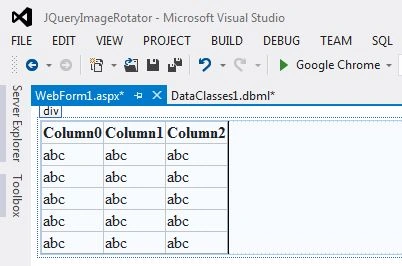
Step 10: Now add a webform to retrieve that table data.
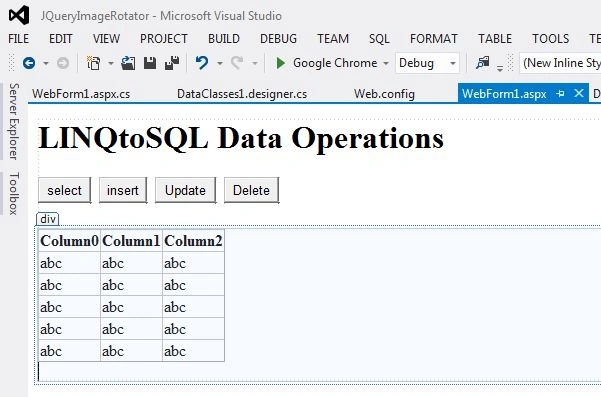
Step 11: Add GridView data tool from the toolbox.
Added buttons for Select, Insert, Update and Delete.
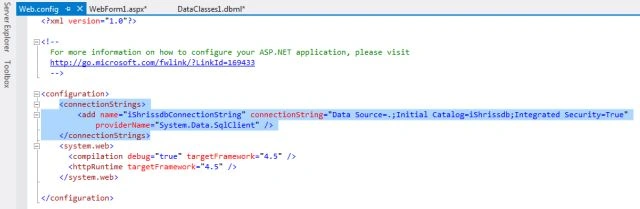
Step 12: You can check the automatically generated connection string in Web.Config.
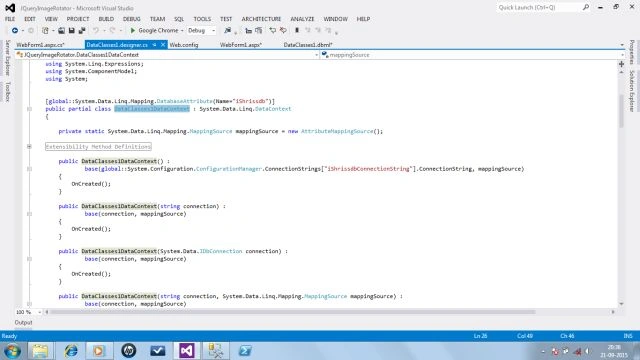
Step 13: Check DataClasses1DataContext class, which is the entry point.
Apply the following snippet
- using System;
- using System.Collections.Generic;
- using System.Linq;
- using System.Web;
- using System.Web.UI;
- using System.Web.UI.WebControls;
-
- namespace JQueryImageRotator
- {
- public partial class WebForm1 : System.Web.UI.Page
- {
- protected void Page_Load(object sender, EventArgs e)
- {
-
-
- }
-
- private void RetrieveUserDetails()
- {
- DataClasses1DataContext dtContext = new DataClasses1DataContext();
- GridView1.DataSource = dtContext.UserDetails;
-
-
-
- GridView1.DataBind();
- }
-
- protected void btnSelect_Click(object sender, EventArgs e)
- {
- RetrieveUserDetails();
- }
-
- protected void btnInsert_Click(object sender, EventArgs e)
- {
- using (DataClasses1DataContext dtContext = new DataClasses1DataContext())
- {
- UserDetail Udetails = new UserDetail {
-
- UserName="Shridhar",
- City="New Delhi",
- Designation="SE"
- };
-
- dtContext.UserDetails.InsertOnSubmit(Udetails);
- dtContext.SubmitChanges();
- }
- RetrieveUserDetails();
- }
-
- protected void btnUpdate_Click(object sender, EventArgs e)
- {
- using (DataClasses1DataContext dtContext = new DataClasses1DataContext())
- {
- UserDetail Udetails = dtContext.UserDetails.SingleOrDefault(x => x.UserId == 6);
- Udetails.Designation = "Leader";
- dtContext.SubmitChanges();
- }
- RetrieveUserDetails();
- }
-
- protected void btnDelete_Click(object sender, EventArgs e)
- {
- using (DataClasses1DataContext dtContext = new DataClasses1DataContext())
- {
- UserDetail Udetails = dtContext.UserDetails.SingleOrDefault(x => x.UserId == 5);
- dtContext.UserDetails.DeleteOnSubmit(Udetails);
- dtContext.SubmitChanges();
- }
- RetrieveUserDetails();
-
- }
- }
- }
Use this snippet to perform CRUD.
Closure
In this article we learned how we can perform CRUD using LINQ to SQL. I hope you liked this. Comments and complements are always welcomed.




Dinesh GabhanePosted Nov 11, 2019, 1:24 AM
Nice one. Thanks
Sonu ChaudharyPosted May 26, 2016, 10:33 AM
good one
Bhuvanesh MohankumarPosted May 6, 2016, 3:56 PM
Good one...
Shridhar SharmaPosted Apr 28, 2016, 12:18 AM
thank you Pradeep Sahoo
Pradeep SahooPosted Apr 24, 2016, 11:09 PM
Well explained .Thanks for sharing
Asfend YarPosted Mar 3, 2016, 3:38 PM
why we use linq ?
Asfend YarPosted Mar 3, 2016, 3:37 PM
nice share
Santhakumar MunuswamyPosted Sep 26, 2015, 12:26 PM
Nice share
Ujjval ShuklaPosted Sep 24, 2015, 3:46 AM
nice for beginners.....
Sibeesh VenuPosted Sep 24, 2015, 2:19 AM
Nice Share
Sachin KaliaPosted Sep 23, 2015, 4:07 PM
Informative..Carry On Bro :)
Shridhar SharmaPosted Sep 23, 2015, 12:39 PM
thank you Pankaj
Pankaj Kumar ChoudharyPosted Sep 23, 2015, 12:27 PM
Nice Explain Sir.......
Shridhar SharmaPosted Sep 23, 2015, 10:59 AM
Thanks all.
Ankit BansalPosted Sep 23, 2015, 8:41 AM
thanks for sharing..
Humayun Kabir MamunPosted Sep 23, 2015, 6:47 AM
Nice...
Harshad PansuriyaPosted Sep 23, 2015, 5:02 AM
nice one