

This article is part of the Azure Event Grid Series. In this article series, we focus on the process of routing the blob storage event using the Azure Event Grid. In the previous article, we learnt about Azure Event Grid and learnt in step-by-step process to enable the event grid resource provider. This article marks the beginning of our goal on routing the blob storage event through Azure Event Grid. Here, we will specifically focus upon creating the message endpoint.
Azure Event Grid
Azure Event Grid makes it possible to send the event data from a particular source to handlers. Basically, the Azure Event Grid helps to connect application to numerous other services. As the name says, the Azure Event Grid is a feature enabled by Azure which makes it possible for event-based architecture while building applications. Through the Azure Event Grid, all the incoming events such as resource groups and blob storage are supported. Furthermore, with the custom topics developer’s own events too are supported by the Azure Event Grid. Simply select the Azure Resource to subscribe to and all then we require to do is connect Webhook endpoint or the event handler to the event. Filters can be accessed in order to route certain events to various endpoints, multicast to the multiple endpoints making sure all the events are properly delivered.
Pre-requisites
- Read the article, Azure Event Grid and follow up the process to enable the event grid resource provider.
- Follow the article, Azure Storage Account and create an Azure Storage Account.
Now, let us go ahead and learn the process of creating the message endpoint.
Step 1
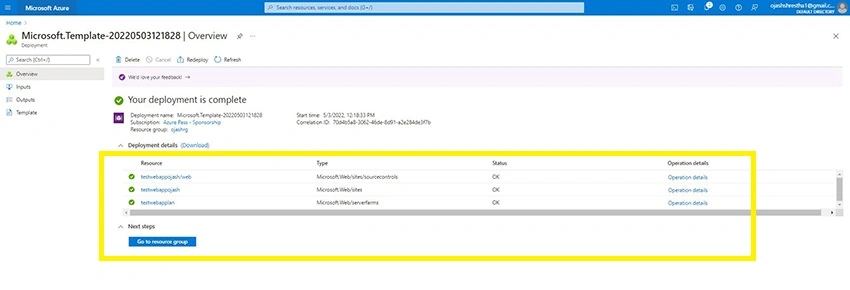
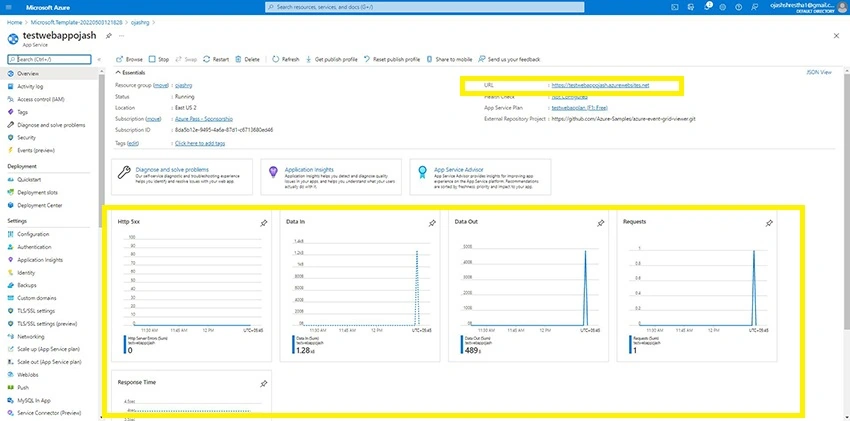
In order to subscribe to events for the Blob Storage, we first need to have endpoint for the event message. For this, let us first deploy our solution to our Azure Subscription. We have a Microsoft Template ready. Just Click this link.
Step 2
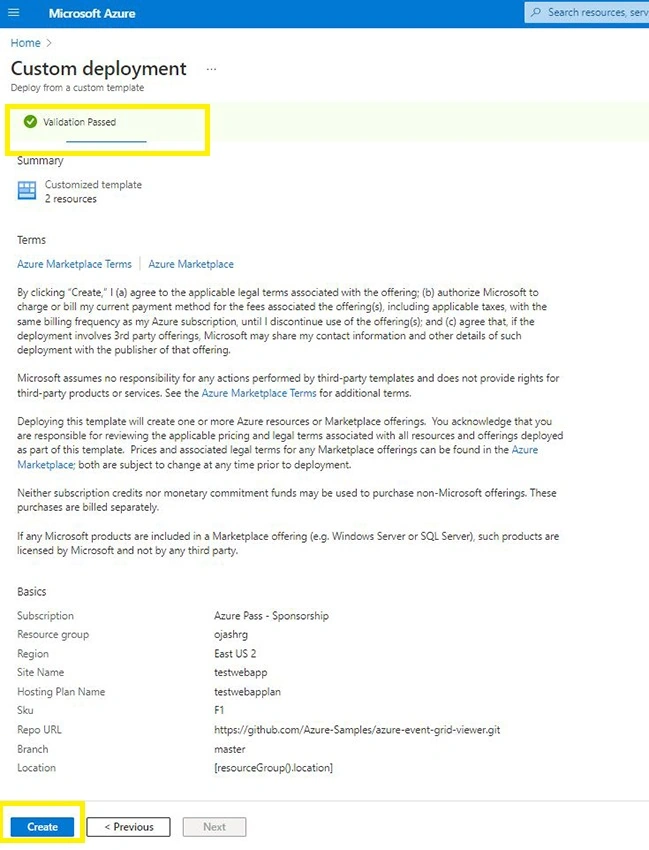
Now, we are taken to the Custom Deployment page where we can deploy from the custom template.
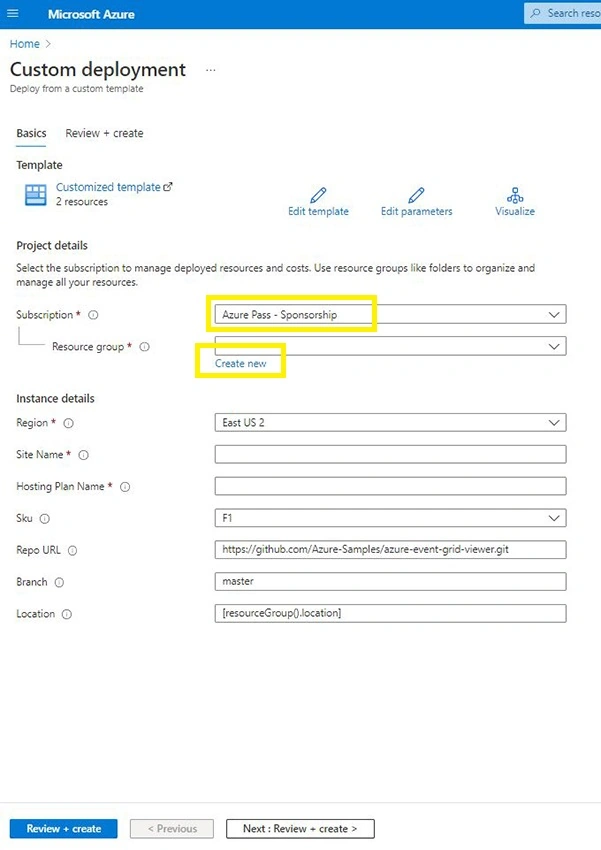
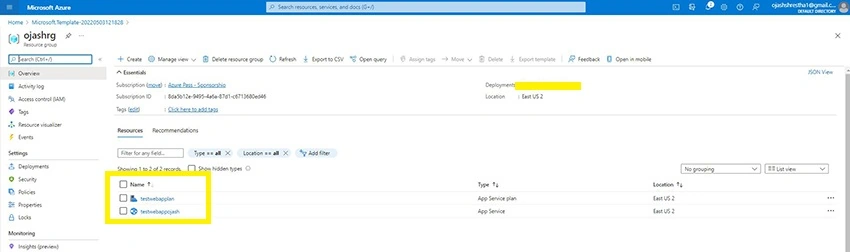
Here, fill in the Subscription you are going to use and select the Resource group. If you don’t have one, create one.
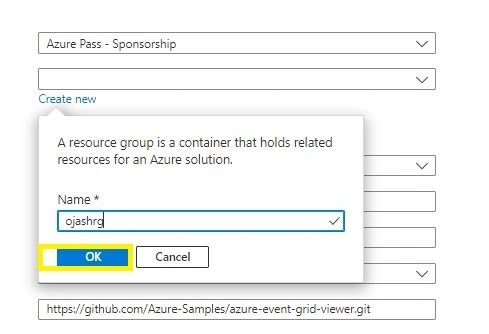
Step 3
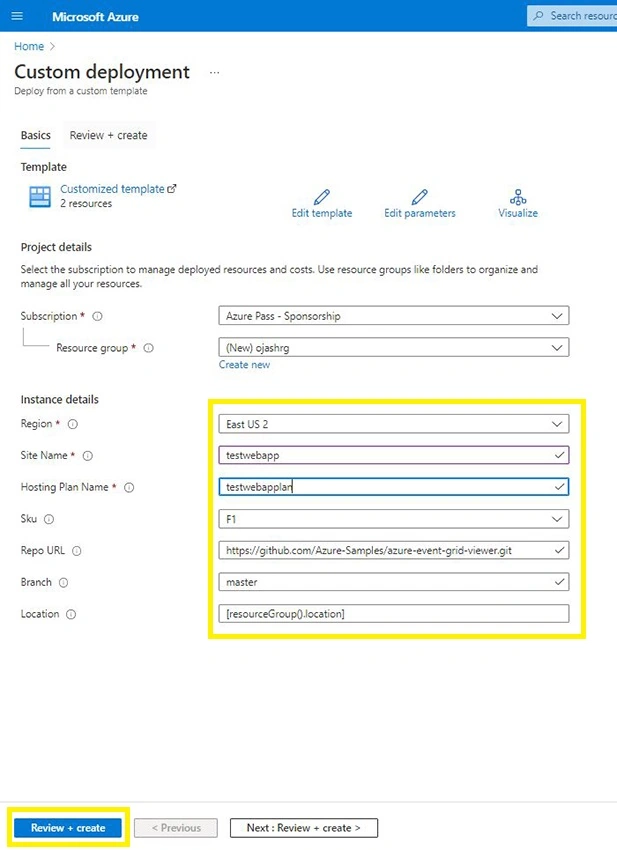
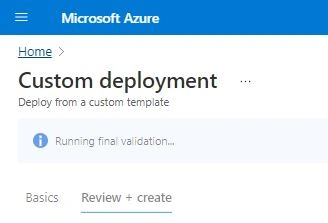

Join the conversation! Your thoughts help the community grow.