

Introduction
You can run an application as Administrator in 4 different ways:
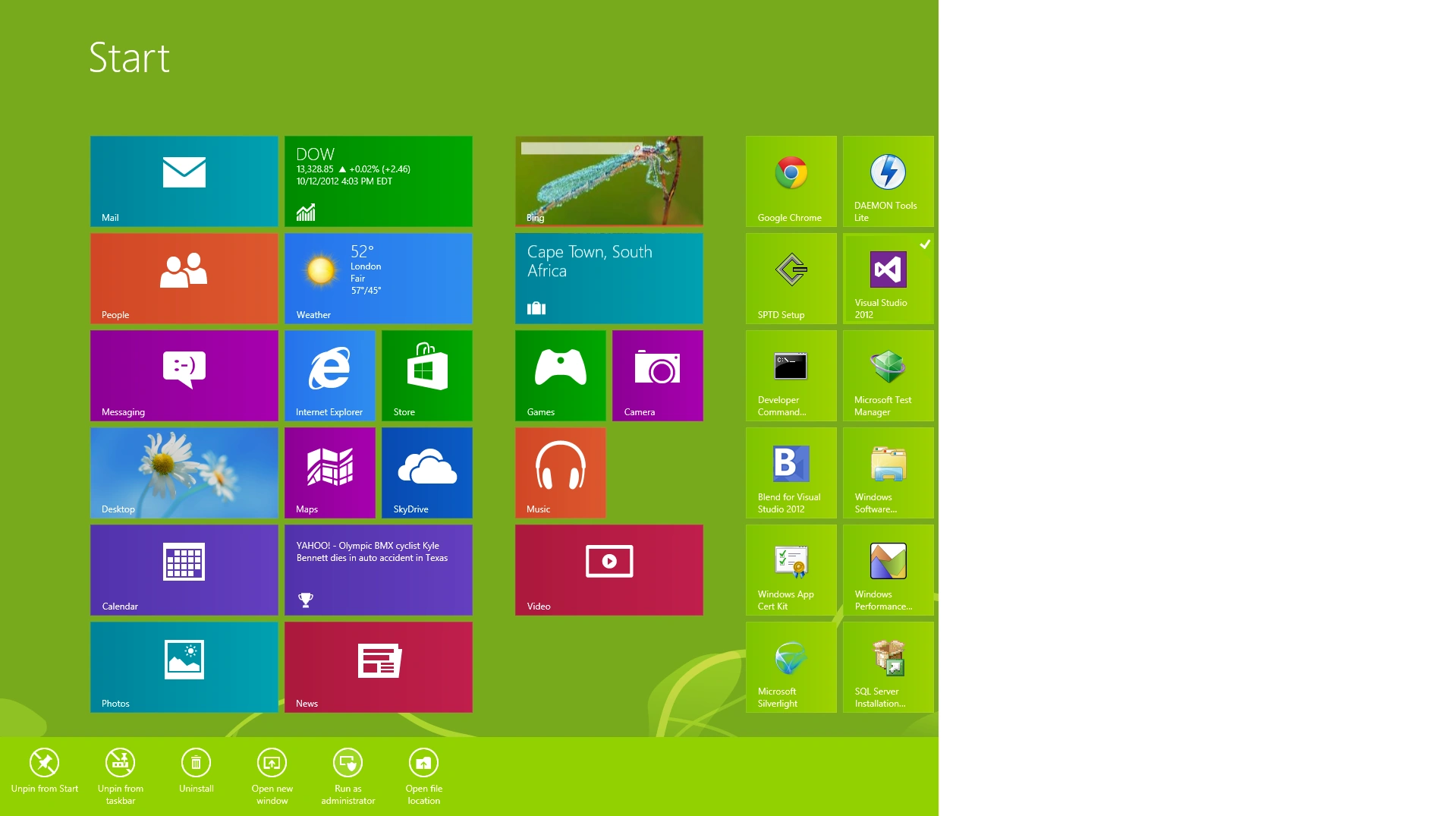
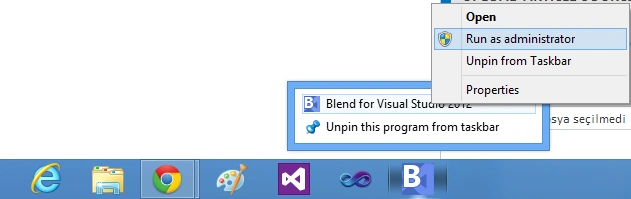
3 ) Choose the application by right-clicking on it or tapping it in the Windows 8 UI and then Open File Location - right-click on the application and then Run As Administrator.
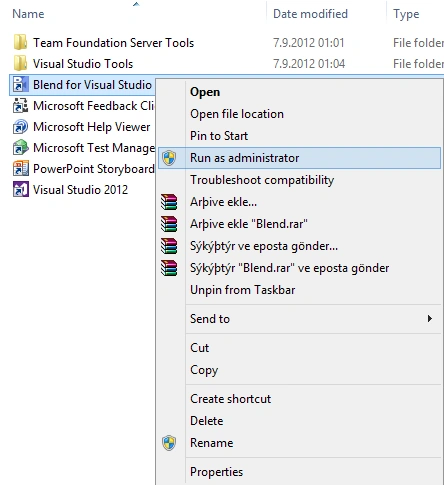 4 ) Choose the application by right-clicking on it or tapping it in Windows 8 UI and then Open File Location - right-click on the Application.
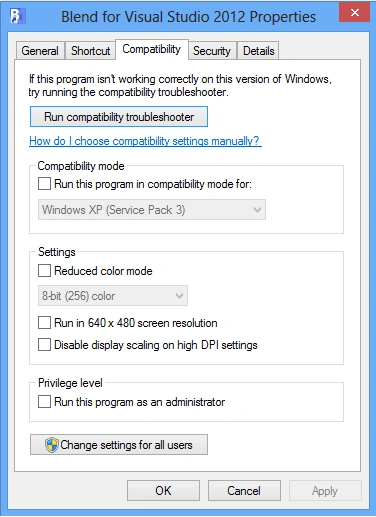
Summary
In this article, we learned about Run As Administrator in Windows 8.
Join the conversation! Your thoughts help the community grow.