

This article shows a real-world usage of Tablet PC InkPicutre control and ink. The attached file is a Visual Studio 2003 project, which allows you to load an image file, write on the image using ink and save the ink. It also allows you to load and view the saved ink on the image.
The Application
The application is a simple Widnows Application with two Button controls, a CheckBox control, and an InkPicture control. ( See Figure 1).

Figure 1. InkPicture test application.
Loading Image
The Load Image button allows you to load in Image using the following code:
OpenFileDialog fileDlg = new OpenFileDialog();fileDlg.Filter = "Image files (*.bmp; *.gif; *.jpg; *.png)|*.bmp;*.gif;*.jpg;*.png|" + "All files (*.*)|*.*";
if (fileDlg.ShowDialog() == DialogResult.OK)
{
try
{
inkPicture1.Image = Image.FromFile(fileDlg.FileName);
}
catch (Exception)
{
MessageBox.Show(this, "Unable to load the image file!", "Load Image Failed");
}
}
As you can see from this code, I simply set the file name selected from the Open File Dialog as Image property of InkPicture control, which views the image. After that I write something on InkPicuture using the pen. See Figure 2.
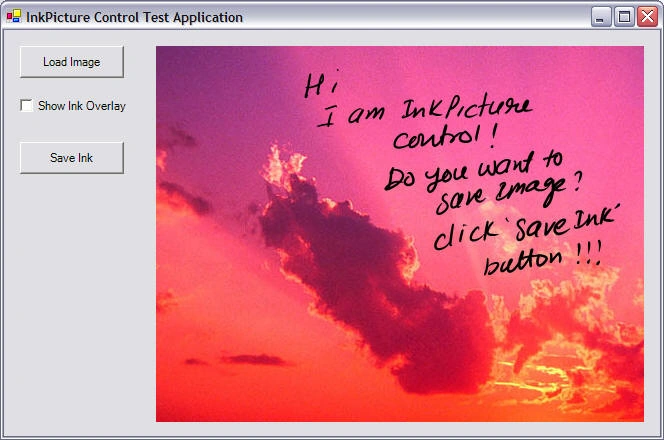
Figure 2. InkPicture control with an image.
Saving Image
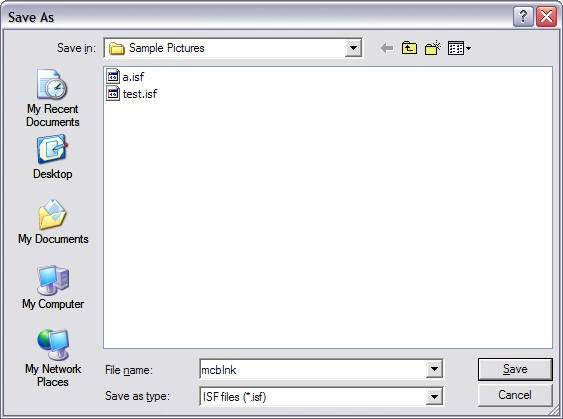
The Save Ink button click saves the image. The following code saves the ink:
private
void saveImageButton_Click(object sender, System.EventArgs e){
SaveFileDialog savedlg = new SaveFileDialog();
savedlg.Filter = "ISF files (*.isf)|*.isf| All files (*.*)|*.*";
if (savedlg.ShowDialog() == DialogResult.OK)
{
stream = savedlg.OpenFile();
if (stream != null)
{
if (inkPicture1.Image != null)
{
SaveInkImage(inkPicture1.Image, inkPicture1.Ink);
}
bytes = inkPicture1.Ink.Save();
stream.Write(bytes, 0, bytes.Length);
stream.Close();
}
}
}
private void SaveInkImage(Image image, Ink imgInk)
{
memStream = new MemoryStream();
BinaryFormatter bf = new BinaryFormatter();
bf.Serialize(memStream, image);
bytes = memStream.GetBuffer();
imgInk.ExtendedProperties.Add(guidImage, bytes);
}

马捷 马捷Posted Jun 28, 2017, 10:37 AM
Think you,Is just what I need
Prathiba KaushalyaeditedPosted May 22, 2011, 10:24 AMEdited May 25, 2011, 11:30 PM
CAn not use picturebox1.Ink can not add Ink to the picturebox1
Prathiba KaushalyaPosted May 22, 2011, 10:11 AM
Please Help me I want to save as a image(jpeg,bmp) after draw something in a picturebox using Ink i want to save as a image........!!
Bhawna SinghPosted Sep 21, 2010, 7:18 PM
Hello Mahesh, I have developed tabletpc applications in c#, but now i have to develop tablet pc application in MFC. I am having windows7 and using vs2010. I have no idea how to include microsoft.ink.dll in the project... or do we have any other dll or files to be included. plz help. regards, bhawna
Mina JeffreyPosted Feb 3, 2010, 9:46 AM
hiii mahesh i can't load an image in the format of [] bytes from Database i have an object that have this [] bytes could u help me in this code plz public System.Web.UI.WebControls.Image byteArrayToImage(byte[] byteArrayIn) { MemoryStream ms = new MemoryStream(byteArrayIn); System.Web.UI.WebControls.Image returnImage = System.Drawing.Image.FromStream(ms); return returnImage; } thanks mina
MichalPosted Nov 4, 2009, 7:29 AM
Hi, thank you for this great article ! I've got a question. Is also possible to use Saving and Loading Ink on WinForm ? Do you have an example ?