

The following procedure shows how to create an application that searches for data in a database in a GridView without writing code.
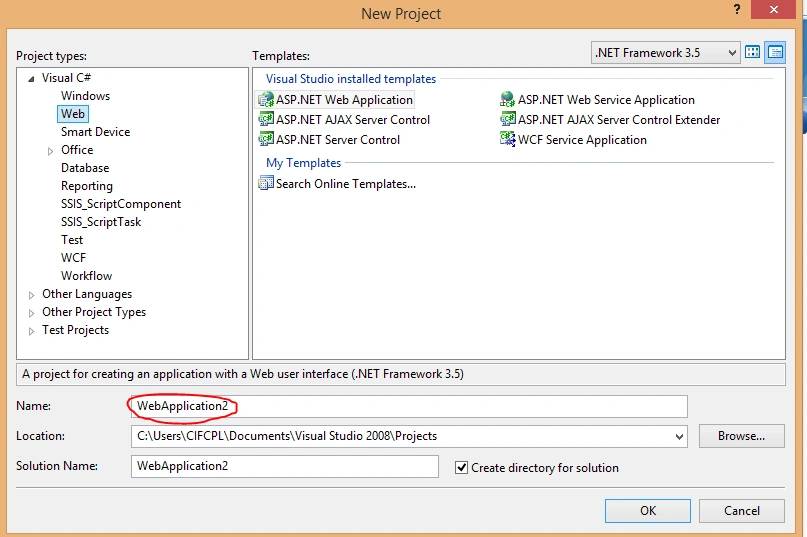
Step 1
Go to a new project then select new project.
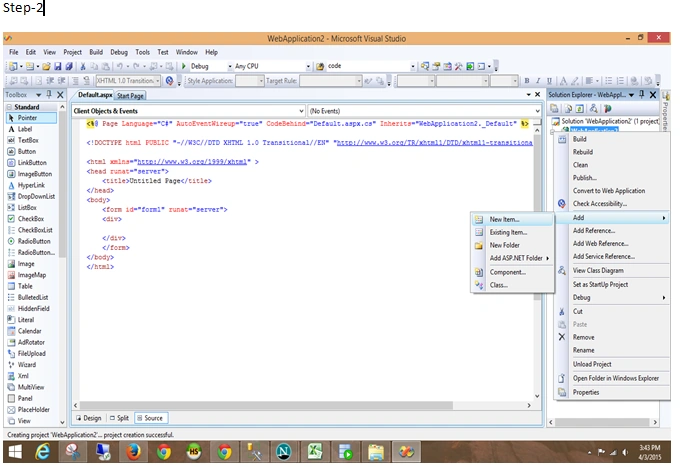
 Right-click on the project (WebApplication2) then select Add New Item.
Step 2
Right-click on the project (WebApplication2) then select Add New Item.
Step 2
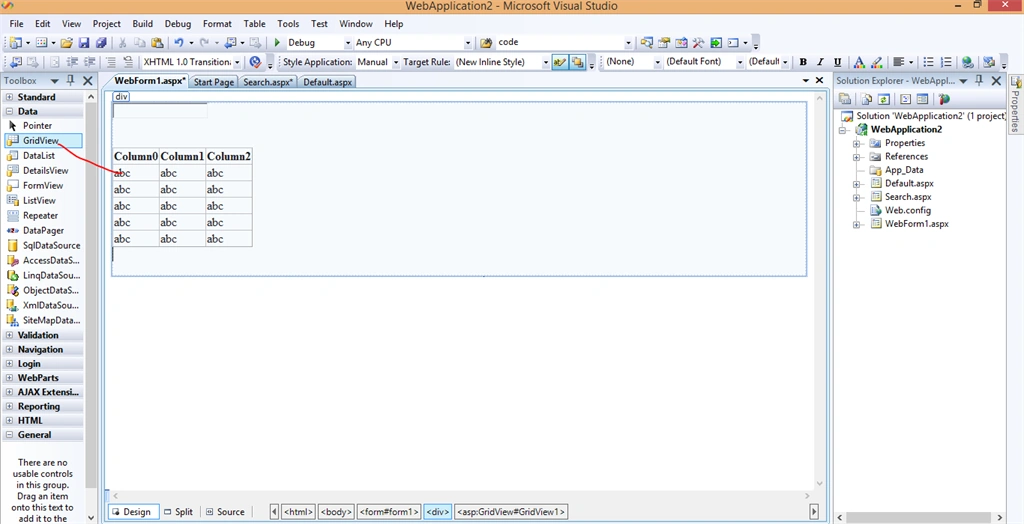
 Step 3
Drag & Drop one TextBox and one GridView.
Step 3
Drag & Drop one TextBox and one GridView.
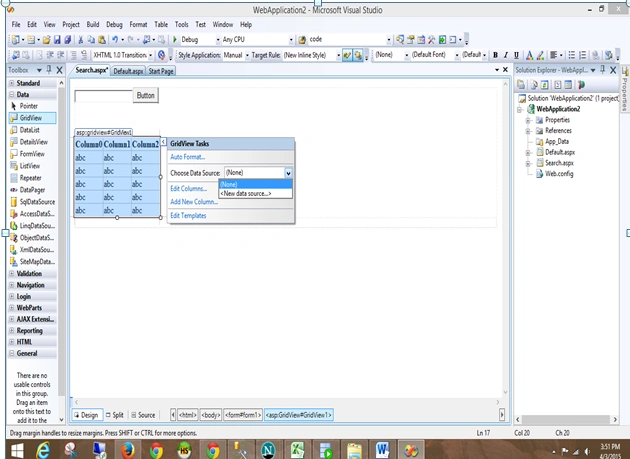
 Step 4
Add a data table as shown in the following images.
Step 4
Add a data table as shown in the following images.
 Step 5
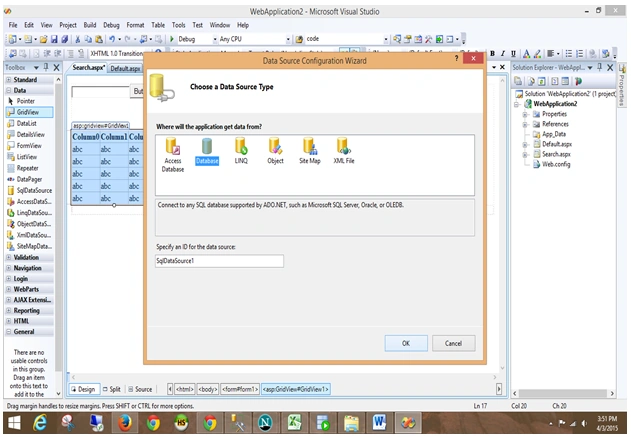
Choose a data source type as in the following:
Step 5
Choose a data source type as in the following:
 Step 6
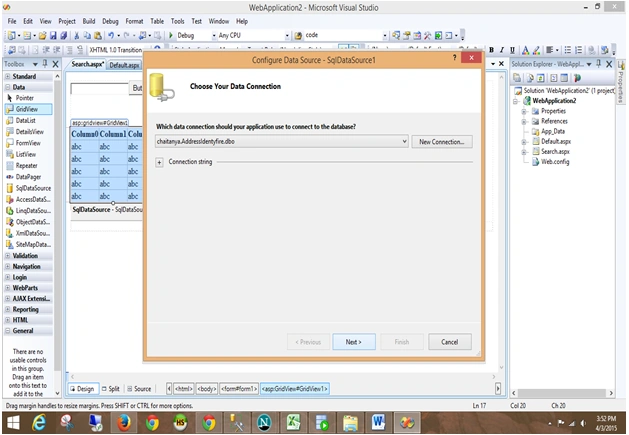
Choose your data connection as in the following:
Step 6
Choose your data connection as in the following:
Step 7
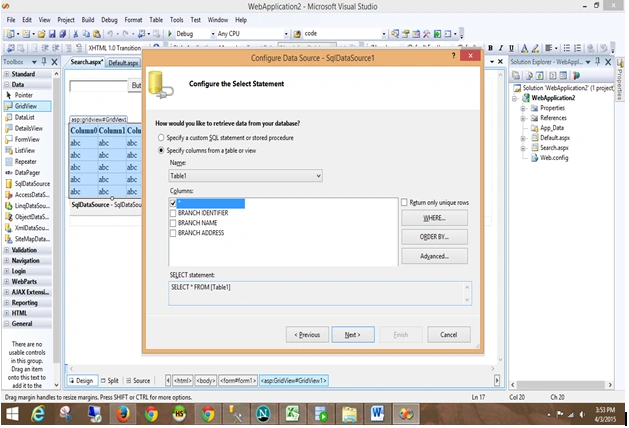
Configure a select statement as in the following:
 Step 8
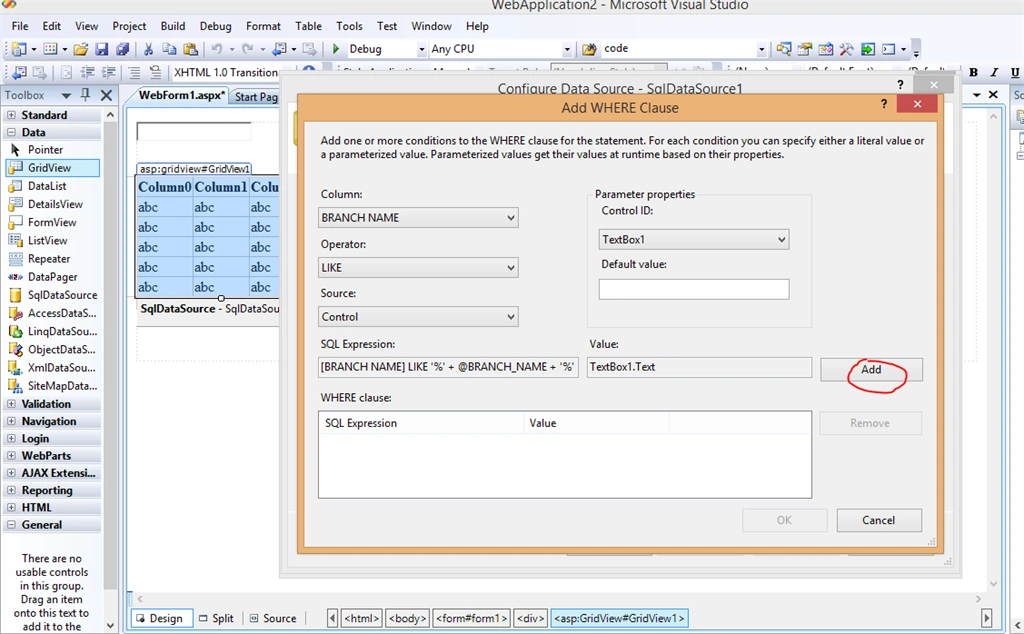
Add a where clause as in the following:
Step 8
Add a where clause as in the following:
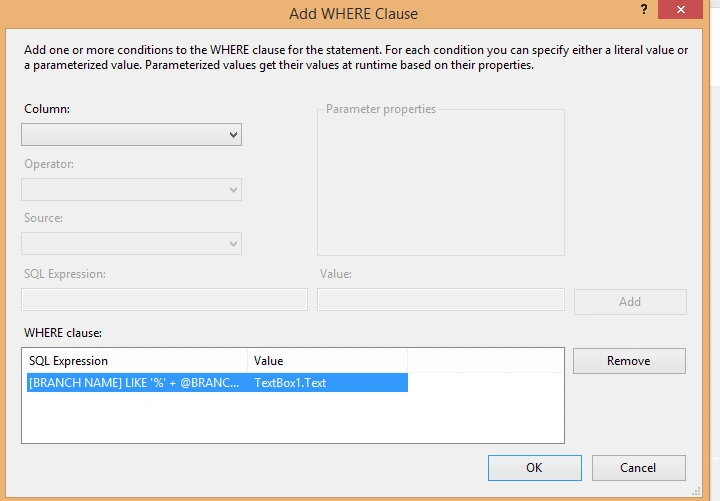 Step 9
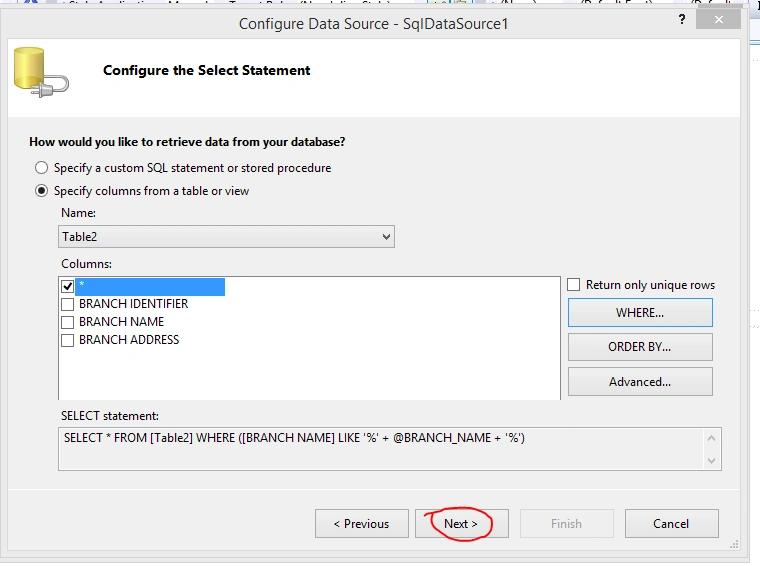 Step-Run
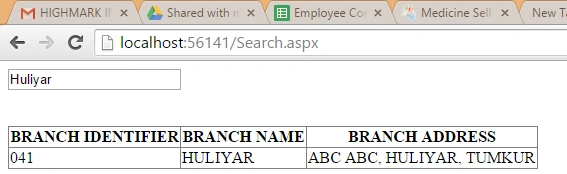
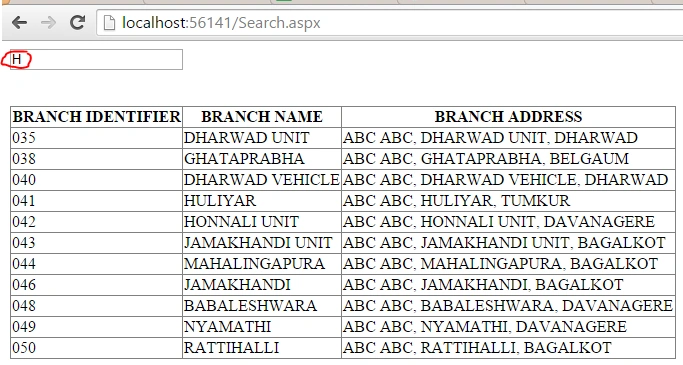
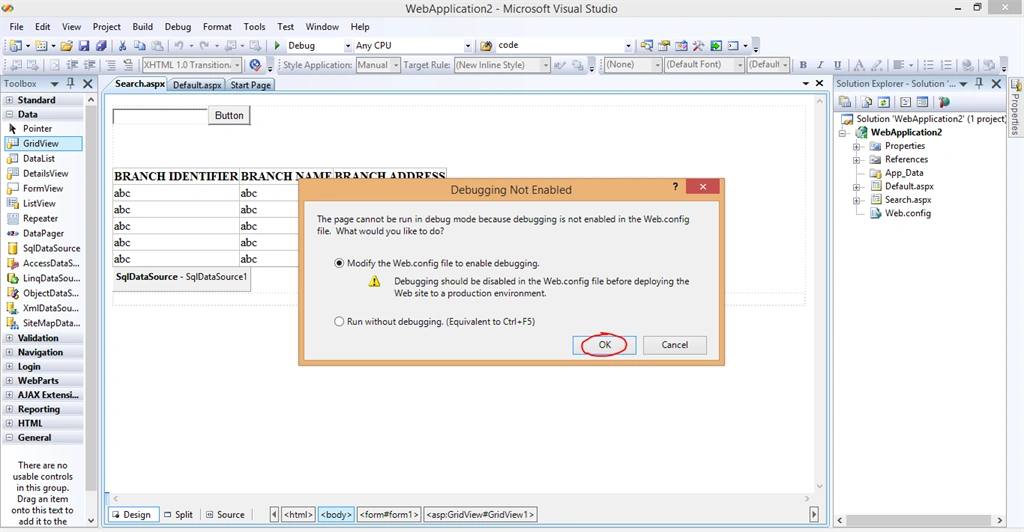 Step-Output
Sankar Ganesh MPosted Apr 7, 2015, 8:18 AM
Thanks! Good to know... any idea about how this performs under heavy user loads or high volume of data
Akhil GargPosted Apr 6, 2015, 5:47 PM
nice..
Gowtham RajamanickamPosted Apr 5, 2015, 11:09 PM
thanks for sharing
Gowtham RajamanickamPosted Apr 5, 2015, 11:09 PM
good work
Santhakumar MunuswamyPosted Apr 5, 2015, 8:48 PM
Good work
Pankaj Kumar ChoudharyPosted Apr 5, 2015, 8:30 PM
Nice explain @Vinod Sir........