

Searching records between two dates is very simple. In here, we will see how we can perform this using a stored procedure ,Web API and ReactJS.
Prerequisites
- Basic Knowledge of ReactJS
- Visual Studio Code
- Visual studio and SQL Server Management studio
- Node and NPM installed
- Bootstrap
- React-datepicker
Create React.js Project
To create a new ReactJS project, open the command prompt and enter the following command.
- npx create-react-app searchrecord
Open the newly created project in Visual Studio Code and Bootstrap in this project by using the following command.
- npm install --save bootstrap
Now, open the index.js file and add Bootstrap reference.
- import 'bootstrap/dist/css/bootstrap.min.css';
Now install 'react-datepicker' library in this project by using the following command.
- npm install react-datepicker --save
Install the Axios library by using the following command. Learn more about Axios library
- npm install --save axios
Now go to src folder and create a new component 'Searchdata.js' and add the following code in this component.
- import React, { Component } from 'react'
- import './App.css';
- import axios from "axios";
- import DatePicker from "react-datepicker";
- import "react-datepicker/dist/react-datepicker.css";
- export class Searchdata extends Component {
- constructor(props) {
- super(props)
- this.state = {
- employeedata: [],
- startdate: '' ,
- enddate:''
- }
- }
- Changedate = (e) => {
- this.setState({
- startdate: e
- });
- };
- enddate = (e) => {
- this.setState({
- enddate: e
- });
- };
- componentDidMount() {
- axios.get('http://localhost:1141/Api/Searchdata/showdata').then(response => {
- console.log(response.data);
- this.setState({
- employeedata: response.data
- });
- });
- }
- onsubmit = (e) => {
- debugger;
- const data = { startdate:this.state.startdate, enddate:this.state.enddate};
- e.preventDefault();
- axios.post('http://localhost:1141/Api/Searchdata/search',data).then(response => {
- console.log(response.data);
- this.setState({
- employeedata: response.data
- });
- });
- }
- render() {
- return (
- <div>
- <div className="row">
- <div className="col-sm-12 btn btn-info">
- How to Search Data Between Two Dates Using Web API and ReactJS
- </div>
- </div>
- <form onSubmit={this.onsubmit}>
- <div className="row hdr" >
- <div className="col-sm-3 form-group"> </div>
- <div className="col-sm-3 form-group">
- <DatePicker className="form-control"
- selected={this.state.startdate} placeholderText="Select Date" showPopperArrow={false}
- onChange={this.Changedate}
- />
- </div>
- <div className="col-sm-3 form-group">
- <DatePicker className="form-control"
- selected={this.state.enddate} placeholderText="Select Date" showPopperArrow={false}
- onChange={this.enddate}
- />
- </div>
- <div className="col-sm-3 form-group">
- <button type="submit" className="btn btn-success" >Search</button>
- </div>
- </div>
- </form>
- <table className="table">
- <thead className="thead-dark">
- <tr>
- <th scope="col">Id</th>
- <th scope="col">Name</th>
- <th scope="col">City</th>
- <th scope="col">JoiningDate</th>
- </tr>
- </thead>
- <tbody>
- {
- this.state.employeedata.map((p, index) => {
- return <tr key={index}>
- <th scope="row">{p.Id}</th>
- <td>{p.Name}</td>
- <td>{p.City}</td>
- <td>{p.JoiningDate }</td>
- </tr>
- })
- }
- </tbody>
- </table>
- </div>
- )
- }
- }
- export default Searchdata
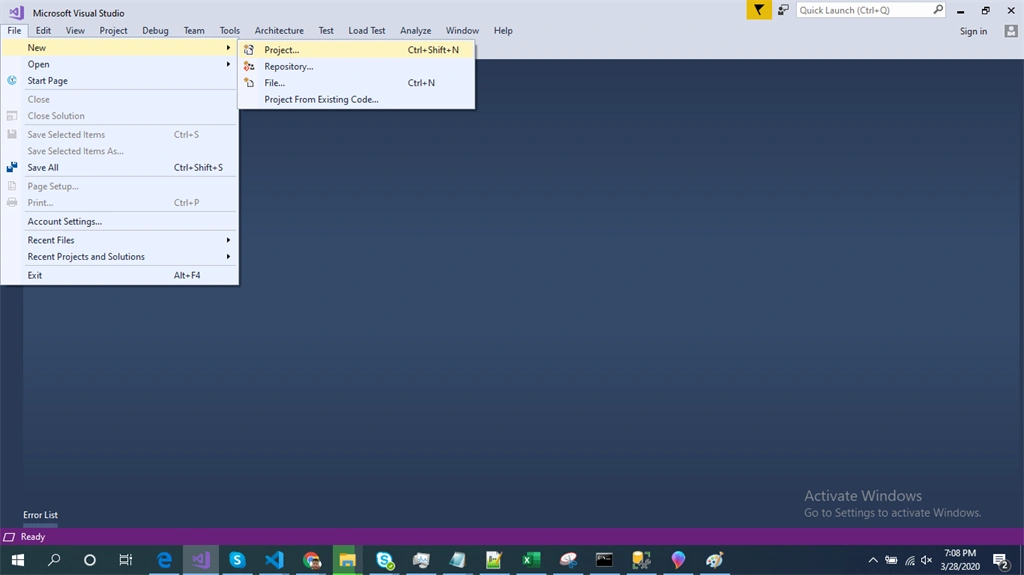
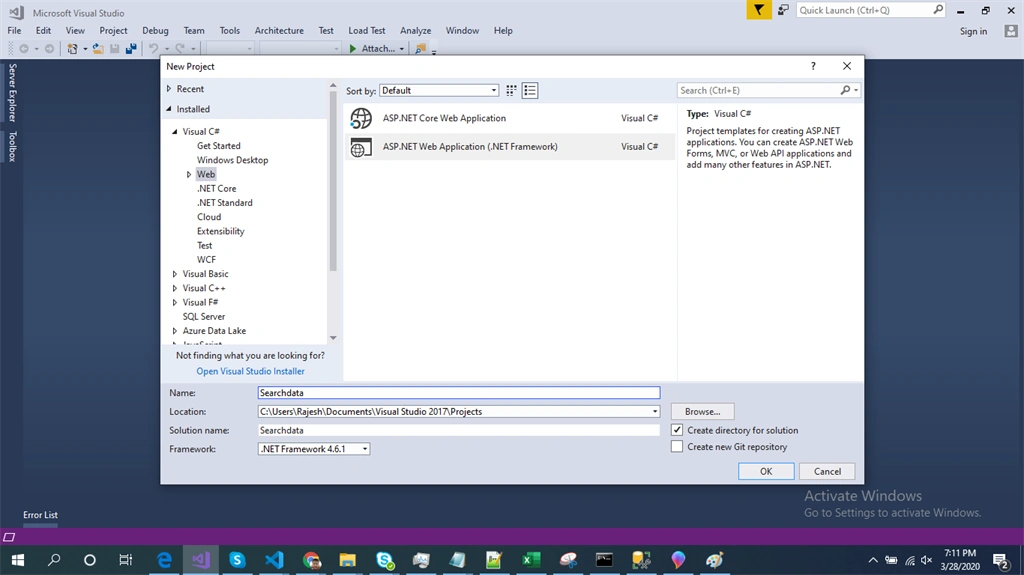
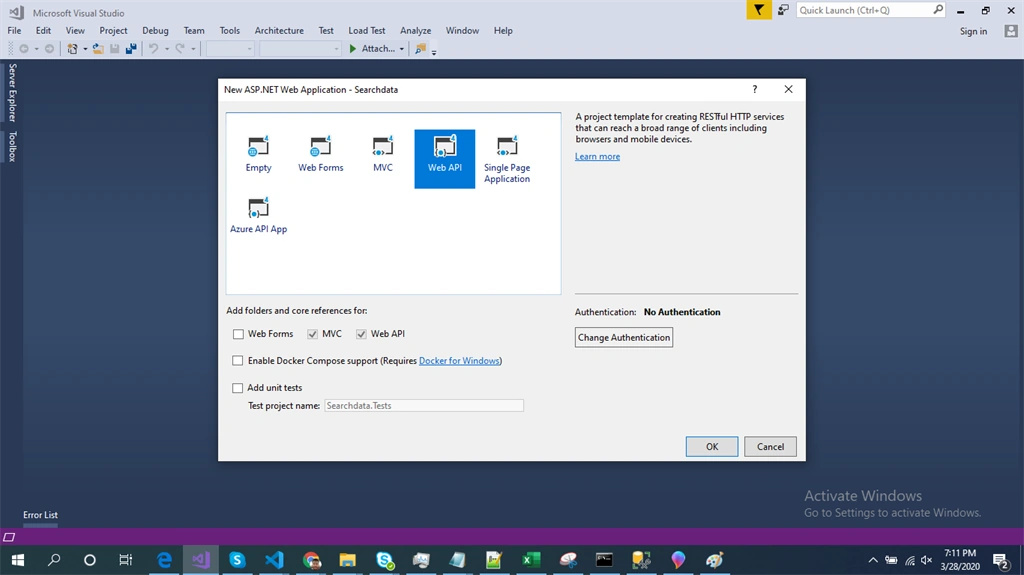
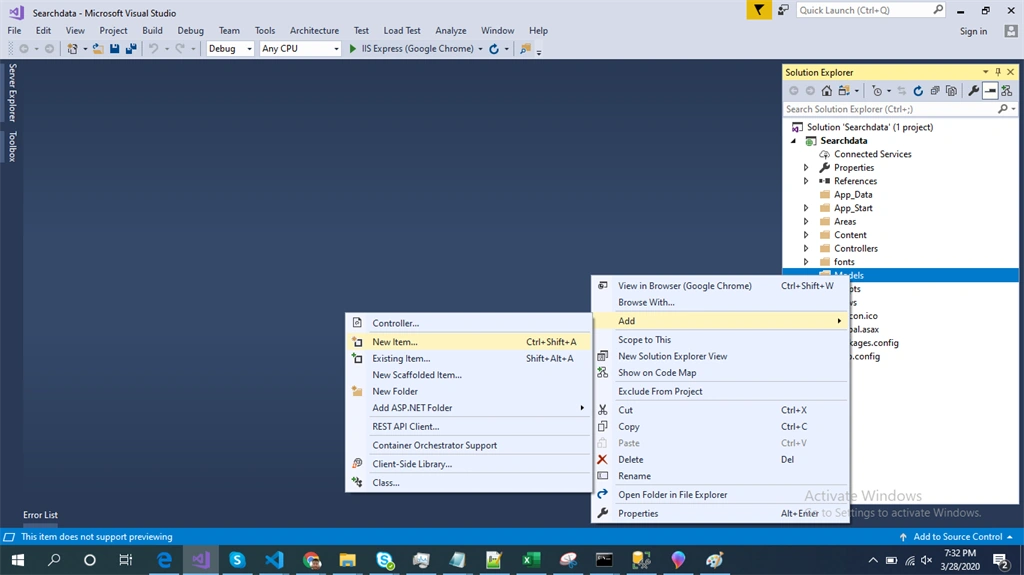
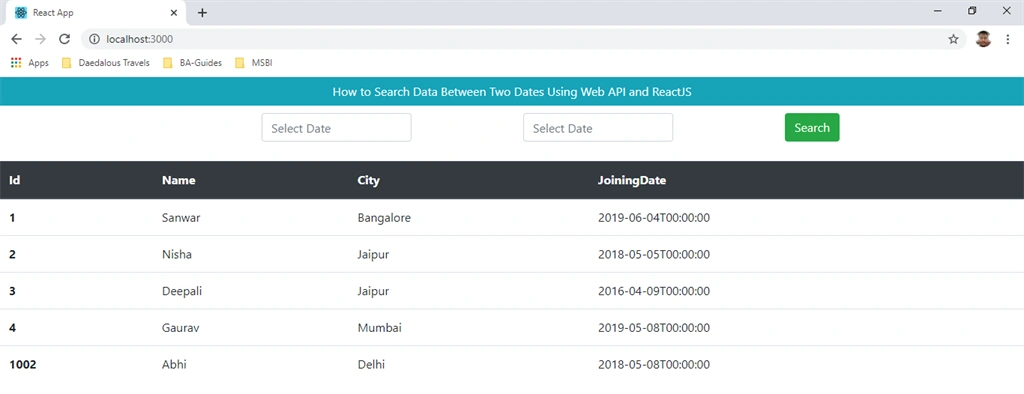
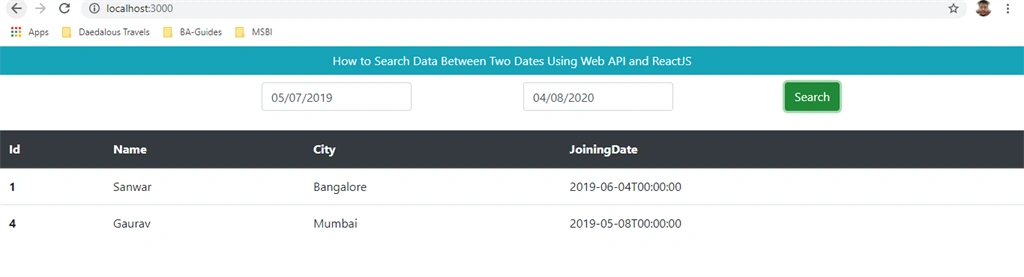
Farhan AhmedPosted Apr 9, 2020, 11:56 PM
Nice............