

Introduction
SearchBar view control is the control that provides you the way to search from the list of contents.
It has the events 'SearchButtonPressed', 'TextChanged' for performing actions respectively.
You can give the list of items that are required to perform the search for the item based on conditions and suggestions you want.
This article will cover the following,
- SearchBar view.
- SearchBar events.
- ListView for generating the values and selection of values
Prerequisite
- Knowledge in c#.
- Basics of Xamarin.
Implementation
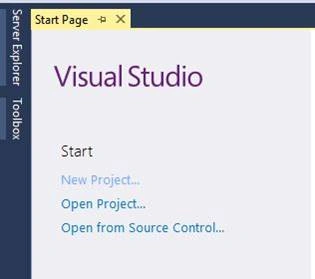
Open Visual studio and select new project,
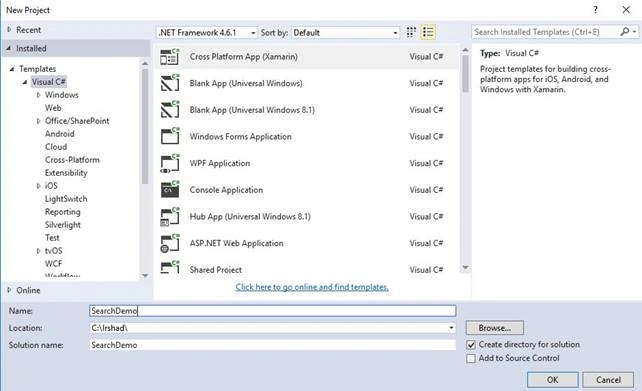
Select project type and give project name,
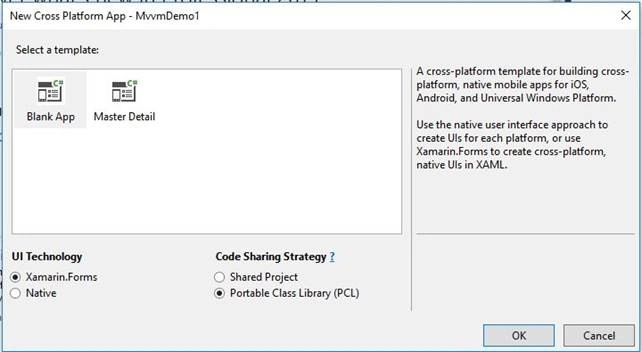
Select template – Blank App and code sharing as PCL.
Set the target and platform version as below,

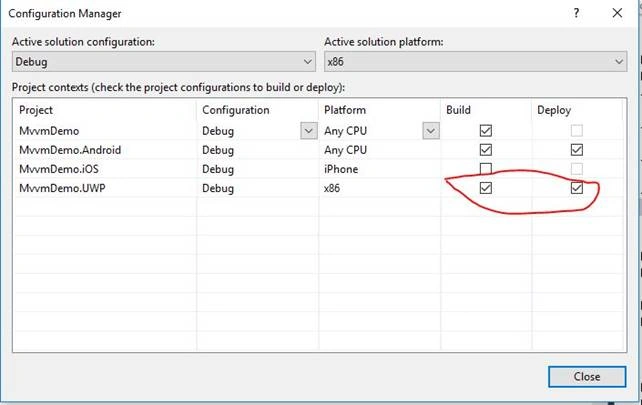
Set the below configurations,
Open MainPage.xaml from Portable project and modify the contents as below,
- <?xml version="1.0" encoding="utf-8" ?>
- <ContentPage xmlns="http://xamarin.com/schemas/2014/forms"
- xmlns:x="http://schemas.microsoft.com/winfx/2009/xaml"
- xmlns:local="clr-namespace:SearchDemo"
- x:Class="SearchDemo.MainPage" BackgroundColor="Cyan">
- <StackLayout Orientation="Vertical">
- <Label Text="Search Country" FontSize="30"></Label>
- <SearchBar x:Name="SearchContent" TextChanged="SearchContent_TextChanged"></SearchBar>
- <Grid>
- <ListView x:Name="CountryList" ItemTapped="CountryList_ItemTapped"></ListView>
- </Grid>
- </StackLayout>
- </ContentPage>
Open MainPage.xaml.cs and modify the contents as below,



Join the conversation! Your thoughts help the community grow.