

Introduction
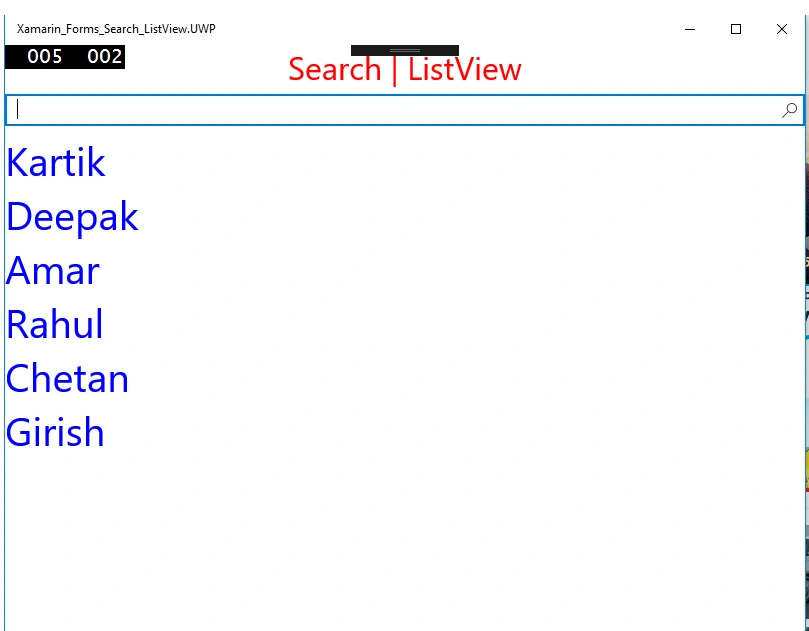
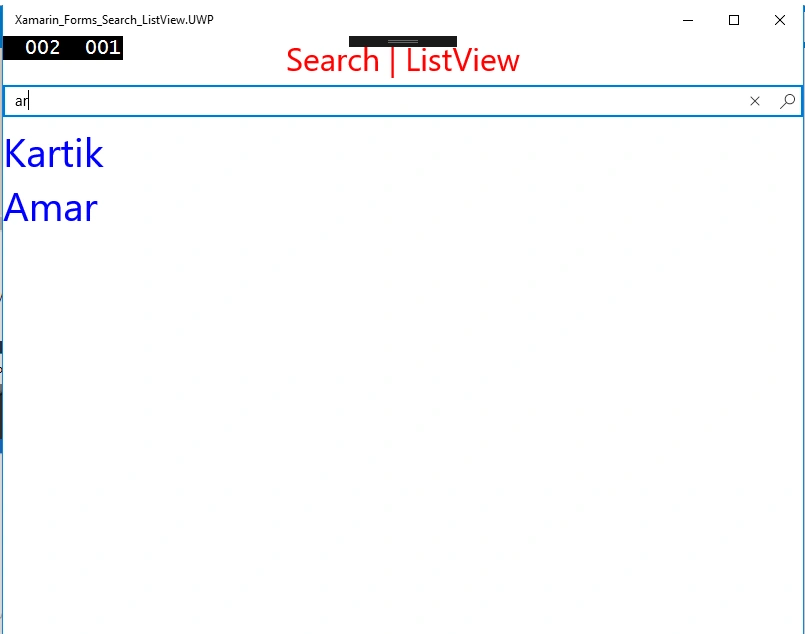
A ListView is used to store the data in the form of Scrollable type.Now, in this article, we will discuss how to create a ListView and how to search a particular search item from the list.
Prerequisites
A ListView is used to store the data in the form of Scrollable type.Now, in this article, we will discuss how to create a ListView and how to search a particular search item from the list.
Prerequisites
- Windows10
- Visual Studio 2017 Community Edition
- Xamarin package
Step 1
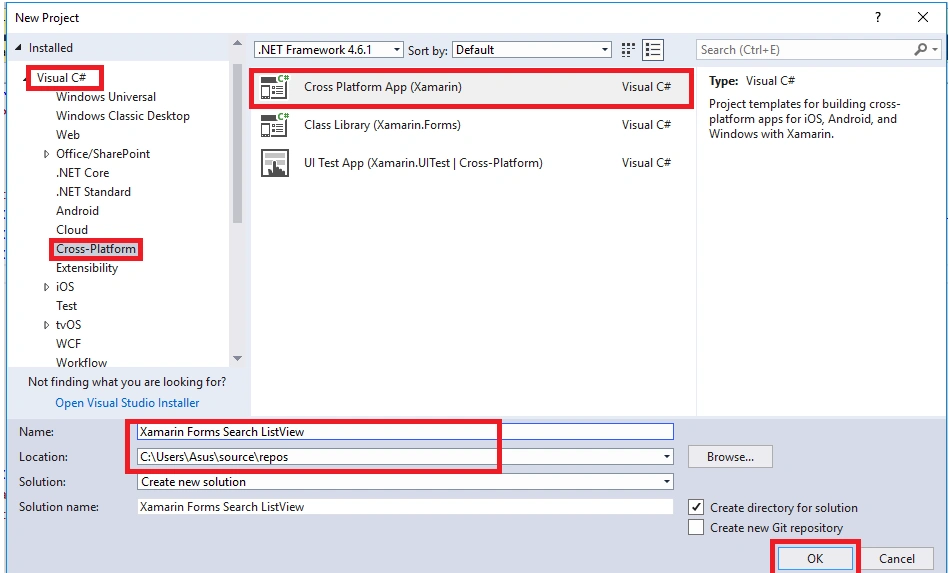
Open Visual Studio 2017 Community Edition then go to File ->New ->Project. Now, select Visual C#->Cross-Platform->Cross Platform App(Xamarin). Now, give the name to the project then, select the destination folder (if needed) then click OK.
Step 2
Open Visual Studio 2017 Community Edition then go to File ->New ->Project. Now, select Visual C#->Cross-Platform->Cross Platform App(Xamarin). Now, give the name to the project then, select the destination folder (if needed) then click OK.
Step 2
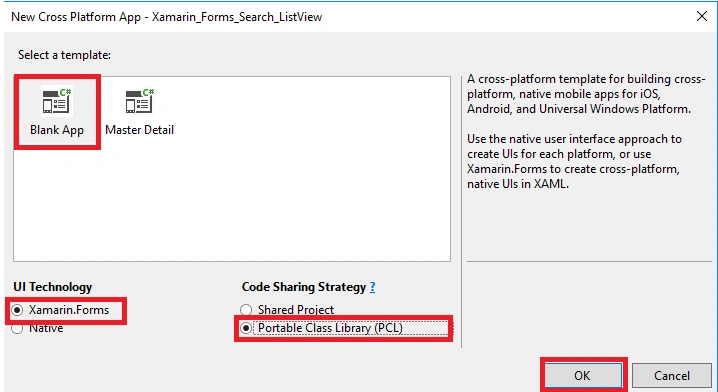
Now a new window will open. Select Blank App template then, select Xamarin.Forms then, Portable Class Library(PCL) and click OK.
Step 3
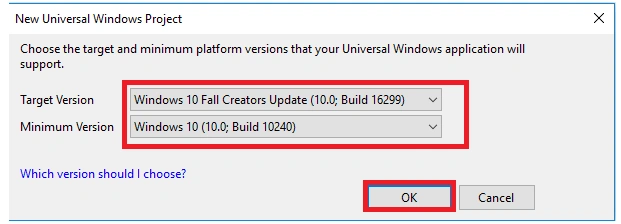
Now, select the Target version and minimum version for UWP and click OK.
 Step 4
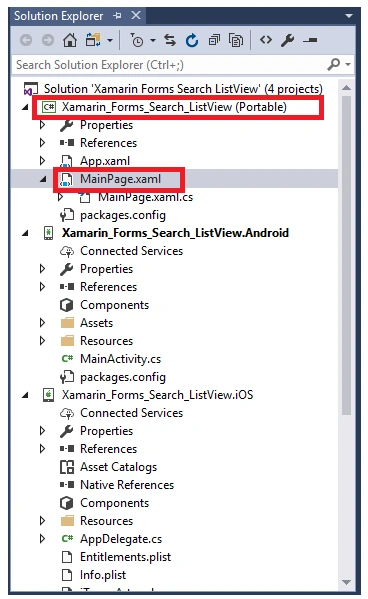
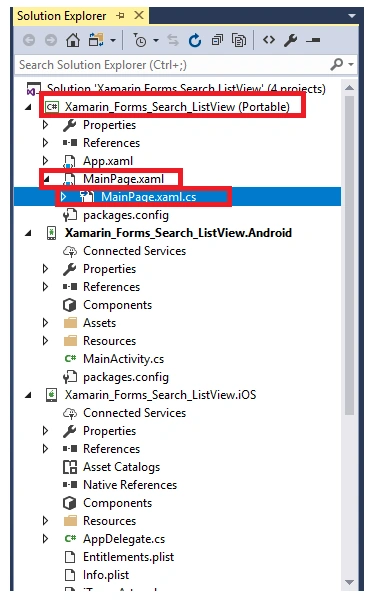
After creating the project open Solution Explorer and under Portable select MainPage.xaml.
Step 5
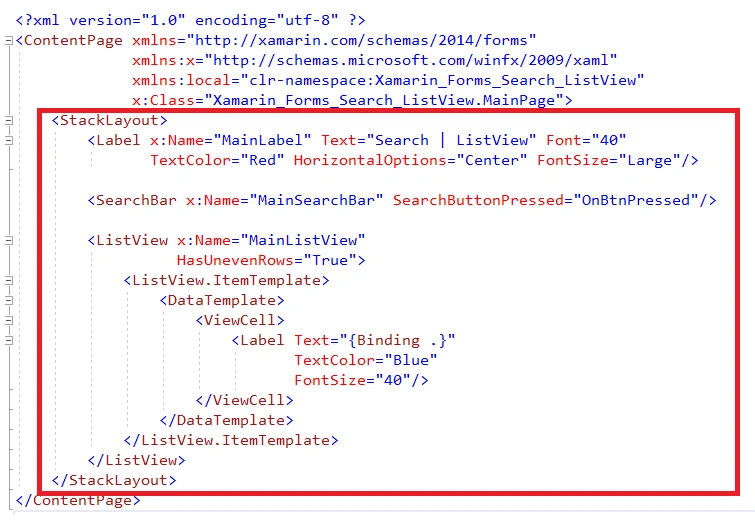
Now write the following code in MainPage.xaml,
Now, select the Target version and minimum version for UWP and click OK.
After creating the project open Solution Explorer and under Portable select MainPage.xaml.
Step 5
Now write the following code in MainPage.xaml,
- <?xml version="1.0" encoding="utf-8" ?>
- <ContentPage xmlns="http://xamarin.com/schemas/2014/forms" xmlns:x="http://schemas.microsoft.com/winfx/2009/xaml" xmlns:local="clr-namespace:Xamarin_Forms_Search_ListView" x:Class="Xamarin_Forms_Search_ListView.MainPage">
- <StackLayout>
- <Label x:Name="MainLabel" Text="Search | ListView" Font="40" TextColor="Red" HorizontalOptions="Center" FontSize="Large" />
- <SearchBar x:Name="MainSearchBar" SearchButtonPressed="OnBtnPressed" />
- <ListView x:Name="MainListView" HasUnevenRows="True">
- <ListView.ItemTemplate>
- <DataTemplate>
- <ViewCell>
- <Label Text="{Binding .}" TextColor="Blue" FontSize="40" /> </ViewCell>
- </DataTemplate>
- </ListView.ItemTemplate>
- </ListView>
- </StackLayout>
- </ContentPage>
farith firdousPosted Jun 20, 2019, 12:08 PM
How to add a item from list view to local database using button ?
Vijayaragavan SPosted Apr 24, 2018, 11:15 PM
Good Start Kartik..... i am very happy to see you article here.... wish you all the best... keep it up....
Ravishankar VelladuraiPosted Apr 24, 2018, 11:52 AM
Nice article Kartik keep sharing......
Hiten PandyaPosted Apr 24, 2018, 10:28 AM
Nice share................