
Introduction
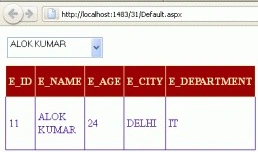
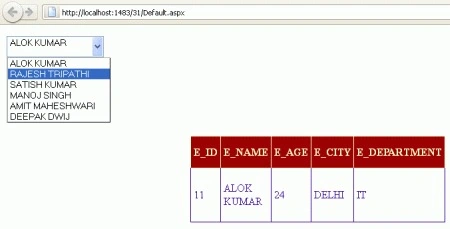
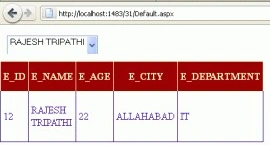
I am creating a web application to search for records using DropDownList. You will select a name from the DropDownList and it will show all the records on the basis of that selected name. At first, we should have some records. So we create a database and insert some records into the database table.
Create Database
CREATE DATABASE EMP
USE EMP
CREATE TABLE EMP_DETAIL
(
        E_ID INT PRIMARY KEY,
        E_NAME VARCHAR(30),
        E_AGE INT,
        E_CITY VARCHAR(30),
        E_DEPARTMENT VARCHAR(20)
)
INSERT INTO EMP_DETAIL VALUES(11, 'ALOK KUMAR', 24, 'DELHI', 'IT')
INSERT INTO EMP_DETAIL VALUES(12, 'RAJESH TRIPATHI', 22, 'ALLAHABAD', 'SALES')
INSERT INTO EMP_DETAIL VALUES(13, 'SATISH KUMAR', 23, 'JHANSI', 'PRODUCT')
INSERT INTO EMP_DETAIL VALUES(14, 'MANOJ SINGH', 22, 'NOIDA', 'MARKETING')
INSERT INTO EMP_DETAIL VALUES(15, 'AMIT MAHESHWARI', 25, 'ALLIGARH', 'IT')
INSERT INTO EMP_DETAIL VALUES(16, 'DEEPAK DWIJ', 24, 'NOIDA', 'IT')
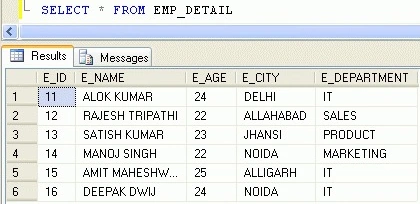
I am showing a screenshot of all records of an EMP_DETAIL table so that it can become easy to understand.
SELECT * FROM EMP_DETAIL
Now, create an ASP.NET web application -> create a DropDownList control, one GridView control, and two SqlDataSources. Your form will look like the following figure.
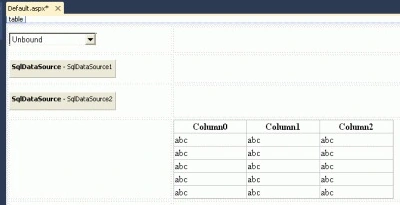
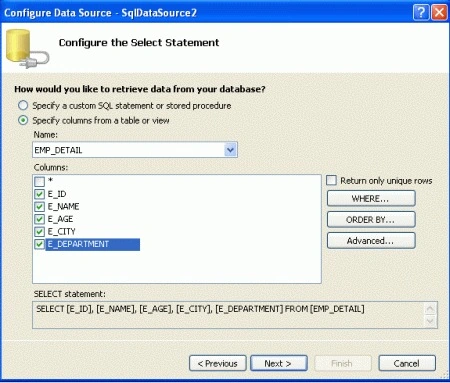
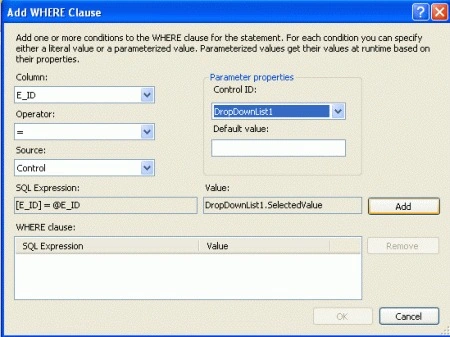
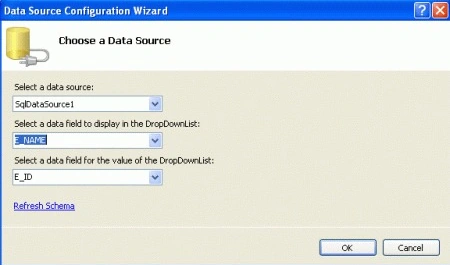
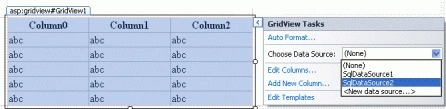
Now we specify a DataSouce for both SqlDataSources. Follow the given steps.
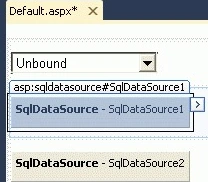
Step 1. Click on the smart tag of SqlDataSource1.
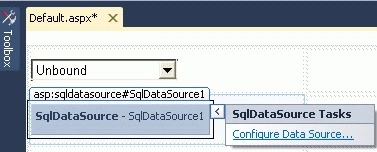
Step 2. Click on Configure Data Source.
Step 3. A new window will be opened to choose a data connection.
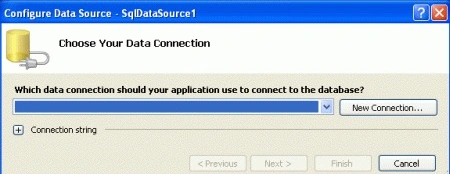
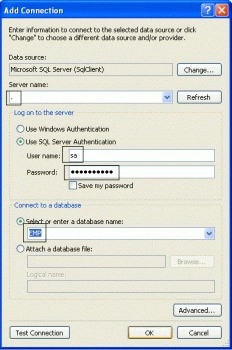
Step 4. Click the New Connection button. A new window will be opened. Write the server name, user name, password, and select your database. Look at the following figure.
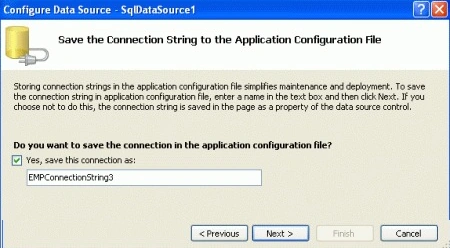
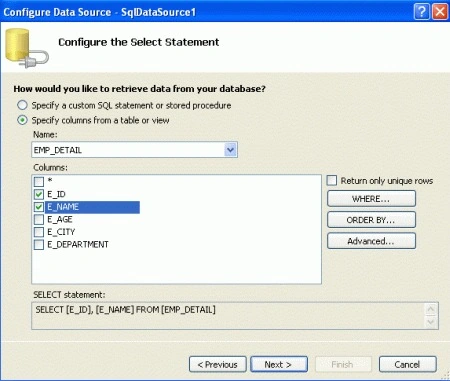
Step 5. Click the ok button. You will be presented with the Configure DataSource wizard. Click the "Next" button. A new window will be opened and it will ask to save the connection string.
Aaron CronjePosted Feb 1, 2012, 3:18 AM
Good Work...