

Table of Contents
Introduction
What Attribute Is Used to Bind to a Cosmos DB Input?
How Do You Process Multiple Messages in Parallel from a Queue Trigger?
Real-World Scenario: Real-Time Patient Triage in Emergency Medical Response
Example Implementation
Best Practices for Enterprise Scalability and Reliability
Conclusion
Introduction
In enterprise serverless systems, data binding and parallel processing are not mere conveniences—they are architectural imperatives. As a senior cloud architect who has designed life-critical systems for emergency medical services across three continents, I’ve seen how the right binding strategy and concurrency model can mean the difference between timely intervention and tragic delay.
This article answers two pivotal questions:
What attribute binds to Cosmos DB input?
How do you process multiple queue messages in parallel?
We’ll explore these through the lens of a real-time patient triage system—where every millisecond counts and system reliability is non-negotiable.
What Attribute Is Used to Bind to a Cosmos DB Input?
In Azure Functions, the [CosmosDBInput] attribute (for .NET Isolated) or [CosmosDB] (for in-process) is used to declaratively bind to Cosmos DB documents—without writing a single line of SDK code.
This attribute enables:
Secure, managed connectivity via connection strings or Managed Identities
Automatic document retrieval by ID or SQL query
Strong typing through generic parameters
Partition key resolution from trigger metadata
For example, to fetch a patient record by ID:
[CosmosDBInput(
    databaseName: "MedicalDB",
    containerName: "Patients",
    Id = "{patientId}",
    PartitionKey = "{hospitalId}",
    Connection = "CosmosDBConnection")]
PatientRecord patient
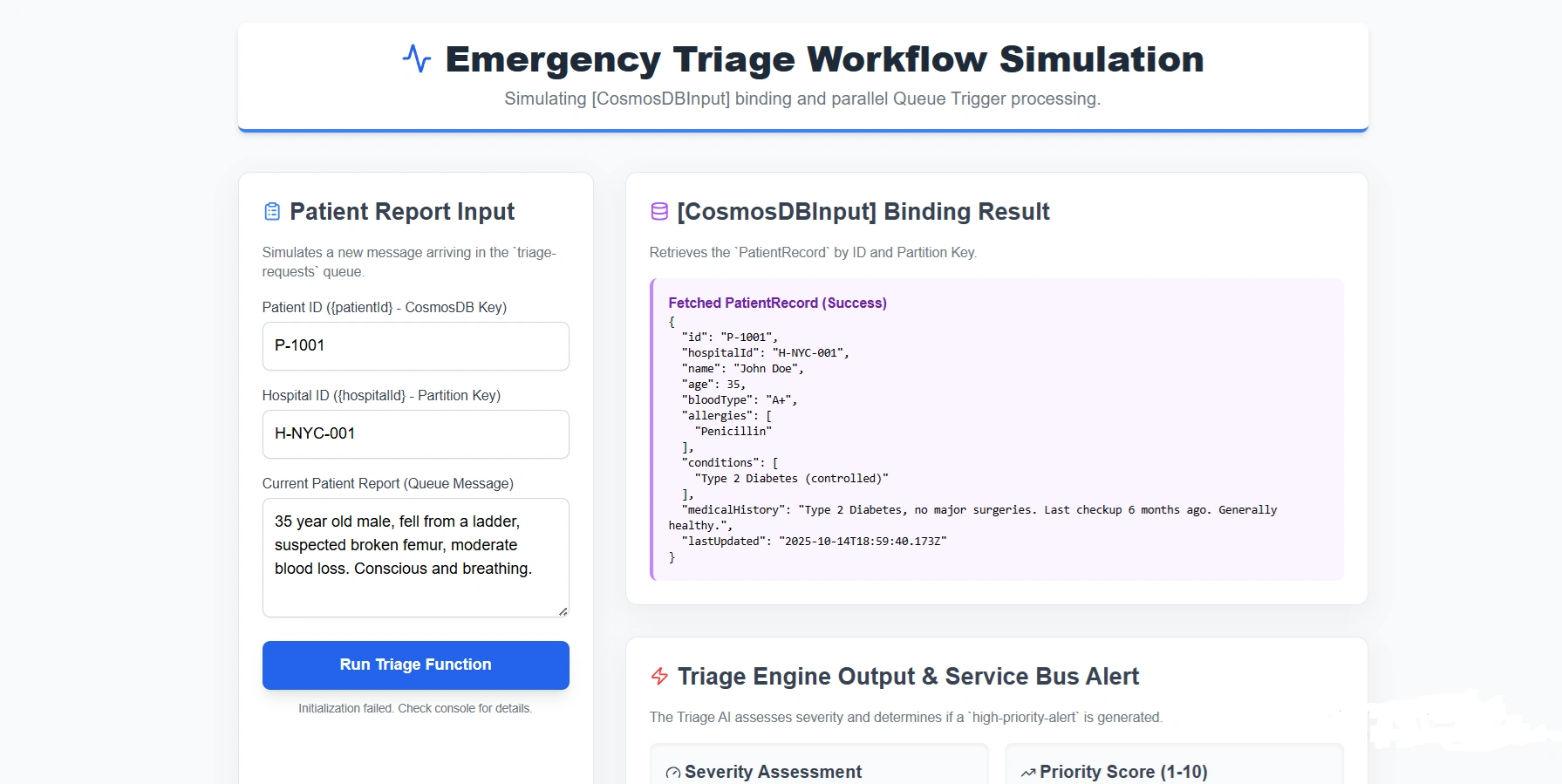
Here, {patientId} and {hospitalId} are template expressions resolved from the trigger payload (e.g., an HTTP route or queue message). The runtime handles authentication, retries, and serialization—your code receives a fully hydrated PatientRecord object.
This pattern enforces separation of concerns: business logic remains pure, while infrastructure concerns are delegated to the platform.
How Do You Process Multiple Messages in Parallel from a Queue Trigger?
Azure Functions automatically scales to process multiple queue messages in parallel—but the concurrency model depends on your hosting plan and configuration.
Consumption/Premium Plan
The runtime polls the queue and invokes multiple function instances concurrently
Each instance processes one message at a time by default
No code changes needed—parallelism is handled by the scale controller
Controlling Concurrency
For finer control, configure maxConcurrentCalls in host.json:
{
  "version": "2.0",
  "extensions": {
    "queues": {
      "maxConcurrentCalls": 16
    }
  }
}
This sets the maximum number of concurrent invocations per instance.
Batch Processing (Advanced)
For high-throughput scenarios, use batch triggers (available in .NET Isolated):
[Function("ProcessPatientBatch")]
public async Task Run(
    [QueueTrigger("triage-requests", Connection = "StorageConnection")]
    IReadOnlyList<CloudQueueMessage> messages)
{
    // Process all messages in parallel
    var tasks = messages.Select(ProcessMessageAsync);
    await Task.WhenAll(tasks);
}
This reduces per-message overhead and improves throughput for homogeneous workloads.
Critical Note: Always design for idempotency—messages may be delivered more than once during failures.
Real-World Scenario: Real-Time Patient Triage in Emergency Medical Response
During a mass-casualty incident (e.g., earthquake, terrorist attack), emergency dispatch centers receive hundreds of patient reports simultaneously. Each report must be:
Enriched with medical history from Cosmos DB
Triaged using AI severity scoring
Routed to nearest available ambulances
Our system architecture:
Join the conversation! Your thoughts help the community grow.