

Introduction
This article will show you how to select data using an Entity Framework async call.
Create a console application as in the following figure:
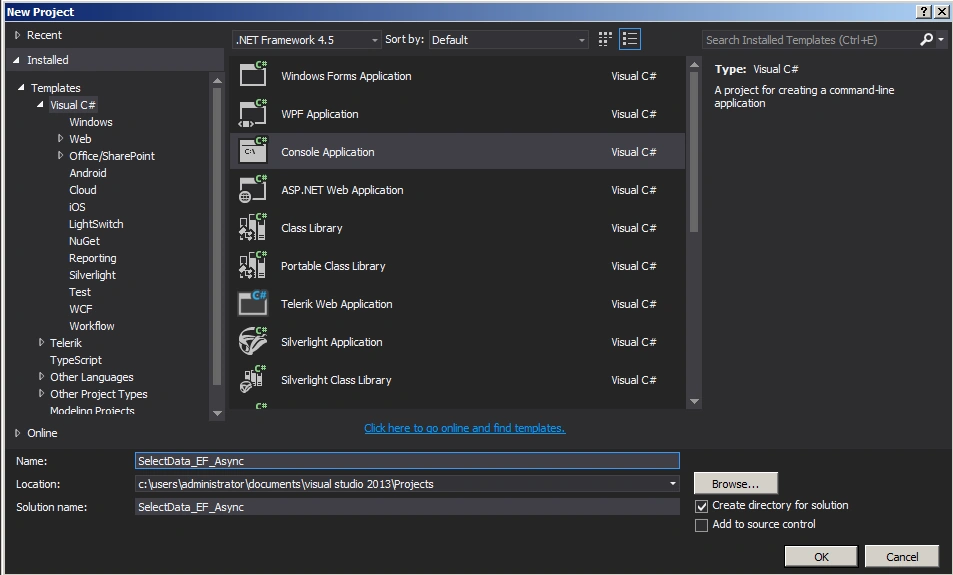
Figure 1: Create console application
Add Entity Framework to project as in Figures 2, 3 and 4.
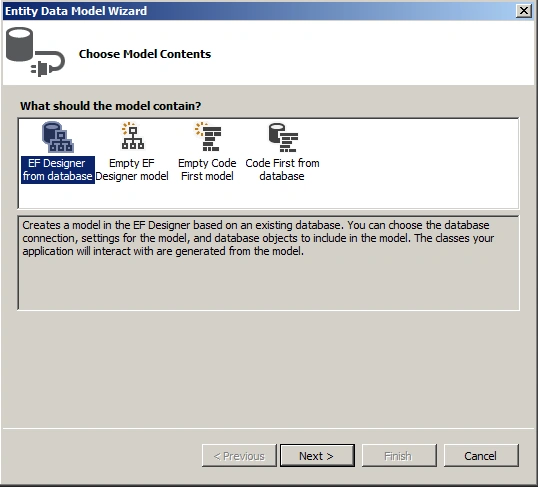
Figure 2: Add Entity Framework
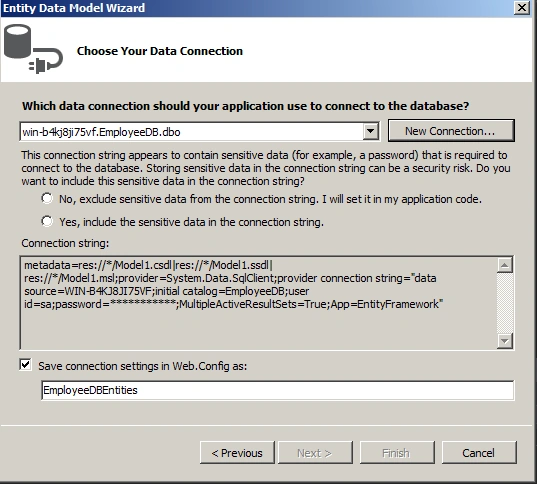
Figure 3: Choose Connection
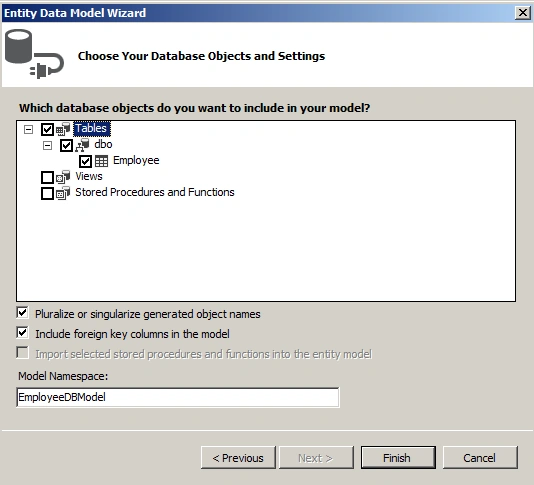
Figure 4: Choose Database Object
Program.cs
- using System;
- using System.Collections.Generic;
- using System.Linq;
- using System.Text;
- using System.Data.Entity;
- using System.Threading.Tasks;
- namespace SelectData_EF_Async
- {
- class Program
- {
- static void Main(string[] args)
- {
- var employee = GetEmployeeData();
- employee.Wait();
- Console.ReadKey();
- }
- public static async Task GetEmployeeData()
- {
- using (var db = new EmployeeDBEntities())
- {
- var query = await (from b in db.Employees
- select b).ToListAsync();
- foreach (var r in query)
- {
- Console.Write(r.FirstName + "\n");
- }
- }
- }
- }
- }
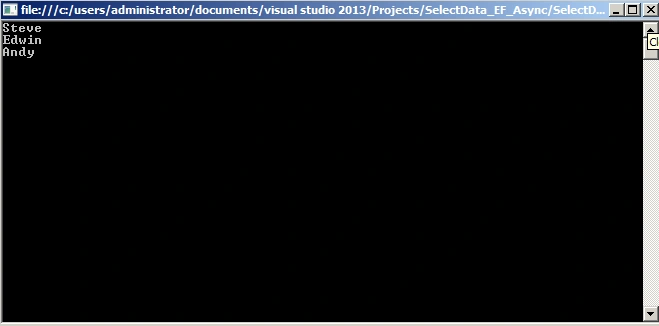
Figure 5: Output of the application
Summary
In this article we saw how to select data using an Entity Framework async call.
Sonu ChaudharyPosted May 26, 2016, 10:39 AM
Good one...
Bhuvanesh MohankumarPosted May 6, 2016, 3:58 PM
Good one...
SharadPosted Jul 22, 2015, 12:35 AM
Excellent..
Musab AlRianiPosted Jun 9, 2015, 9:29 AM
Light and easy to understand,Thank you ??.
Santhakumar MunuswamyPosted Jun 8, 2015, 3:08 PM
Thanks for nice article
Vivek TripathiPosted Jun 8, 2015, 10:25 AM
Good one
Dominique CejaPosted Jun 8, 2015, 7:32 AM
Thanks!
NitinPosted Jun 8, 2015, 4:46 AM
nice
Ayush JaiswalPosted Jun 8, 2015, 12:43 AM
Good