
In this article I will show you how to send an email to gmail with the help of SMTP in windows application using C#.
Initial chamber
Step 1: Open Your Visual Studio 2010 and Go to File, New, then Projects and under Visual C# select Windows.

You can change the name of the project and you can browse your project to different location too. And then press – OK.
Design chamber
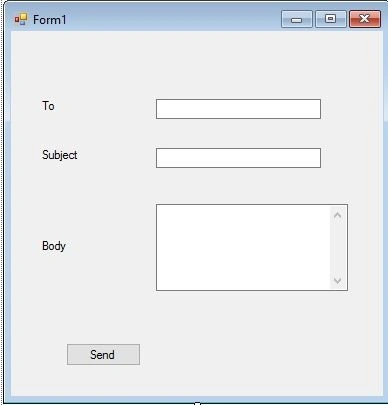
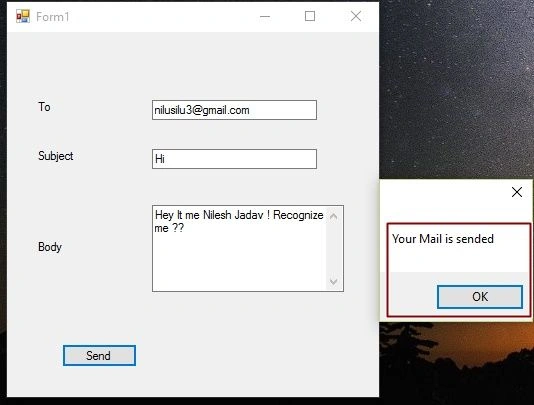
Step 2: Now open your Form1.cs file, where we will create our design for sending an email to gmail. We will drag 3 labels, 3 textboxes and one button from toolbox to Form1.cs. You will see your form look like the following:
Code chamber
Right click on the blank part of Form1.cs and View Code. You will see you are entered in the code part of the form. Write the following code and then Press F5 to run the project.
Add some of the namespaces for sending Gmail.
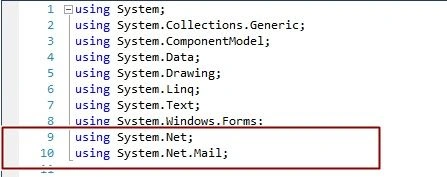
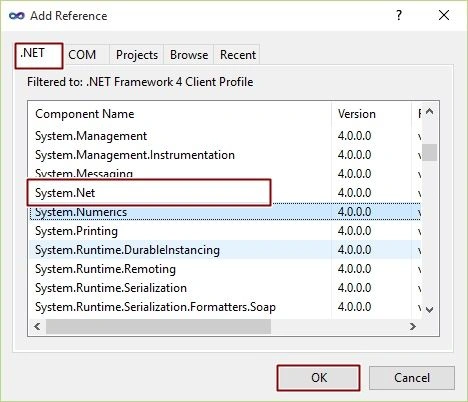
If you can’t find these namespaces in the IntelliSense, then in the Solution Explorer - Right Click and Add References. In Add References, .NET, find “System.Net”and Press Ok.Now IntelliSense will surely show you.

Send An Email To Gmail Using SMTP In Windows Application
Join the conversation! Your thoughts help the community grow.
Sign in to leave a comment
It is the same account you read, post and publish with — and you will come straight back to this page.
salman AhmedPosted Feb 16, 2022, 4:24 AM
The SMTP server requires a secure connection or the client was not authenticated. The server response was: 5.7.0 Authentication Required. Learn more at
Dharmendra Kumar PanditPosted Nov 27, 2019, 1:10 AM
Working Fine///////
Dharmendra Kumar PanditPosted Nov 27, 2019, 12:25 AM
Nice article...
J BPosted Jan 16, 2019, 11:09 AM
Hi, can this be adapted to run from a classic Microsoft Access application? and also - is there a way to automate the attachment of a PDF file in a known stored location?
Nithish ReddyPosted Sep 6, 2018, 5:42 AM
I have given valid email id and password and installed all the references for email !
Nithish ReddyPosted Sep 6, 2018, 5:18 AM
"SERVER DOES NOT SUPPORT SECURE CONNECTIONS" error, how o sort out this bro, i have given valid email id and password
rutvij patelPosted Jun 29, 2018, 12:59 AM
Thanks..its working
aman dixitPosted Apr 3, 2018, 5:18 AM
This will only work with gmail or will work for any other also
Arul RPosted Oct 28, 2015, 5:32 AM
Good one !!!
Santhakumar MunuswamyPosted Oct 5, 2015, 11:59 PM
Nice Share
Sumit JoshiPosted Oct 3, 2015, 4:28 PM
thanks for sharing.
vikash kumar tiwariPosted Oct 3, 2015, 1:35 PM
plz help me to resolve this,
vikash kumar tiwariPosted Oct 3, 2015, 1:34 PM
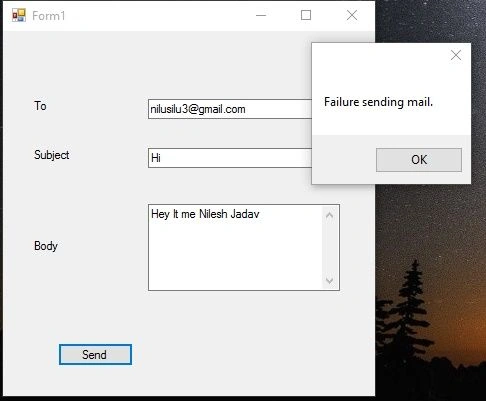
soorry,but i am getting an exception like this "Additional information: The SMTP server requires a secure connection or the client was not authenticated. The server response was: 5.5.1 Authentication Required. Learn more at"
RakeshPosted Oct 3, 2015, 10:28 AM
Good share