

Introduction
For using javac and Java, we need to set the path of JDK. If we do not set the path of JDK then an error will be shown.
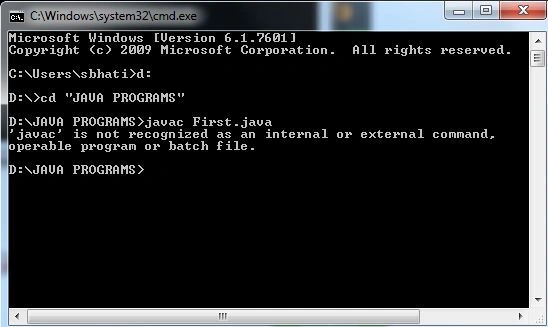
Procedure for setting the path of the JDK
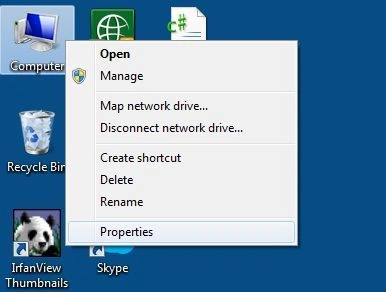
Step 1: Click on My Computer "Properties".
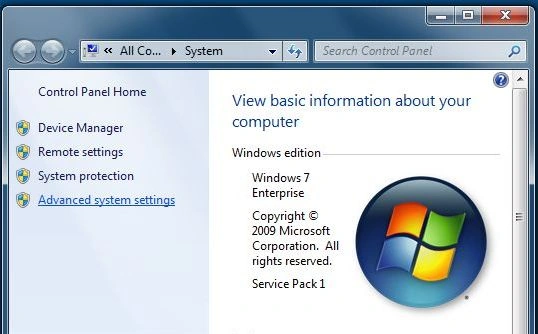
Step 2: Go to "Advanced system settings".
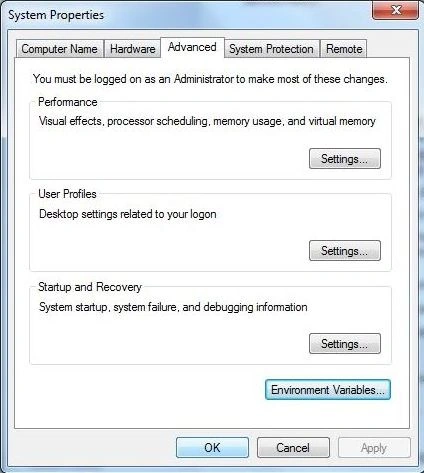
Step 3: Go to "Environment Variables".
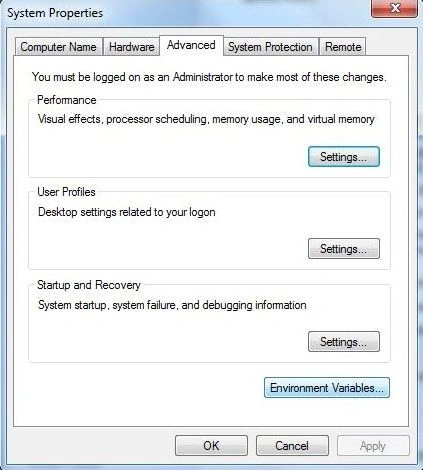
Step 4: Click on the "New" tab.
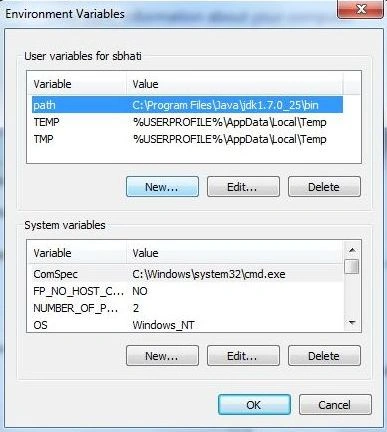
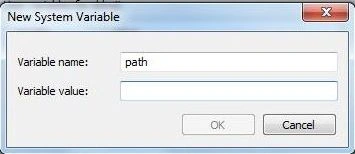
Step 5: In "Variable name", write path.
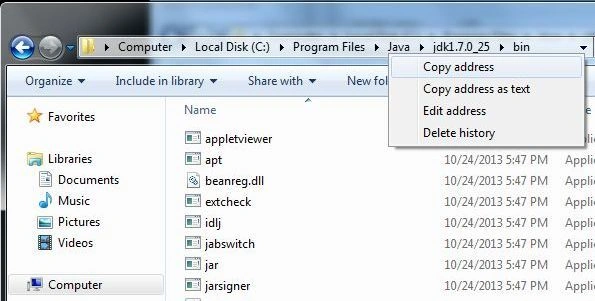
Step 6: Copy the path of the bin folder to the clipboard.
Step 7:Paste the path in the "Variable value".
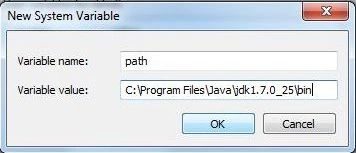
Step 8: Click "OK".
Step 8: Again click "OK".
Summary
This article explained how to set the path of JDK in Windows.
Join the conversation! Your thoughts help the community grow.