

Today I introduce a new feature in Windows Store; a sharing application. In this article we learn another most common kind of content that a user might want to share with other people. Images and photos are the most common data format that people like to share. In my previous articles I showed you all the other data formats the user can share thourgh Windows Store Apps. You can find it on http://www.c-sharpcorner.com
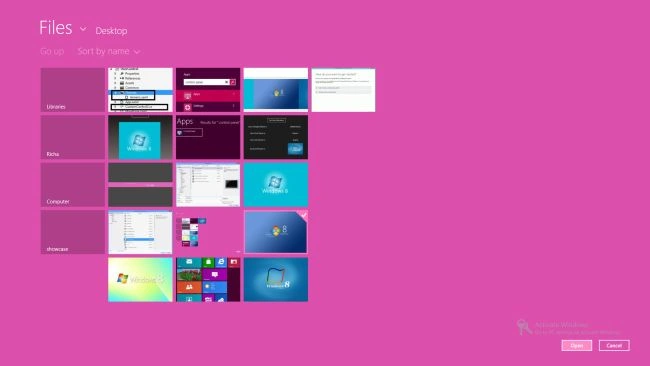
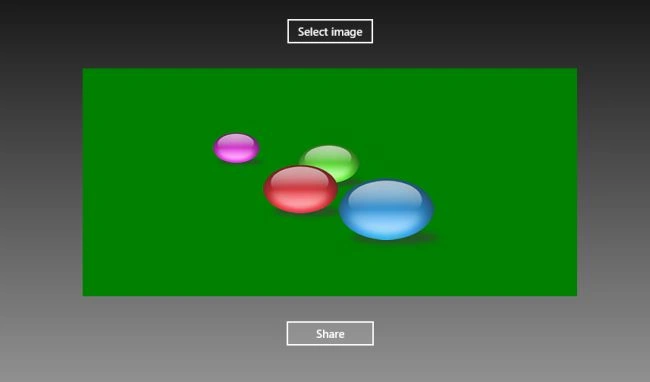
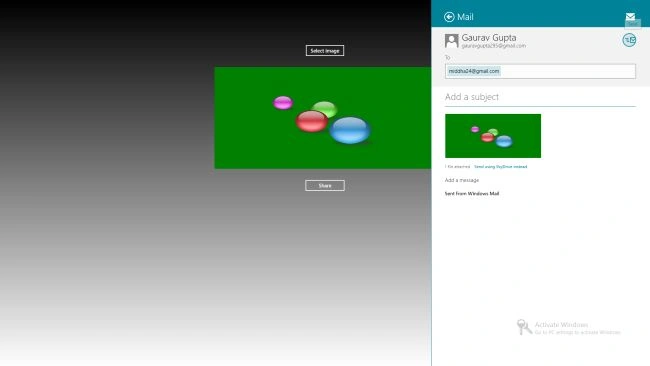
In today's article we learn how to share an image with other people from the Windows Store Application. I will show you how to share an image from the app using XAML/C#. Here we use FileOpenPicker to enable the selection of an image and to share it over the internet.
Let's start to create an application step-by-step to share an image.
Step 1
Create a new Windows Store Application using C#.
Step 2
Here I design my MainPage.xaml with buttons and an image control.
<Page
x:Class="SharingContent.ShareImage"
xmlns="http://schemas.microsoft.com/winfx/2006/xaml/presentation"
xmlns:x="http://schemas.microsoft.com/winfx/2006/xaml"
xmlns:local="using:SharingContent"
xmlns:d="http://schemas.microsoft.com/expression/blend/2008"
xmlns:mc="http://schemas.openxmlformats.org/markup-compatibility/2006"
mc:Ignorable="d">
<Grid>
<Grid.Background>
<LinearGradientBrush EndPoint="0.5,1" StartPoint="0.5,0">
<GradientStop Color="Black"/>
<GradientStop Color="White" Offset="1"/>
</LinearGradientBrush>
</Grid.Background>
<Grid Margin="0,100">
<Grid.RowDefinitions>
<RowDefinition Height="Auto"/>
<RowDefinition Height="Auto"/>
<RowDefinition Height="auto"/>
</Grid.RowDefinitions>
<StackPanel Orientation="Horizontal" Grid.Row="2" Margin="0,30" HorizontalAlignment="Center">
<Button x:Name="ShowUIButton" Content="Share" Click="ShowUIButton_Click" Width="121" />
</StackPanel>
<Button x:Name="SelectImageButton" Content="Select image" Grid.Row="0" Margin="0,30" HorizontalAlignment="Center" Click="SelectImageButton_Click" />
<Image x:Name="ImageHolder" Height="300" Width="709" Stretch="None" Grid.Row="1" HorizontalAlignment="Center" />
</Grid>
</Grid>
</Page>
Step 3
You need to add the right namespaces to your app so you can create and process the objects related to sharing.
using Windows.Storage;
using Windows.Storage.Pickers;
using Windows.Storage.Streams;
using Windows.ApplicationModel.DataTransfer;
using Windows.UI.Xaml.Media.Imaging;
Step 4
Create the starting point for any sharing operation by getting the object of the DataTransferManager Class.
DataTransferManager dataTransferManager = DataTransferManager.GetForCurrentView();
Step 5
In this step I create an event handler that handles the Share Charm of the application.
dataTransferManager.DataRequested += new TypedEventHandler<DataTransferManager,
DataRequestedEventArgs>(this.ShareTextHandler);
Step 6
Here is the code for the event handler. Set some essential properties of the DataRequest object. This object contains the content that the user wants to share.
DataRequest requestData = e.Request;
requestData.Data.Properties.Title = "Share image Example";
requestData.Data.Properties.Description = "A demonstration that shows how to share text.";
Step 7
Now to add the main content to be shared. To add the image as a bitmap, use the SetBitmap method.
requestData.Data .SetStorageItems(imageItems);
Varda SarfrazPosted Aug 20, 2014, 3:00 AM
How do I share an Image in my application on Facebook?
rockstarPosted Feb 11, 2014, 1:22 AM
how it can be used for sharing it to a specific IP address???
Gaurav GuptaPosted Jul 2, 2013, 11:10 PM
This may be helpful for U.. http://www.c-sharpcorner.com/UploadFile/99bb20/sharing-text-in-windows-8-apps-using-C-Sharp/
gayathri ganeshPosted Jul 2, 2013, 8:29 PM
Hey Gupta, Thanks for the post. It helps. Can you please post how to share plain text to Facebook/Twitter using Charm. I have been searching and couldn't find. Looks like SetUri only helps to post link to facebook but not the content.
Nurfirdiyanah AqirahPosted Jan 31, 2013, 9:20 AM
Can it be posted to facebook instead of mail ? Let me know!