

This sample demonstrates how to customize the rendering process for a custom
drop down field in SharePoint 2013 Preview. You can provide custom logic to
control the rendering process of various template sets, such as the View,
Display, Add and Edit forms.
The JavaScript code that controls the rendering process is in the
MyTestScripts.js file.
Figure 1 shows the selection of Custom Field
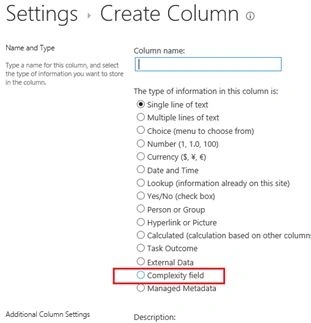
Figure 2 shows the default values in custom field

Figure 3 shows the custom field rendered in the view form

Figure 4 shows the custom field rendered in the display form
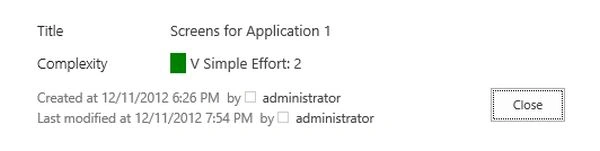
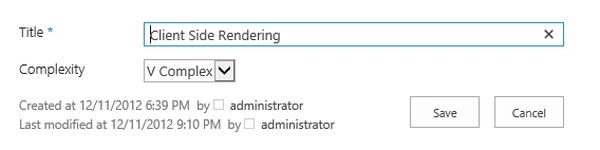
Figure 5 shows the custom field rendered in the Add New form

Figure 6 shows the custom field rendered in the Edit form
Prerequisites
This sample requires the following:
- Microsoft Visual Studio 2012
- SharePoint development tools in Visual Studio 2012
- A SharePoint 2013 Preview development environment
Key components of the sample
The sample contains the following
SPFieldTest project, which contains the following files:
- fldtypes_ComplexityFieldType.xml, which declares the custom field.
- ComplexityField.cs which extends the SPFieldChoice and overrides the JSLink property.
- MyTestScripts.js, which contains the rendering logic .
Configure the sample
Update the SiteUrl property of the solution with the URL of your SharePoint
website.
Join the conversation! Your thoughts help the community grow.