

Issue
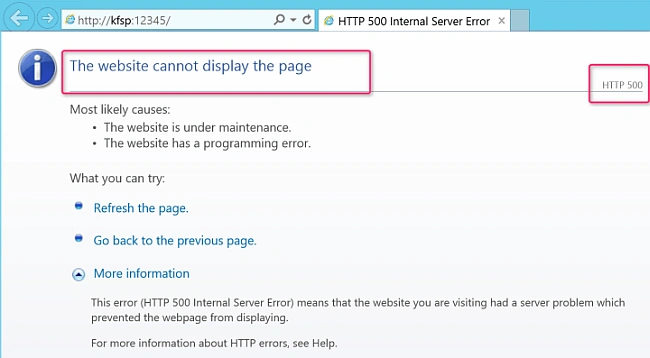
Today, I am stuck in an issue where after a fresh install of the SharePoint Server 2016, I can't get to the Central Administration Website. I get ”the Website cannot display Page” with HTTP error code 500. There is no clue from the Event Log or ULS log. I tried Fiddler but no luck.
Finally, I came to know about a feature in IIS called “Failed Tracing Request”. As soon as I enabled it and read the XML file, I hit the root cause.
Troubleshooting
Go to the logs file location and click XML file. (Note- You will get this file once you enable the Failed tracing request and create the rule).

In the file, it gave me the following details.
- Error Code: The process cannot access the file because another process has locked a portion of the file. (0x80070021)
- ConfigExceptionInfo: \\?\C:\inetpub\wwwroot\wss\VirtualDirectories\39229\web.config ( 817): This configuration section cannot be used at this path. This happens when the section is locked at a parent level. Locking is either by default (overrideModeDefault=”Deny”) or set explicitly by a location tag with overrideMode=”Deny” or the legacy allowOverride=” false”.
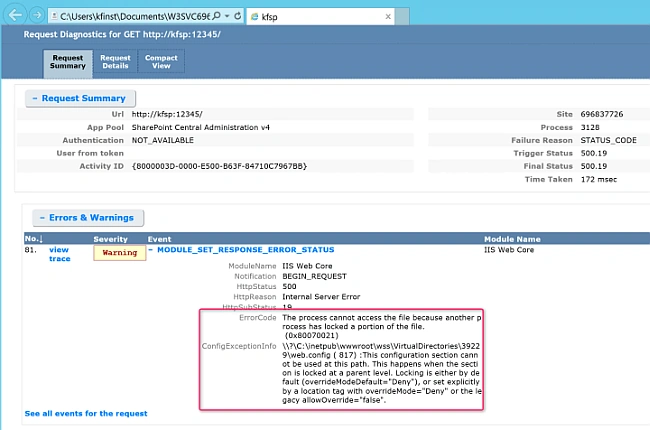
From the error shown above, it is not clear which section is locked at the parent level. Now, I open the web. config file of central admin and reach line 817. This line tells me that the Module Section is called here. Let’s check the IIS.
- Open IIS Manager
- Click Server in the Connection Pane followed by double-clicking on Configuration Editor under Management in the Feature Pane.
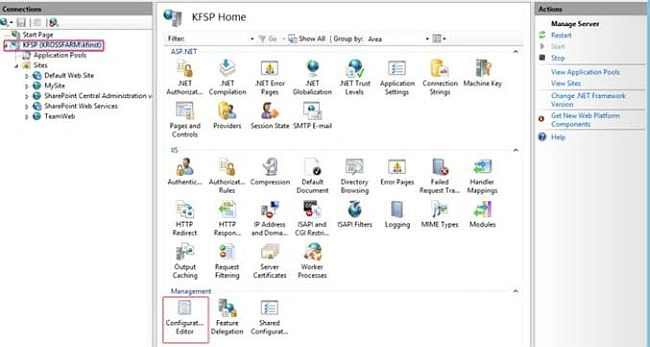
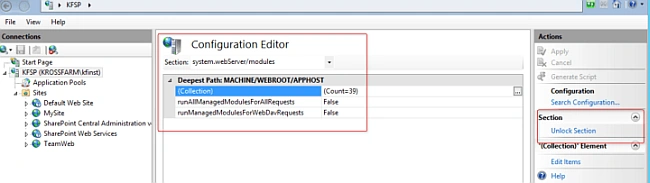
- In Configuration Editor, click Section Drop Down and expand the System.webServer and select Modules.
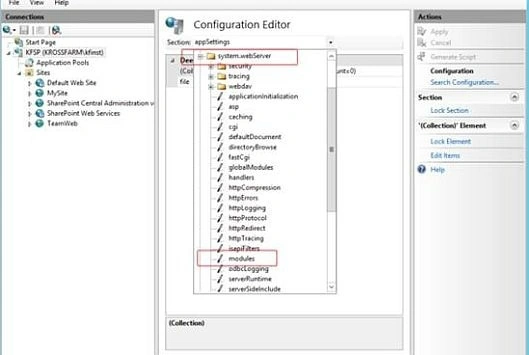
- Here is the problem. You can see this section is locked (see under the Actions Pane).
- Also, if you go back to the IIS Server and click on Feature Delegation.
- On this page, look for the Module and you will see that its status is Read Only.
This is the problem. This section should be read and write enabled otherwise nobody is able to write there.
Resolution
To resolve the issue, please click on the Unlock section. You will set it all now.
If you have multiple Servers in the farm, make sure this option is unlocked or read & write.
If you go to the Feature Section of the IIS Server, you will see the Module Section is read and written only now.
Join the conversation! Your thoughts help the community grow.