A couple of days back, I noticed an interesting thing. I opened the SharePoint Admin Center and found an emoji inside the site name. It was kind of a surprise for me as I have never seen this before. I thought it was my browser that was causing this issue, so I closed the browser & reopened it but the result was the same.
I browsed the site collections and I saw the same emojis on their home page as a part of the Site Name. I decided to deep dive into this and quickly, I came to know, we can use the emojis as part of site collection name either on-premises or in SharePoint Online. All types of site collections support this, i.e., Teams sites, Communication sites, Modern Team sites, Classic sites etc. You can update the existing site collection name and include an emoji in it.
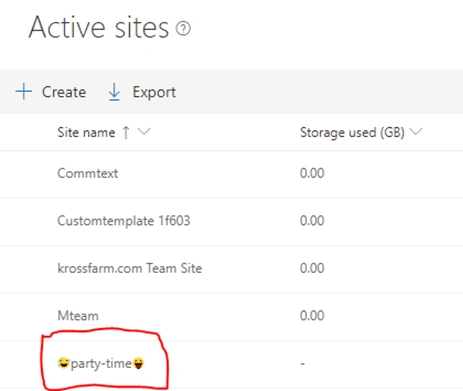
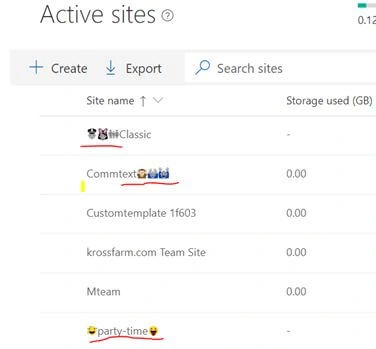
This is what I have seen in the New Admin Center.
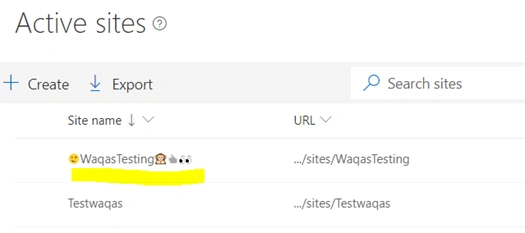
Let’s do it together and use the emojis inside the site collection name while creating a new one as well as updating the existing one. I used the emojis in the following way.
- Create new Microsoft Teams from the Admin Center
- Create a classic team site from Admin Center
- Update an existing Modern Communication Site Collection’s site name using the Site Information option
- Update an existing Classic Team Site Collection’s site name using the Site settings > Title option.
Create a new Microsoft Teams Site from Admin Center
Let’s start with Microsoft Teams site.
- Log in to the SharePoint Admin Center with SharePoint admin credentials.
- Open the new SharePoint Admin Center. It’s easy to create Modern Teams or Communication Site Collections.
- Click "Active Sites" on quick launch.
- Click the "Create" button on the "Active Sites" page.
- Click on Team Site (group connected)
-
On this page, enter the,
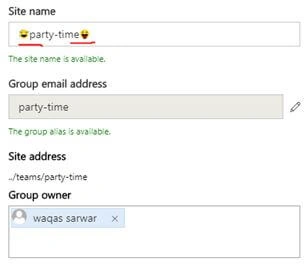
- Site Name: Over here, please enter the site name and include the emoji in it. To enter the emoji, just use the emoji panel in Windows 10 or the on-screen keyboard of Windows.
- Group Owner
- Select Language.
- Click "Next"
- Click "Finish".
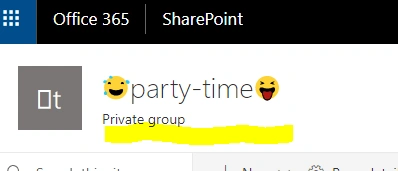
- Now, if you go back to the New Admin Center Actives Sites page, you will see your site name with emoji.
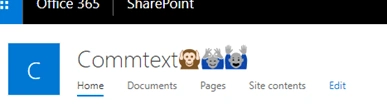
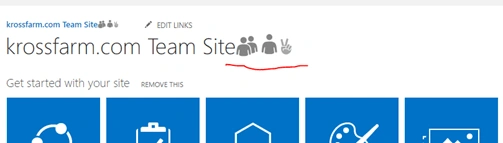
- Let’s browse the site and you will see it on the homepage on the Site Name location.
.
Create a classic team site from the Admin Center
- Log in to the SharePoint Admin Center with SharePoint admin credentials.
- Open the New SharePoint Admin center, it’s easy to create Modern Teams or Communication site collections.
- Click "Active Sites" on quick launch.
- Click the "Create" button on the Active Sites page.
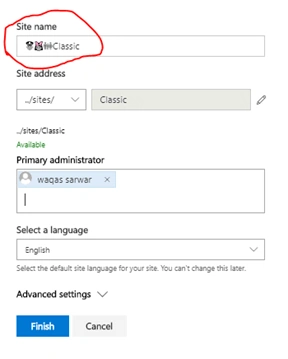
- Now, enter the emoji in the Site Name text field.
- Click "Finish".
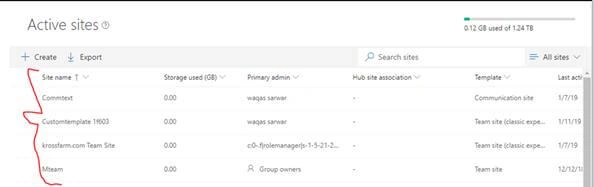
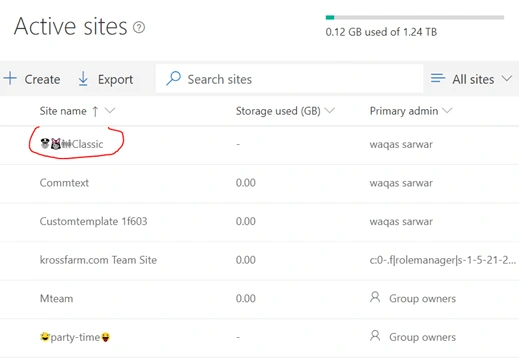
- Now, back on Active Sites and you will notice the following.
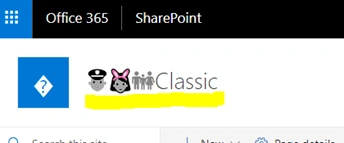
- Now, let’s browse the site collection and you will notice the change in the site collection name.
Update existing Modern Communication Site Collection’s site name using the Site Information option
Let’s edit a Modern Communication Site collection name from the Site Information page.
- Browse the site collection in the browser.
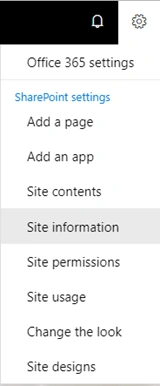
- Click "Settings"
 >> "Site information".
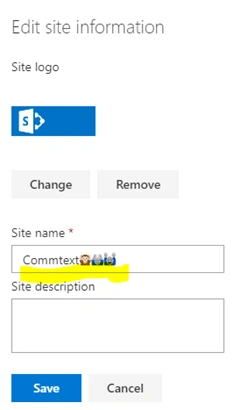
- On this page, please set the emoji inside the site name (you can enter inside the Site description).
- Click "Save".
- Now, go back to the New Admin Center > go to Active Sites page. You will see the site name with Emoji (in a rare case, it may take a little bit of time to sync).
-
If you browse the site, you will notice it on the home page as well.
Update existing Classic Team Site Collection’s site name using the Site settings > Title option
Let’s edit a Modern Communication Site collection name from the Site Information page.
- Browse the site collection in the browser
- Click Settings
 > Site settings
- Now
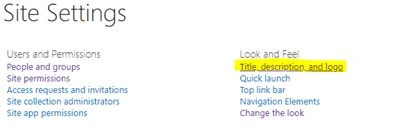
Click “Title, description and logo” under look and feel.
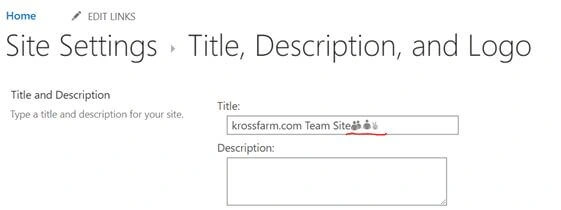
- On this page, please enter the emoji inside the Site name (you can enter inside the Site description).
- Click Ok.
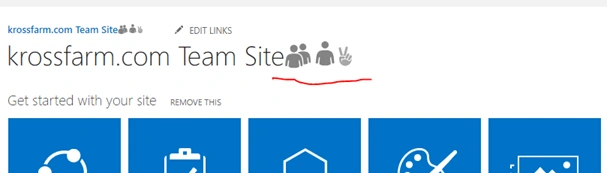
- Now you can see this in Site name on home page
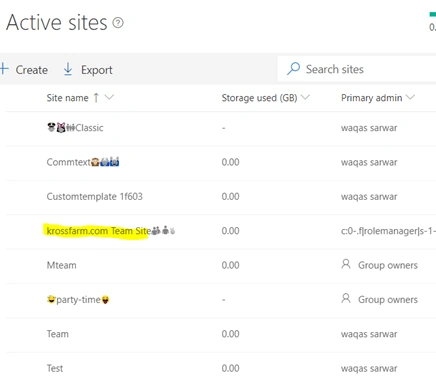
- Now let’s go back to New Admin Center:
- Now, open the Site collection in the browser and you will see it on the homepage.
I am sure you will like it and enjoy this. There are a couple of things to note before I conclude this article.
- You can use emoji in Site Name / Site description in SharePoint Online as well as SharePoint on prem
- Use the Windows Emoji panel / on Screen Keyboard to input the emoji inside the site name
- You can use PowerShell to insert the emoji ( PowerShell use Unicode)
- Emoji will not be part of the url, you have to pick the url.
I think emojis are good, if you want to group the site collections based on the team, and then assign an emoji to it. It is more fun. Until next time, enjoy and happy SharePointing.


Join the conversation! Your thoughts help the community grow.