

SharePoint Framework client-side web parts are developed using JavaScript framework. jQuery is one of the largely used JavaScript frameworks.
In this article, we will explore how to integrate jQuery with SPFx web parts.
Create SPFx Solution
Create a directory for SPFx solution.
Configure Required Packages and Dependencies
Include Packages
We will now include the JQuery packages. Type in the below commands on the command prompt.
Solution Changes
In the command prompt, type the below command to open the solution in code editor of your choice.
Create a directory for SPFx solution.
- md spfx-jqueryintegration
Navigate to the above-created directory.
- cd spfx-jqueryintegration
Run Yeoman SharePoint Generator to create the solution.
- yo @microsoft/sharepoint
Yeoman generator will present you with the wizard by asking questions about the solution to be created.
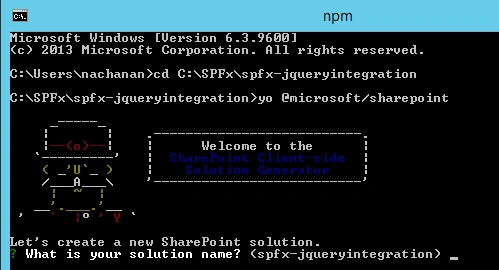
Solution Name
Hit Enter to have the default name (spfx-jqueryintegration in this case) or type in any other name for your solution.
Selected choice - Hit Enter.
Hit Enter to have the default name (spfx-jqueryintegration in this case) or type in any other name for your solution.
Selected choice - Hit Enter.
Target for component
Here, we can select the target environment where we are planning to deploy the client webpart, i.e., SharePoint Online or SharePoint OnPremise (SharePoint 2016 onwards).
Selected choice - SharePoint Online only (latest).
Here, we can select the target environment where we are planning to deploy the client webpart, i.e., SharePoint Online or SharePoint OnPremise (SharePoint 2016 onwards).
Selected choice - SharePoint Online only (latest).
Place of files
We may choose to use the same folder or create a subfolder for our solution.
Selected choice - Same folder
We may choose to use the same folder or create a subfolder for our solution.
Selected choice - Same folder
Deployment option
Selecting Y will allow the app to deployed instantly to all sites and will be accessible everywhere.
Selected choice - N (install on each site explicitly)
Selecting Y will allow the app to deployed instantly to all sites and will be accessible everywhere.
Selected choice - N (install on each site explicitly)
Type of client-side component to create
We can choose to create client-side webpart or an extension. Choose the webpart option.
Selected choice - WebPart
We can choose to create client-side webpart or an extension. Choose the webpart option.
Selected choice - WebPart
Web part name
Hit enter to select the default name or type in any other name.
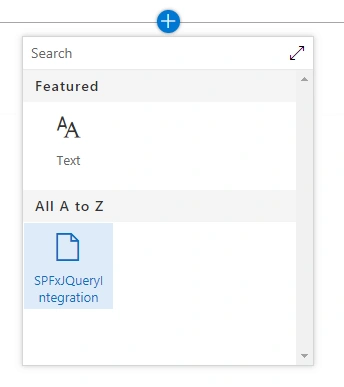
Selected choice - SPFxJqueryIntegration
Hit enter to select the default name or type in any other name.
Selected choice - SPFxJqueryIntegration
Web part description
Hit enter to select the default description or type in any other value.
Selected choice - Hit enter (default description)
Hit enter to select the default description or type in any other value.
Selected choice - Hit enter (default description)
Framework to use
Select any JavaScript framework to develop the component. Available choices are (No JavaScript Framework, React, and Knockout)
Selected choice - No JavaScript Framework. We will integrate jQuery to this solution.
Select any JavaScript framework to develop the component. Available choices are (No JavaScript Framework, React, and Knockout)
Selected choice - No JavaScript Framework. We will integrate jQuery to this solution.
Include Packages
We will now include the JQuery packages. Type in the below commands on the command prompt.
- npm i jquery jqueryui combokeys --save
The --save option enables NPM to include the packages to dependencies section of the package.json file.
Include Typings
Typings will help for auto complete while writing the code in the code editor. Type the below command.
Typings will help for auto complete while writing the code in the code editor. Type the below command.
- tsd install jquery jqueryui combokeys --save
Lock down the package dependencies
Type in below command to lock down the package dependencies.
Type in below command to lock down the package dependencies.
- npm shrinkwrap
In the command prompt, type the below command to open the solution in code editor of your choice.
- code .
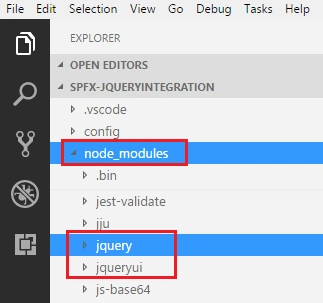
Expand node_module folder to see the npm packages being added for jQuery.
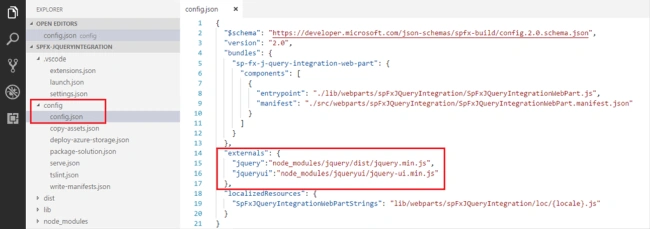
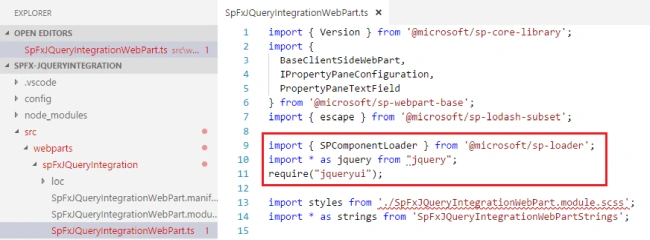
Open config.json under config folder. Under externals node, add jQuery references.
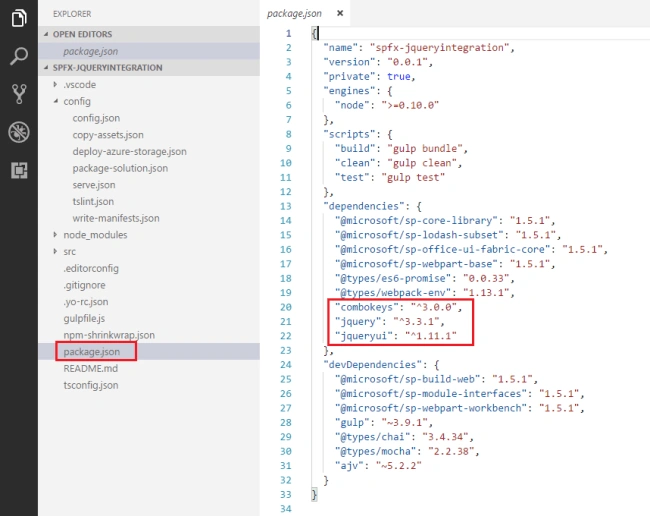
Open package.json and verify jQuery dependencies are listed.

prasad kPosted Oct 19, 2021, 6:21 AM
Great article , if you could provide me with Tabs J query web part using SPFx.
Piyush AgarwalPosted Oct 5, 2018, 11:57 AM
Would be really help full if you provide code along with screen shots. This would help in quickly pasting and viewing the result Nice article on spfx... Thanks
Nagarajan ElumalaiPosted Sep 3, 2018, 5:46 AM
In this SPFX </div>`; require('./IssueManagementPP.js'); alert("Loading Done"); after the html div i am adding one alert function like mentioned here. This alert itself is not triggering and css is also not getting applied. Am not able to debug and identify the error. Is there any chance to trace this error.
Nagarajan ElumalaiPosted Sep 3, 2018, 4:59 AM
In my code script is not firing even alert("Page loading") this itself is not working. Could you please assist me.
Prasad PathakPosted Aug 4, 2018, 3:55 AM
Great article , I will give a try. Thanks